
Messages
Workers can send feedback while executing the Task. All the Messages from Workers are displayed on the Messages page.
When there are some unread messages, they are displayed on the All Tasks page.
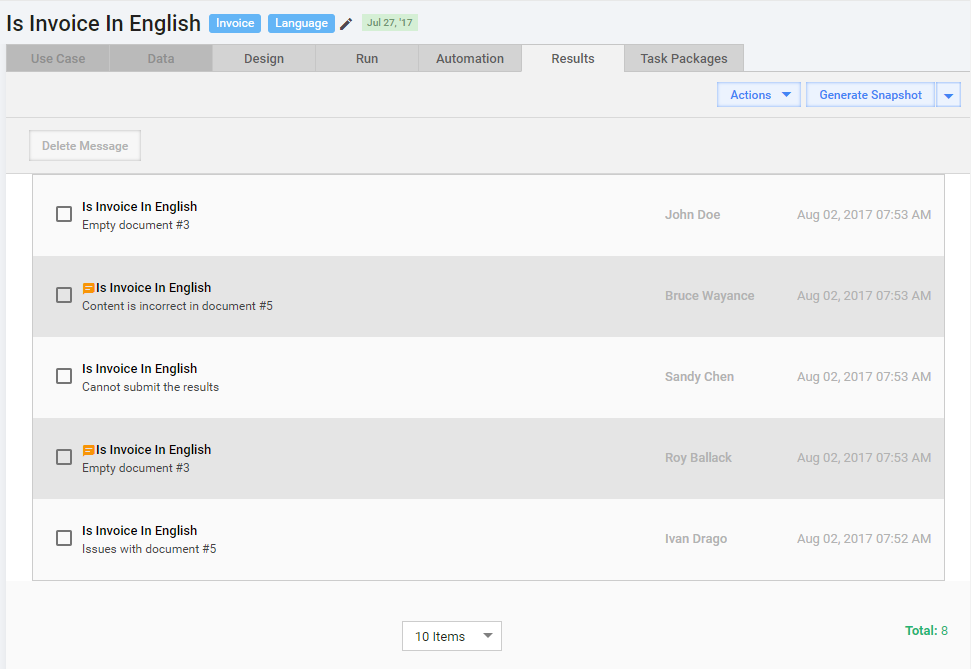
You can perform the following actions with Messages:
- Answer a Message.
- Create a FAQ from Message.
- Delete a Message.
After receiving and answering a Message, you can improve other Workers' performance by updating the Task Instructions and/or Design.
When you reply on message, it is available in WorkSpace dashboard of the respective Worker.
In case a Worker wants to continue the communication (replies from Dashboard), this message will be linked to this Task in WorkFusion (as a new one). All communication with Worker is displayed at Worker Details > Communication center.
Answer Message
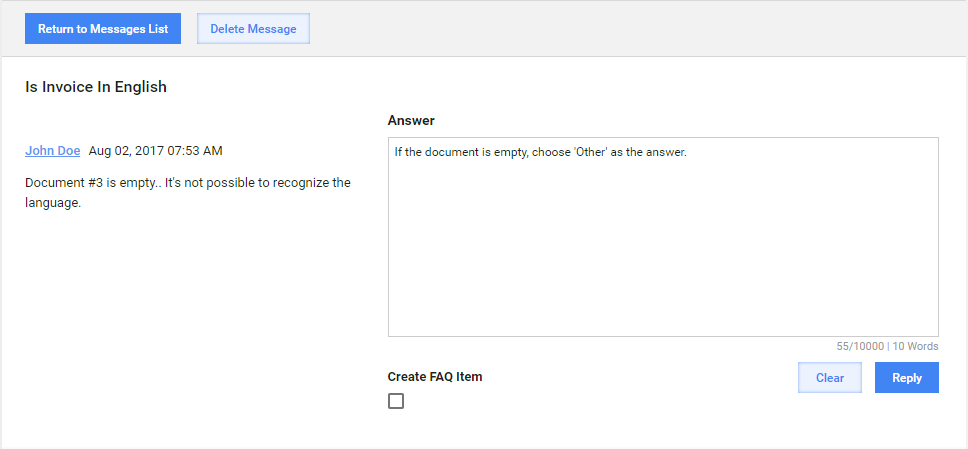
To answer the message:
- Answer the Message.
- Click Reply.
Creating FAQs
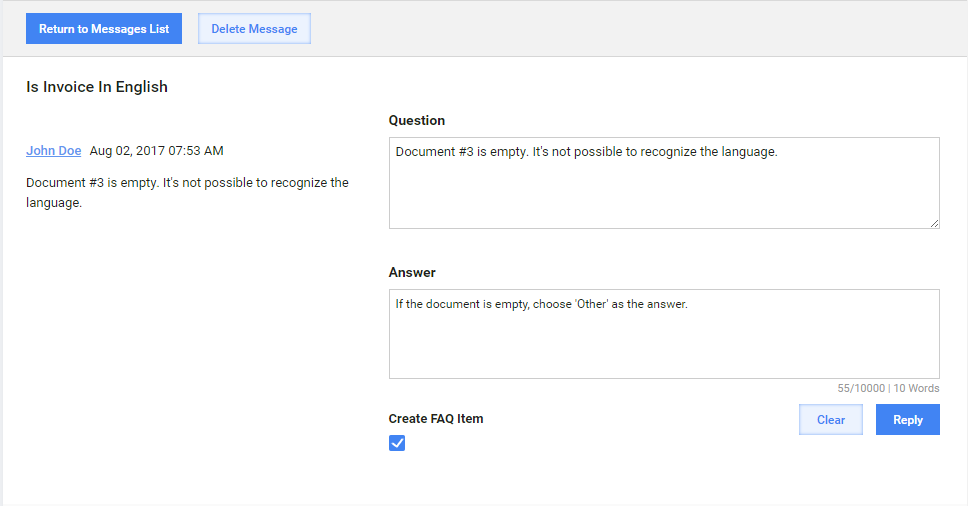
To create a FAQ:
- Select Create FAQ Item.
- Answer the Message.
- Click Reply.
Delete Message(-s)
To delete a message or messages:
- Select the message(-s) you want to delete.
- Click Delete message.
