
Set up Dynamic Task Distribution among Crowds
Dynamic Task Distribution (DTD) makes completing Tasks in a custom order possible. This brings the following benefits:
- complete the most important Tasks first
- change the Task order on the fly
- use custom Tasks comparator
WorkFusion decides in which order to show Tasks to Worker right after the Task has been accepted.
Initially, Control Tower does not post specific Tasks to WorkSpace. It posts Tasks placeholders. Tasks are stored in Control Tower in an ordered pool. By default, they are ordered by their creation time and priority.
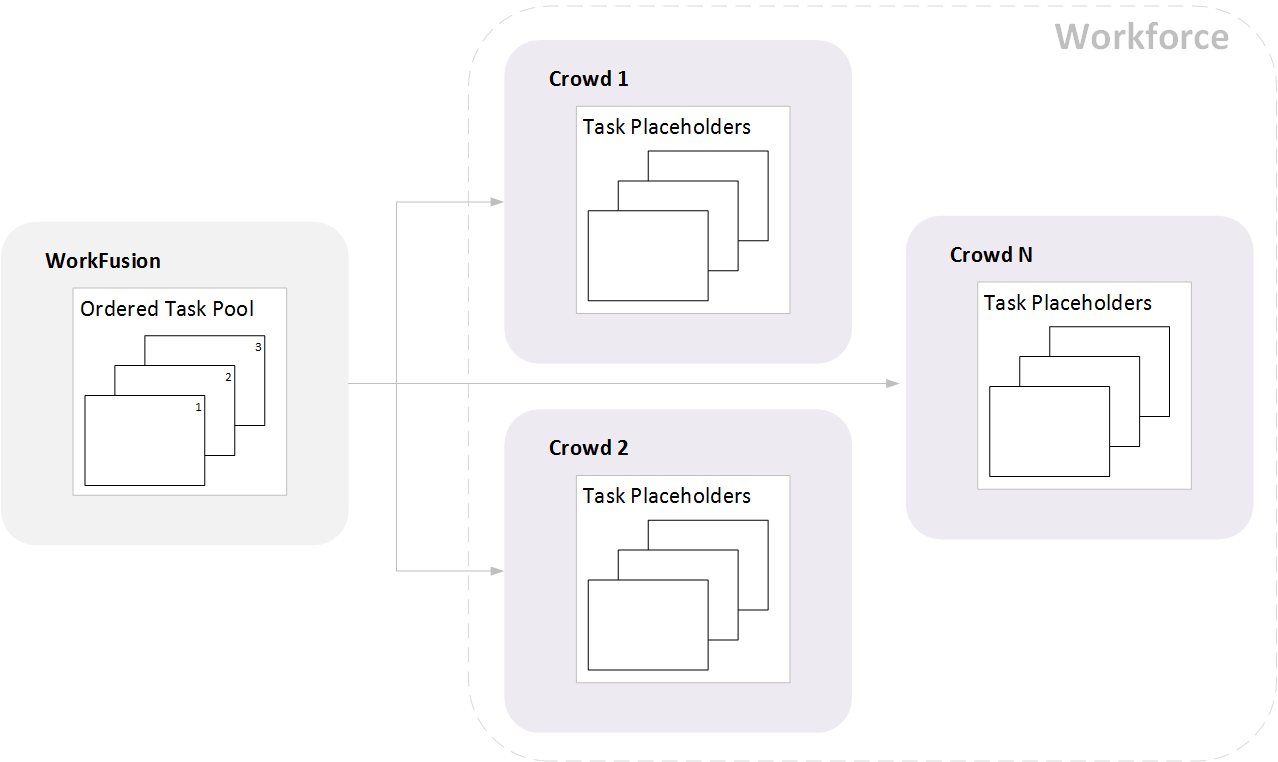
Until a Task is accepted, Workers will see the Task placeholder. Usually it is the first Task in the Task pool, but in case if a lot of Workers are working, Task shown before the accepting might be not the same as the Task shown after accepting. When a Worker accepts the Task, WorkFusion will show the first free Task from the ordered pool. This feature allows you to complete the most important Tasks first, change the Task order on the fly, and use custom Tasks comparator independently of target Endpoint.
Max Hours per Day and Minimum Commitment in Hours per Day parameters allow you to setup guaranteed minimum and maximum workload for the Crowd. This is useful for private Crowd configuration. You can also use the Working Hours parameter to setup Tasks availability.
Workforce is a «Workers pool» which contains Workers from several Crowds. The main parameters available for Workforce configurations are Crowds itself and Crowds Priority.
Task Distribution Examples
Complete Tasks as soon as possible
2000 Tasks are to be done as soon as possible using all available resources. In this case, all Crowds in the Workforce should have the same priority:
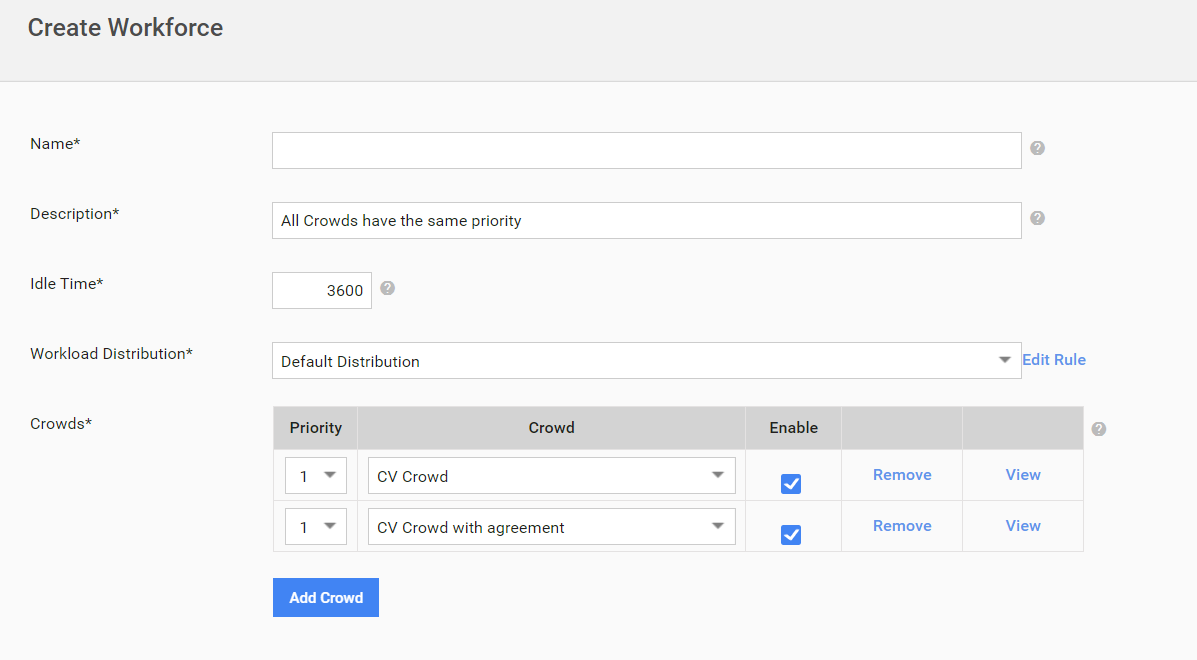
How the distribution works:
If this is the first Task run all Crowds will have no velocity statistics available. Therefore, 2000 Tasks will be posted to all Crowds in equal shares 1000/1000. Note, we are not posting real Tasks – we are posting Task placeholders.
Every 2 minutes the distribution engine calculates completed Tasks count, velocity and average time per Task for each Crowd. By default, 7 days period is used for velocity calculation and 30 days period is used for average time per Task calculation. Velocity and average time are calculated per Crowd. It does not matter which Tasks are posted.
Now there are several cases:
No Tasks were completed at all. No action required.
50 Tasks were completed by Elance Workers and 0 Tasks were completed by MTurk Workers. In this case 50 Tasks will be moved from MTurk to Elance. We are not moving all the Tasks because we want to give a change to MTurk Workers to do the work. As the result we’ll have 1000 Tasks available in Elance and 950 on MTurk.
100 Tasks were completed on Elance and 200 Tasks were completed on MTurk.
1700 Tasks left and distribution engine has to redistribute them. Total velocity for all Crowds is 100+200=300 Tasks in the unit of time. To complete all Tasks in the same time with the maximum Crowd utilization, we should have 100*1700/300=566.6(rounded to 567) Tasks on Elance and 1700-567=1133 Tasks on MTurk. Therefore, 900-567=333 Tasks will be moved from Elance to MTurk. As the result we have 1133 Tasks available on MTurk and 567 Tasks available on Elance. Let’s say that in the next unit of time only 50 Tasks were completed on MTurk and 350 Tasks were completed on Elance. There are 1300 Tasks left and distribution engine has to redistribute them. Total velocity for all Crowds is 50+350=400 Tasks in the unit of time. To complete all Tasks with the maximum Crowds utilization we should have 350*1300/400=1137.5 (rounded to 1138) Tasks on Elance and 1300-1138=162 Tasks on MTurk. Engine will remove 1133-162=971 Task from MTurk and post these Tasks to Elance. As the result we’ll have 162 Tasks available on MTurk and 1138 Tasks available on Elance.
Complete Tasks in preferable Crowd first, then post to other Crowds
We have 2000 Tasks and we want to have as much as possible Tasks to be completed by the most experienced Workers. The experienced Crowd should have the highest priority:
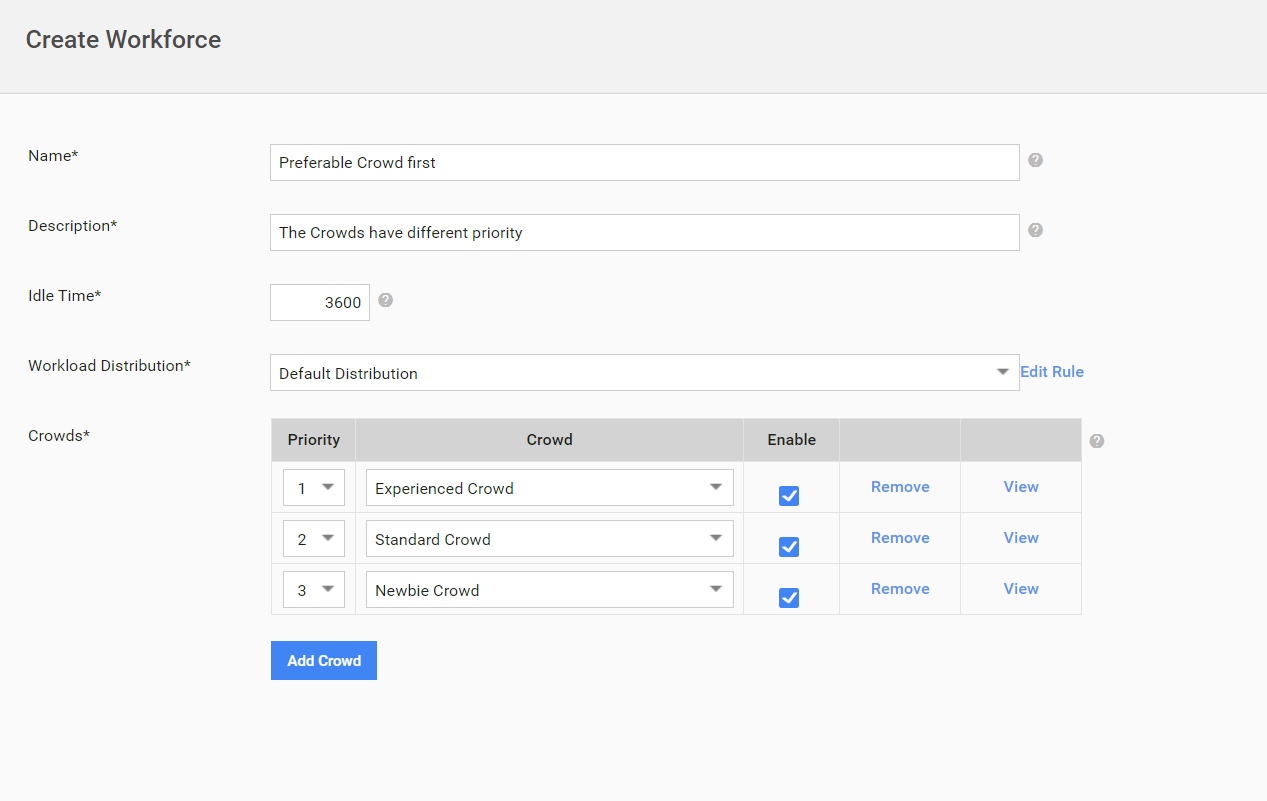
Initially all Tasks will be posted to the first Crowd. During the next hour no Tasks will be redistributed. After 1 hour, the distribution engine will start handle the first and the second Crowds as they have the same priority.
Priority is important during the first 60 minutes only (configurable in the DB). This is like a temporary advantage over other Crowds. In the next hour all 3 Crowds will be handled as described in the 1st case (Complete Tasks as soon as possible).
Complete Tasks as soon as possible, but provide a guaranteed workload for a private Crowd
We have 2000 Tasks (time allotted per Task is 10 minutes) and we have private and public Crowds. The Private Crowd has N Workers which can do 60 hours of work per day and we want to guarantee that the private Crowd will be fully loaded.
In this case we should setup Minimum Commitment in Hours per Day parameter in the Crowd. Both Crowds in the Workforce should have the same priority:
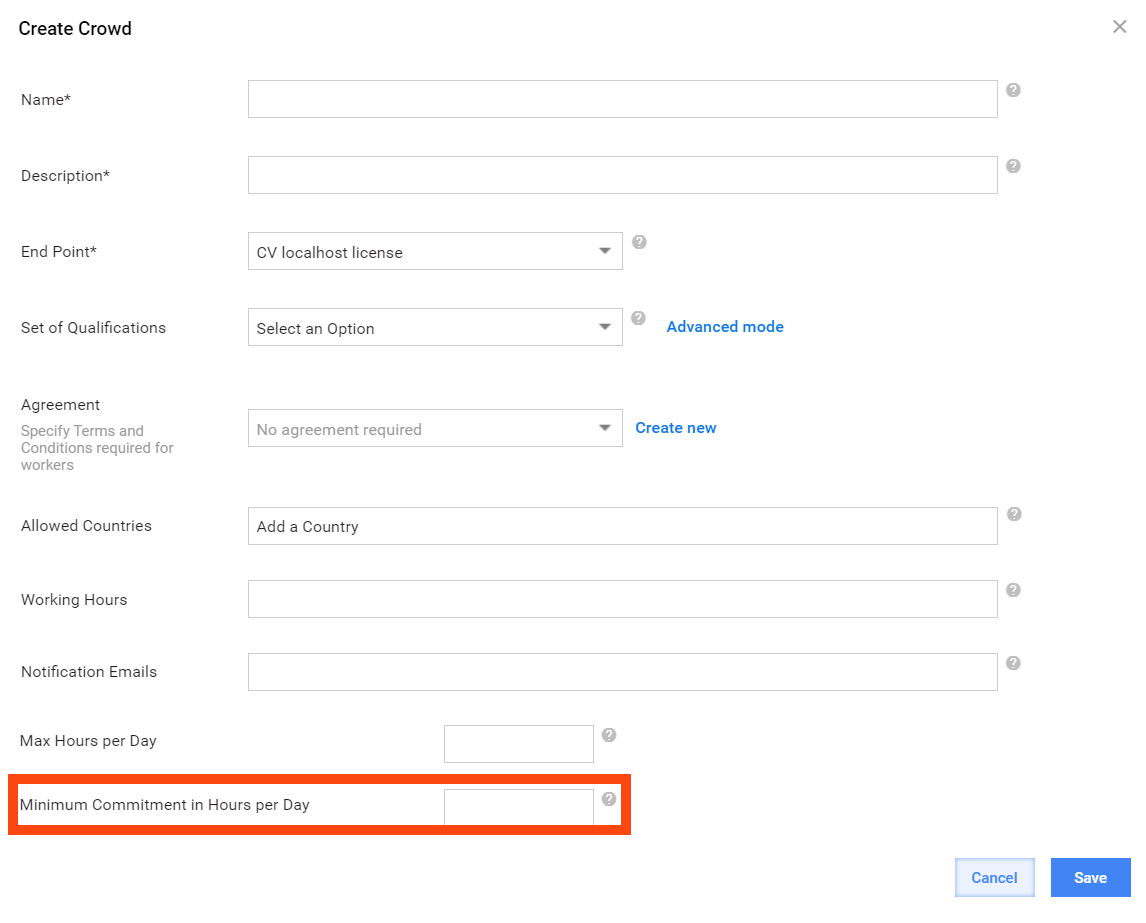
Both Crowds in the Workforce should have the same priority:
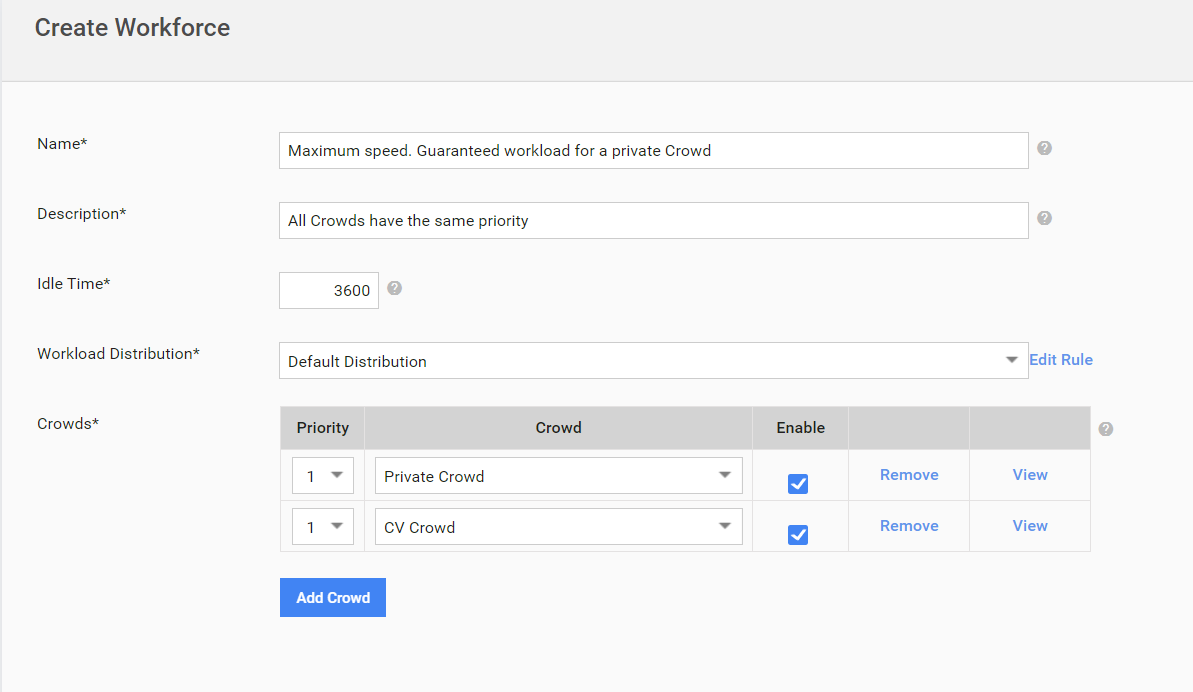
How the distribution works:
If this is the first Task run, all Crowds have no average Task completion time statistics available. Maximum allotted time for assignment parameter will be used. In this case it is 10 minutes. Distribution algorithm will process Crowds with the Minimum Commitment in Hours per Day parameter configured first.
We need to guarantee 100% workload. 60h=3600min. 3600min/10min=360 Tasks. Therefore, distribution algorithm should post at least 360 Tasks to the Private Crowd. We have 2000 Tasks and 2 Crowds. According to the 1 case, 2000Tasks/2Crowds=1000 Tasks per Crowd. 1000 is more than 360, so Tasks will be posted in equal shares 1000/1000.
Example 2: we have 500 Tasks only. According to the workload calculation 360 Tasks will be posted to private Crowd, the rest will be posted to public Crowd.
Let’s suppose that in 40 minutes 5 Tasks were completed by the Private Crowd. The distribution engine will perform the following actions:
- Calculate the average time per Task: 40/5=8 minutes per Task.
- Calculate how many Tasks should be available in the Private Crowd to guarantee full workload. (60h – 40min)/8min per Task = 445 Tasks.
Now the Distribution engine will redistribute Tasks so that private Crowd will have 445 Tasks available.