
Troubleshoot server ODF
The guide is intended for IT Operations Support Engineers who own the IA Cloud Enterprise environment. Those engineers are expected to have access permissions to configure servers for the Open Development Framework (ODF).
Copy WorkFusion dependency JARs
This step is optional. You can always use WorkFusion public Nexus unless your company's policies prohibit doing so and you have trouble accessing it.
By default, WorkFusion archetypes generate Maven projects pointing to WorkFusion public Nexus. So, if you need to switch to your company's Nexus, follow the instructions below:
tip
We recommend using Nexus Repository Manager OSS 2.14.12-01. The latest Nexus versions use an internal database to store files instead of a file system. Thus, it is not possible to manually add some dependencies using a simple copy.
Download the archived WorkFusion dependencies.
Version Download link 10.1.6
https://aa-materials.s3.amazonaws.com/odf/dependencies/10.1.6.6/odf-dependencies-10.1.6.6.zip Create a
wf-dependenciesrepository on your on-premises Nexus server. The repository is similar to the public one provided for ODF enablement.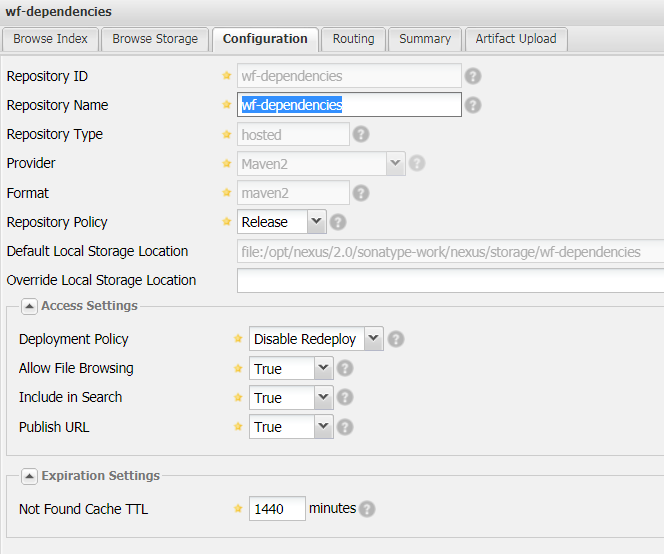
As a result, you get a repository on the following path:
/opt/nexus/2.0/sonatype-work/nexus/storage/wf-dependencies.Upload
wf-dependencies.odf-X.X.X.X.ziponto the server and unzip the archive into/opt/nexus/2.0/sonatype-work/nexus/storage/wf-dependencies. To add dependencies manually, enable SSH access to the database server and root permissions.See the commands
Upload to Nexus server
scp -i id_rsa wf-dependencies-X.X.X.X.zip username@dbserver.company.com:/home/usernameid_rsais your public security key for SSH access. Request your company IT for SSH access and proper commands.The zip file resides in
/home/username/on the server.Enable SSH connection to Nexus server
ssh -i id_rsa username@dbserver.company.comUnzip directory
unzip -r /home/username/dependencies-X.X.X.X.zip /opt/nexus/2.0/sonatype-work/nexus/storage/wf-dependenciesThe default server directory where Nexus stores JARs for repositories is
/opt/nexus/2.0/sonatype-work/nexus/storage. You may need to confirm that with your company IT.Copy to repository directory
cp -a /home/username/wf-dependencies/. /opt/nexus/2.0/sonatype-work/nexus/storage/wf-dependenciesChange all dependency permissions
For Nexus to have full control over JARs copied manually, change the group and owner to
nexusfor all copied files.cd /opt/nexus/2.0/sonatype-work/nexus/storage/wf-dependencies sudo chgrp -R nexus * sudo chown -R nexus *
Browse the
wf-dependenciesrepository via Nexus UI to make sure it shows directories with JARs.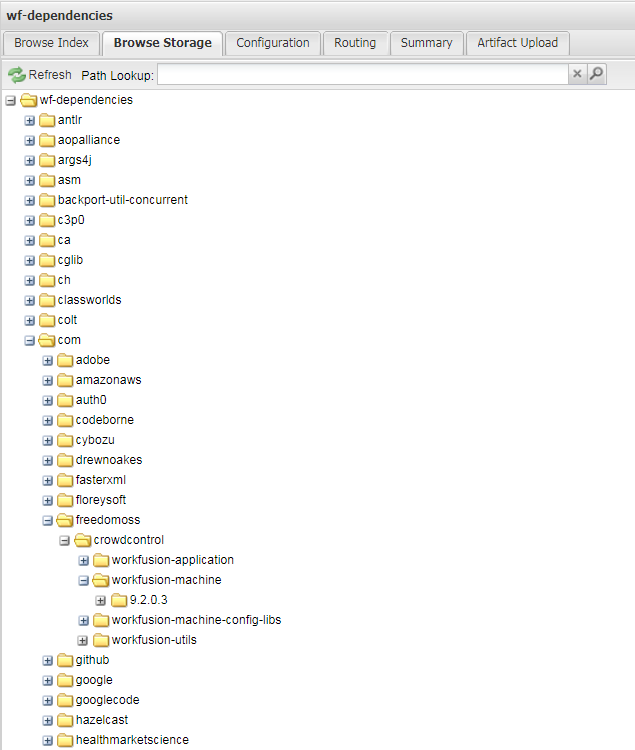
In Nexus UI, right-click the
wf-dependenciesrepository. Click Update Index to let Nexus know about the file system changes. To do that, you need to have Administrator privileges configured for Nexus.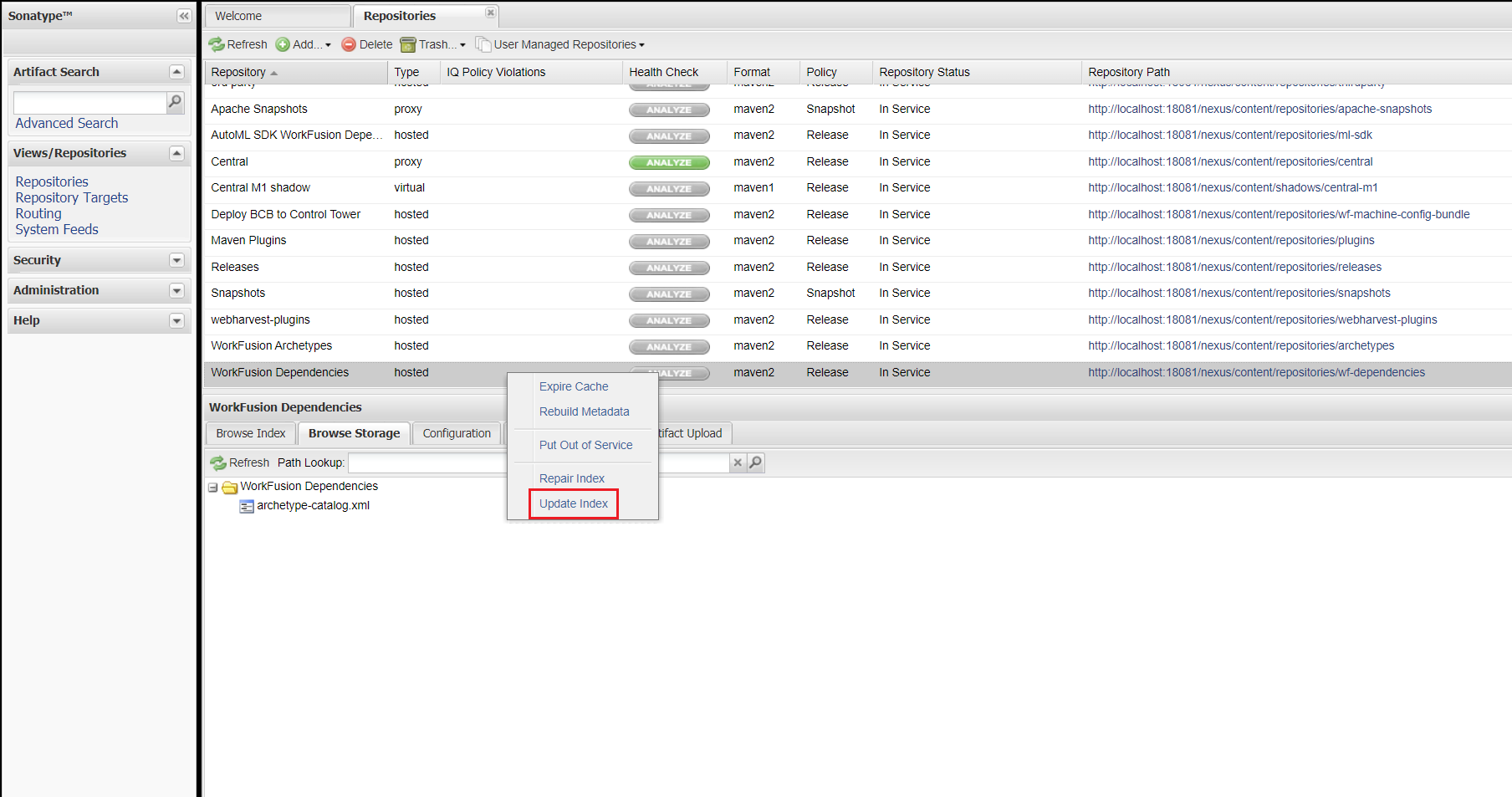
After generating a project from a WorkFusion archetype, change Nexus URLs in root
pom.xml.
Configure Control Tower sync repository
In a standard installation of IA Cloud Enterprise environment, Nexus is included with a pre-configured wf-machine-config-bundle repository. The repository is used to deploy Bot Config Bundle (BCB) JARs from WorkFusion Studio to Control Tower.
The Control Tower configured to work with Nexus fetches a BCB JAR in this repository. After the fetch, Control Tower parses each BCB. All Java classes in this BCB are added to each BCB's Bot Task classpath. Thus, if you add a BCB-originated Bot Task to your Business Process, all custom Java classes used in the Bot Task work correctly.
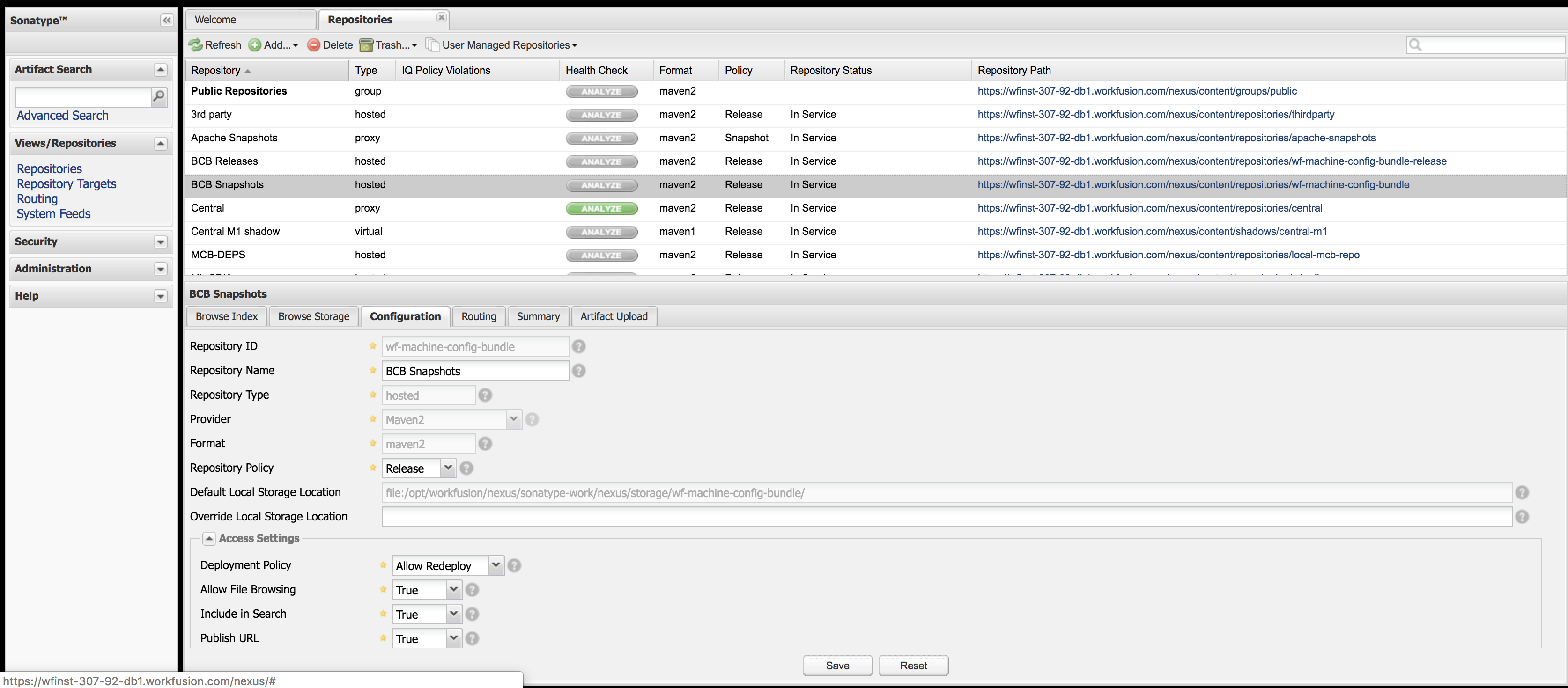
For proper work, make sure that for the wf-machine-config-bundle repository:
- The Repository Policy is Releases.
- The Deployment Policy is Allow Redeploy.
Configure Archetypes repository
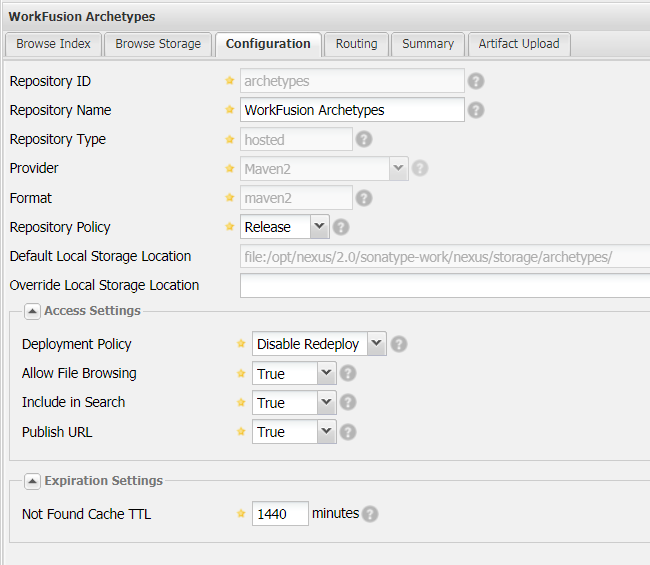
Create a Maven repository, setting the Repository ID to Archetypes. The repository is going to be used as an archetype catalog for your developers.
Make sure the Archetypes repository is accessible without authentication—by an anonymous user. To enable such access, configure Administrator privileges on Nexus and related security settings:
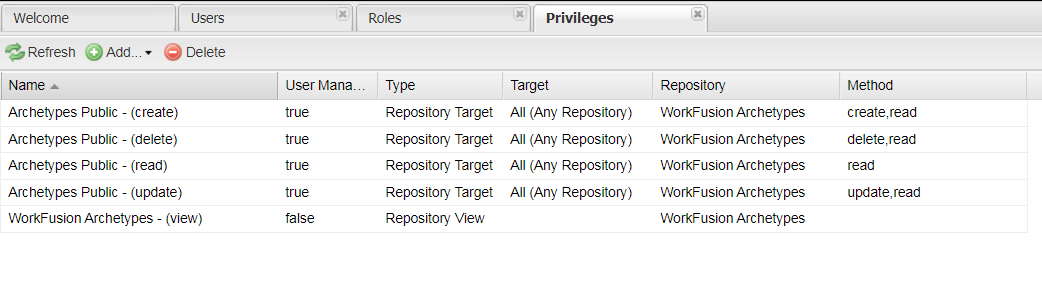
Create a new privilege for the Archetypes repository.
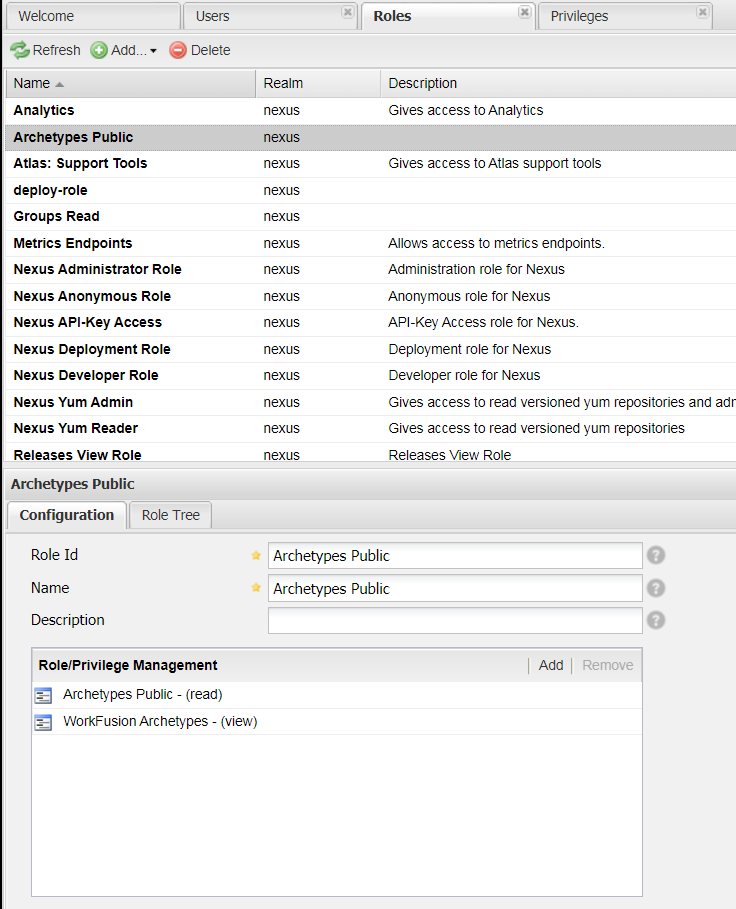
Create a new role and add the view permission for the Archetypes repository.
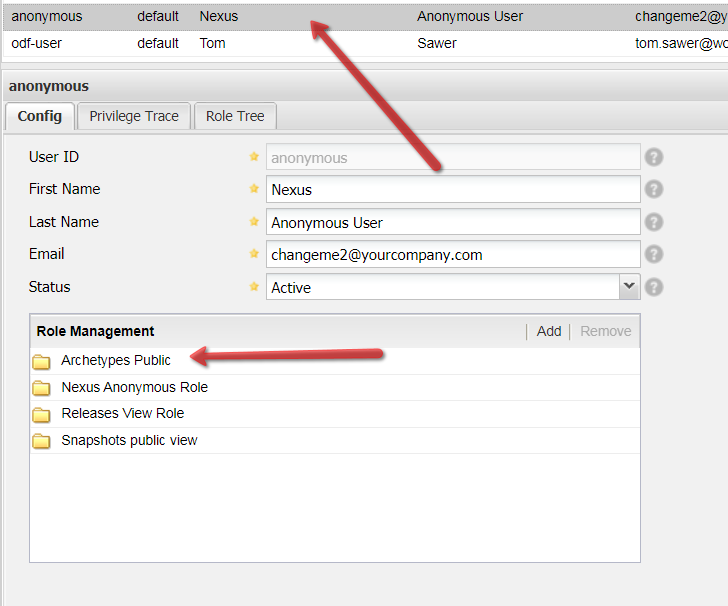
Add the role from step 2 to the Anonymous User.
Copy ODF artifacts to Nexus for further deployment
Put ODF BCB into Nexus repository
Use Asset Bundle import to put ODF BCB into your Nexus repository.
Put ODF archetypes into Nexus repository
To deploy archetypes, log in to the Archetypes repository as
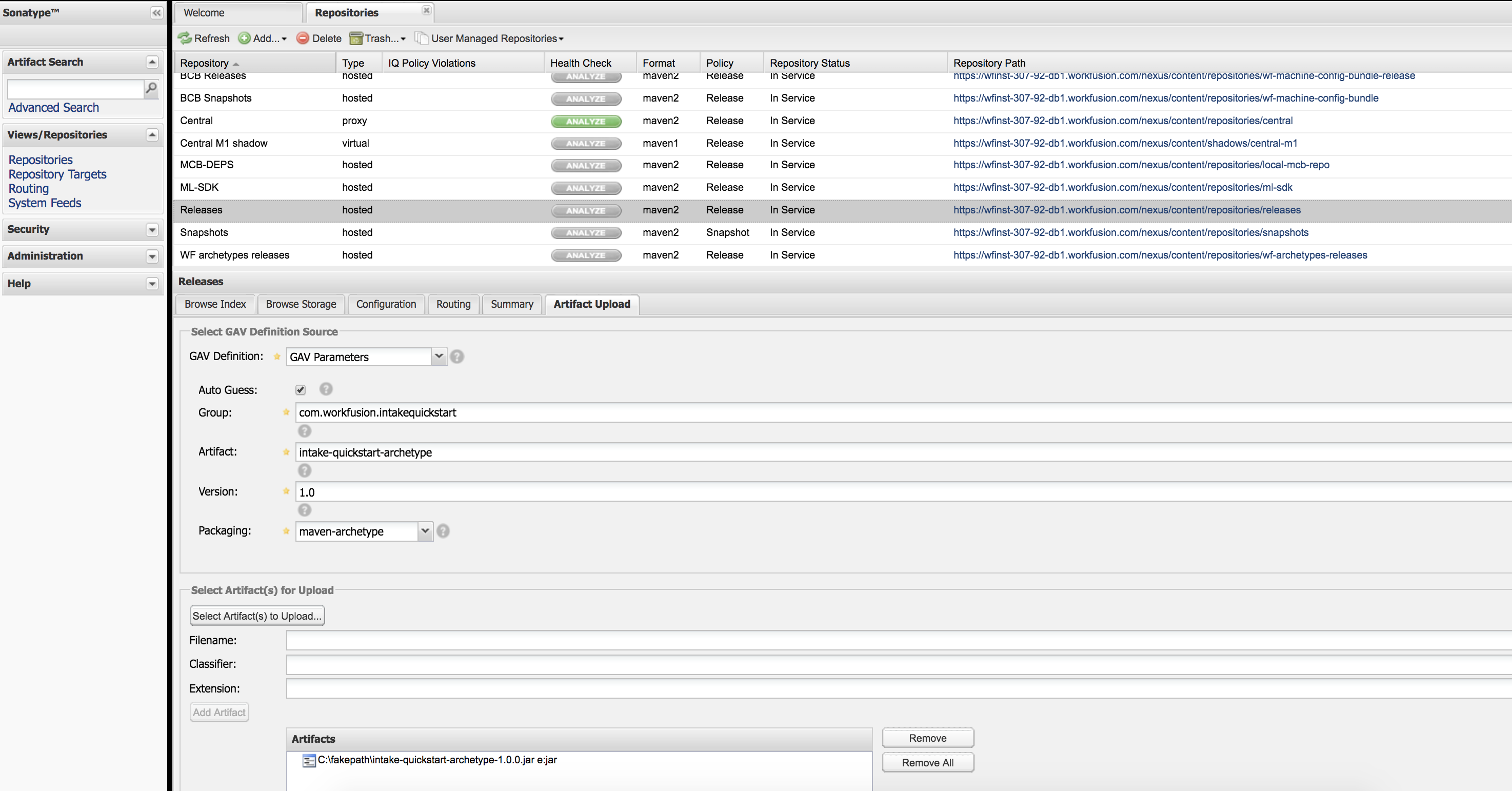
odf-user/Workfusion!5and download a proper version from the WorkFusion public Nexus repository.Select the Archetypes repository > Artifact Upload, and set the following GAV:
- Group:
com.workfusion.odf - Artifact:
bcb-bundle-quickstart | rpa-bundle-quickstart | full-bundle-classification-quickstart | full-bundle-ie-quickstart | full-bundle-quickstart | minimal-bundle-quickstart - Version:
X.X.X.X(specify a proper version according to the compatibility matrix)
- Group:
Configure Nexus user
To configure Nexus users and permissions, enable Administrator privileges:
Go to Security > Users.
Сreate Privilege, then Role, and, finally, User.
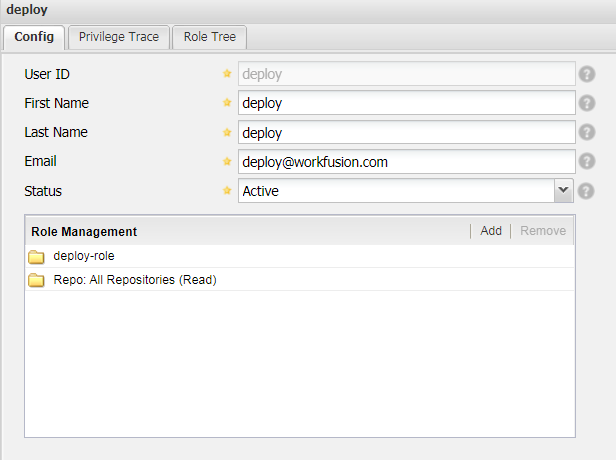
To deploy BCBs from WorkFusion Studio directly, follow the instructions below:
Make sure you have a user created in Nexus with the deploy and view permissions for the
wf-machine-config-bundlerepository.Provide the Nexus user credentials in your
settings.xml.<!-- Credentials to deploy BCB to Nexus > CT --> <server> <id>bcb-repository</id> <username>deploy</username> <password>NEXUS_DEPLOY_PASSWORD</password> </server>
Deploy ODF artifacts
If you used ODF in a target Control Tower before, make sure to back up the _odf_transactions Data Store. For that, download the CSV file with data to a local workstation. If you skip the step, you may lose transaction data because Asset Bundle Migration API re-creates _odf_transactions inside the ODF bundle zip file.
Use the Asset Bundle import feature to deploy ODF as described below:
- Download the ODF bundle zip file from the release repository based on the compatibility matrix.
- Deploy the bundle as described in Import Asset Bundle with scripts.
Check file storage
Make sure that the server Control Tower has the write access to the doc-upload S3 File Storage bucket.
This step is optional. If your use case involves HTML to PDF conversion, the library is required. For details, see HTML to PDF Converter.
note
ChromePDFPrinter is included in the ODF 10.1 bundle and installed automatically.