Overview
What you need to install IA Cloud Enterprise
The full installation path of the Product consists of the following steps:
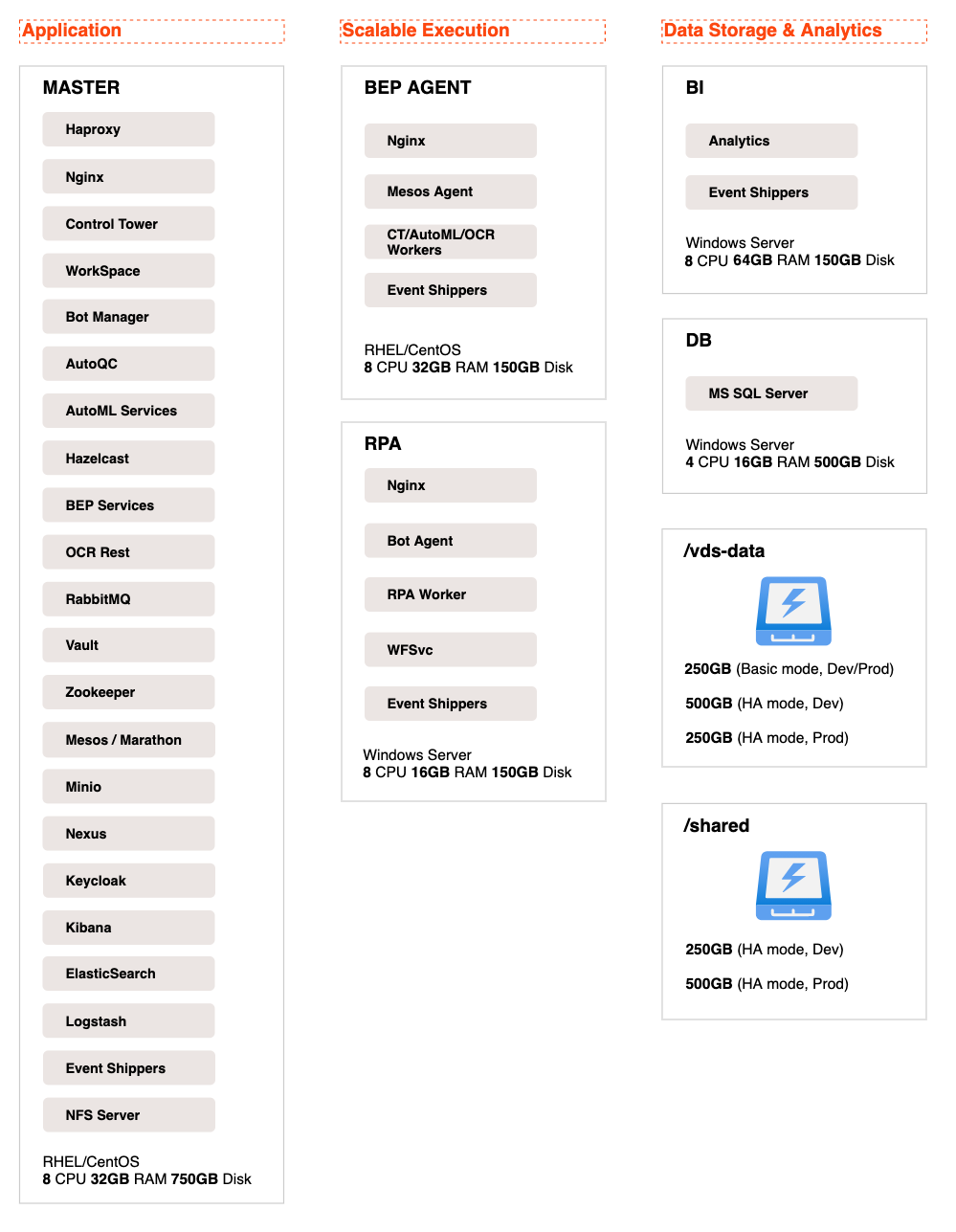
- Deploy the required amount of servers and tell WorkFusion engineers whether you are going to use the high-availability feature or not.
- Prepare disks and mount shared directories
- Configure your load balancer (for high-availability setup only).
- Create the "workfusion" database on your MS SQL server and populate it with the required logins, usernames, and passwords.
- Create Linux and Windows users on the servers.
- Prepare a list of DNS names of the required network components.
- On each deployed server, open the required ports.
- Prepare the certificates.
- Prepare servers for the installation.
- Check that you have prepared the environment for the installation correctly with our little checker.
- Install Intelligent Automation Cloud Enterprise.
important
If you need our assistance in installation, after you prepare the environment according to System requirements, we kindly ask you to download the archive with checklists, complete them all, and send the checklists to us.
Installation options
You can install Intelligent Automation Cloud in two different ways:
Single-point setup
The simplest and recommended way, when the installation of all components is performed from a single server. It is the best option if your company's policies allow SSH connection from any server to all others.
Multi-point setup
The traditional way, when the installation of each component is performed on the corresponding server. Select this installation method, if the security policies restrict SSH connection between servers or Windows Remote Management (WinRM) to run management scripts remotely.
note
There is also the mixed way of installation, if:
- You can connect from one server to all others via SSH.
- You are not allowed to use Windows Remote Management (WinRM).
In this case, use the single-point way to install all Linux components, and then the multi-point one, when it comes down to the Windows servers setup.
important
HAProxy is always installed on the Master server, even if you are not planning to run Intelligent Automation Cloud Enterprise in the HA mode.
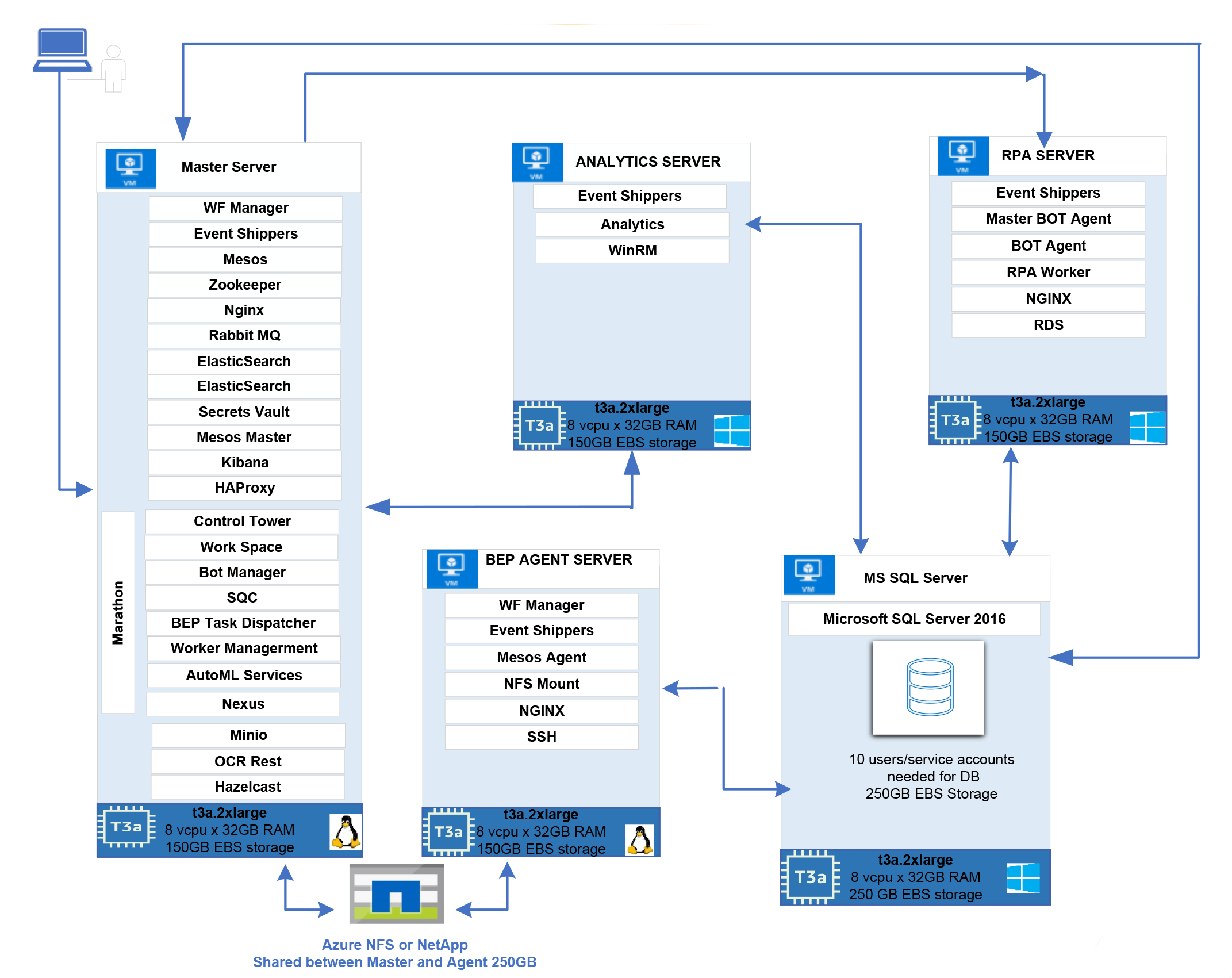
Deployment diagram
Components interaction