Correlated fields
The Correlated fields Answer Type allows you to repeat a block of answer fields, so Workers can dynamically add Answers. This feature is useful when the number of task answers is unknown, for example: "Find all members of the Board of Directors from an annual report".
Repeatable block creation
To create a repeatable answer block, select the Answer Type > Correlated fields when adding a new Answer.
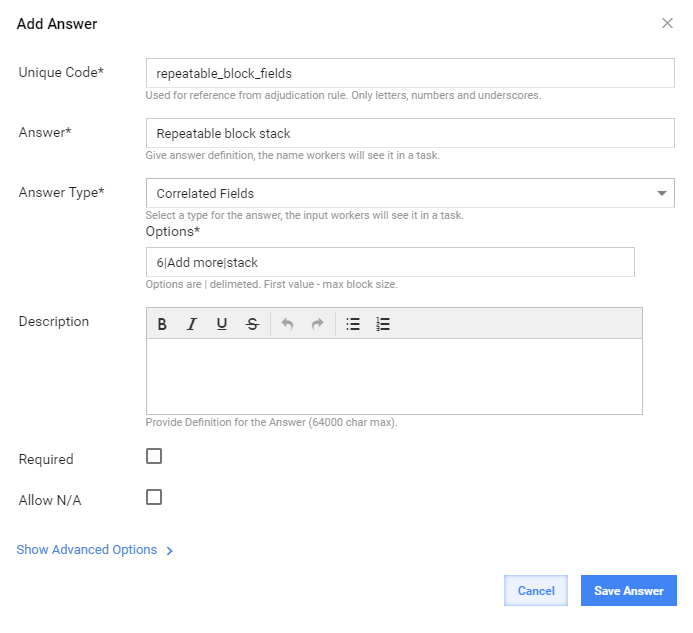
Correlated fields options
Custom parameters are 6|Add more|Stack, where:
- 6: max block size; you can input any integer value.
- Add more: the name of the block creation button.
- Stack: one of three variants (tabs, stack, horizontal) for tabs location.
Default parameters are as follows:
- Max block size: unlimited
- Button name: Add
- Tabs location: Tabs
The worker's answer is processed as a pair of values divided by ::.
Usage
Used as a parent container for child answer types. Child answers should be non-adjudicated and in common case.
Currently supported child answers include the following:
FREE_TEXTLONG_TEXTCHECK_ONECHECK_MULTISELECT_ONESELECT_MULTI- NUMBER
- PRICE
- DATE
- TIME
- PHONE
MASKED_TEXT- SLIDER
TEXT_LIMITATION_AREAUPC_CODESELECT_DATE
For example, you can use the 3|Add|stack values to set the parameters, where:
- 3: first value, max block size
- Add: button name
- Stack: one of the three variants (tabs, stack, horizontal) for tabs location
Default parameters are as follows:
- Max block size: unlimited
- Button name: Add
- Tabs location: Tabs
Default value
The default value is a JSON object of the following structure:
{"cf":[{"t1":"b","t2":"b"},{"t1":"a","t2":"a"}]}
Where:
- cf is the
correlated_fieldanswer code. - t1 is the first sub-answer.
- t2 is the second sub-answer.
- a and b are values.
Example
Below is an example of the default JSON object:
{"cf":[{"t1":"b","t2":"b"},{"t1":"a","t2":"a"}]}
Where:
- cf is a Correlated Input answer code that should be used in conjunction with
CorrelatedMultivalueComparator.
Various tab diplay modes
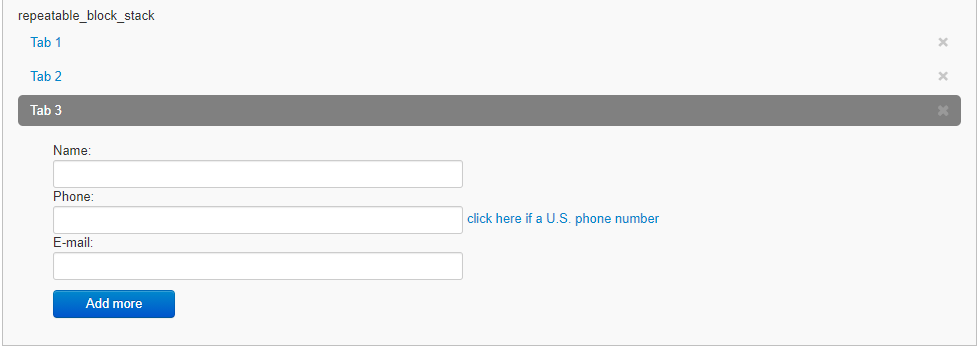
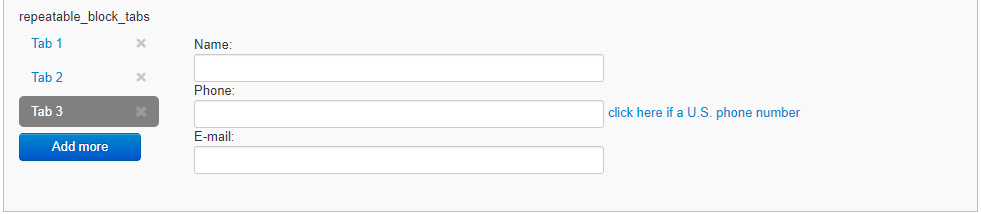
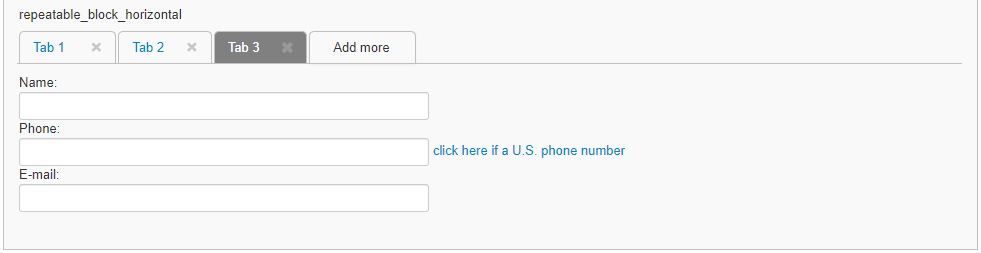
You can choose from the three types of tab display:
STACK
TABS
HORIZONTAL
Sub-answers
Several levels of sub-answers (2, 3) are supported in the Correlated fields Answer Type. The list of available sub-answers contains the following:
FREE_TEXTLONG_TEXTCHECK_ONECHECK_MULTISELECT_ONESELECT_MULTI- NUMBER
- PRICE
- DATE
- TIME
- PHONE
MASKED_TEXT- SLIDER
TEXT_LIMITATION_AREAUPC_CODESELECT_DATE