Application Performance Monitoring overview
The section contains a description and instructions on Application Performance Monitoring (APM) integrated into the WorkFusion product.
Installation
By default, APM is installed during the product installation.
To integrate or disconnect the service from APM, do as follows:
- In the
environment.shscript, set theAPM_ENABLEDflag totrueorfalserespectively. - Restart the service with the
wfmanager restart <service>command.
Services integrated on demand with APM are as follows:
- automl-gateway-service
- automl-billing-service
- automl-model-management-service
- automl-model-service
- bot-manager
- dataset-management
- hazelcast-server
- keycloak
- labeling-service
- manual-task-renderer
- marathon
- ocr-rest
- sqc
- task-dispatcher-service
- worker-management-service
- workfusion
- workspace
To integrate all services from the list above with APM, run the command ./install.sh configure_services apm.
Usage
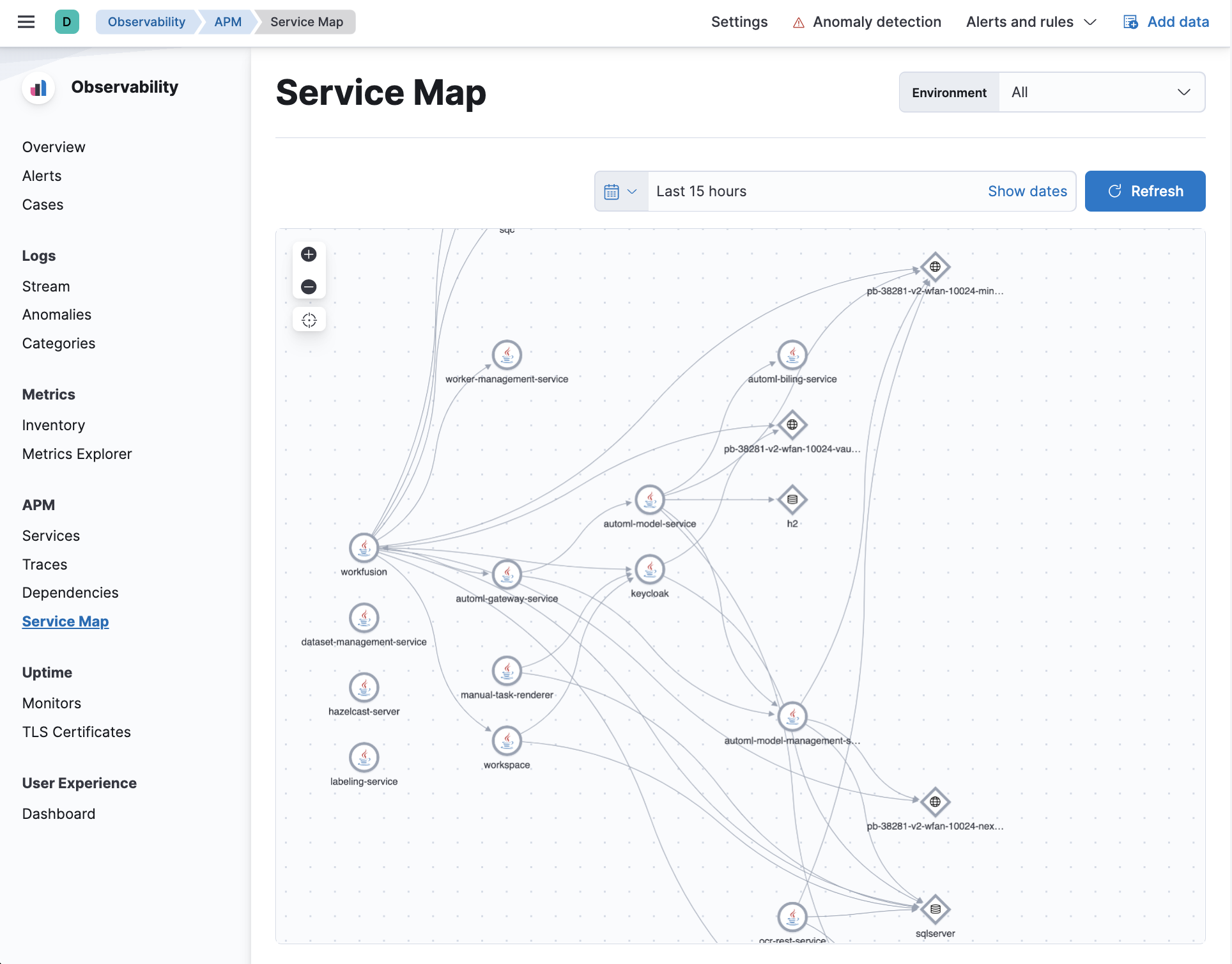
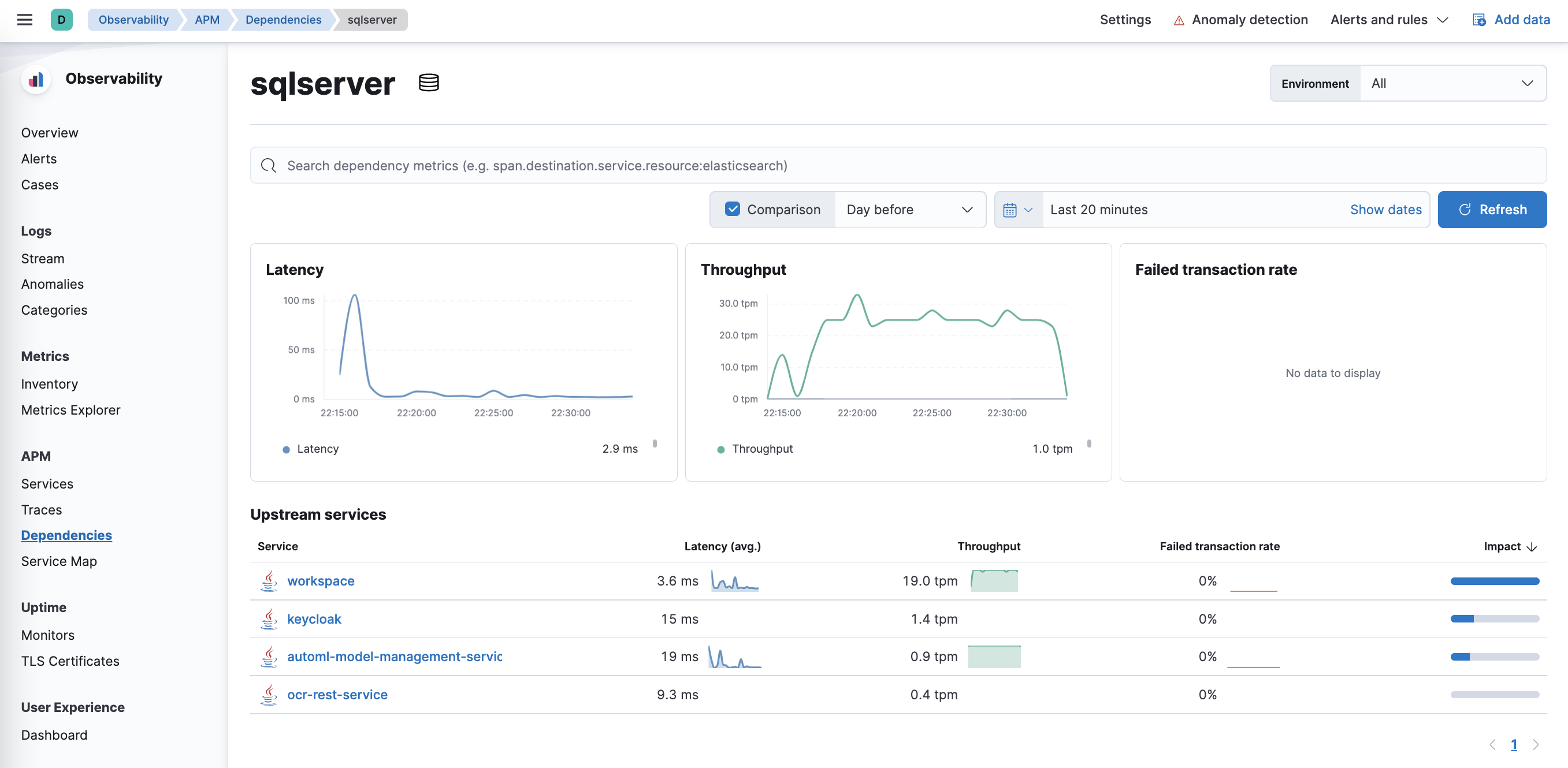
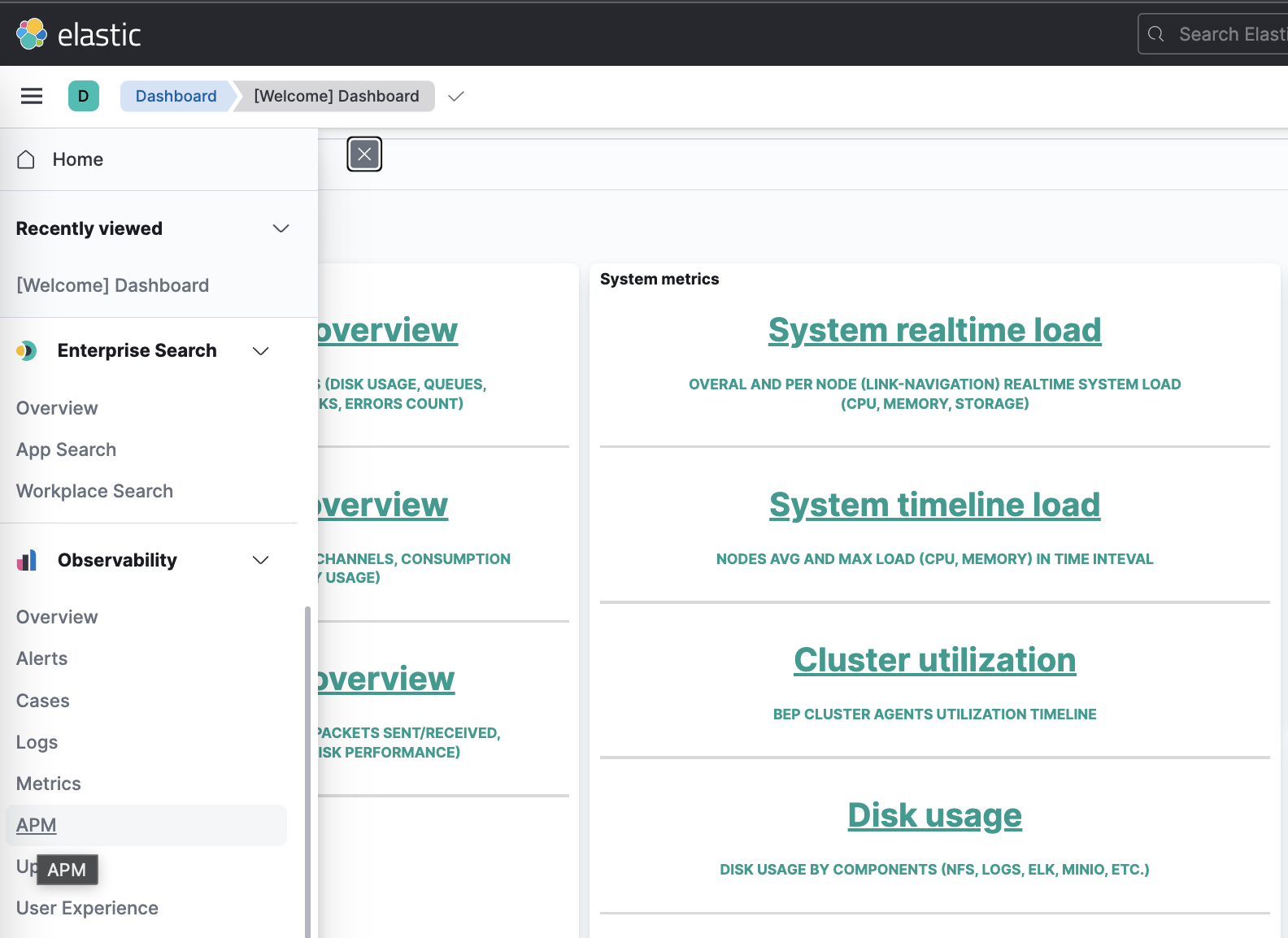
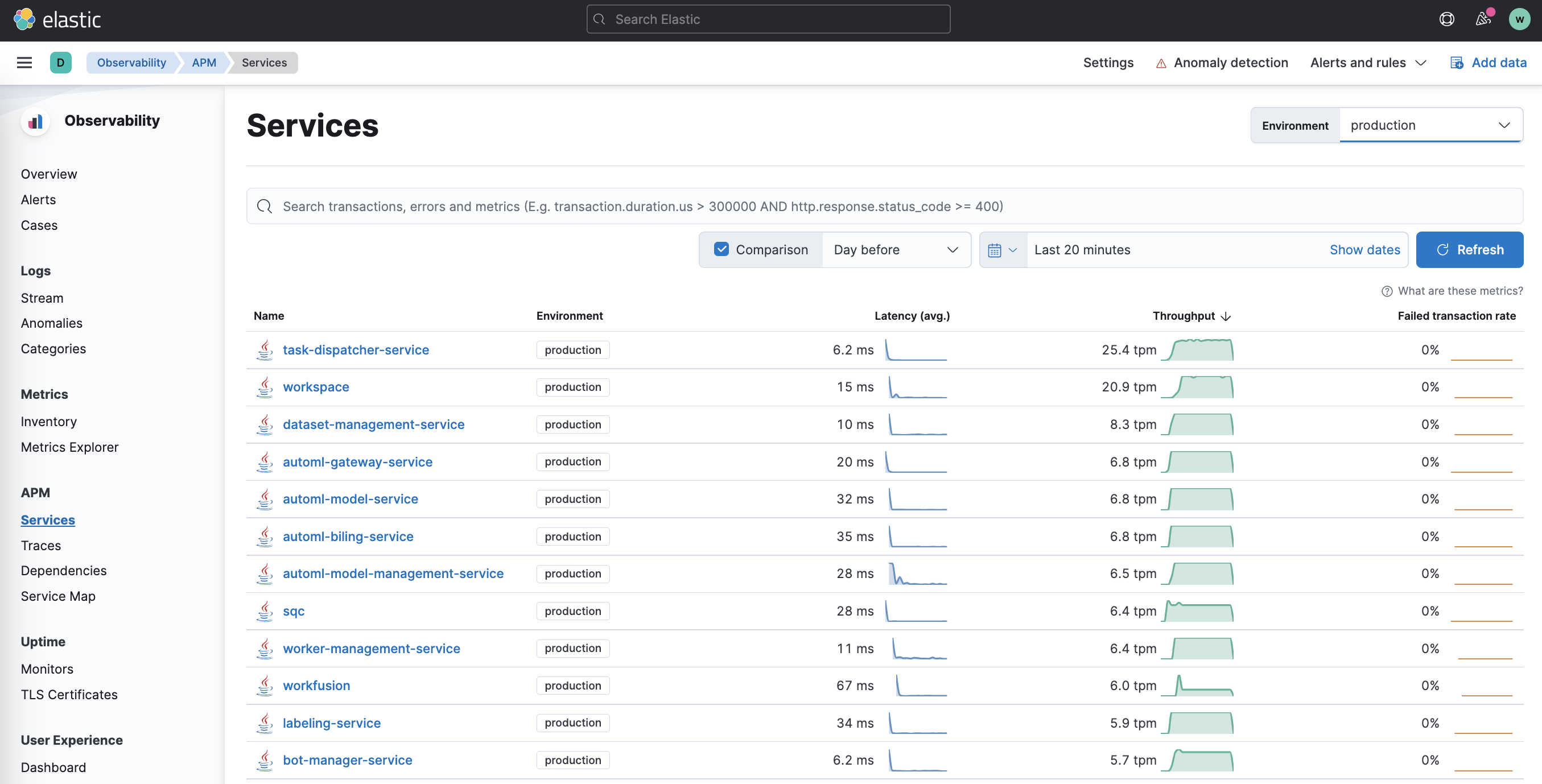
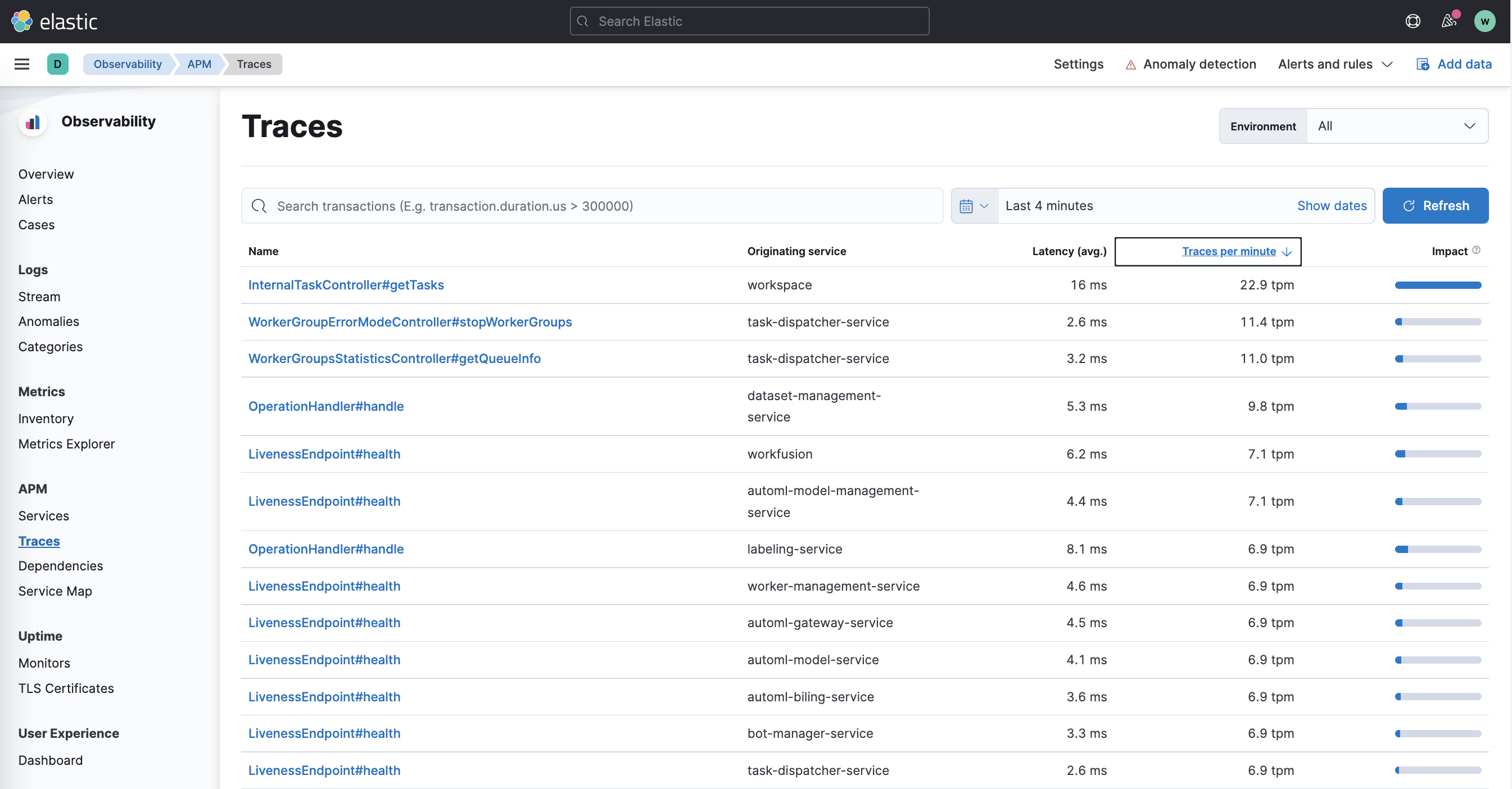
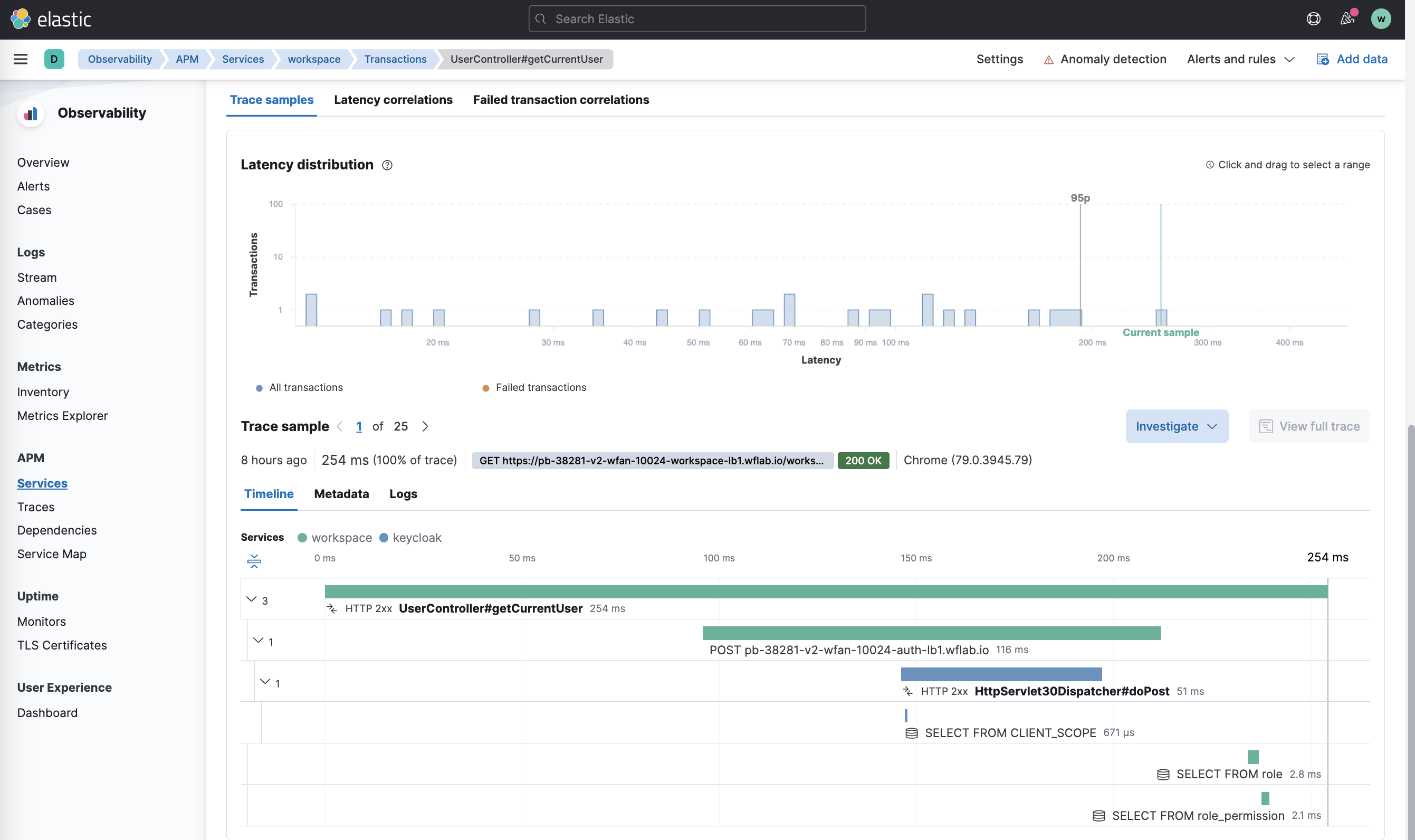
You can perform the following actions with APM in Kibana:
Monitor the system state and communication between services:
Capture and analyze distributed transaction spanning services:
Identify application problems with dependency mapping: