
Learn about Control Tower database tables
Since v10.0, Control Tower uses the MS SQL database (wfdb, ct schema). From version to version, the database structure can vary, but the high-level architecture remains the same. The guide does not dive into details, so it can be helpful for all versions.for all versions.
Business Process and Manual Task execution
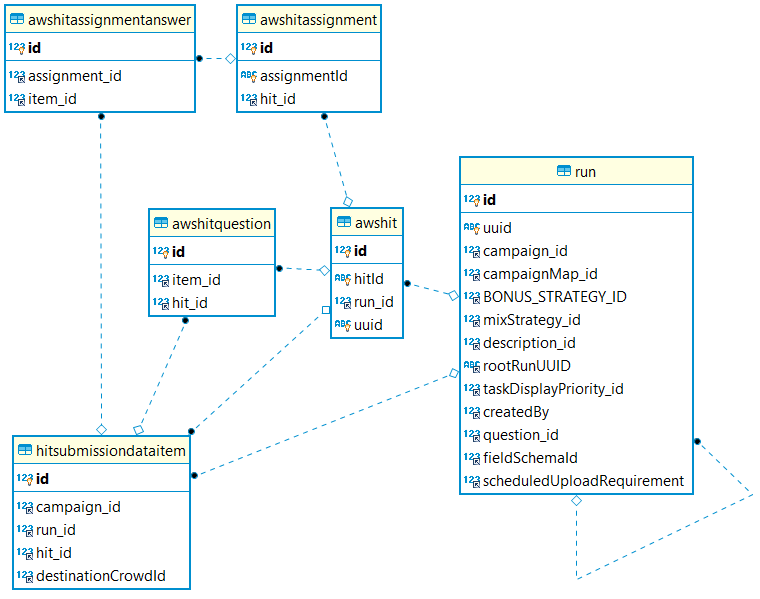
See the description of the database tables below:
The run table represents the BP instance steps and draft BP instance. Let's consider the following example:
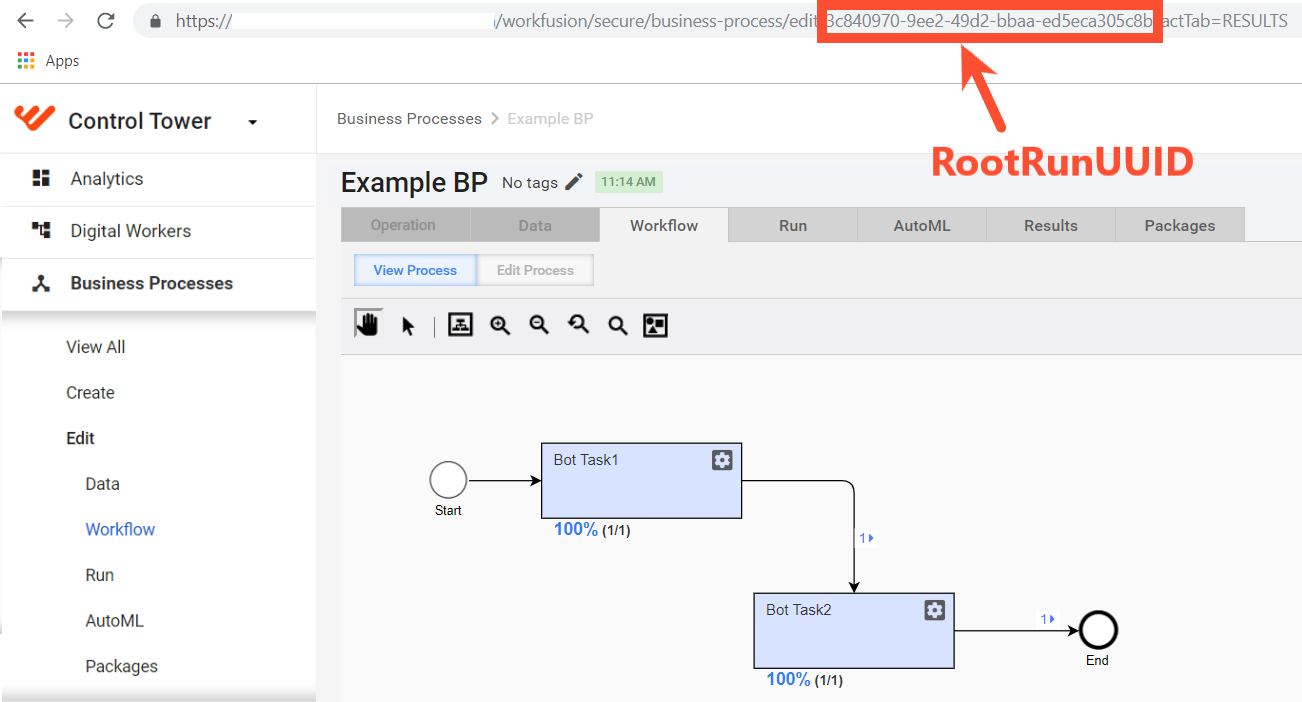
In the database, you would have the following table data (only selected columns are displayed):

In the table above, the first record represents the DRAFT BP.
warning
The record might not exist if the BP is launched by Scheduler.
The rootRunUUID that you can get in the UI is stored in:
- uuid of the first BP step
- rootRunUUID in all records generated during the BP
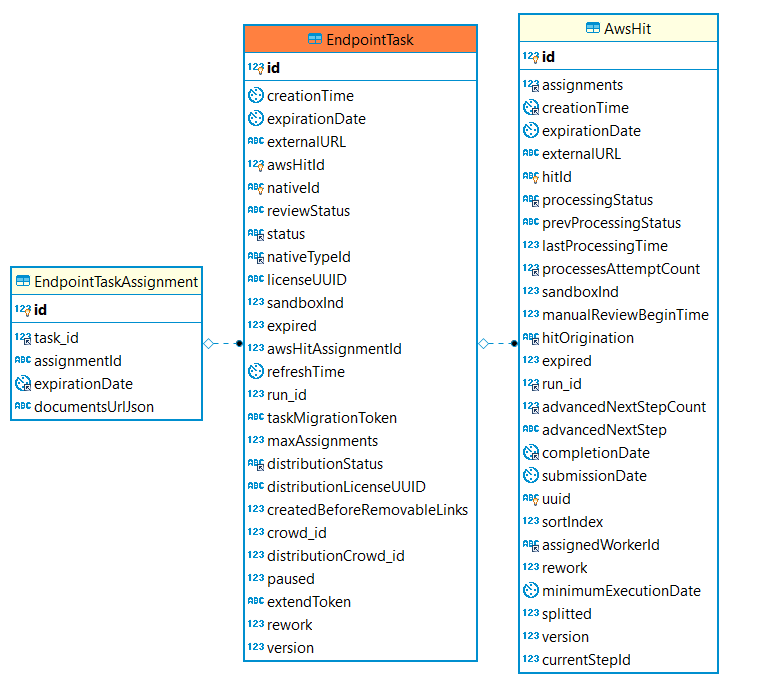
The AwsHit table represents one entity submitted for processing to the step.
The AwsHitAssignment table represents the fact that a human worker or a bot worked on an AwsHit entity.
The AwsHitAssignmentAnswer table stores the results of the step execution:
- For a Bot Task that would have a record for each exported parameter in the
<export>section. - For an MT that would have a record for each input parameter plus a record for each field in MT.
- For a Bot Task that would have a record for each exported parameter in the
The AwsHitQuestion table.
The HitSubmissionDataItem table stores the input data for the step execution (one record per hit).
Business Process structure
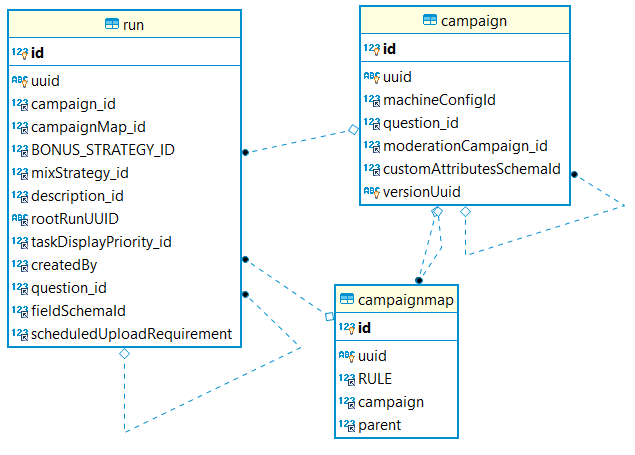
- The campaign table represents one step in a workflow. So when you have multiple BP executions, the run table will contain multiple records, and all these records will reference the same campaign.
- The campaignmap table is basically a link between the run and campaign tables.
Example:
select r.id as run_id, r.campaign_id as run_campaign_id, r.campaignMap_id, cm.campaign as campaignMap_campaign,
    coalesce(cm.campaign, r.campaign_id) as campaign_id, c.title, c.type, c.executingType, c.machineConfigId from Run r
    left join CampaignMap cm on cm.id = r.campaignMap_id
    left join Campaign c on c.id = coalesce(cm.campaign, r.campaign_id)
where r.id in (6822, 6821, 6820, 6819) order by r.id asc;

In the example above, all runs (from the BP execution) have the same campaign_id=473 that links to the campaign with the Example BP title. Through campaignmap, they are linked to the Campaign records corresponding to the steps in the BP workflow.
Data Stores
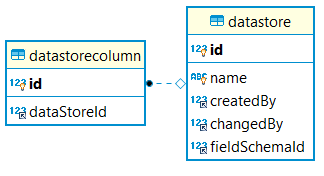
- The datastore table represents the Data Store itself.
- The datastorecolumn table represents a single column in the Data Store.
As you can see, the Data Store data is not stored in MySQL. Instead, there is an additional wf_datastore database in PostgreSQL (MS SQL from v10+) that has a table for each Data Store. Actual Data Store content is stored in that table.
Events
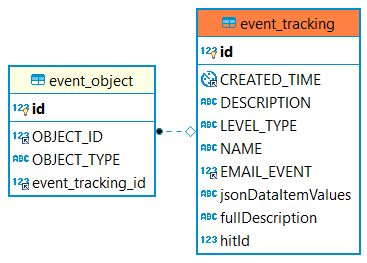
- The event_object table links another object in the system that generated the event (Run, Campaign, User) to event_tracking. That link is established through OBJECT_TYPE = Run | Campaign | ... and OBJECT_ID, which is the linked object ID in the corresponding table.
- The event_tracking table contains the event type and description.
User management
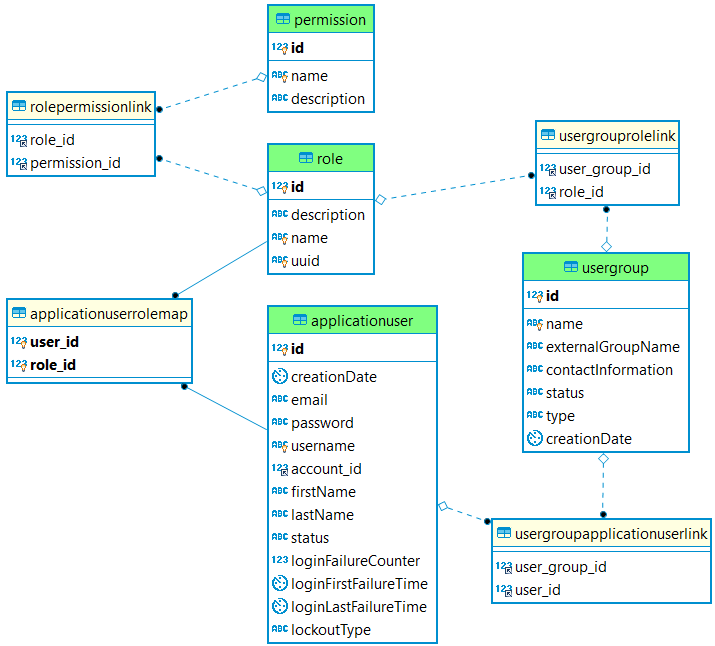 The main tables here are as follows:
- The ApplicationUser table contains user details.
- The UserGroup table contains the groups where this user belongs to. One user can be added to multiple groups. The link between a user and a group is stored in the UserGroupApplicationUserLink table.
- The Role features user roles in the system. It is linked to the following:
- Permissions: a single permission in the system (for example, VIEW_DATASTORES). One role can have multiple permissions assigned through the RolePermissionLink table.
- ApplicationUser through the ApplicationUserRoleMap table. In the UI, a user can only have one role. In the backend, it is the multiple-to-multiple relationship.
- UserGroup though the UserGroupRoleLink table. In the UI, a group can only have one role. In the backend, it is the multiple-to-multiple relationship.
User permissions are the sum of all permissions from the role and groups (through Role).
System tables
There are several system tables that are not supposed to be changed, but it is better to understand their function:
- changelog is the table that stores all applied migrations to the database.
- batch_ is the number of tables controlling the batch job execution.
- qrtz_ is the number of tables controlling the scheduling of background jobs.
Virtualizer and Control Tower database relation
Although IA Cloud Enterprise and WorkSpace have different databases, it's pretty clear that as these two components communicate with each other, they should have the same entities to store the internuncial information. The following two tables are examples of such tables:
- EndpointTask in Control Tower
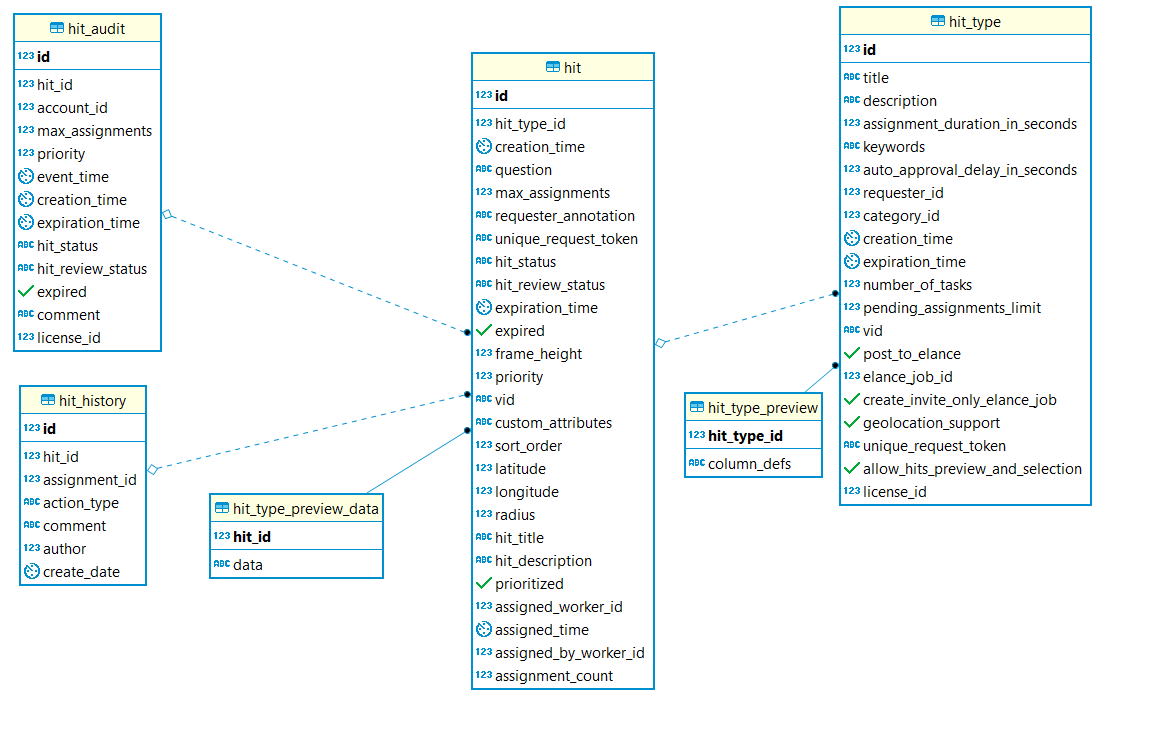
- hit in WorkSpace
These two tables are linked by the hit unique identifier, which is vid in hit and nativeId in EndpointTask.
Here is the structure and relations of both tables:
note
The data is preserved in the EndpointTask table only when a hit is not submitted in WorkSpace. After its submission, the relevant entry is cleaned.