
WorkFusion REST API
The WorkFusion API allows you to post data to, launch, and receive results from WorkFusion use case in an automated fashion.
Using the RESTful API one can manage simple use cases, called tasks, and more complex use cases, called business processes (also called BPs), which represent a workflow of various tasks both manual and automated.
Groups of contributors working on submitting manual tasks are referred as Workforces. A workforce may represent one or more different groups both from Cloud worker pools such as UpWork, Mechanical Turk as well as internal collaborators, business partners, and outsourcers.
Use cases such as business processes and tasks follow a certain lifecycle within WorkFusion. There are few states such as draft, processing, paused, completed, etc. The API allows to manage use cases by providing unique operations applicable for various states such as create, start, pause, stop, and so on.
API Security
All API postings are made over a Secure Sockets Layer (SSL) connection, which encrypts communications between the user and web server to ensure data remains private.
note
All requests must be preceding with https://.
WorkFusion REST API supports basic (login and password hash) authentication to ensure that APIs are only accessible to those with the proper credentials.
Basic Authentication
username: Your username in Control Tower.password: Hash of your password in Control Tower.
Using REST API with SSO
When using REST API with SSO you can not use your SSO id/password. The recommended approach for using REST API with SSO enabled is the following:
- Disable SSO:
wf.sso.saml.enable=false - Restart Control Tower:
wfmanager restart workfusion - Log in to Workfusion with pre-SSO ID and password.
- Create a special REST API user and grant necessary permissions by assigning a proper role.
- Enable SSO:
wf.sso.saml.enable=true - Restart Control Tower:
wfmanager restart workfusion - Use the
/workfusion/api/dologinendpoint to log in./workfusion/dologinis disabled once you turn on SSO.
Now, SSO is enabled, but you can use that REST API user ID and password for the REST API authentication.
URLs
All URLs begin with the following pattern:
https://%HOSTNAME%/workfusion/api/
UUIDs
Each use case such as task or Business Process, and workforce have unique identifier which is called UUID. It is used as a unique reference to invoke the WorkFusion API and identify those entities.
UUID example:
db1cf0a8-1be4-4842-aec9-4ab0196bc9f1
Obtain definition UUID
You can get the required UUID in the Control Tower User Interface.
Business Process UUID
Go to Business Processes List.
Click Open Process Definition In New Tab.

The Business Process Definition opens in a new tab.
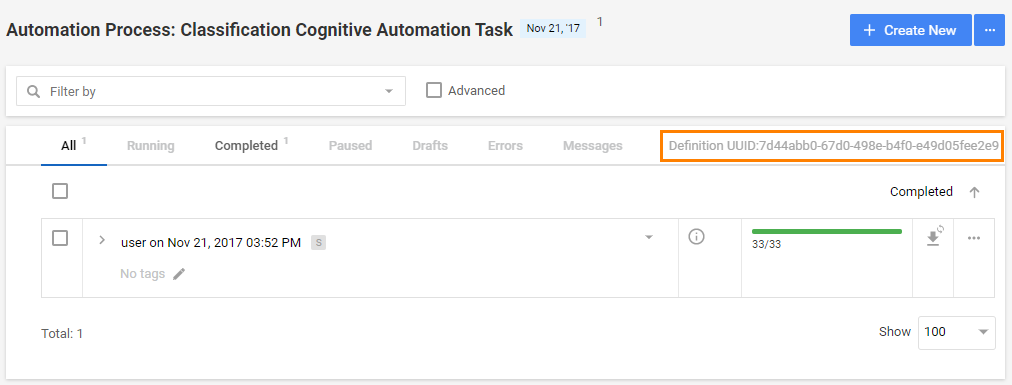
UUID is displayed as shown on the screenshot below:
Workforce UUID
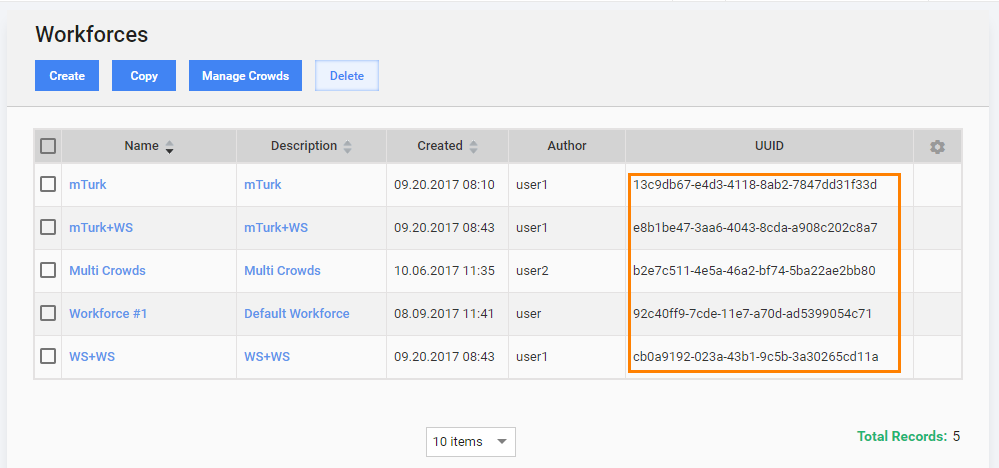
Go to Workers > Workforces.
Copy UUID of the required Workforce from the table.
Documentation
Sample implementation
Refer to the sample Java implementation to see how login, launching and getting a status of a Business Process can be implemented with a help of Apache HttpClient: