Configure custom attributes with field schemes
Custom Attributes are intended to set parameters specific to a particular run of Business Process or Task. Using Custom Attributes, you do not need to create a new Campaign for a Task or BP to set new parameters.
For example, you can define the following Custom Attributes for two runs of the same BP:
- the first run:
node_id="10067", capabilities="MAC", host="192.168.101.100" - the second run:
node_id="10068", capabilities="WINDOWS", host="127.0.0.1"
Otherwise, if you need to set common values used in different processes, use Global Variables.
Create Field Scheme
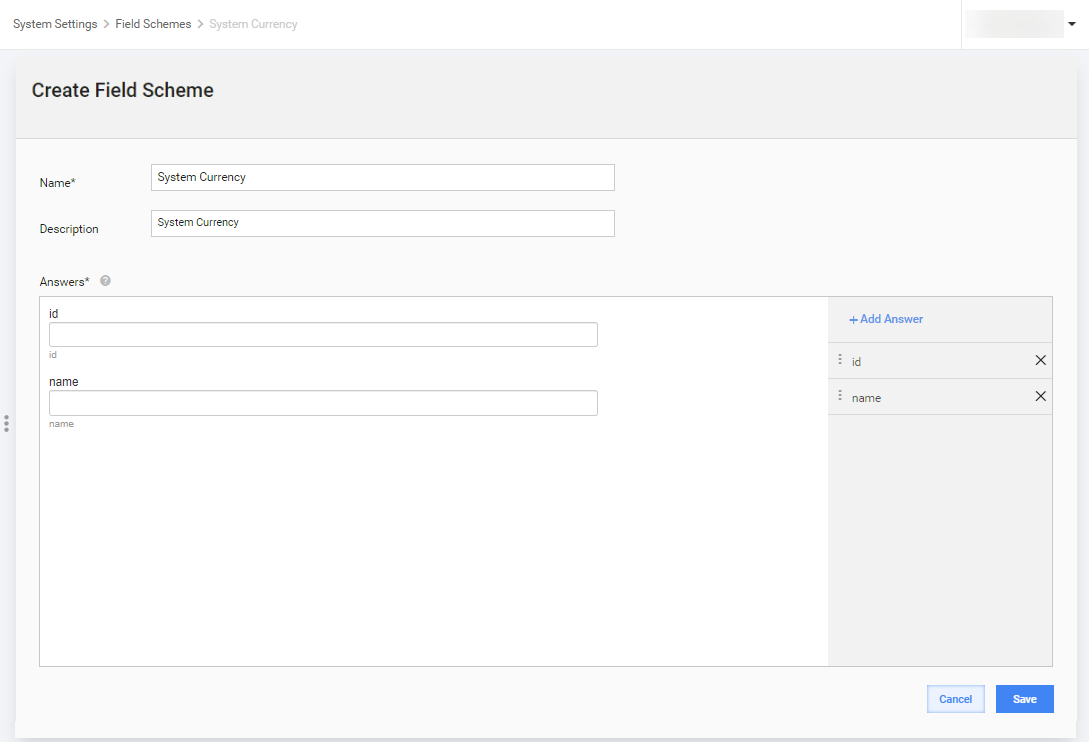
Go to System settings > Field Schemes.
Click on Create Field Scheme.
Enter Name and Description.
Click on Add Answers and define their Unique Codes and Answer Types.

Press Save.
Select Field Scheme
Open your Business Process > Run > Advanced Options.
Select the Field Scheme in the Custom Attributes dropdown.
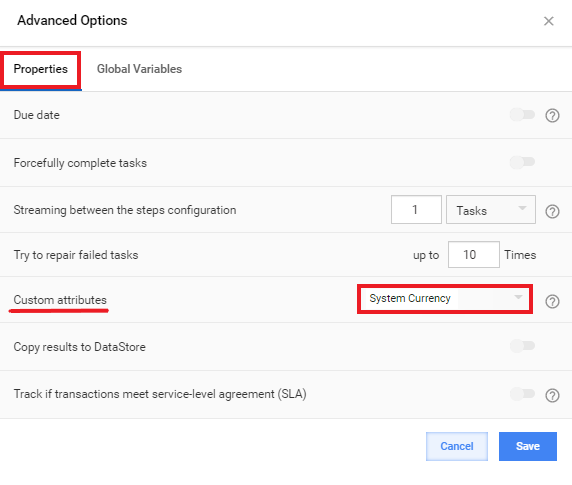
Press Save.
Define values
- In the top left corner of the Run BP tab, hover over the green Attributes labels.
- Click on the pencil icon.
- Enter values for each field in the Custom Attributes popup.
- Press Save
- Save the Business Process.
There is no ability to run Task or BP when one of the required Custom Attributes is not provided. A warning message is displayed.
Use custom attribute values
You can use Custom Attributes in Bot steps by getting their values from item.getWrappedObject().getRun().getCustomAttrMap():
Using Custom Attributes in Bot Config
<?xml version="1.0" encoding="UTF-8"?>
<config charset="UTF-8">

<script><![CDATA[

  java.util.Map attrsMap = new java.util.HashMap();

  void extractMvelAttributes(Object mapValue, Map attrsMap) {
     java.util.List values = new java.util.ArrayList();
     String attrs = (String) mapValue;
     while(attrs.indexOf("'")>=0) {
         attrs = attrs.substring(attrs.indexOf("'")+1);
         values.add(attrs.substring(0, attrs.indexOf("'")));
         attrs = attrs.substring(attrs.indexOf("'")+1);
     }
     java.util.Iterator listIterator = values.iterator();
     while(listIterator.hasNext()) {
        attrsMap.put(listIterator.next(), listIterator.next());
     }
  }

  if (sys.isVariableDefined("item")) {
    java.util.Map customRunAttrMap = item.getWrappedObject().getRun().getCustomAttrMap();

    for (Object key: customRunAttrMap.keySet()) {
      if (key.toString().equals("mvel_attributes")) {
         extractMvelAttributes(customRunAttrMap.get(key), attrsMap);
      } else {
         attrsMap.put(key, customRunAttrMap.get(key));
      }
    }
  }
]]></script>


<case>
  <if condition='${attrsMap.containsKey("capabilities")}'>
     <var-def name="result">
         <template>${attrsMap.get("capabilities")}</template>
     </var-def>
  </if>
  <else>
     <var-def name="result">
          <template>Not Found</template>
     </var-def>
  </else>
</case>
    <export include-original-data="true">
        <single-column name="result" value="${result}"></single-column>
    </export>
</config>
Next, do as follows.
- Copy your BP.
- Set new Custom Attribute values if needed. The source BP run will not be affected. By default, Custom Attribute values are copied from the previous run.