Manage Answer Types
The Answer Types tab allows creating and managing Answer Types within the IA Cloud Enterprise. These Answer Types are used for the following actions:
- Create tasks.
- Create ETL configs.
- Create field schemes.
- Add Answers to tasks, configs, and field schemes.
Generally, an Answer is a form input field of a special type, but some Answer Types are designed as complex blocks, see the following topics:
To start managing Answer Types, go to System Settings > Answer Types.
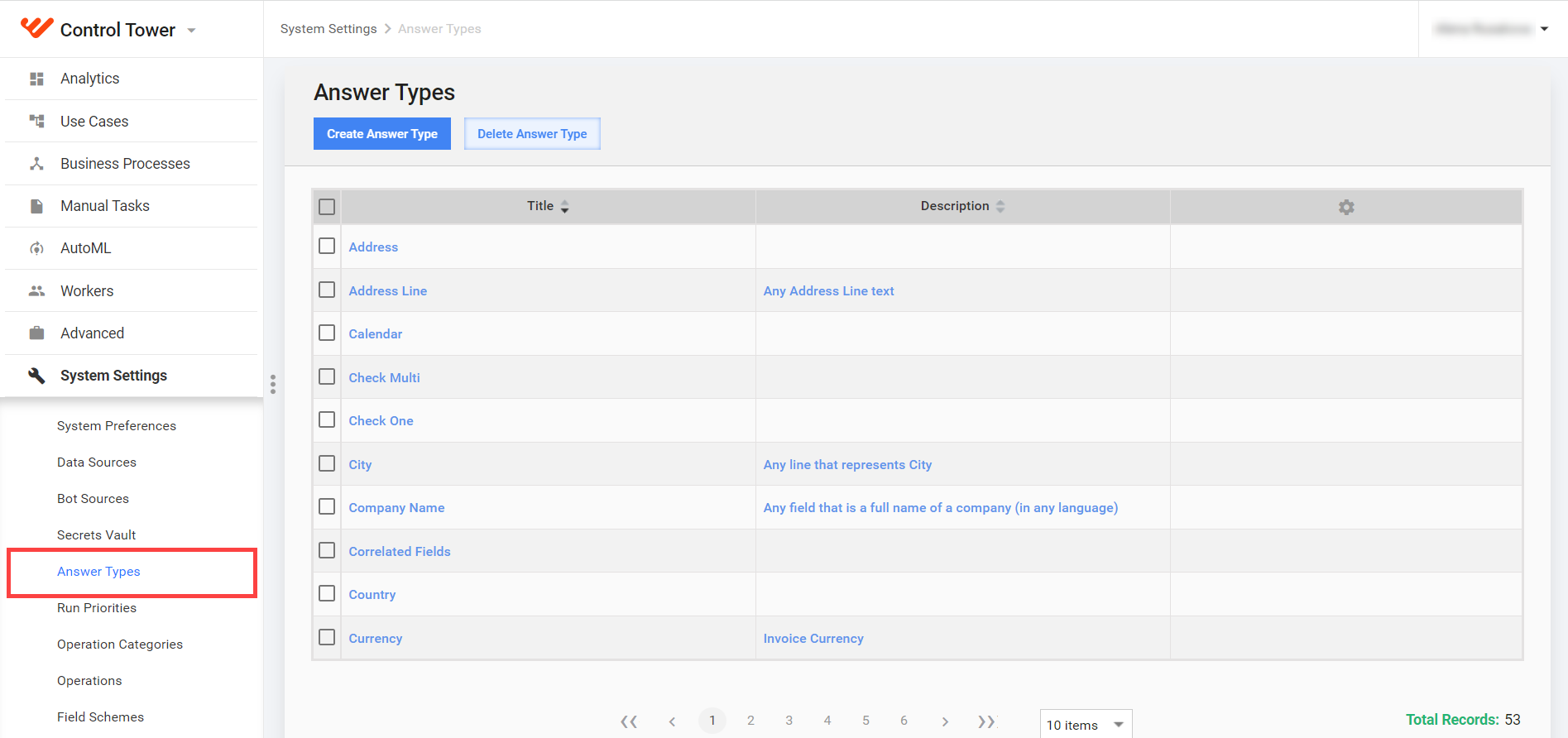
For the list of available Answer Types, see the Answer Types section.
On this page, you can perform the following actions:
- Create: you must know the Answer Type Code, for example,
FREE_TEXT. - Edit: you can change Title, Value Type (single, multi and separator, combined).
- Delete
Changes made to Answer Types affect all tasks with appropriate Answers.
Add and edit Answer Type
Select System Settings > Answer Types from the main menu.
Click Create Answer Type or click the appropriate link in the Title column to edit.
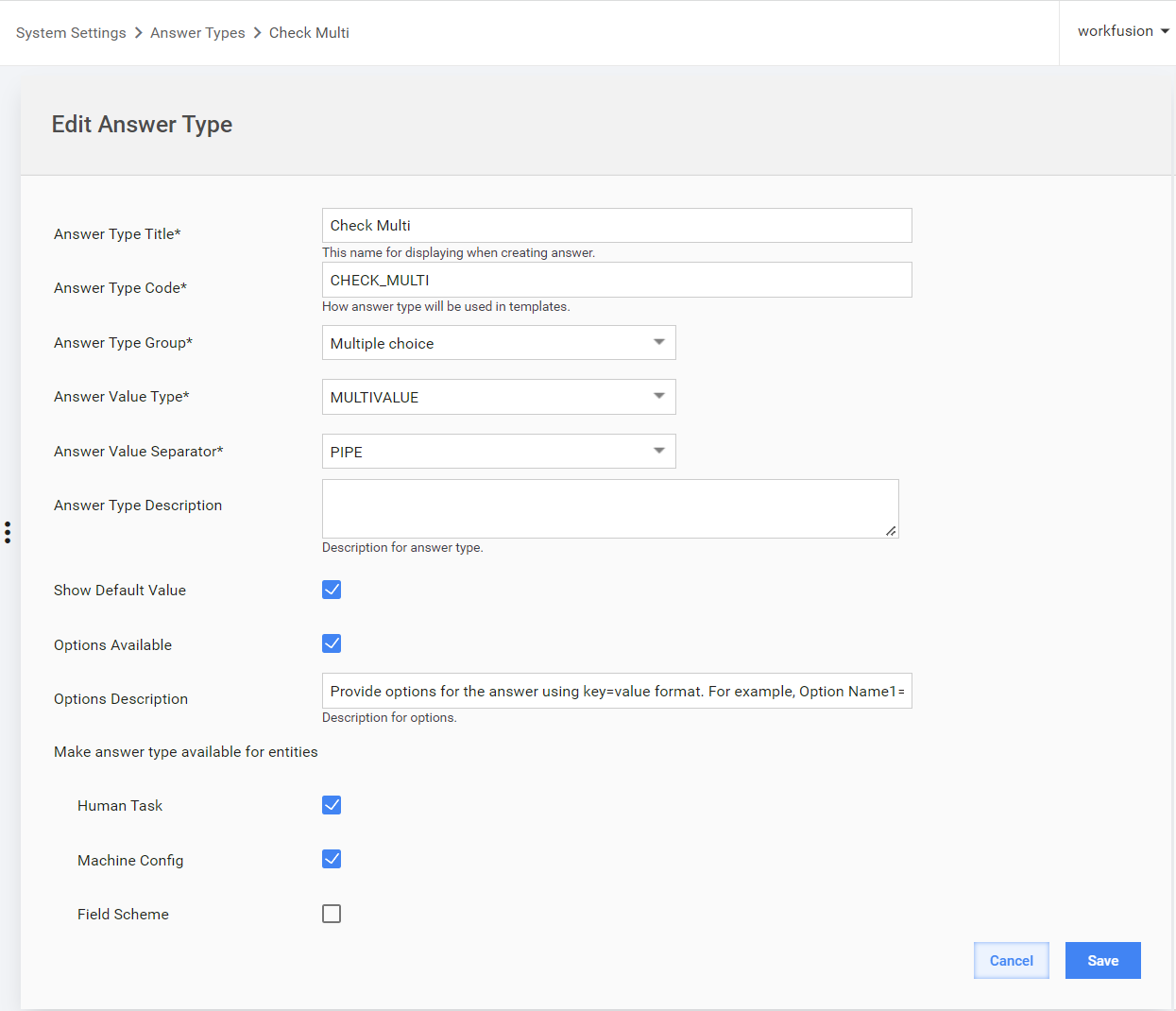
Complete the required fields as follows:
Field NameDescriptionAnswer Type Title The title of the answer type will be shown in the dropdown list of the Edit Answer dialog. Answer Type Code See the list of available Answer Types [here]( ./answer-types.md).Answer Type Group Answer Types are divided into groups when they are displayed in a dropdown of Task Edit dialog. Answer Value Type Single value, Multi value, or Combined. See details [here]( ./answer-types.md).Answer Value Separator Comma, or Pipe for Multivalue Answers. Answer Type Description Additional information explaining the characteristics of the answer type. Show Default Value Enable default value displaying. Options Available Enable Answer options (for example, number of rows for Long Text) Options Description Additional information explaining the Answer Options section. Make answer type available for entities Tick the entities where this Answer Type can be used:
- Manual Task
- Bot Config
- Field scheme
Click the Save button.
Apply Answer Types
You can select all the created Answer Types for Answers in Task Designer or in ETL forms.