RPA design approaches
The guide covers different solution approaches to building code and focuses on simplified RPA API.
Page Object Model
After creating a project inside the BCB module, you find several out-of-the-box examples built on Java and Groovy. You can benefit from them in terms of methods and approaches to building your personal code solutions.
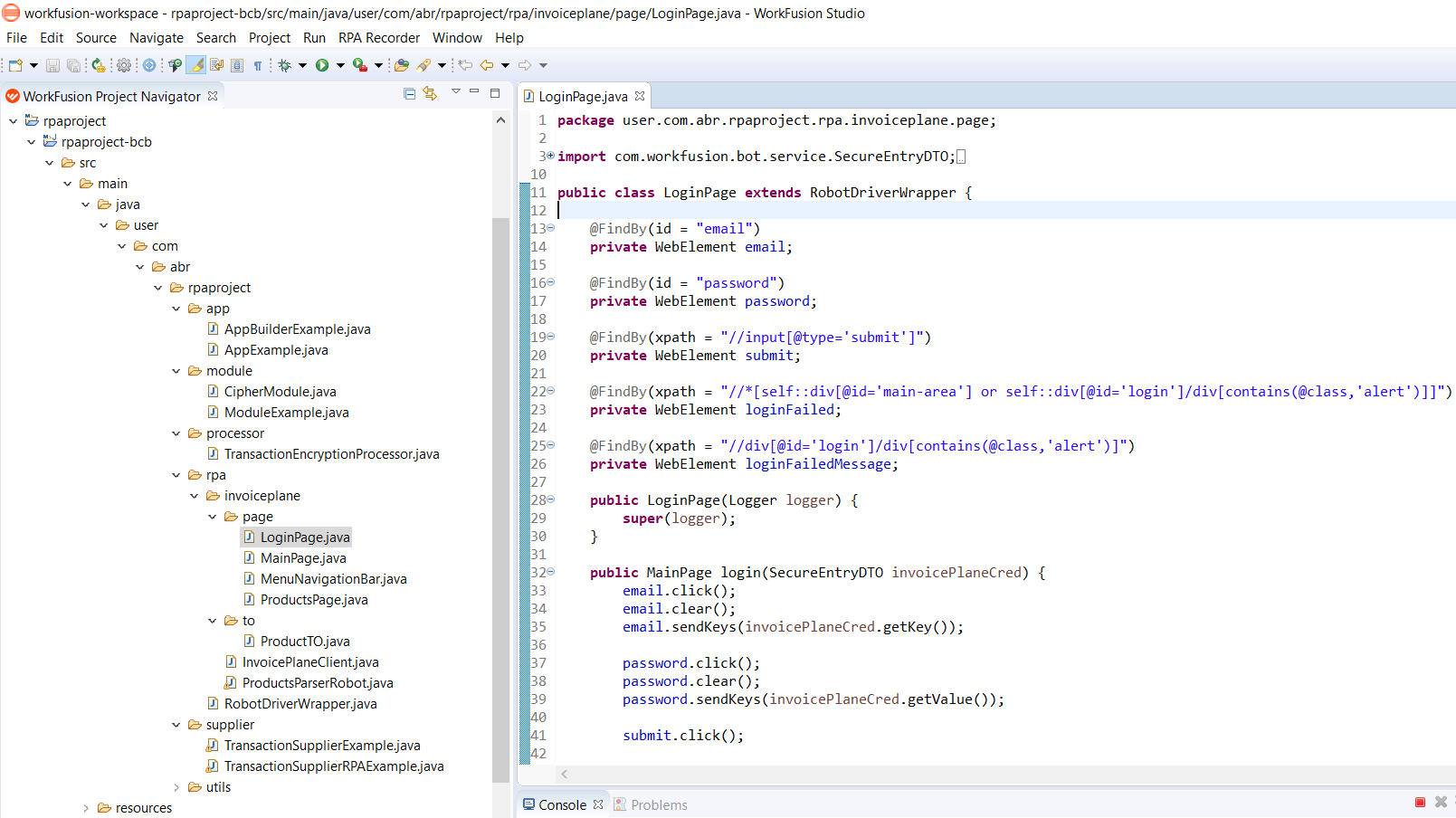
One approach is to use Page Objects. A Page Object model is an object design pattern in Selenium where web pages are represented as classes, and various page elements are defined as class variables. Such decomposition of interactions with pages is a good practice for large automation projects. See the example presented in the rpa.invoiceplane.page package in Eclipse IDE (for example, the LoginPage class).
Simplified RPA API
A straight-forward approach to code an RPA script is to use simplified RPA API directly in TransactionSupplier or TransactionProcessor classes. The available static RPA class is a collection of static methods. See the example of its usage in IDEA IDE:
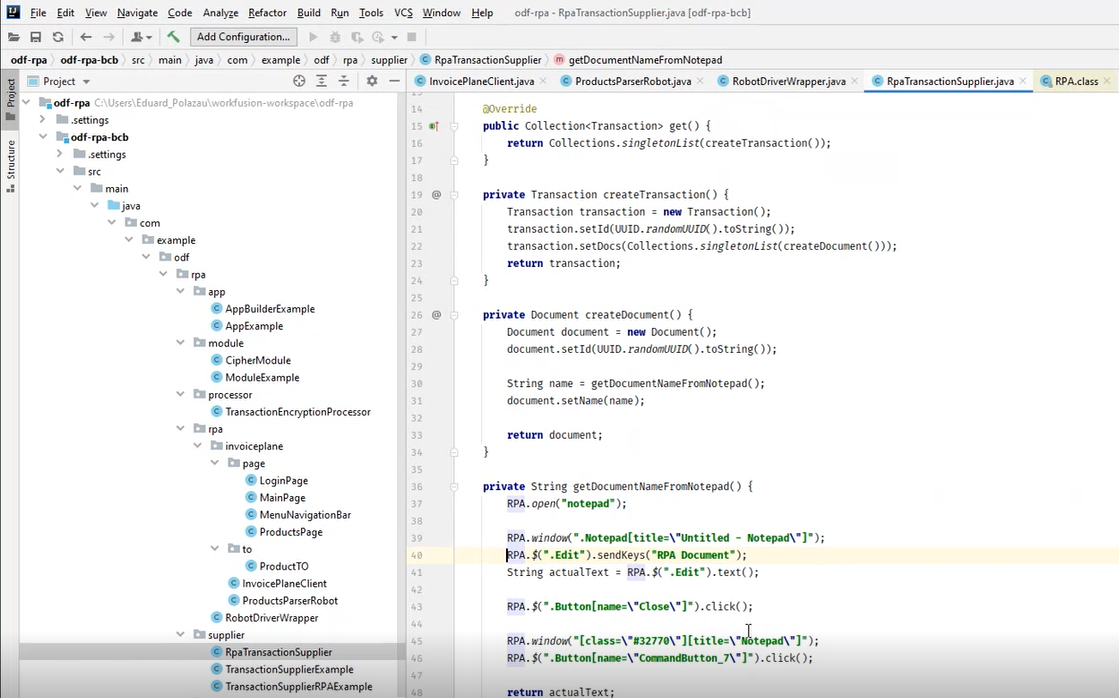
- On line 37, you open the Notepad application.
- On line 39, you switch to a particular Notepad window.
- On line 40, you use a dollar sign
$. It's the analog of jQuery (the JavaScript library) and represents the search function.$(".Edit")means you search for theEditattribute and typeRPA Documentthere. If you use Notepad, Edit is the field to enter the main text. - The following code lines close the document.
You can perform all the above manipulations using this RPA class as shown in the example below:
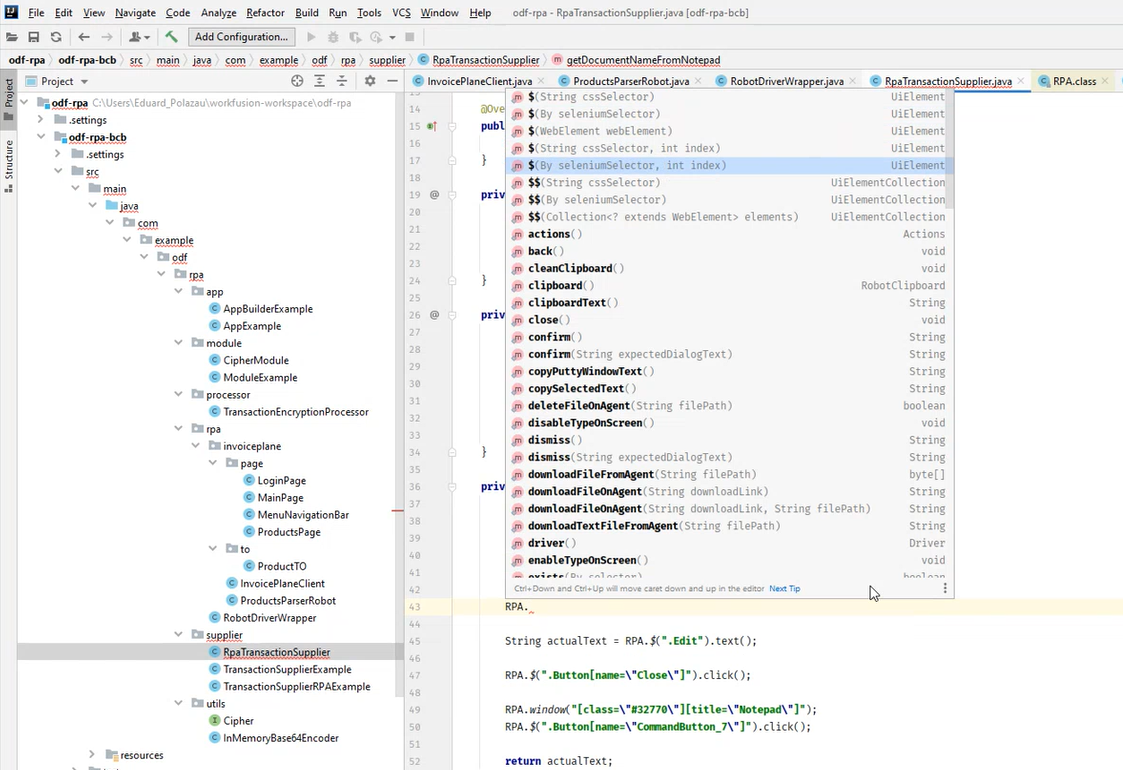
After typing an RPA class, IDE automatically suggests adding numerous methods and using them in your code.