Import root or intermediate CA to Store
Microsoft Windows uses a global certificate storage to keep certificates. The certificates must be imported to each workspace, to enable the browser to pass the certificate chain check successfully.
To import certificates:
Download the CA certificate file in the PEM/CRT format and save it to your desktop.
Right-click the root certificate and click Install Certificate.
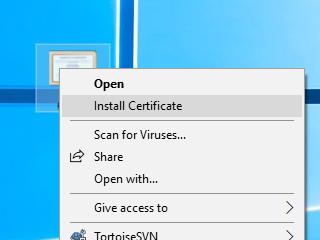
In the Store location group, select Local Machine and click Next.

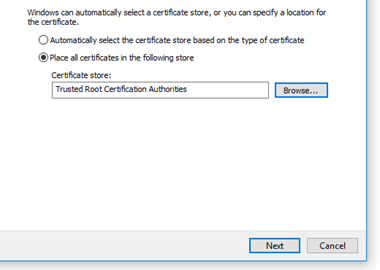
Select Place all certificates in the following store and click Browse.

Select Trusted Root Certification Authorities and click OK.

Click Next and then Finish.
Double-check that your connection is secured now.
