Copy Manual Tasks
In Work.AI, you can save time and effort by reusing previously created Manual Tasks.
Tasks with the same name have a common template (Definition). Therefore, if you modify the design or parameters of one task and save it, all other tasks with the same name are affected.
Tags are unique for each Manual Task. Hence, you can use them to distinguish tasks with the same definition.
Create a copy
There are several ways how you can copy a Manual Task, each having a different output:
Copy with new data
When you copy an MT with new data, a new task instance is created with the same name as the original. However, the data file is not included: you need to upload new data.
To copy a Manual Task with new data, do as follows:
Go to Manual Tasks > View All and select a Manual Task.
In the Actions drop-down menu, select Copy.
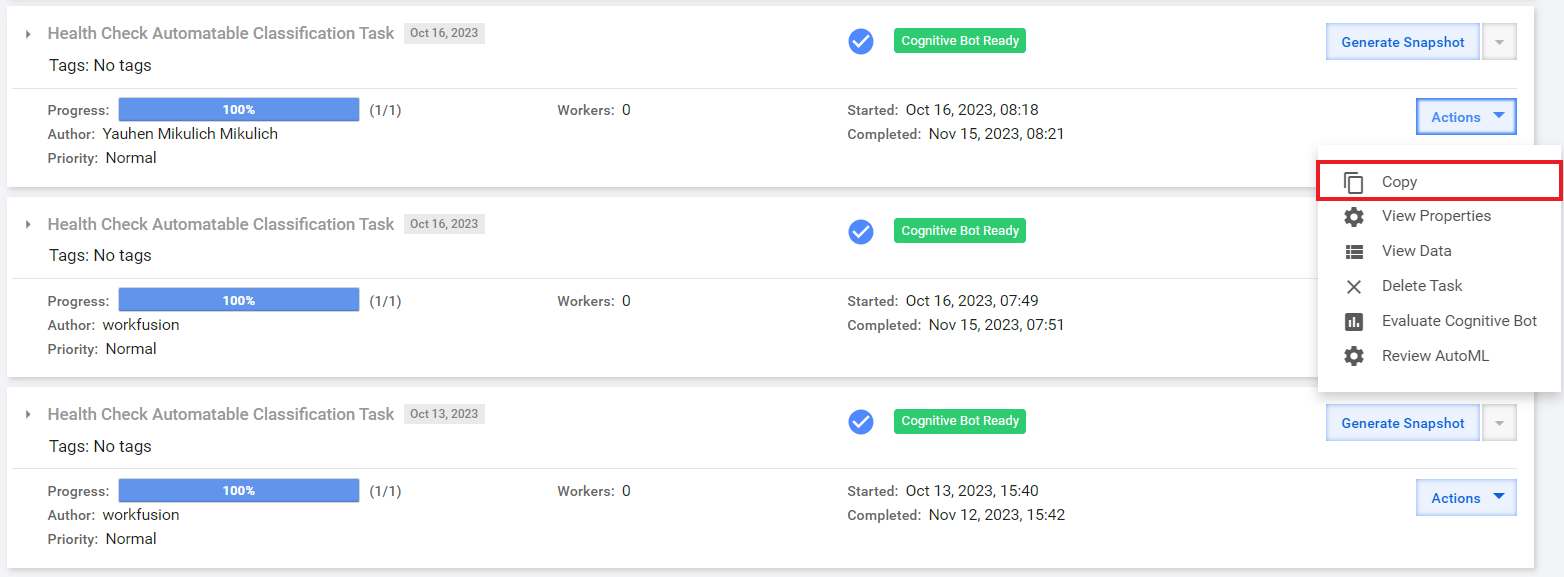
In the popup that opens next, do not select any options and click Copy.

All changes to the new Manual Task affect tasks with the same name. If you want to unlink the task, change its name and save the task. You can also copy a Manual Task by selecting the Create an independent task option. As a result, a new task instance is created that is not linked to the source task.
Include input data
To re-create the same Manual Task with the same data, select the Include the input data option while copying. This action is helpful if some issues occur.
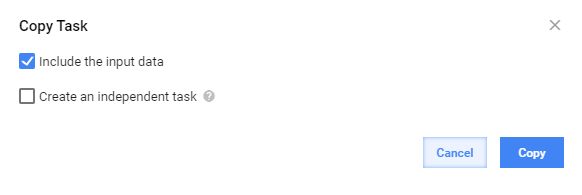
As a result, a new Manual Task instance with the same name and data as the original is created.
All changes to the new Manual Task affect tasks with the same name. If you want to unlink this task, change its name and save the task.
Create independent task
Selecting the Create an independent task option to create a Manual Task is recommended in the following cases:
- To avoid affecting all task instances with the same name
- To create a new task instance based on an existing one
As soon as you select the option, you are prompted to enter a new task name in the Definition name field.
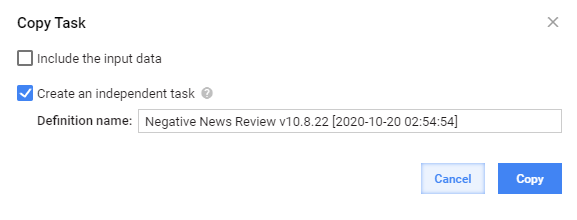
The created copy is not linked to the original Manual Task.