Import Python environments
The Python environment component service works with data represented in the python-envs folder of an AI Agent Asset Bundle. For the complete AI Agent Asset Bundle structure, see Package assets into AI Agent Asset Bundle.
If your worker-training-python.yml or worker-execution-python.yml contain WF_PYTHON_VERSION: py37, add the python-py37.zip file to the python-envs folder.
An example of an AI Agent Asset Bundle with AutoML assets:
├── python-envs
│   └── python-py37.zip
│   └── python-nss.zip
└── meta-info.json
The python-envs folder contains necessary Python environments that are copied to a shared folder and processed by the installation script.
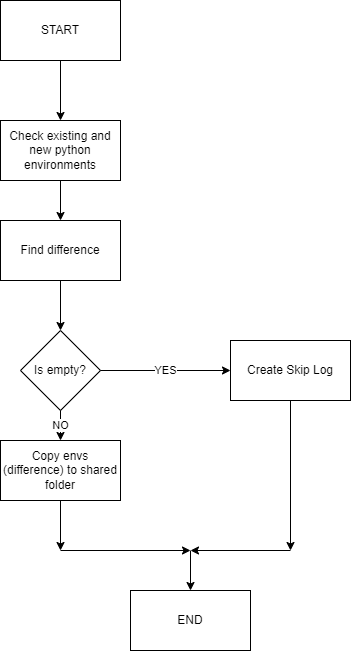
After the import starts and validation is successful, the Python environment component service does the following things:
Finds Python environments from the Bundle's
python-envsfolder and the shared folder. The shared folder by default is/opt/workfusion/vds-data/python-envs. You can configure it as theimport.asset.automl.python.environments.pathproperty.Finds a difference between Python environments.
Copies the difference (environments that are not present in the shared folder) between Python environments to the shared folder.
Checks the status of copying:
- If the service catches
IOException, it stops work and writes an error log. - If there is no difference, the service stops work and writes a skip log.
- If there is some difference, the service copies the difference, stops work, and writes a success log.
- If the service catches
Import diagram
The following diagram illustrates the import of Python environments: