Correlated Fields
The Correlated Fields Answer Type allows you to repeat a block of answer fields, enabling workers to dynamically add answers. This feature is useful when the number of task answers is unknown, for example, "Find all members of the Board of Directors from an annual report".
Create repeatable answer block
To create a repeatable answer block, do as follows:
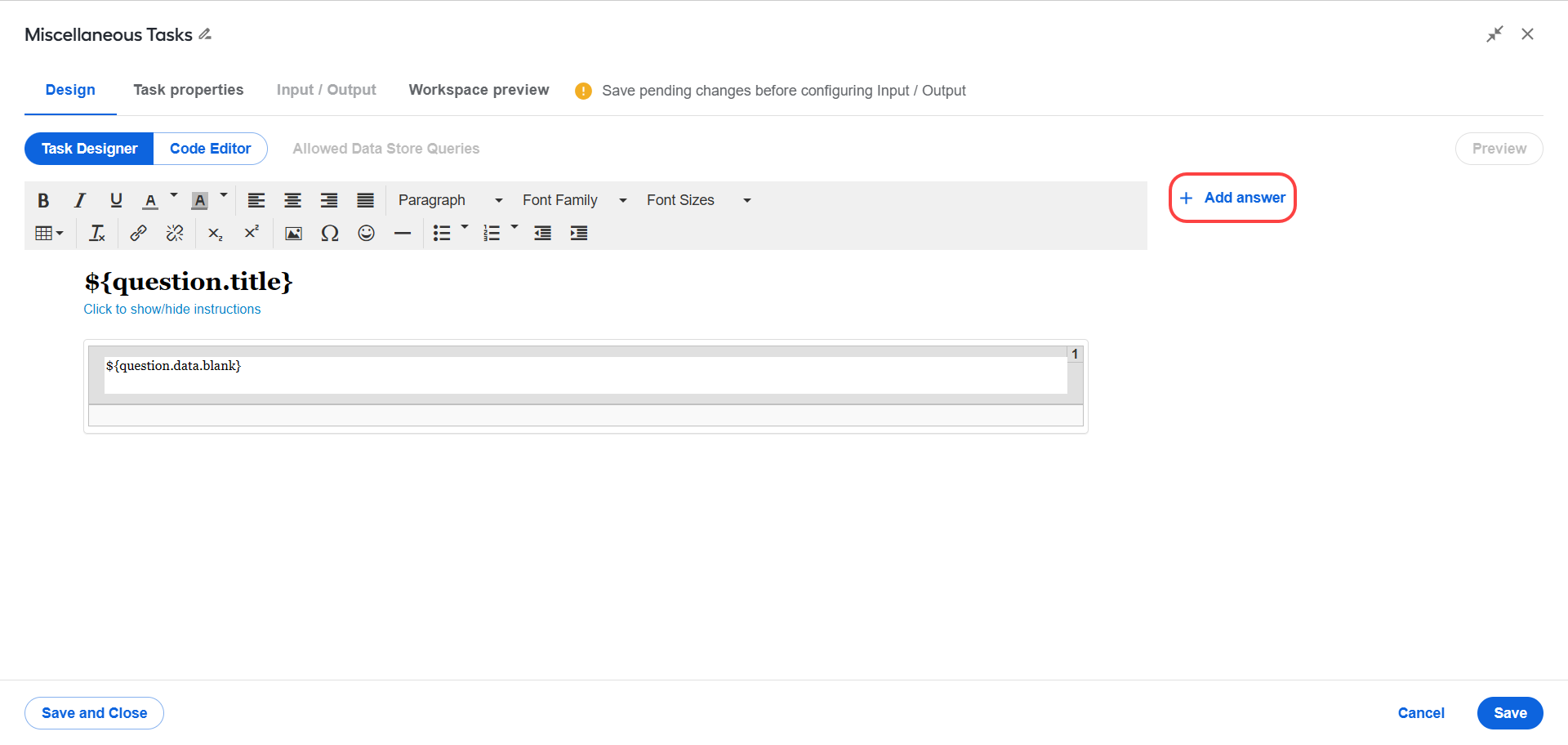
When designing a Manual Task, click Add answer.
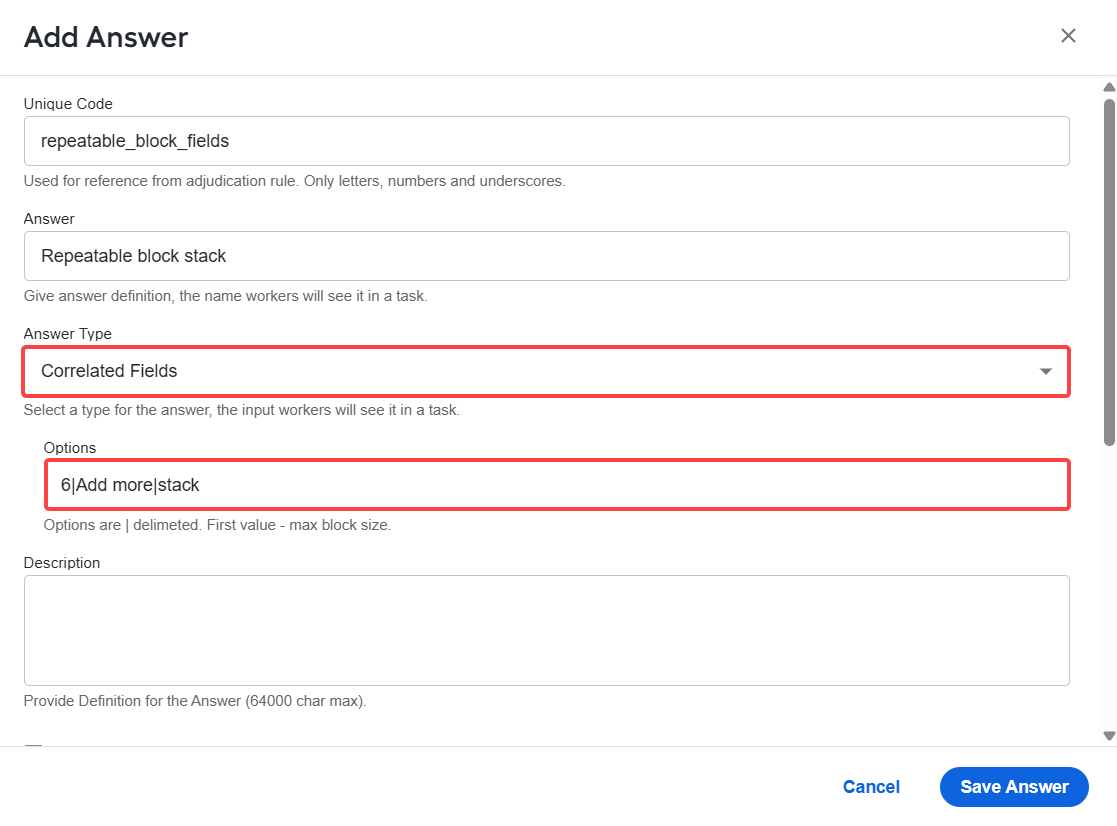
In the Unique code and Answer fields, enter the answer code and name, respectively.
In the Answer Type field, select Correlated Fields.
In the Options field, enter options using a delimiter. The first value specifies the maximum block size.
Default parameters are as follows:
Max block size:
unlimitedButton name:
AddTabs location:
TabsCustom parameters are
6|Add more|Stack, where:6is the maximum block size (any integer value).Add moreis the button label used to add more entries.Stackis the display mode for sub-answers. The available options are Tabs, Stack, Horizontal.A worker's answer is processed as a pair of values divided by
::.
- Click Save Answer.
View usage examples
The default value is a JSON object with the following structure:
{"cf":[{"t1":"b","t2":"b"},{"t1":"a","t2":"a"}]}
Where:
cfis the Correlated Fields Answer code (should be used withCorrelatedMultivalueComparator).t1andt2are the sub-answers.aandbare values.
Add sub-answers
The Correlated Fields Answer Type is used as a parent container for child answers. Child answers must be non-adjudicated and are typically standard Answer Types.
Nested levels of sub-answers are supported. The following sub-answers are available:
- FREE_TEXT
- LONG_TEXT
- CHECK_ONE
- CHECK_MULTI
- SELECT_ONE
- SELECT_MULTI
- NUMBER
- PRICE
- DATE
- TIME
- PHONE
- MASKED_TEXT
- SLIDER
- TEXT_LIMITATION_AREA
- UPC_CODE
- SELECT_DATE