Develop Python-based models
The main idea is to enable machine learning engineers to implement specific parts of training and execution pipelines, namely the composer workflow, on the Python side or using other supported platforms and languages. To this end, two extension points were implemented:
IE/Classification/Image pipeline
Image transform pipeline
For the extensions, the feature engineering, training, and evaluation stages are delegated to the Python side.
Below, you can see an illustration of the training flow.
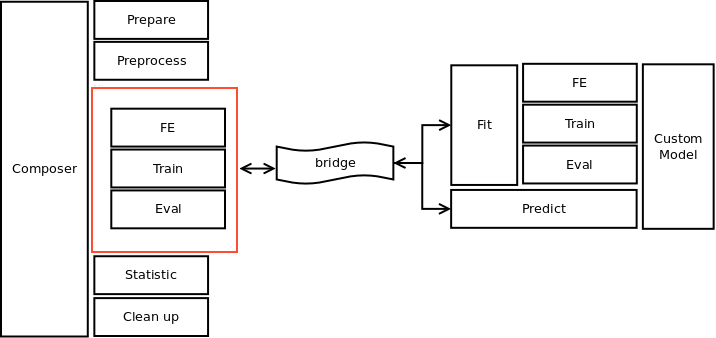
The execution part is implemented as shown below:
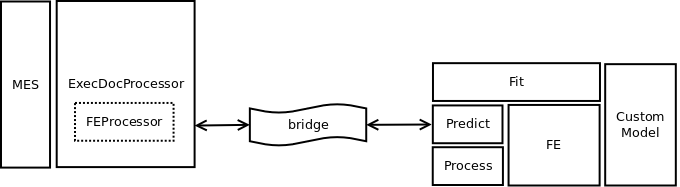
The general flow for delivering a Python-based model is as follows:
Prepare a Python dev environment. For instructions, refer to Prepare environment for Python development.
Generate a custom model from an Archetype. For instructions, refer to Create project from Archetype.
Update the Python code. For instructions, refer to Customize Python code.
Build a model. For instructions, refer to Build custom Python model.
Once your Python-based model is built, you can use it as an ordinary AutoML model. So, you can train, execute, and import it to Control Tower for further use in your Business Processes. For detailed instructions, refer to Train and execute custom Python model.