SAP restrictions
Object recording
Object recording is performed in the beta mode and not supported for all of the SAP GUI controls. To report an unsupported control, reach out to our support team.
UI Controls
Search help windows

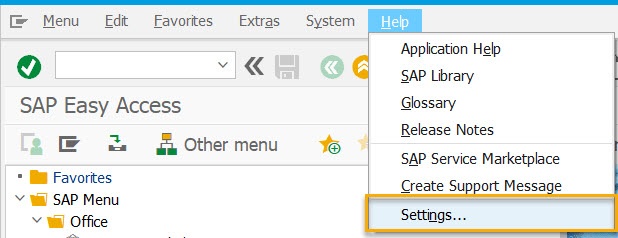
Search help windows are recognized only in the Dialog (modal) mode. To enable usage of search help windows, do as follows.
Go to Help > Settings.
Select the F4 Help tab and check Dialog (modal).
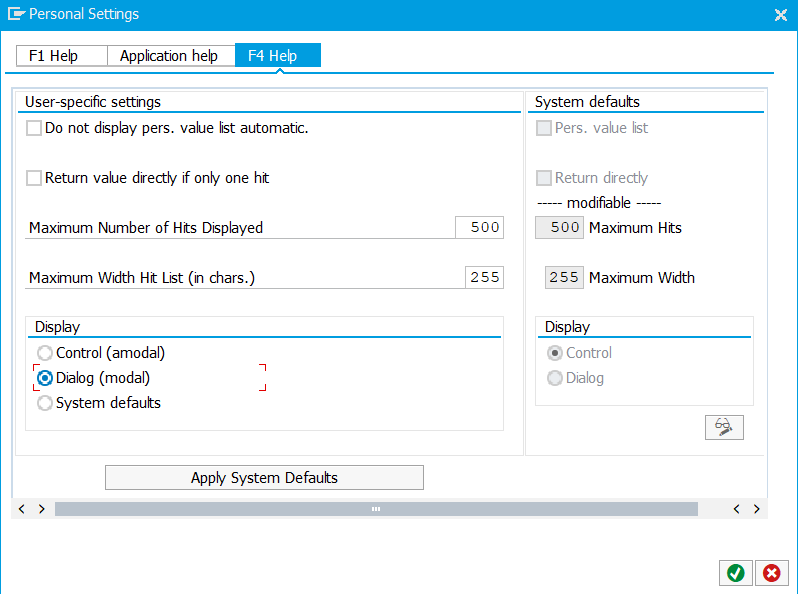
To save the changes, press Enter or the OK button.
Scrollbars and scrollbar buttons
Scrollbars and scrollbar buttons within tables are not supported.
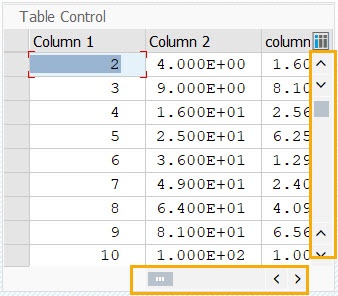
The workarounds are as follows:
- Mouse scroll
- Arrow keys (for example, PgUp and PgDn)
focus()method- Object click with offset (top-right, bottom-right corner)
Expand to see the clicking with offset code sample
<?xml version="1.0" encoding="UTF-8"?>
<config xmlns="http://web-harvest.sourceforge.net/schema/1.0/config" scriptlang="groovy">

    <robotics-flow>
        <robot name="sap_gui_robot" driver="desktop">
            <script><![CDATA[

                log.info("******* LOGIN AND OPEN TRANSACTION *******")
                command = 'sapshcut -maxgui -user=<SAP-USER> -pw=<SAP-PASSWORD> -language=EN -system=ERD -client=100 -trace=0 -command=Z_TABLE_01 '
                open("C:/Program Files (x86)/SAP/FrontEnd/SAPgui/${command}")
                sleep(5000)


                log.info("******* CONTINUE WITHOUT ENDING ANY OTHER LOGONS *******")
                if (Window.windowHandles("[CLASS:#32770; TITLE:License Information for Multiple Logons]").isEmpty()) {
                    log.info("Window [License Information for Multiple Logons] not found")
                } else {
                    window("[CLASS:#32770; TITLE:License Information for Multiple Logons]")
                    $("[CLASS:GuiRadioButton; NAME:MULTI_LOGON_OPT2]").click()
                    $('[CLASS:GuiButton; NAME:btn[0];]').click()
                    log.info("Window [License Information for Multiple Logons] closed")
                }


                log.info("******* CLICK TO DOWN SCROLLBAR WITH OFFSET *******")
                window("[CLASS:SAP_FRONTEND_SESSION;TITLE:SAP]")

                $("[CLASS:GuiTextField;NAME:Column 2:1]").click(120, 175)
                $("[CLASS:GuiTextField;NAME:Column 2:1]").click(120, 175)
                $("[CLASS:GuiTextField;NAME:Column 2:1]").click(120, 175)
                $("[CLASS:GuiTextField;NAME:Column 2:1]").click(120, 175)
                $("[CLASS:GuiTextField;NAME:Column 2:1]").click(120, 175)

                def actualResult_1 = $("[CLASS:GuiTextField;NAME:Column 1:8]").getAttribute("Visible")
                assert "true" == actualResult_1


                log.info("******* CLICK TO RIGHT SCROLLBAR WITH OFFSET *******")
                window("[CLASS:SAP_FRONTEND_SESSION;TITLE:SAP]")
                $("[CLASS:GuiTextField;NAME:Column 1:8]").click(180, 50)
                $("[CLASS:GuiTextField;NAME:Column 1:8]").click(180, 50)
                $("[CLASS:GuiTextField;NAME:Column 1:8]").click(180, 50)

                def actualResult_2 = $("[CLASS:GuiTextField;NAME:Column 5:8]").getAttribute("Visible")
                assert "true" == actualResult_2


                log.info("******* KILL ALL SAPLOGON PROCESESS *******")
                open("TASKKILL /F /IM saplogon.exe /T")
                sleep(3*1000)

            ]]></script>
        </robot>
    </robotics-flow>

    <export include-original-data="true"></export>
</config>
Menu bar items
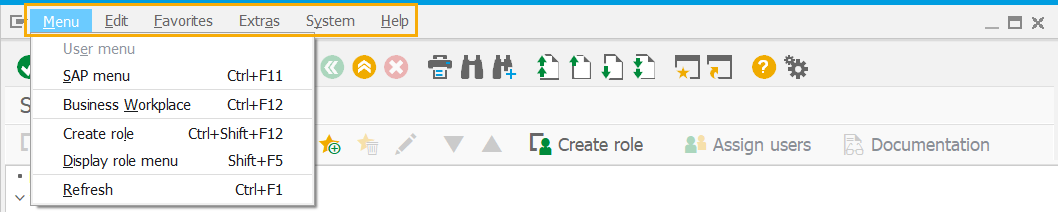
The top menu bar items are not supported. To automate, use shortcuts. Click on each of the top menu bar buttons to see available variants.
Context menu
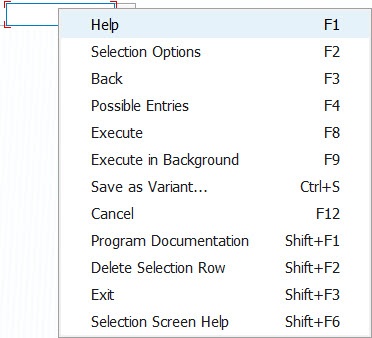
To automate the context menu, refer to one of the following workarounds:
- Enter Keystrokes action to apply function keys, for example, F1, F3, F4, and so on
- Arrow keys, for example, the order of actions in the script will look like this: Mouse Click (right click) + Enter Keystrokes (Down) + Enter Keystrokes (Down) + Enter Keystrokes (Enter)
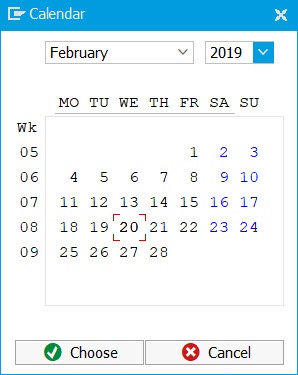
Calendar picker
The calendar picker option is not supported. You can input the date in the user-specified format instead, for example, $('element_selector').sendKeys("29.03.2019").