Grant access to Superset dashboards
Superset is an open-source analytics tool that WorkFusion has integrated into its Product to monitor various process metrics.
Superset is installed along with the Product. So, to start working with the dashboards, you only need to configure acess for users.
Set Superset roles in Keycloak
Superset is automatically integrated with Keycloak and takes the roles and access permissions from there.
To check the existing roles, do the following:
- In Keycloak, on the main menu, in the Configure group, click Clients.
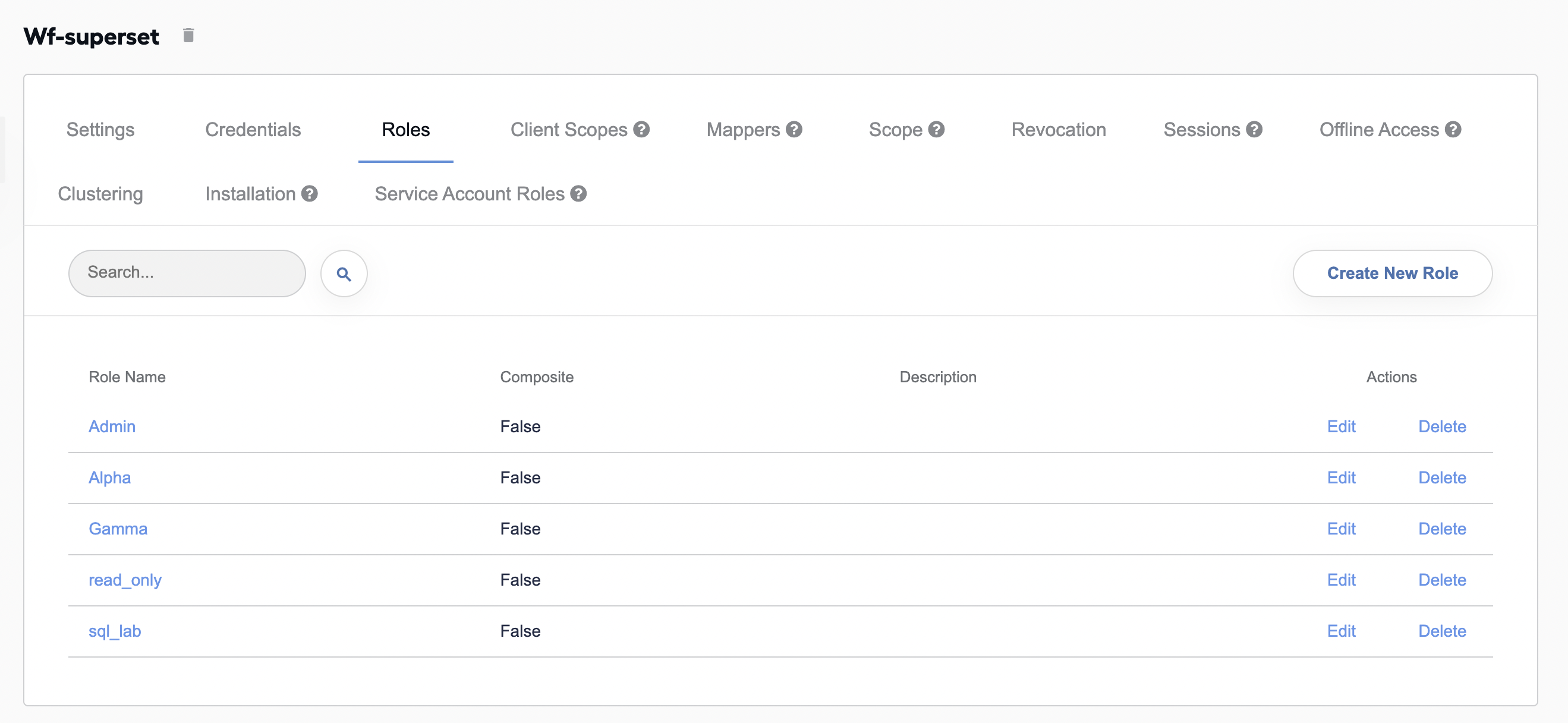
- In the displayed list, click the wf-superset client. The client window appears.
- Go to the Roles tab to view the existing roles.
To add a custom role, click Create New Role and follow the guide.
Assign Superset roles to users
To assign a role to a specific user, do the following:
On the Keycloak main menu, in the Manage group, click Users. The users' list appears.
In the list, click the user to whom you want to assign a new Superset role and go to the Role Mappings tab.
In Role Mappings, in the Client Roles box, select your client. In this example, it is wf-superset.
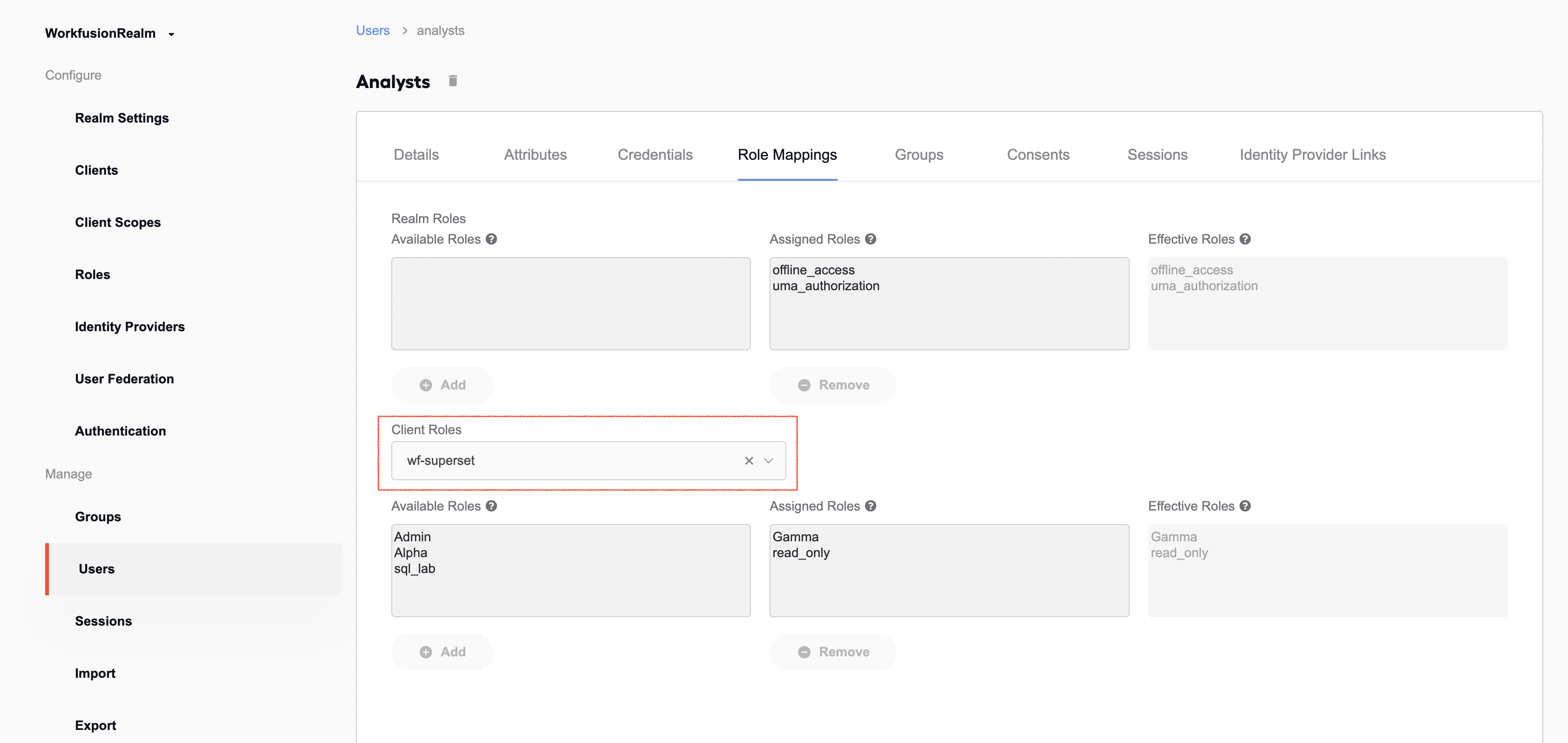
In the Available Roles box, select a role (read-only, in this example) and click Add to move it to the Assigned Roles box.
If the user logs in for the first time, Superset communicates with Keycloak. If the person is valid and matches Keycloak's access settings, he or she gets access to Superset dashboards and related analytics data. At that, the scope of their access depends on the permissions set for particular roles via Control Tower.