Security advisory on SQL Server 2016 Express end of life
This document was updated on September 17, 2026.
Microsoft SQL Server 2016 Express reached end of life on July 14, 2026 when extended support officially concluded. Within Work.AI, the local SQL engine is part of the Work.AI Developer package.
To keep Work.AI Developer running on a supported database engine with fixed vulnerabilities, upgrade the local SQL Server 2016 Express instance to SQL Server 2019 Express using the steps below:
Download the SQL Server 2019 Express installer in one of the following ways:
Get one from the Microsoft download page.
Use the direct download link.
Start the installer and create an offline installer package:
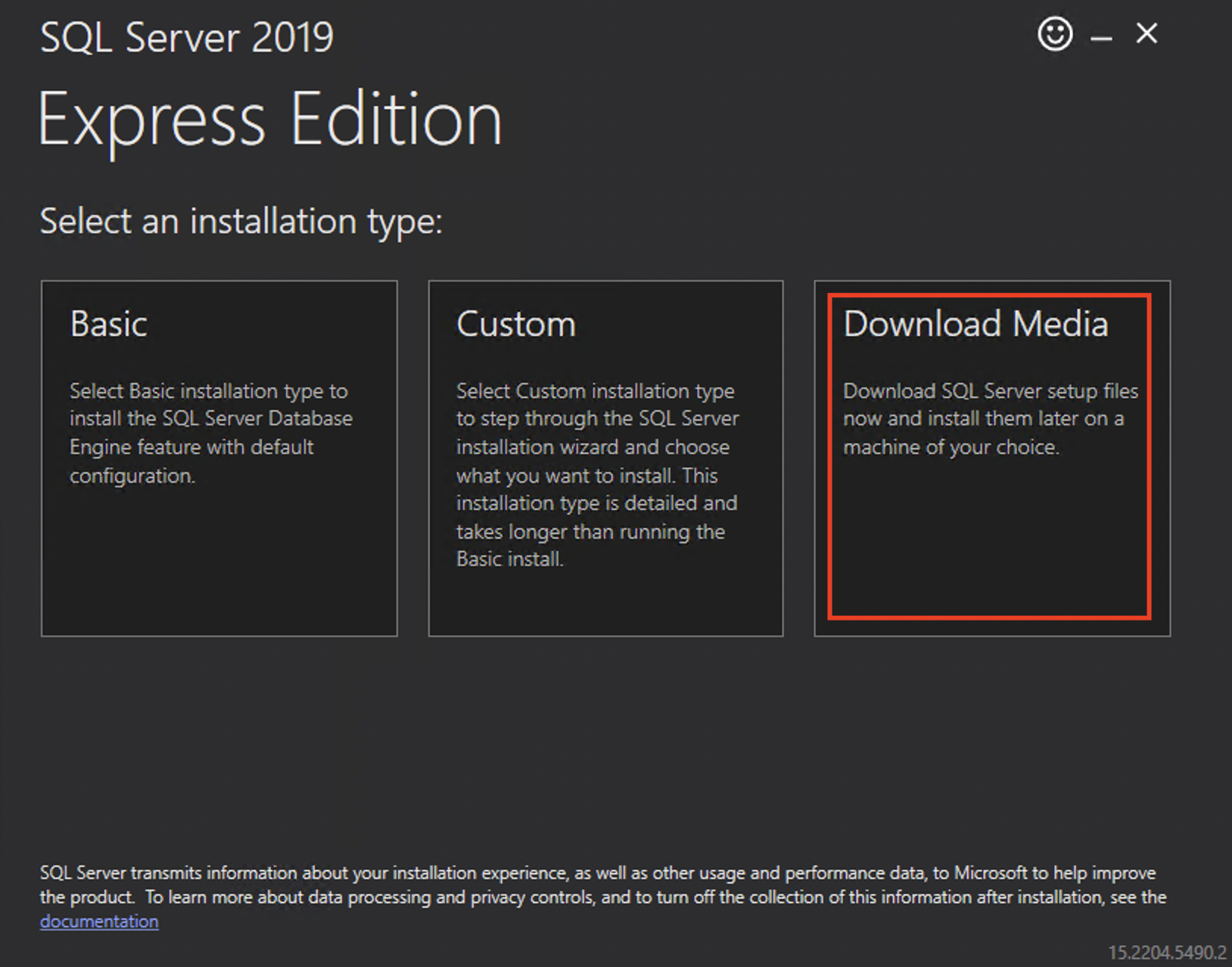
Click Download Media.
Select Express Advanced, select a download location, and click Download.
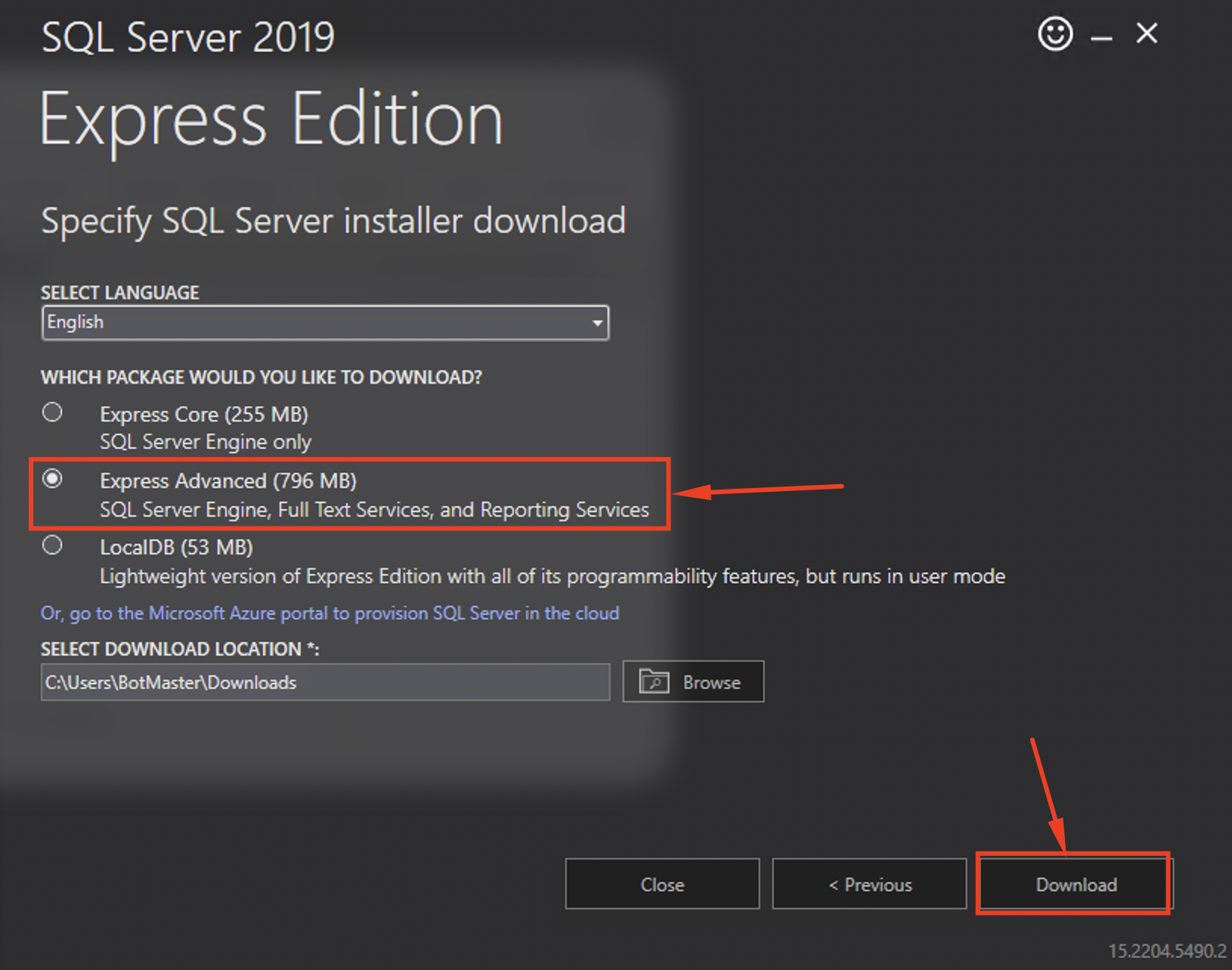
As a result, you get a full offline
SQLEXPRADV_x64_ENU.exeinstaller package.tipYou can create the offline package once and distribute it across your developers using a shared folder.
Stop Work.AI Developer services before upgrading the SQL engine.
Start Windows command line as Administrator from the installer folder and then switch to the folder containing the offline installer package. For the example in the screenshot above, the command for switching to the folder with the installer is as follows:
cd C:\Users\BotMaster\DownloadsRun the silent upgrade command to upgrade the
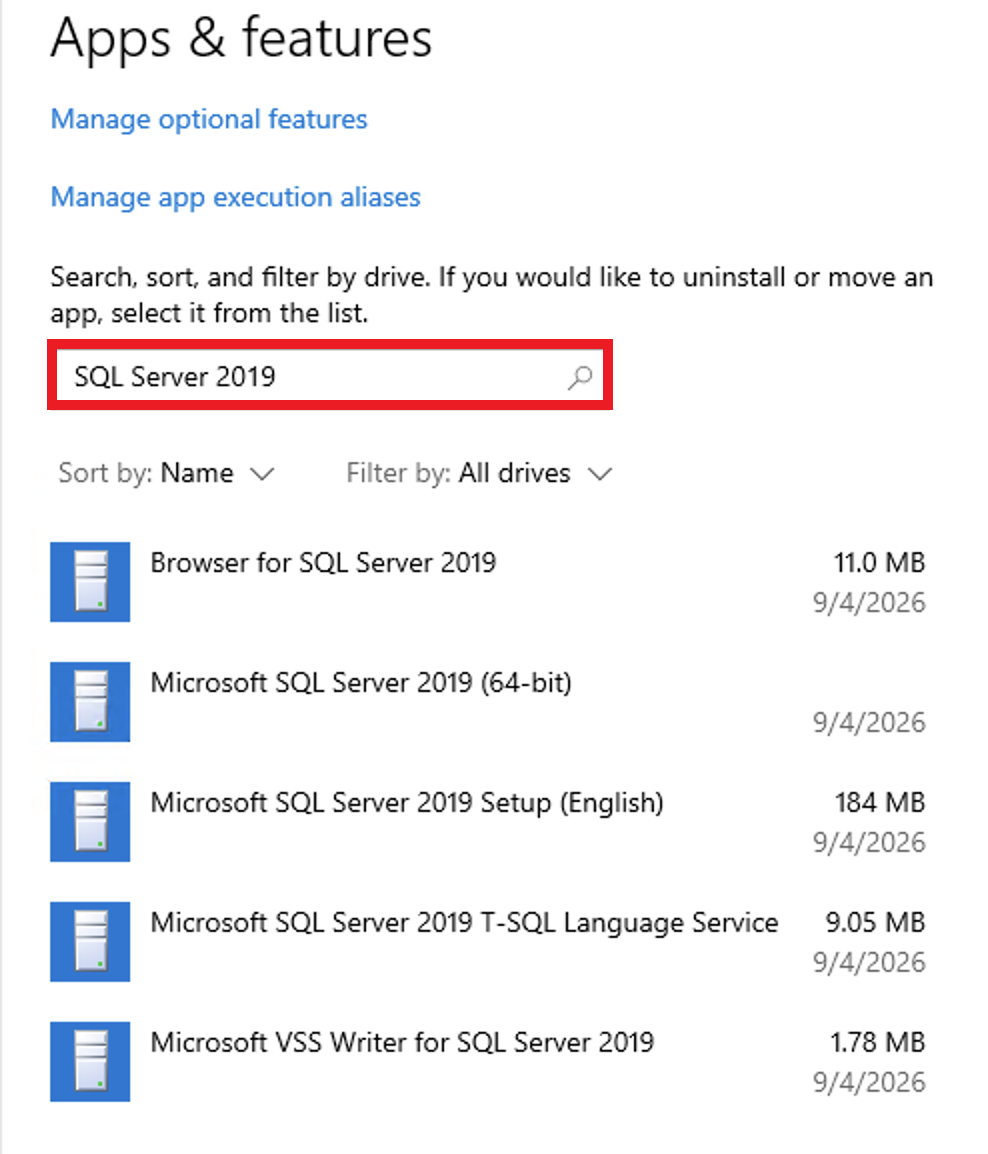
WFIACDEVELOPERinstance from SQL Server 2016 Express to SQL Server 2019 Express in the silent mode.SQLEXPRADV_x64_ENU.exe /q /INSTANCENAME=WFIACDEVELOPER /ACTION=upgrade /IACCEPTSQLSERVERLICENSETERMS=True /SkipInstallerRunCheck /SkipRules=RebootRequiredCheckWait for the upgrade to complete. The upgrade takes approximately 15 minutes. You can track progress in one of the following ways:
Via Task Manager: look for the SQL Server 2019 process
Via Apps & Features: filter for SQL Server 2019
Restart Work.AI Developer.
After the upgrade, the SQL Server 2016 Express engine will no longer be present on the machine, replaced by SQL Server 2019 Express.