
Orchestration workflow
The Orchestration section guides you through the steps to deliver and orchestrate automations, including the involvement of a human worker in the loop. The figure below illustrates the actions available for the purpose via the Control Tower (CT) and WorkSpace (WS) user interfaces.
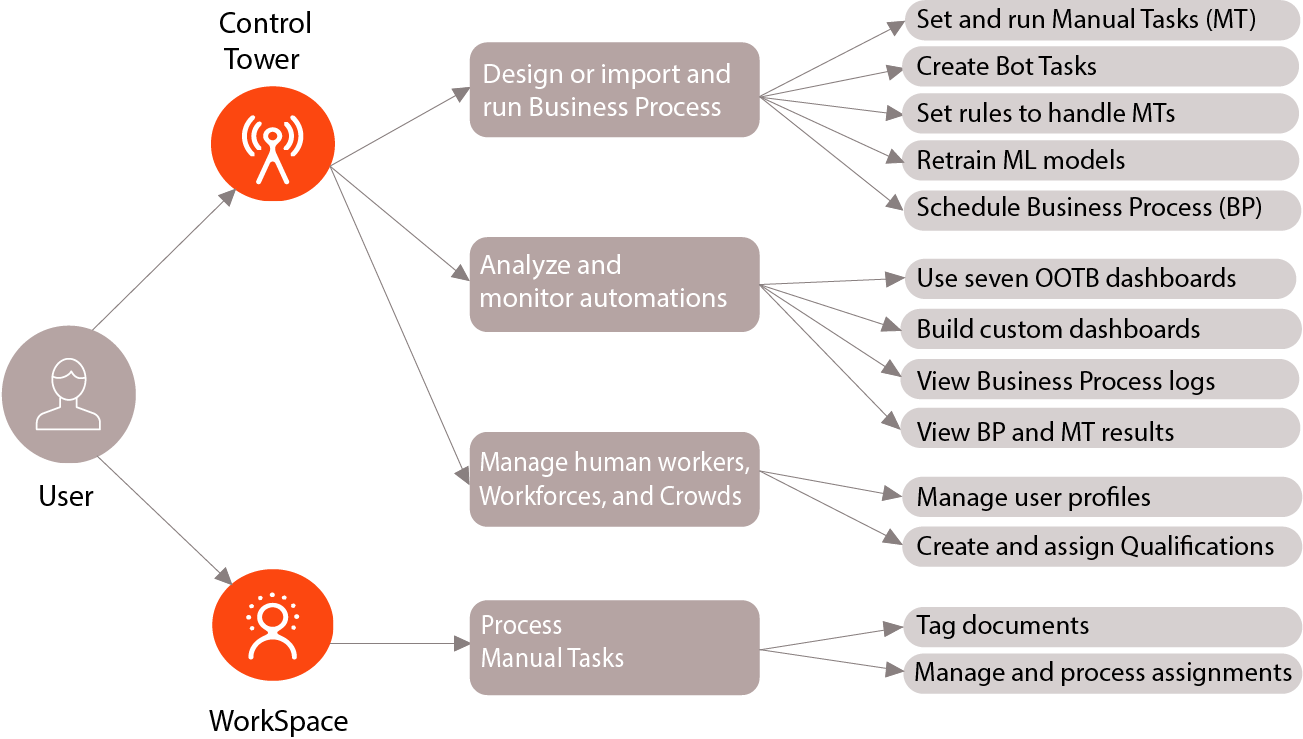
Design and run Business Process
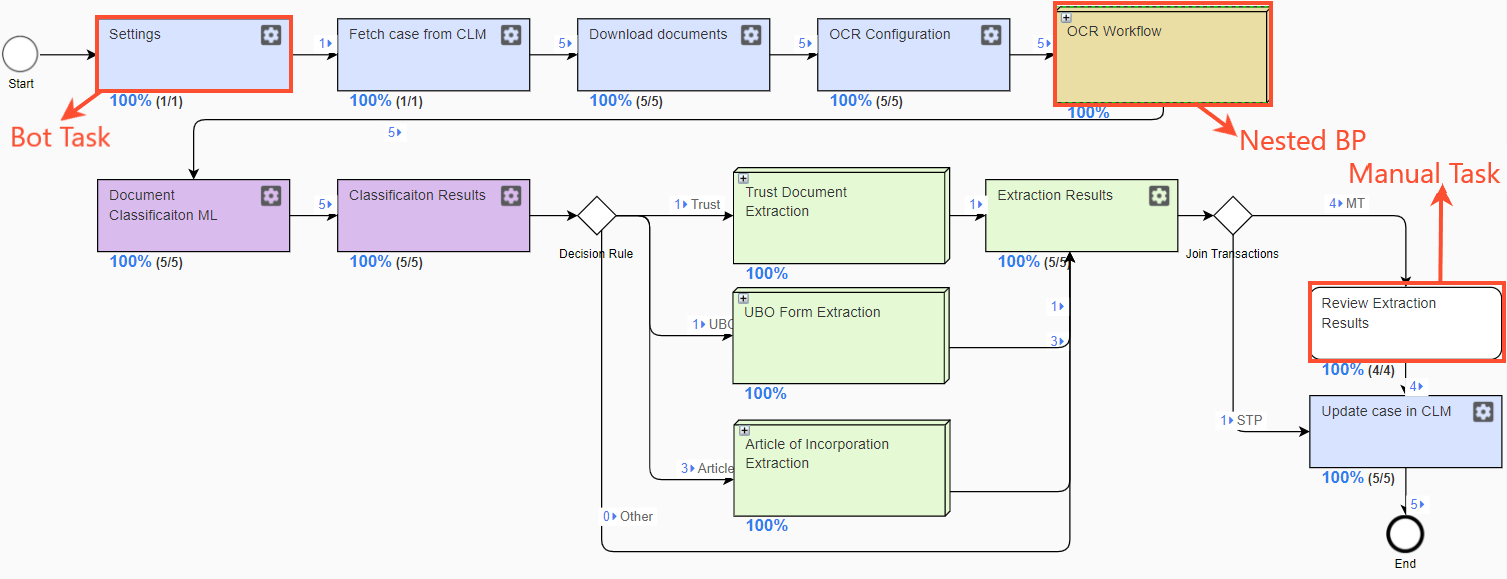
In Intelligent Automation Cloud (IA Cloud), Business Processes (BP) are the means to deliver automations. A Business Process can include Manual Tasks, Bot Tasks, and nested Business Processes.
Design Business Process
To design a BP in Control Tower, the following actions are essential:
Set a BP flow to understand the specifics, refer to the Set up Business Process section. Start with the Create Business Process topic and go down the articles.
Set up Manual Tasks (MT) to involve human workers in your automations. For details, refer to the Set up Manual Task section. First, read the Create Manual Task topic and then go down the list.
Add Bot Tasks—the ones to be executed automatically. For more information on Bot Tasks, begin with the Add Bot Task topic.
Set rules to specify how to handle different types of Manual Tasks and their output. For details, read the Rules and templates topic.
Retrain Machine Learning (ML) models to improve the automation rate and quality. For instructions, refer to the Retrain model section.
Below is a sample Business Process for Document Handling.
Import Business Process
Instead of designing a BP in CT, you can import it. For detailed instructions, read the Import Business Process section.
Run Business Process
Once your BP is set up as appropriate, you can do the following:
Set options for a BP run.
Run the BP.
Schedule Business Process
To run a BP automatically at regular intervals, set a schedule as described in the Schedule Business Process section.
Analyze and monitor automations
To keep track of your Business Process executions, you can do the following:
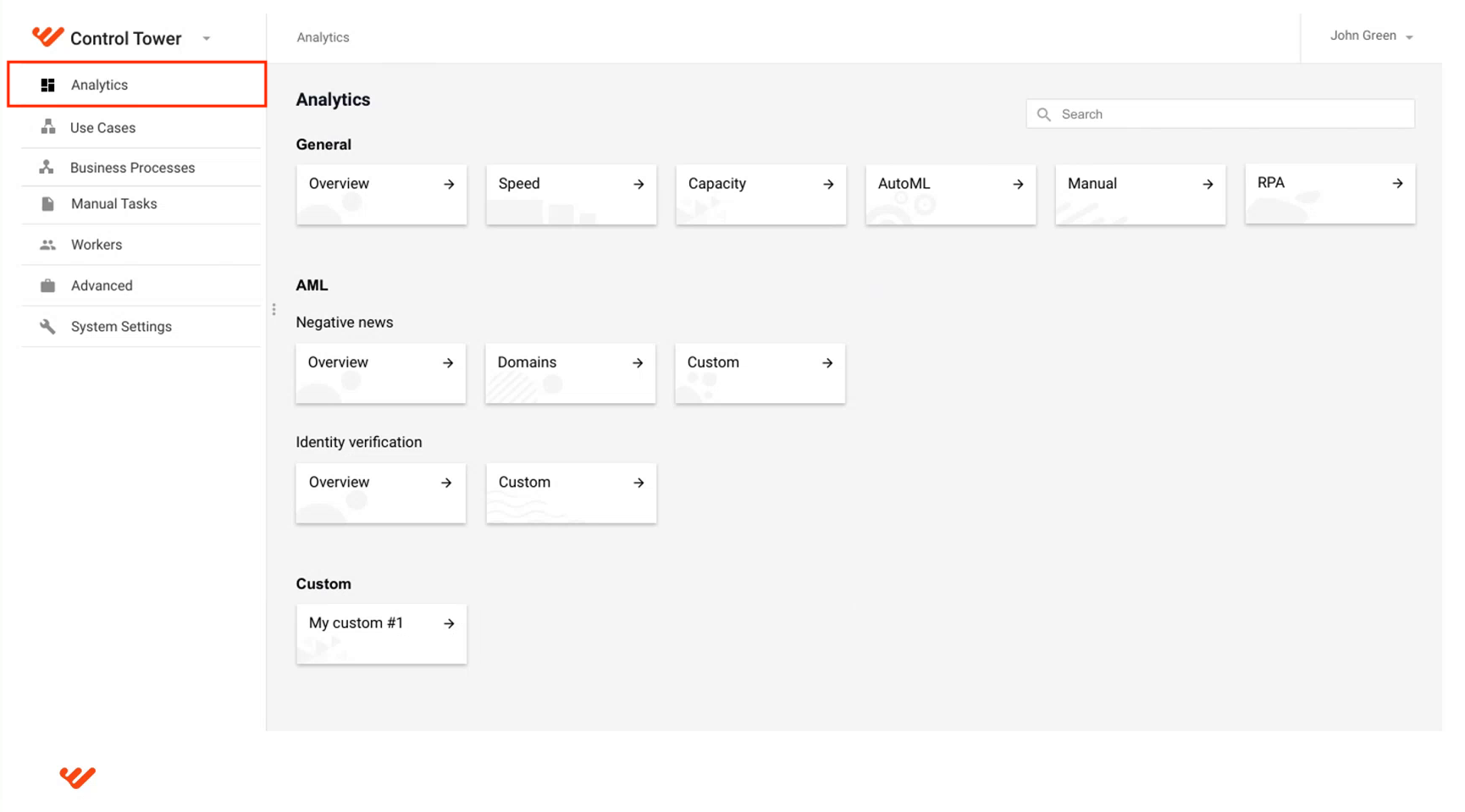
Utilize WorkFusion Analytics. You can either use out-of-the-box dashboards or build custom ones according to your specifications. For details, read the Analyze and monitor section.
Investigate BP logs. For details, refer to the View Business Process logs topic.
View BP and MT results. For instructions on viewing BP results, refer to the article. For the same guidelines on MT, read the topic.
Manage human workers
Via CT, you can access the following related functionality:
For managing workers participating in a task and monitoring their statistics
For handling Workforces and Crowds
For managing worker profiles
For creating and assigning Qualifications
Process Manual Tasks
WorkSpace is the point to involve a human worker in your automation and the place where tasks get when they require human assistance.
Tag documents
The Tagging-Over-Document (TOD) process aims to prepare the documents involved in a Business Process for processing by the Optical Character Recognition (OCR) engine. The primary actors in the process are Subject-Matter Experts and Data Analysts. They review the documents in WorkSpace, discover business logic, and find out how to tag them.
The GIF below illustrates the TOD process.
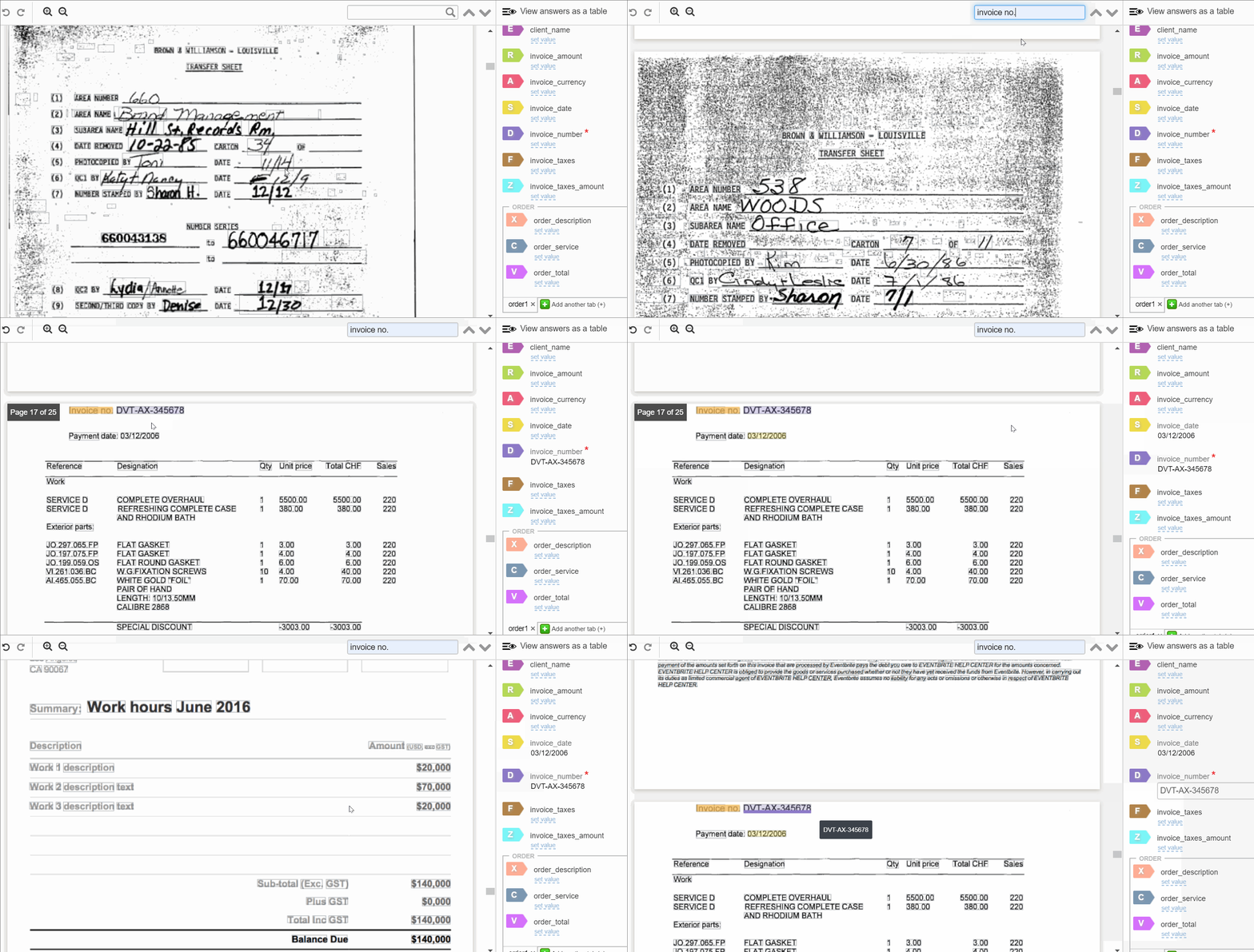
To learn more about TOD, begin with the Role of tagging in automation topic and look through the rest of the articles in the Tagging over Document sub-section.
Manage and process assignments
An assignment is an object representing a Manual Task in WorkSpace. Depending on your role, you can access different WS capabilities and use different workflows to manage and process assignments. Study the following sub-sections to learn more about each role:
note
For a general overview of WorkFusion applications, read the following documentation: