
Create Business Process
There are two ways to create a new business process:
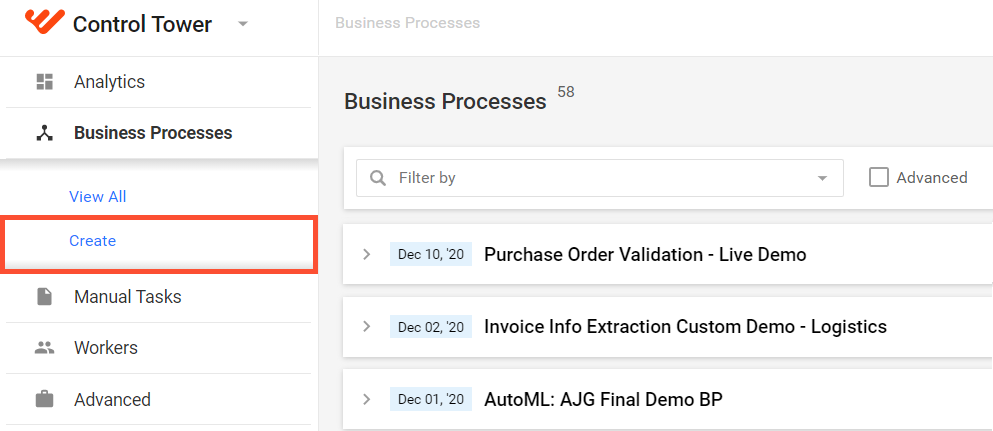
Select Business Processes > Create.
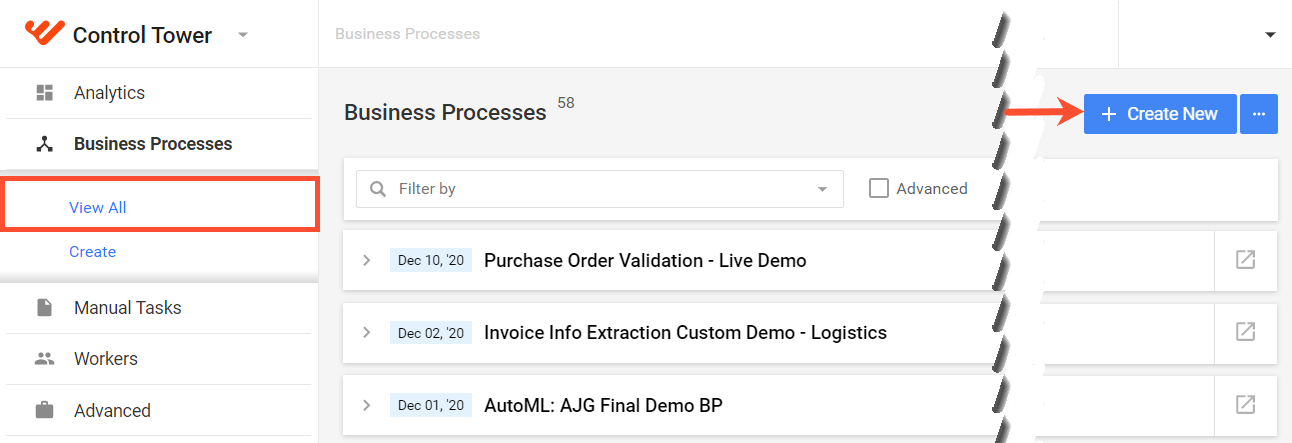
Select Business Processes > View all and click the Create New button.
The general workflow to create a Business Process is as follows:
Select Use Case
Use Cases serve as templates to design the workflow of a Business Process. To select an Operation, follow the steps below:
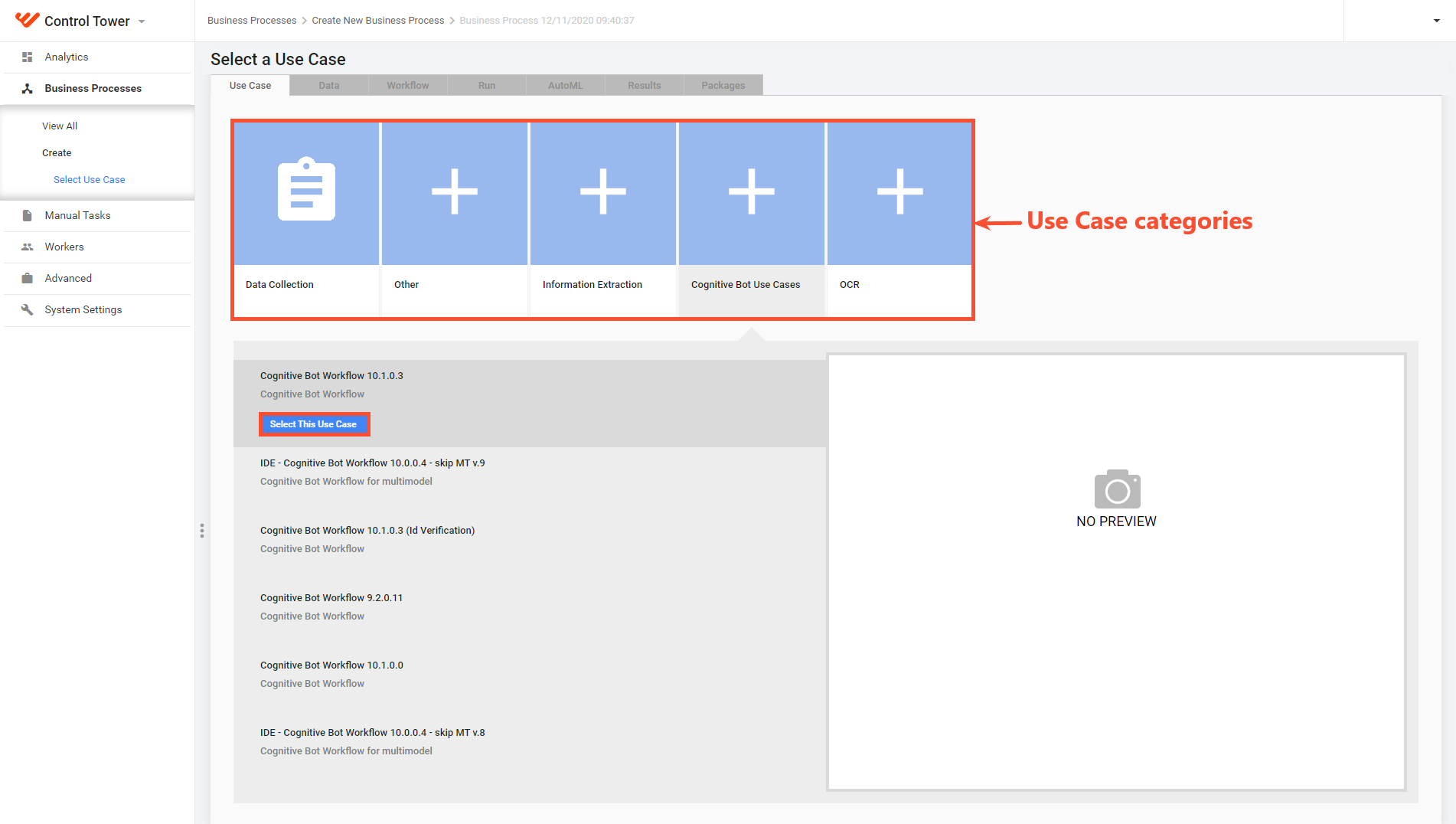
Select a Use Case category to see all available templates.
In the list below the categories, select a template and click Select This Use Case. The BP is created based on the template, and you are forwarded to the Data page to upload BP data.
Upload data
In this step, upload an initial data file to be used by the BP tasks. The uploading process is similar to that in Manual Tasks. For details, see the Upload data topic.
However, there are only several differences:
You can select the No Data checkbox if the BP requires no input data file. For example, this comes in handy when the data is generated in subsequent steps or downloaded from a Data Store or an external data source at runtime.
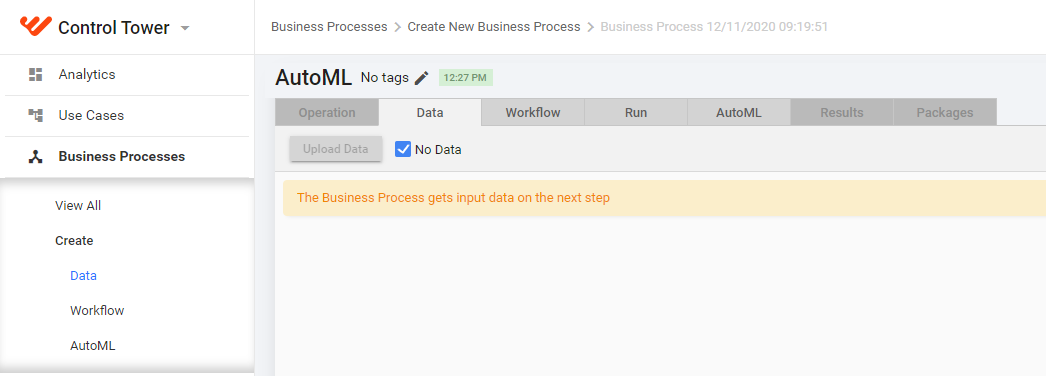
You cannot download a sample file.
If you are satisfied with the uploaded data, click Next to proceed to the Design tab and start designing the BP workflow.
Import Business Process package
warning
It is strongly recommended not to update or import the same BP during the execution of its instances as it can cause undesired effects or return warnings.
To import a BP package to Control Tower, follow the steps below:
In the Business Processes list, click the Actions button in the top right corner, and select Import package.

Click Add and select the archive with the BP package.
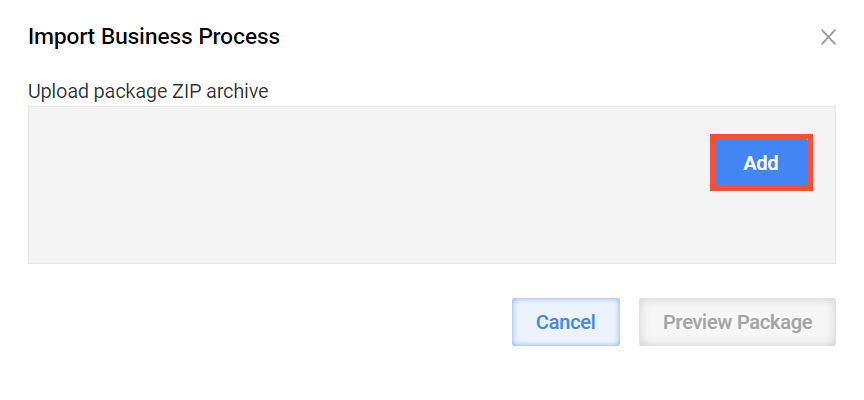
You can preview the BP package before importing it. If a BP with such a name already exists on the Control Towerinstance, the system suggests two options:
Create a new version of the BP and leave the existing one unchanged (default).
Overwrite the existing BP version.
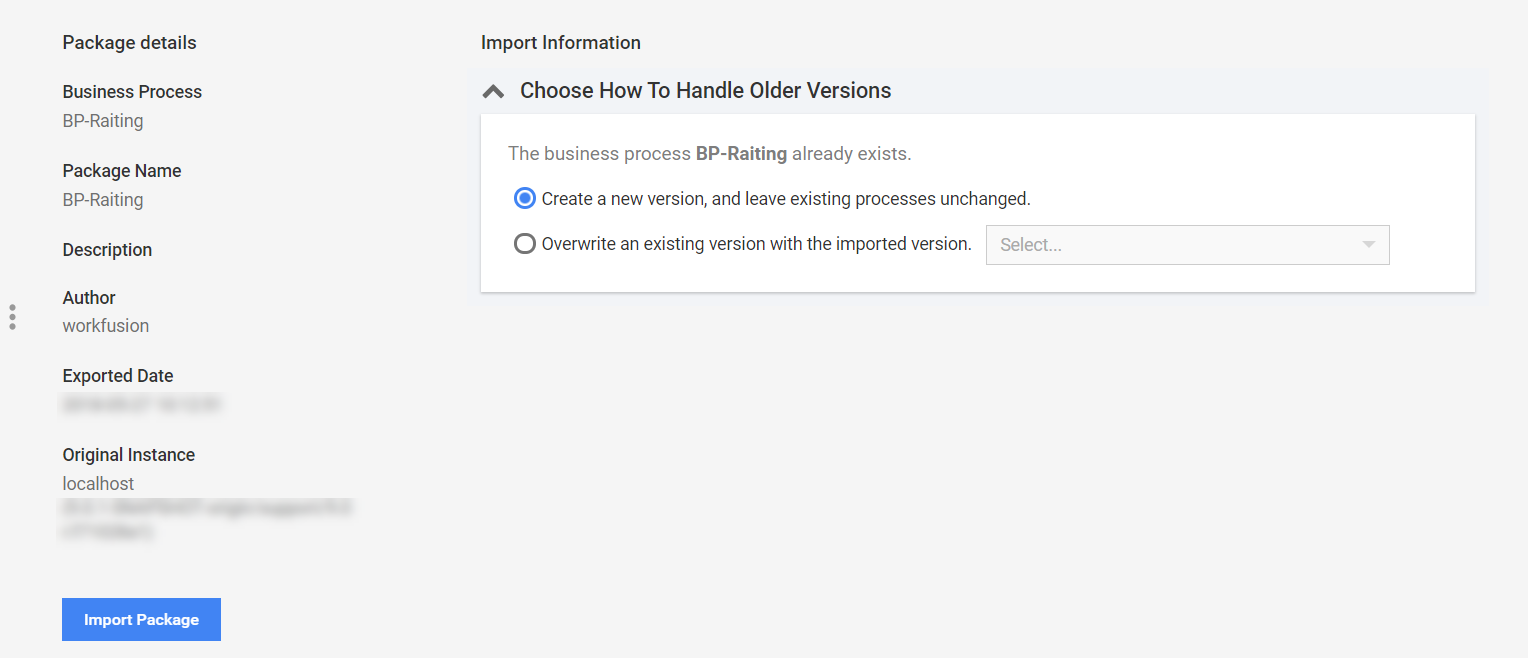
After selecting the required option, click Import Package. The new BP appears in the Business Processes list.
For instructions to export BP packages, refer to Run Business Process | Export Business Process.