
Nested Business Processes
When creating a BP you can add (include) one BP inside another. This functionality provides better re-using, testing, monitoring, and visualization of processes.
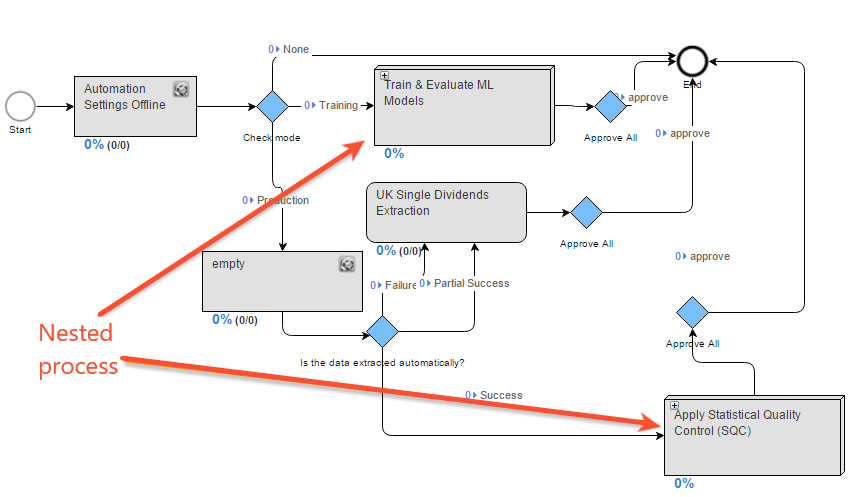
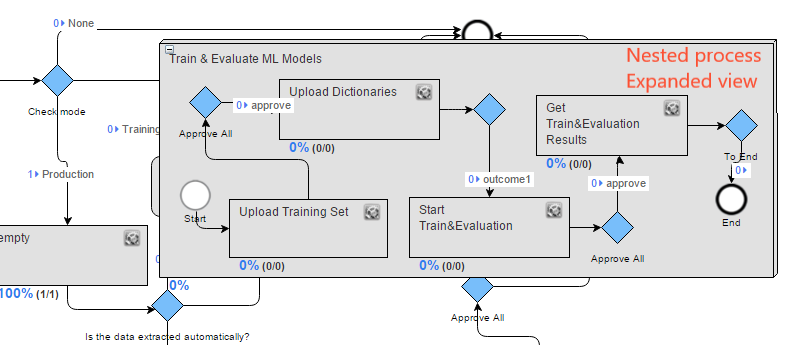
Preparation
To use a BP as a Sub Process, complete the following steps:
- Create a Business Process (from an existing or empty Use Case).
- Test this BP in development environment and fix if needed.
- Create a Use Case from this BP.
As a result, this BP Use Case will appear on the BP Designer right panel and will be available to be copied as a Sub Process.
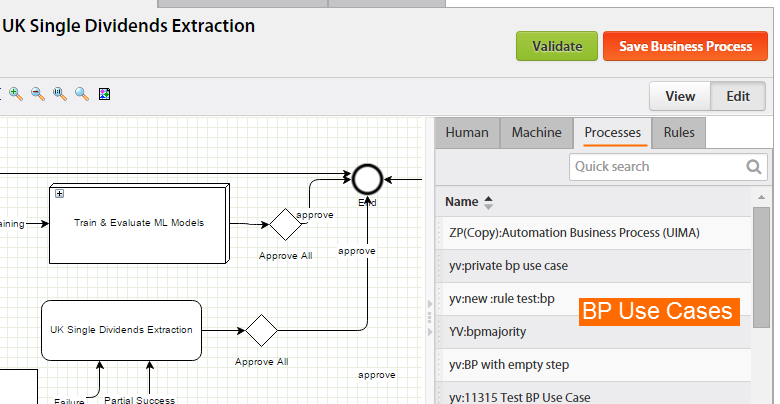
Adding a BP Use Case as a Sub Process
Let's assume that we have created an "OCR" business process, tested it, and created a Use Case. Our aim is to include this "OCR" Use Case as a Sub Process into the "Invoice Data Extraction" BP.
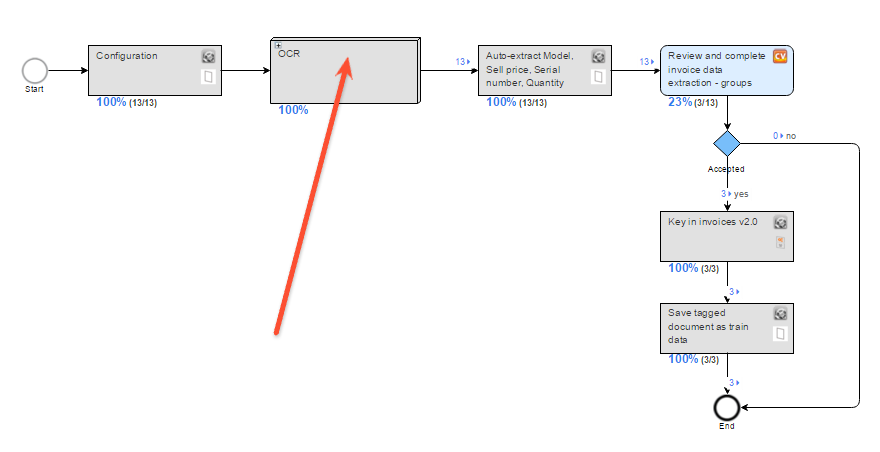
We need to perform the following actions:
- In BP Designer, drag the "OCR" from the right panel (Processes tab) to the canvas.
- Connect the "OCR" Sub Process with other BP steps.
- Verify that the BP input file column names match the "OCR" sub process Data Elements (variables).
Editing a Sub Process
When you have dragged (duplicated) the "OCR" Sub Process into the "Invoice Data Extraction" BP, the following inheritance rules exist:
- if you edit Sub Process step (parameters, name, etc), the Use Case will be accordingly updated and vice versa.
- if you change the connections inside the Sub Process, the Use Case will NOT be updated and vice versa.
In case you want to change an "OCR" Sub Process step without affecting the source Use Case:
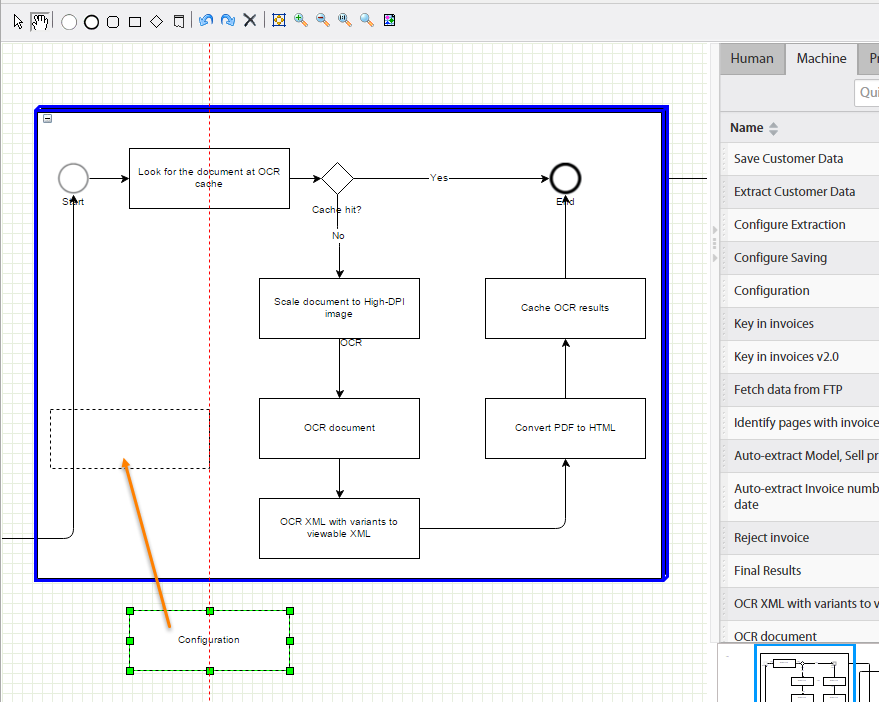
- Expand the Sub Process by clicking the (+) icon in its top left corner.
- Right click the target step and select the Copy action.
- Delete the target step.
- Drag the copied step inside the "OCR" Sub Process and connect this step to others. You can also delete other Sub Process steps or drag new steps inside the "OCR" if needed.
- WorkFusion supports multiple levels of BP nesting.
- The Sub Processes do not have their own BP Options (Streaming Threshold, Due Date) and input data file. They receive data from the previous BP step and pass the result data to the next BP step.
Alternatives to Sub Processes
- You can configure a Bot step that creates/updates a specific folder on an external server registered in Start Task, BP from Data Source, and this event will start a new BP or Task.
- You can use the task-start plugin to start another BP or Task depending on the current BP results.