
Run Task and view results
Run Manual Task
After you upload task data, build the task design, and set the run options, perform the following actions:
Run the task in the development environment by clicking the Run This Task button on the Run tab.
If the task has started successfully, you see the following message: Run Started Successfully! You can view the results of the task or view the task you have just created via the Manual Tasks list.
Log in to WorkSpace, find the task by the name or a keyword, and try to complete it.
Go back to Control Tower and edit the task options, design, or data if needed.
Copy the task with data. You can optionally stop or delete the original task if needed.
Run the task in the production environment by selecting the appropriate checkbox above the Run This Task button.
View task results
To view the results of a Manual Task with key parameters and links, navigate to Results > Summary.
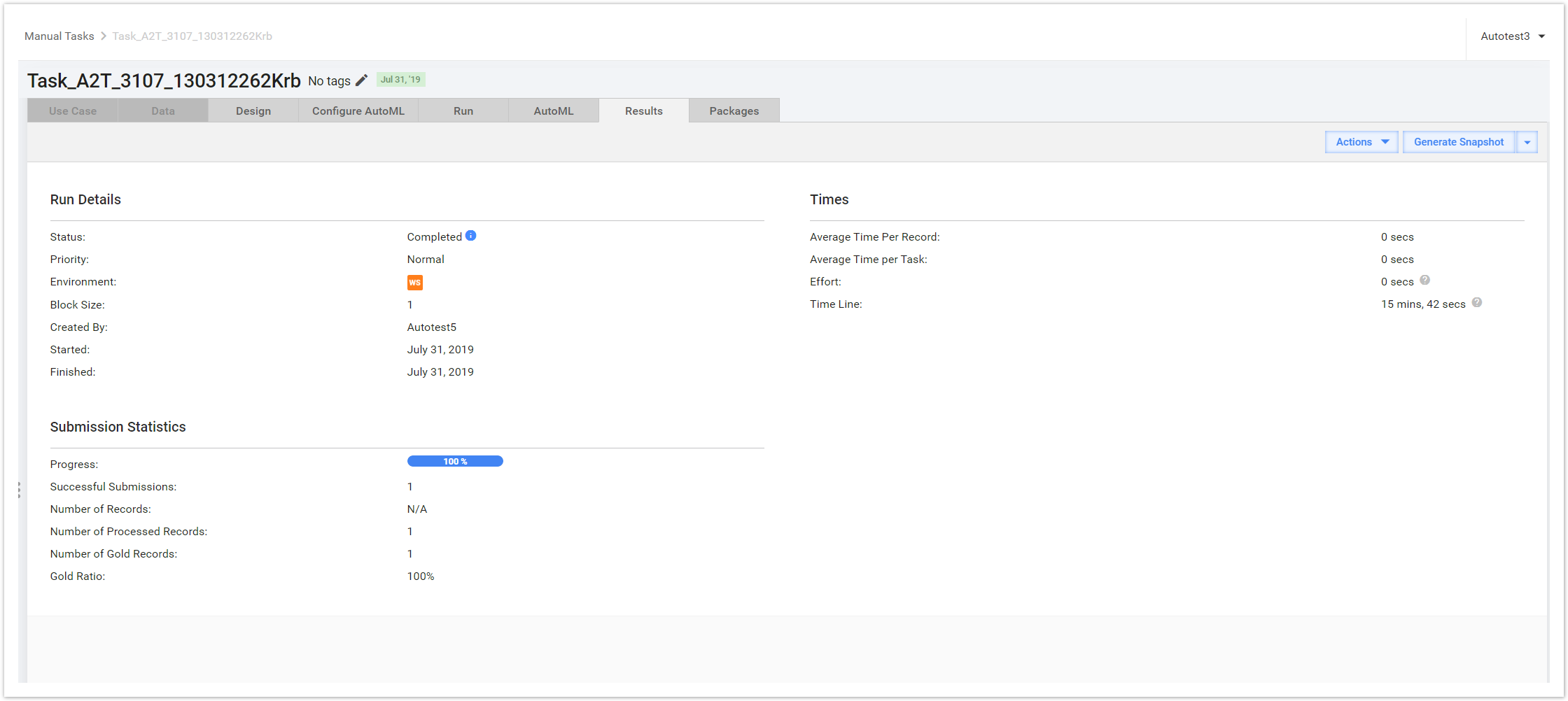
Run Details
| Field | Description |
|---|---|
| Status | The field indicates whether the task is completed, paused, or still processing. To view all the task events, click the blue info icon. |
| Priority | The task can have normal, high, or low priority. |
| Environment | The field displays two pieces of information about the environment. In the screenshot above, you can see a WS icon indicating that the task was posted to WorkSpace (WS). To view the task in WS, click icon. |
| Block Size | This is the number of Records a worker gets in each worker task. In this case, it is set to 1. You can change the Block Size before running the task on the Run tab > Task Settings. |
| Created By | The task author's username. |
| Started | The date when the task was run. |
| Finished | If the task is completed, the date when it was finished. |
Submission Statistics
| Field | Description |
|---|---|
| Progress | A progress bar showing the percent of successfully submitted Records |
| Successful Submissions | The total number of successful submissions |
| Number of Records | The total number of Records in the input data file |
| Number of Processed Records | The total amount of Records with processed data |
Times
| Field | Description |
|---|---|
| Average Time per Record | The average time workers spend on a Record |
| Average Time per Task | The average time workers spend on a task |
| Effort | The total time workers spend on the task combined |
| Time Line | Total time spent since the task start |