
Submitted Manual Tasks not available in WS or CT
To investigate why a submitted Manual Task is not available in WorkSpace (WS) or Control Tower (CT), the first step is to check the easiest and the most trivial potential causes, as described below.
Check worker permissions and task availability
Make sure the worker assigned to the task has permission to view the task. Worker permissions are assigned according to the new Access Control List (ACL) approach.
When you have a complex environment, such as multiple CTs and tasks created by different Business Processes submitted to a single WS, check that the reported non-availability issue is not at the time when:
The Manual Task awaits to get visible again.
The Manual Task is simply being loaded by two workers at the same time.
Check for potential API service issue
Check the workspace-api log to make sure workspace-api is available, or go to your browser and execute the simple API call:
{your_workspace_address}/api/v1/config
When the response status of the WorkSpace configuration controller is 200 and looks similar to the one below, it means that the API works correctly:
{"keycloak":{"authServerUrl":"https://some_auth_address/auth","realm":"WorkfusionRealm","resource":"wf-workspace"},"session":{"timeout":2100},"assignment":{"maxLockTime":1800}}
Check Operation in Control Tower
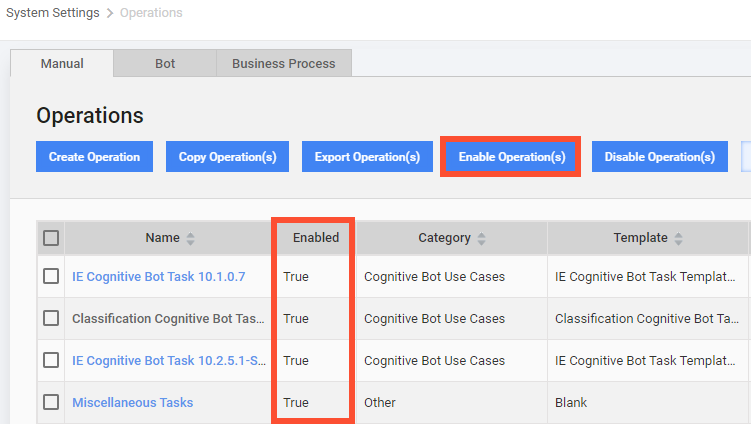
To check the task category, go to System Settings > Operations > Manual and make sure the corresponding Operation is enabled:
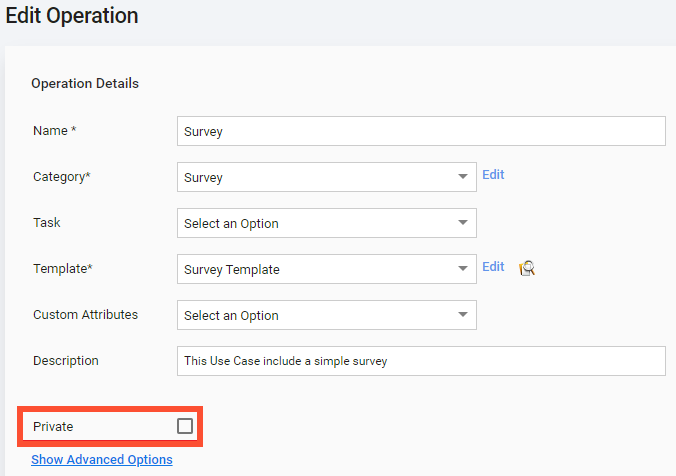
Open the Operation and make sure the Private checkbox is not selected:
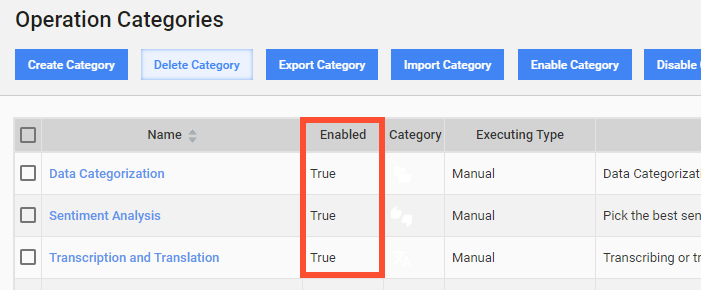
Go to System Settings > Operation Categories. Find the corresponding operation category by its title and make sure its category is enabled:
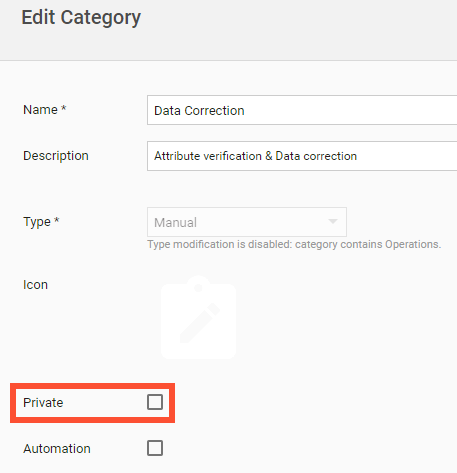
Open the Operation category and make sure the Private checkbox is not selected:
Inspect logs
Go to Kibana and check WS logs on the instance. Search for errors coming from task rendering and CT communication with WS. These errors can be as follows:
- Exception during handling request
- Response writer error
- Failed to submit
- Failed to create endpoint tasks for run
- Further submission is skipped
For instructions on searching Kibana for errors, refer to Search a specific message in logs.
Read also: