Avoid labeling mistakes
To start with, download the samples, look through them, and then review the typical labeling mistakes listed below.
Typical labeling mistakes
For example, let's study the following case in detail:
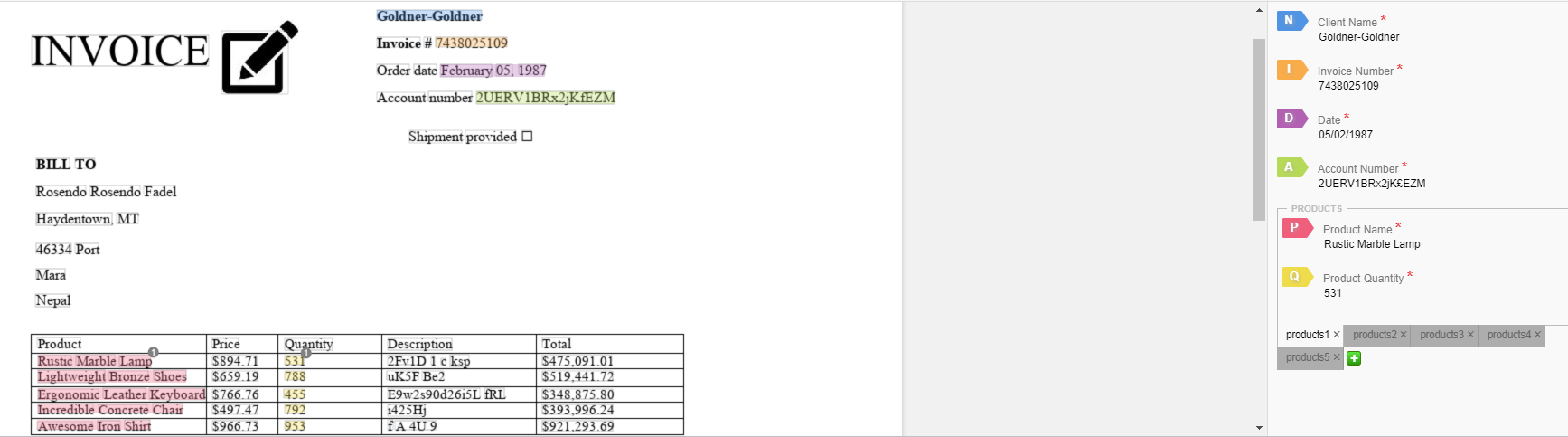
The document has the following typical labeling mistakes:
Extra data labeled
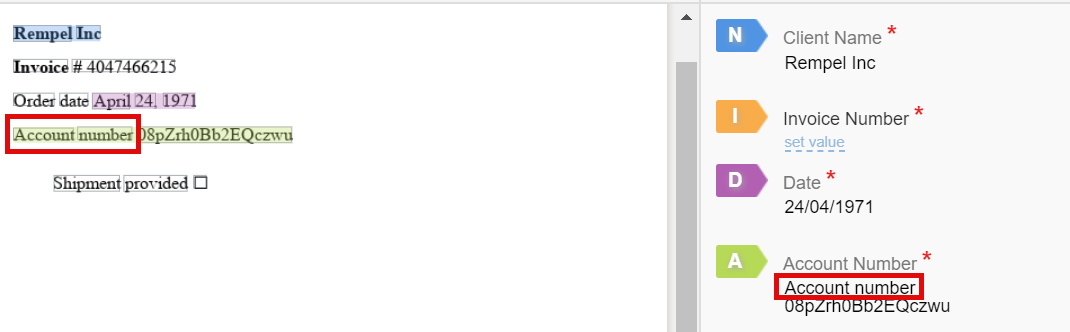
Here only the
08pZrh0Bb2EQczwuvalue for Account Number has to be labeled. The Account Number keyword is constant and not part of the value and should not be labeled. The same rule applies when labeling amounts: $1000—only numerals should be labeled, without the currency sign, and so on.Labels are confused
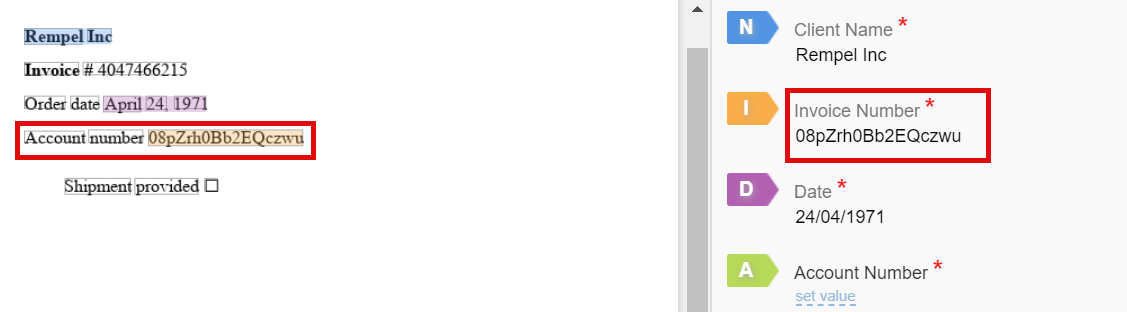
Correct and required data were selected, but for a wrong field. In this example, the labeled
08pZrh0Bb2EQczwuvalue is wrongly selected as Invoice Number when it should be Account Number.Not full value labeled
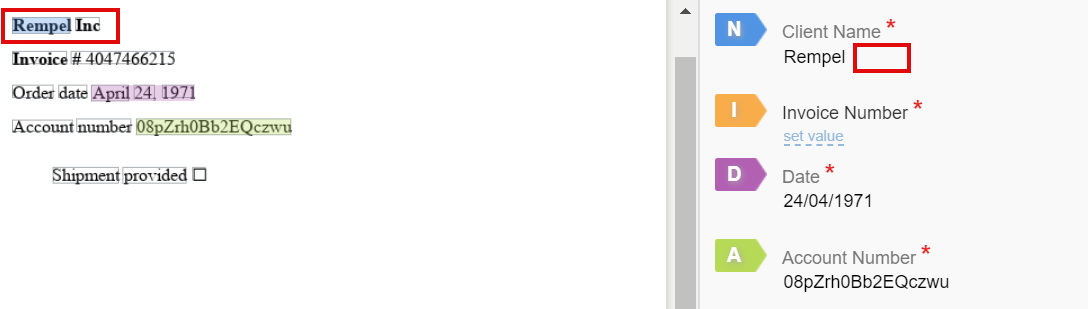
Here the company name is labeled without a legal ending. In most cases, the endings influence business logic and help the model define the value and end of the string. So, the correct value should be Rempel Inc.
Value missed

Invoice Number is marked as N/A in the panel with fields. But it actually is present in the document. When values are omitted like this, it decreases the number of samples for each field for model training, and thus affects statistics and model performance.
Value typed in manually
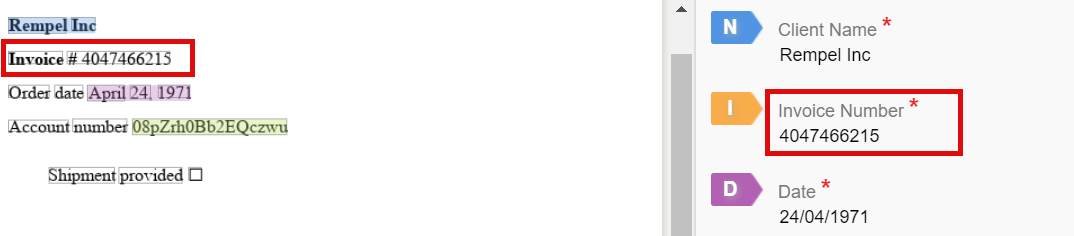
The fields panel has the correct value for Invoice Number, but it is not highlighted in the document itself, so it's not actually labeled.
In this case, the business value is reproduced, but there is no sample for the model to train on. This happens because if the machine does not see the data-value, it reads labeled strings highlighted in the HTML document.
Field formats
There can be different types of fields, depending on the value of the field: amount, date, company name, and so on. They are displayed accordingly on the fields panel. For more information, refer to Start labeling | Field formats.
Group of answers
There is a specific answer type called Group of Answers where a selection of values should be labeled for one field. For instance, this is typical for multiple products in an invoice.
Correct labeling
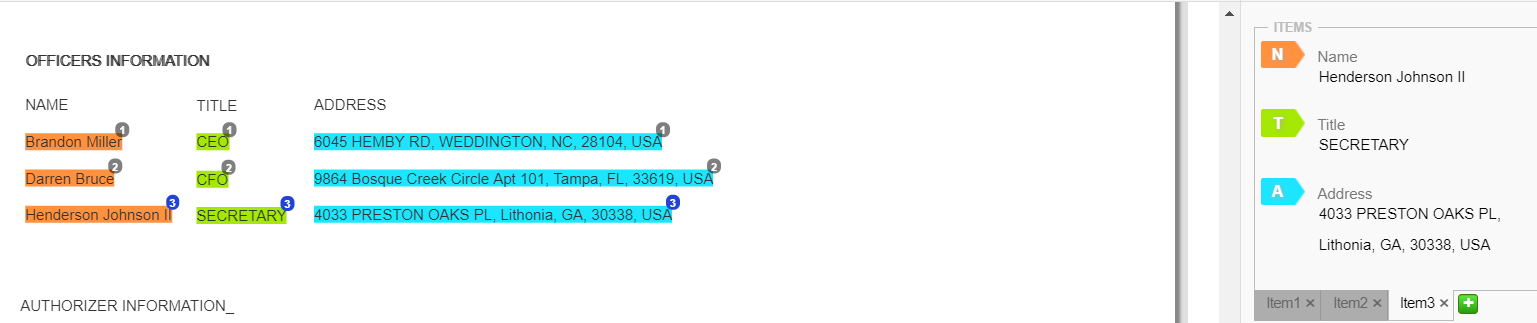
All values are labeled correctly. The title and address are attached to the corresponding name, and all the numbers above the labels are the same. Lines are labeled one after another, so the data on tabs are allocated correctly, and the tabs order is correct.
Incorrect labeling
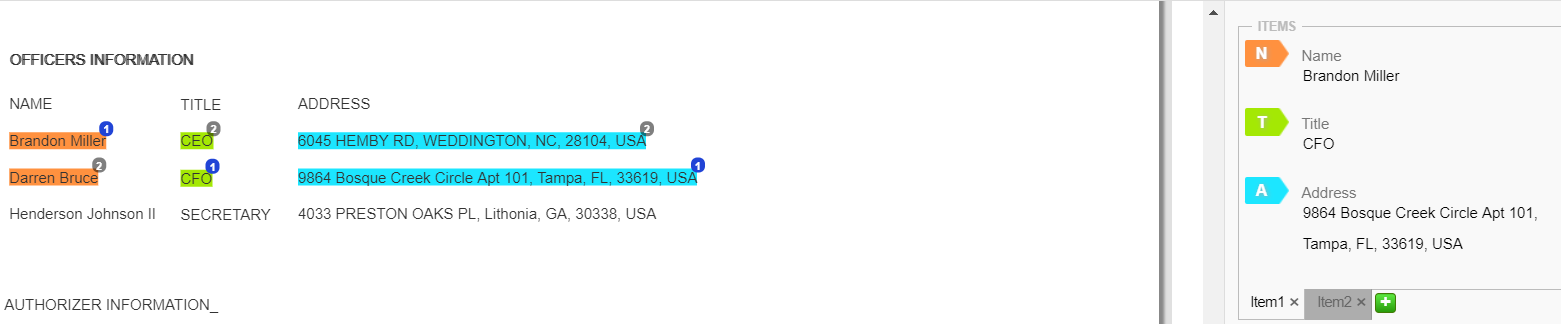
Values for the title and address are labeled for incorrect names, so the data on each tab is incorrect. For correct labeling, all the values in one line need to have the same number above the label.
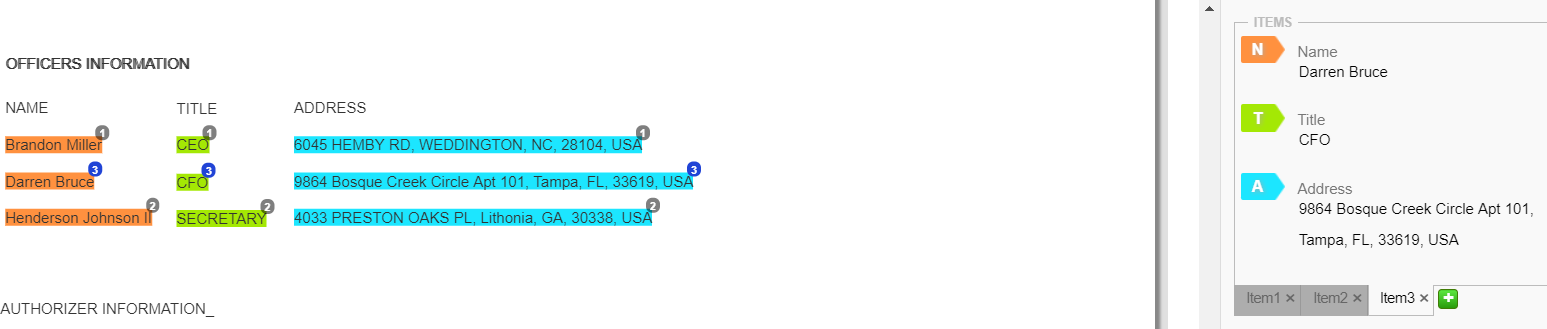
Lines are labeled in the wrong order, so the order of the tabs is incorrect. The values in the second line should have number 2 above the label and, in the third line, number 3.
Final step
Let's see how Work.AI can solve hypothetical bank issues after the successful collaboration of the subject-matter experts and data analysts.