Study documents
Before labeling, the most essential information the Subject-Matter Expert (SME) should share with the Data Analyst (DA) includes the following:
- What layouts can one distinguish in the document flow?
- Which layouts are outliers in the flow, comprising fewer than 30 samples?
- What are document formats: PDF, picture, spreadsheet, and so on?
- Are there any exception cases?
- What data output format is required, if there are any special requirements?
- Is it necessary to apply mapping?
These are the first pieces of information necessary to make the process more manageable.
Now, let's learn what you need to start the process. The content below corresponds to Step 1 of the workflow: Data Analyst studies requirements.
Logic
When you prepare documents to be part of an automation process, several things matter, such as:
- What business rules do the documents follow?
- Is the data in the documents appropriate for machine learning?
Usually, understanding the above helps to understand where to label fields in documents.
Let's consider the two sample cases:
Case 1: all pages in a document include Business ID, and its value doesn't change. So, from the business perspective, it doesn't matter where the value is labeled. You must choose one place only, as advised by the DA. Usually, it's the first page or a place where OCR does not corrupt the value.
Case 2: amounts can't be labeled anywhere in a document because there may be a subtotal, total, and balance due, and the business logic dictates which one you need to extract or whether these should be three separate fields.
The DA should know if there are cases where a particular field should be taken only from a specific place. In the rest of cases, the DA should advise where it is best to label.
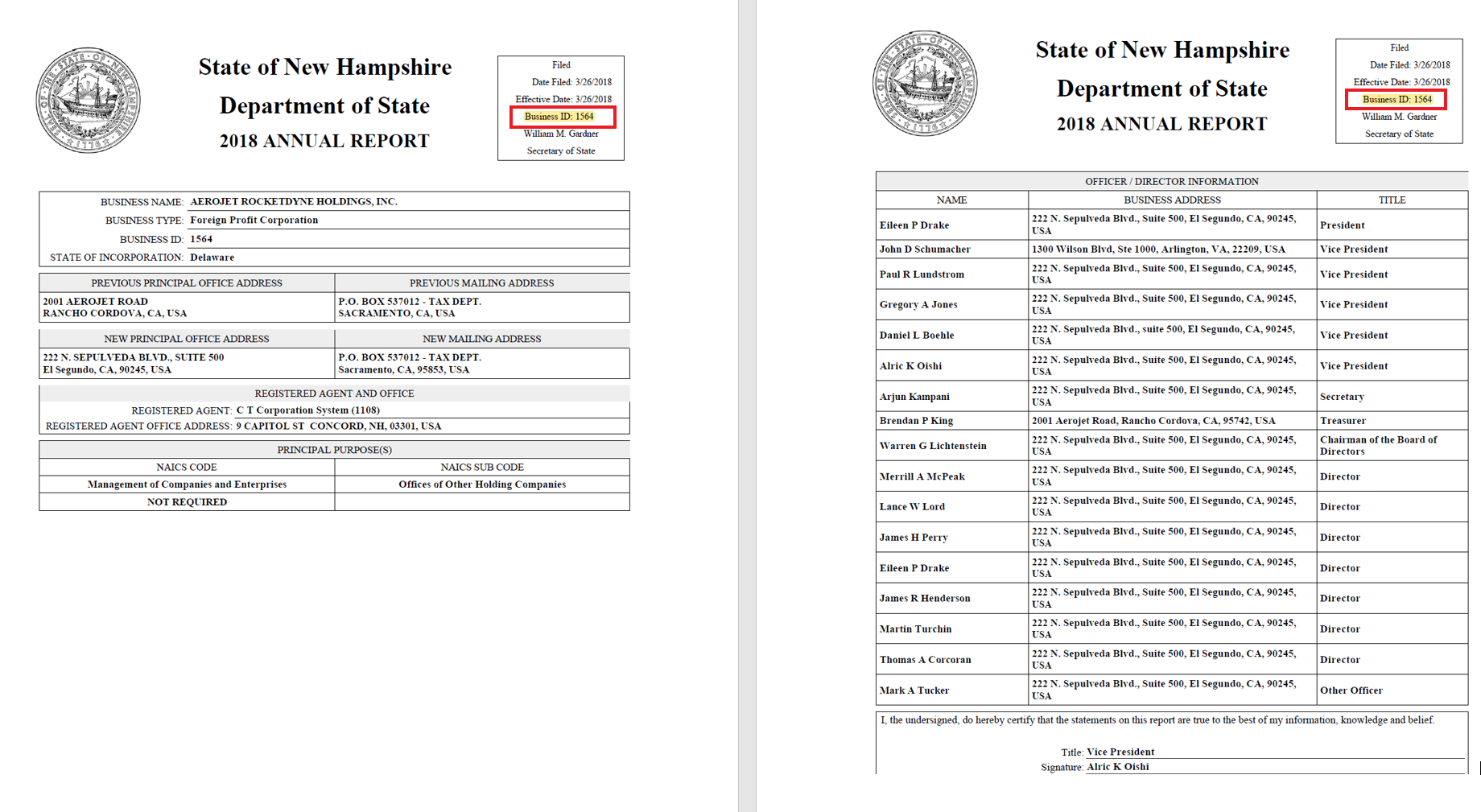
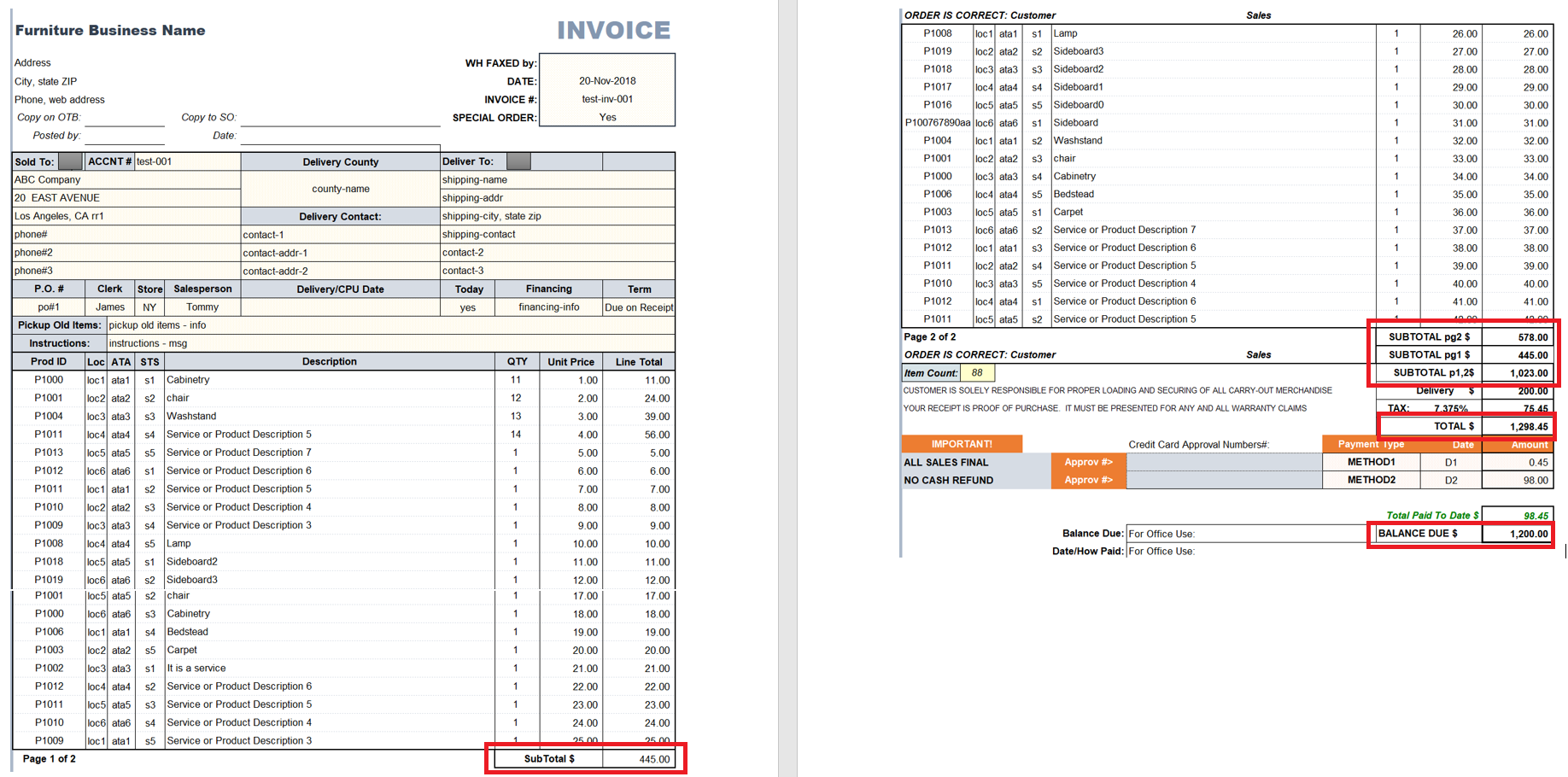
The document formats and structures should remain the same. Otherwise, you cannot expect the same extraction results.
Therefore, if all invoices in a dataset contain only one page, you should expect only one-page invoices in production. If invoices are scanned together with a proforma invoice, they should be scanned the same way in production. Any changes in the original document or document layout require model retraining.
Quality
The quality of original documents influences model results a lot. When possible, for a dataset, choose documents with the highest OCR quality. Before scanning, exclude documents with shadows, stains, any lines or dots, as well as any torn or crumpled ones.
Scan selected documents at high resolution, making sure they have correct positioning. Otherwise, extra time will have to be spent to make the most of poorly OCRed documents. Remember: if a value from a PDF is lost during OCRing, the model won't be able to extract it.
It's also critical to ensure the same scanning parameters are applied in production so that OCR produces the same output and the model works on the same HTML structure of the document as it learned during training.
Resolution
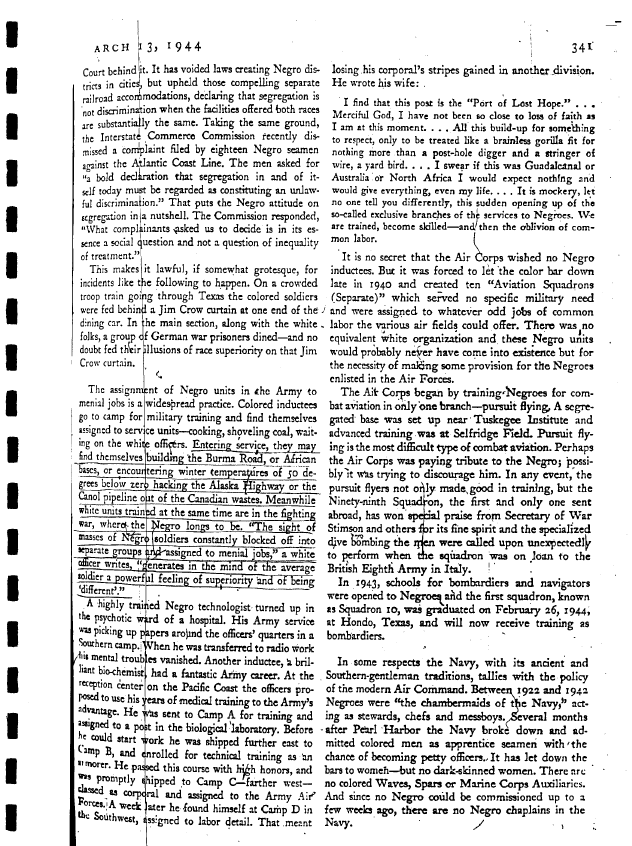
Positioning

Crumpled sheets, stains, and so on

Noise
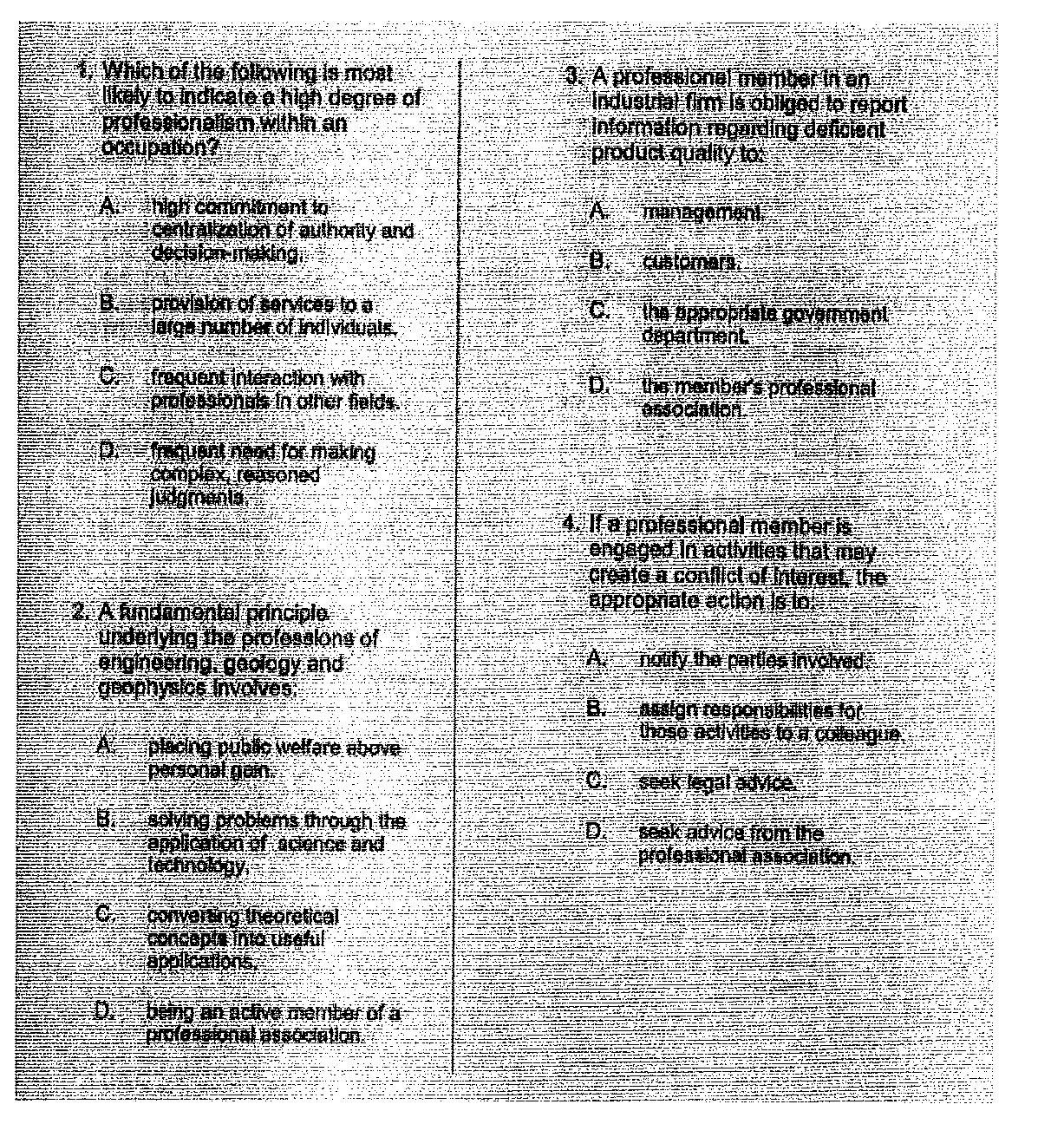
A high-quality scan is one that is easy for everyone to read. High-quality scans should be free from:
- Cut-off text
- Crooked pages
- Dark gutters (the margins where shadows occur from curvature in the book's spine)
- Poor contrast
- Pages rotated by 90 or 180 degrees
- Handwriting
- Highlighting
- Underlining
- Watermarks and coffee stains
- Blur
The original document quality and scanning quality set expectations for the document and HTML structures after OCRing. Thus, it should not change much. Otherwise, model retraining is required.
Distribution
The main rule of a dataset is that it should be well-distributed, meaning it should have the same distribution of documents as expected in production. Different layouts (documents from different vendors) should be distributed in the same proportion as within the dataset. There are two aspects of distribution to remember:
- A dataset should have as many various samples of documents as possible so that a model can work well on the entire document flow in production.
- A dataset should contain enough samples of rare documents and rare fields.
To sum up, it won't do to put into a dataset a range of 100 documents from 80-90 different vendors, with 1-2 documents from each vendor. What works well for effective model training is stability, not variety. So, there should be a sufficient quantity of documents for each layout (at least 30 or more for better model results, depending on the quality of the documents).
Some data is present only in particular documents or particular cases. Such fields are called rare (present in less than 30% of the documents). For effective model training, it's critical to increase the number of samples containing these fields so that the model can learn well, produce stable features, and process such fields in production.
It's better to cover as many layouts as possible during training. From the best-practice perspective, it's more effective to concentrate on the top 20 or 30 vendors who might make up 90% of the workflow and consider including the other 10% of the vendors in the second round.
Grouping
Splitting into batches is often used to smooth the process of dataset preparation. A batch is a set of typical documents grouped by some criteria. The criterion is often the same layout, most commonly coming from one vendor. Splitting aims to increase the labeling efficiency and speed and improve the dataset quality because it's proven that labeling a batch of similar documents at a time is more effective than labeling documents of various types.
The SME should tell the DA what criteria or keywords can be applied while splitting documents into batches. If it's possible to use historical data, it's highly recommended to split documents before the review by the DA. That can save up to a week in skill development.
The most typical criteria for splitting into batches are as follows:
Type of document
Vendor
Language
When necessary, other criteria can be applied as the number of documents per layout should be substantial (for example, 50 or more). If needed, the DA can ask to increase the number of documents.
Next step
In the next part, you will learn how to prepare datasets for labeling.