Search and capture elements in large tables
Starting with Work.AI v10.3, a new search engine is available to enhance performance in large tabular UI automation.
The search engine works as follows:
- Instead of relying on meta ID and XML tree generation, locates elements using Control Type (or Class Name) and Name (or Automation ID). Both fields must be string values.
- Requires the Class and Name components in a selector. If these are not unique, an Instance number (must be an integer value) is needed.
caution
Processes migrated from older platform versions might require selector modifications to align with the new functionality.
Enable search engine
To enable the search engine, complete the following steps:
Update
worker.batorworker-java21.batwith the following parameter:-Drpa.desktop.legacy.search.engine=falseRestart the WFSvc service.
Capture selectors
To capture selectors compatible with the search engine, enable it in Inspector distributed with the RPA package.
Add the
Drpa.desktop.legacy.search.engineproperty toinspector.ini: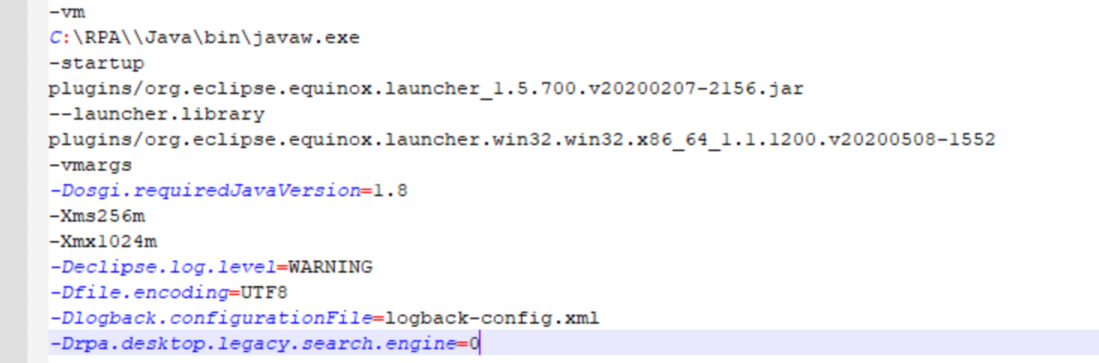
Restart Inspector.