Configure Java applet security policies
Replace Java policy files
The C:/RPA/registry folder contains the java.policy file that provides additional permissions for jvm-agent. This agent is needed for a proper connection between RPA Grid and Java applications or applets.
Copy and replace the existing java.policy file in the Java Runtime Environment (JRE) on your machine. Mind to copy it to the system JRE used to run applets: JRE_HOME/lib/security.
If you installed a Java Development Kit (JDK) bundle, copy java.policy to the JDK bundle: JDK_HOME/jre/lib/security.
Most likely, the home folder for JRE/JDK is located in the C:/Program Files/Java or C:/Program Files (x86)/Java folders. Check and update both the x86 and x64 versions (if installed).
Fix Java security restrictions for applets
When you are running Java applets in Internet Explorer, you can get an Application Blocked by Java Security popup.
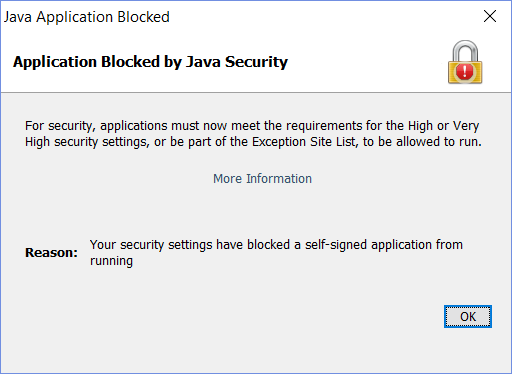
This happens because Java blocks applications with self-signed certificates by default. To work around this, add the target site to Exception Site List.
Open Java Control Panel by pressing (Win + R) and entering
javaws -viewer. The Java Control Panel opens.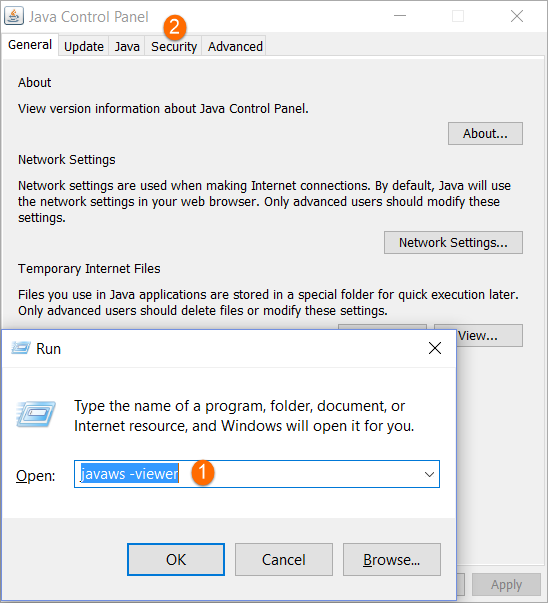
Switch to the Security tab and find the Exception Site List section.
Select Enable Java content in the browser.
Click Edit Site List.
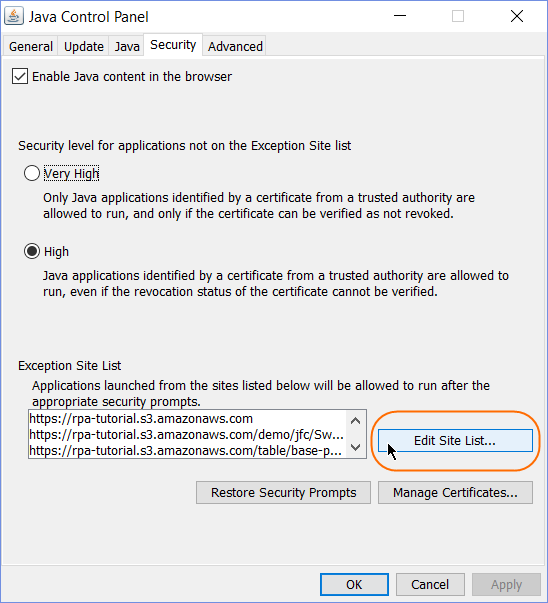
To automate the Java applets used in the sample configurations, add the following URLs to Exception Site List:
- https://rpa-tutorial.s3.amazonaws.com
- https://rpa-tutorial.s3.amazonaws.com/table/base-page.html
- https://rpa-tutorial.s3.amazonaws.com/webid-portal/login.html
- https://rpa-tutorial.s3.amazonaws.com/demo/jfc/SwingSet2/custom/SwingSet2.html
To use your custom applets, add them to Exception Site List as well.
Add applet locations to IE trusted sites
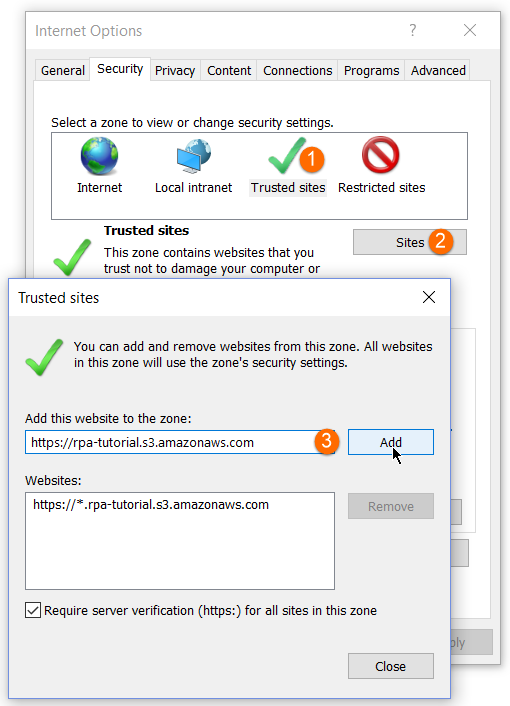
In Internet Explorer Options, perform the following actions:
Switch to Security > Trusted sites.
Click Sites.
Enter the applet URL and click Add.
Test Java applets
Try to open a Java applet for the first time in Internet Explorer, and you will get the following prompt.
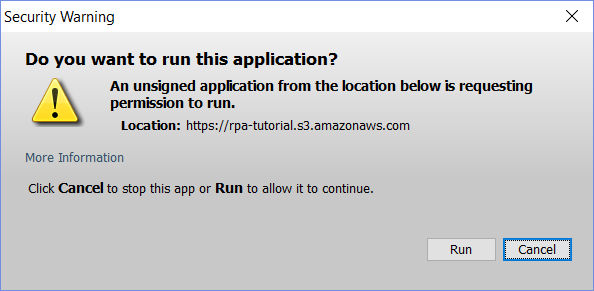
Click Run, and it will not be shown the next time.