Requirements gathering
The guide contains a checklist to follow while writing requirements for Robotics Automation projects.
Learn WorkFusion Product
Before creating any requirements, ask for a WorkFusion demo to understand all the WorkFusion possibilities, modules, and general approach. To propose an automated workflow instead of the old manual process, a business analyst needs to understand key WorkFusion objects: human and machine tasks, business processes, rules, information extraction, OCR, RPA, machine learning, input data, and result data snapshots.
Glossary
Create a glossary of terms with descriptions for users with limited experience in the targeted domain area, for example, Letter of Credit, USANCE, Sight, Earmarking, and so on.
This glossary can also contain the description and key use cases of main applications involved in the process. Application descriptions should include technical details if possible (FlexCube is a Java applet, Orbit is a console application).
Input data
Provide all input data with real examples, values, and places of storage. For example, bills are stored in a SharePoint folder as pdf files, these files have the following fields:
- Amount (numeric): 1005
- Payment date (date): mm/dd/yyyy or dd/mm/yyyy
- Payment type (list): USANCE, Sight, or Loan
Output data
Provide the format of output data and place of storage. For example, transactions should be saved to an SFTP folder and should have the following fields: date, amount, and so on. SFTP credentials will be saved in WorkFusion Secure Storage.
Use classic UML diagrams
Use UML activity diagrams to describe the main process and its sub-processes. If multiple actors are involved, use swim lanes.
Remember to put rules and conditions with their outcomes for forks/joins.
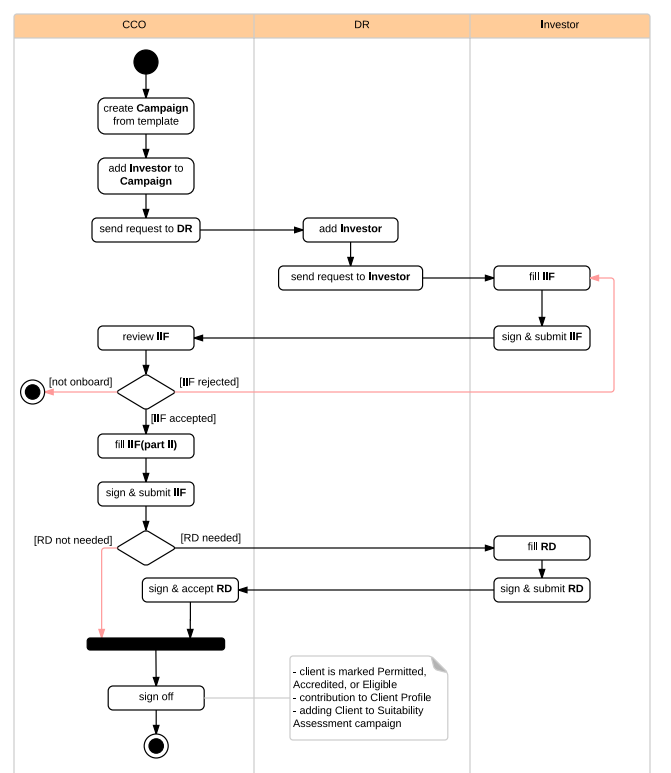
Common process
If an AI Agent has several variations for different countries, create one common process to describe common steps and their conditions. This common process is required for a rapid understanding of the whole case and calculating the amount of automation reuse. For example, a common process has three steps: Import Bill, Loan Liquidation, and Payment, while the Algeria case has the same steps but without Loan Liquidation.
Initial manual flow vs proposed automated solution
In the requirement document, make a clear segregation when describing the old manual flow and the proposed new automated flow. Do not mix these descriptions and do not describe the features that are out of scope.
Capture service layer agreement (SLA)
It is needed to capture SLA, for example, how long each process should take, what quality of documents is acceptable, document volume to process per day, and so on.
It is also needed to capture how many people do each process to count the automation savings after applying RPA.
Example: A current process is 100% manual and requires a review of at least ten screens. For each change request, at least fifteen validations are performed. Each validation has multiple steps. From the WorkFusion robot perspective, we will take the number of change requests that are being worked upon by humans as the baseline for performance measurement. Post WorkFusion implementation, we will measure the number of change requests that require human intervention to determine the implementation efficacy.
Screenshots
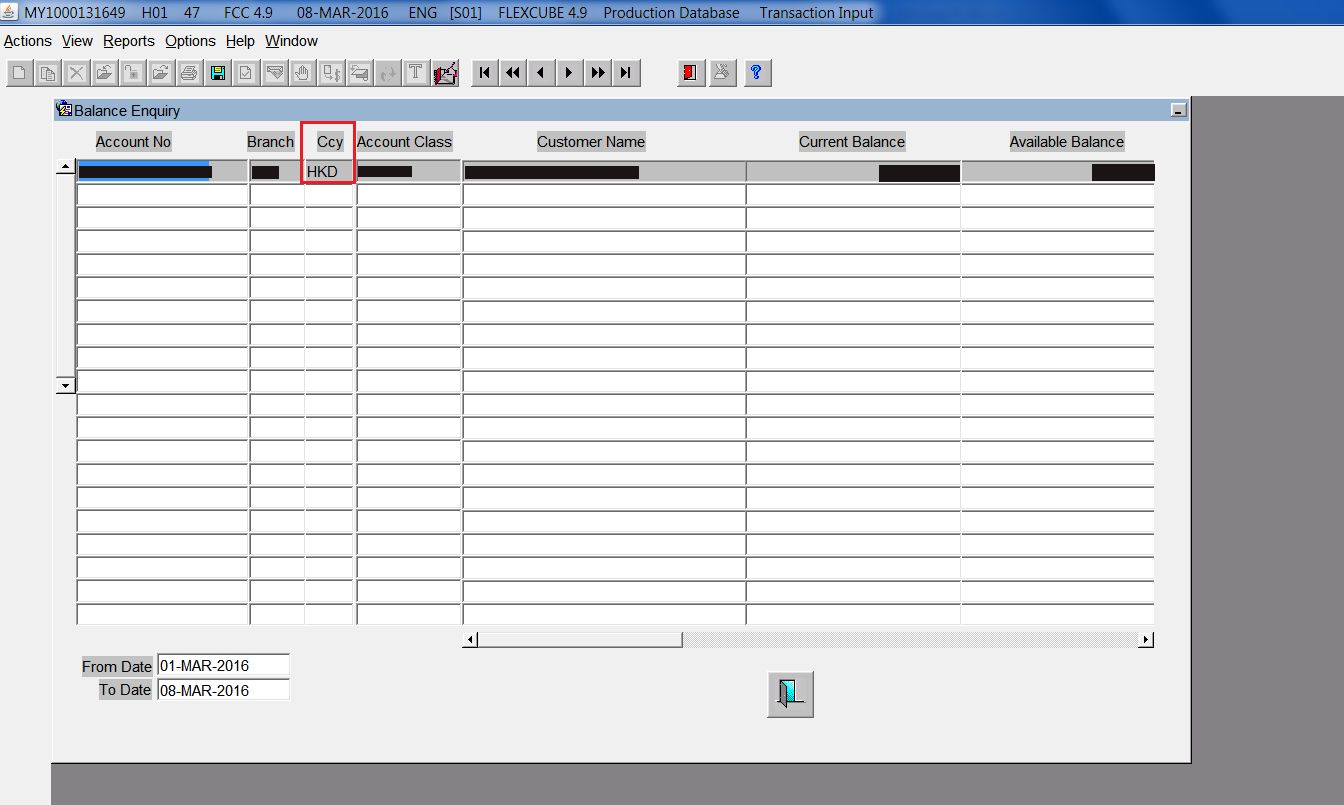
Provide screenshots with the following parameters: 100% width, maximum resolution, with highlighting on the clicked element.
Bad Example
"Go to extranet workflow":
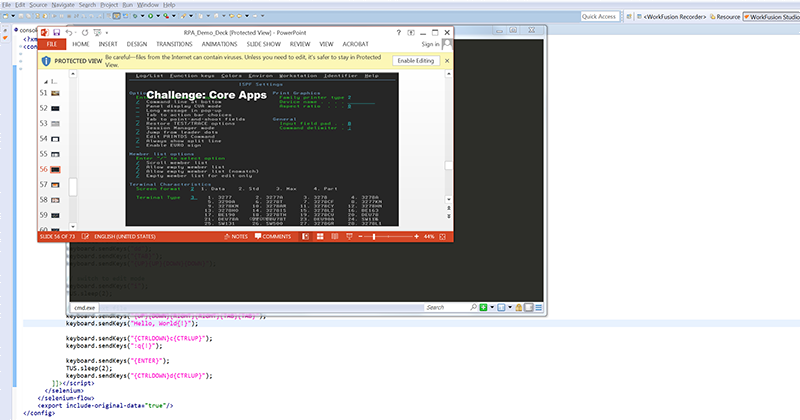
This screenshot is too small and contains several nested windows, the target element is not highlighted.
Exception flows
If an AI Agent can have some exceptions (documents missing, invalid input, and so on), describe all these exceptions with possible solutions.
Quality control
Need to describe:
- How to check the robot actions.
- What actions to log.
- What kind of reports should be generated.
- Will there be a human reviewer.
- What to do in case of a robot error.
Capture objectives
- Productivity processes with manual-intensive processes where tasks are repetitive regardless of their nature
- Scalability processes with seasonal or unpredictable volume spikes where there is a need for a faster and more scaled response
- Risk reduction processes currently employing a significant number of people or standalone automations where integrated automation can result in elimination.
Outcomes: What are the potential impacts of Smart Process Automation that you expect to achieve? Example: Cost reduction, error reduction, better management of repeatable tasks, and so on.
Table of contents (Example with main sections)
- Introduction
- Glossary
- Abbreviations
- Terminology
- Applications
- Manual Process Description
- Input Data
- Activity Diagrams
- Metrics and SLA
- Proposed Automation Solution
- Activity Diagrams
- High Level
- Detailed (for each sub-process)
- Step-by-Step Instructions for Robots (can be split to separate docs)
- Human Steps (optional)
- Activity Diagrams
- Appendix
- Document examples
- Exception handling
- Security (passwords policy, update time, user session time)
- Infrastructure (network drive, file storage, email, applications)