Service Desk FAQs
The page contains answers to the questions frequently asked by the users of the Service Desk Online Support Portal at https://work-fusion.atlassian.net/servicedesk/customer/portals.
Where can I reset my SSO password?
Expand to learn more
To reset your SSO (Single Sign-On) password to the Jira Customer Portal (Service Desk), Documentation, and Automation Academy, go to https://account.workfusion.com/.
I cannot see any tickets of my colleagues. How to view them?
Expand to learn more
Cause: Probably, your Jira account is not added to your Jira organization. In Jira, it's a group of people from a particular company, and it has a shortened company name with the SD prefix. This would allow you to view and share requests within the Service Desk.
Solution: Create a ticket to request adding your account to the Jira organization.
I cannot see a ticket of a particular colleague.
Expand to learn more
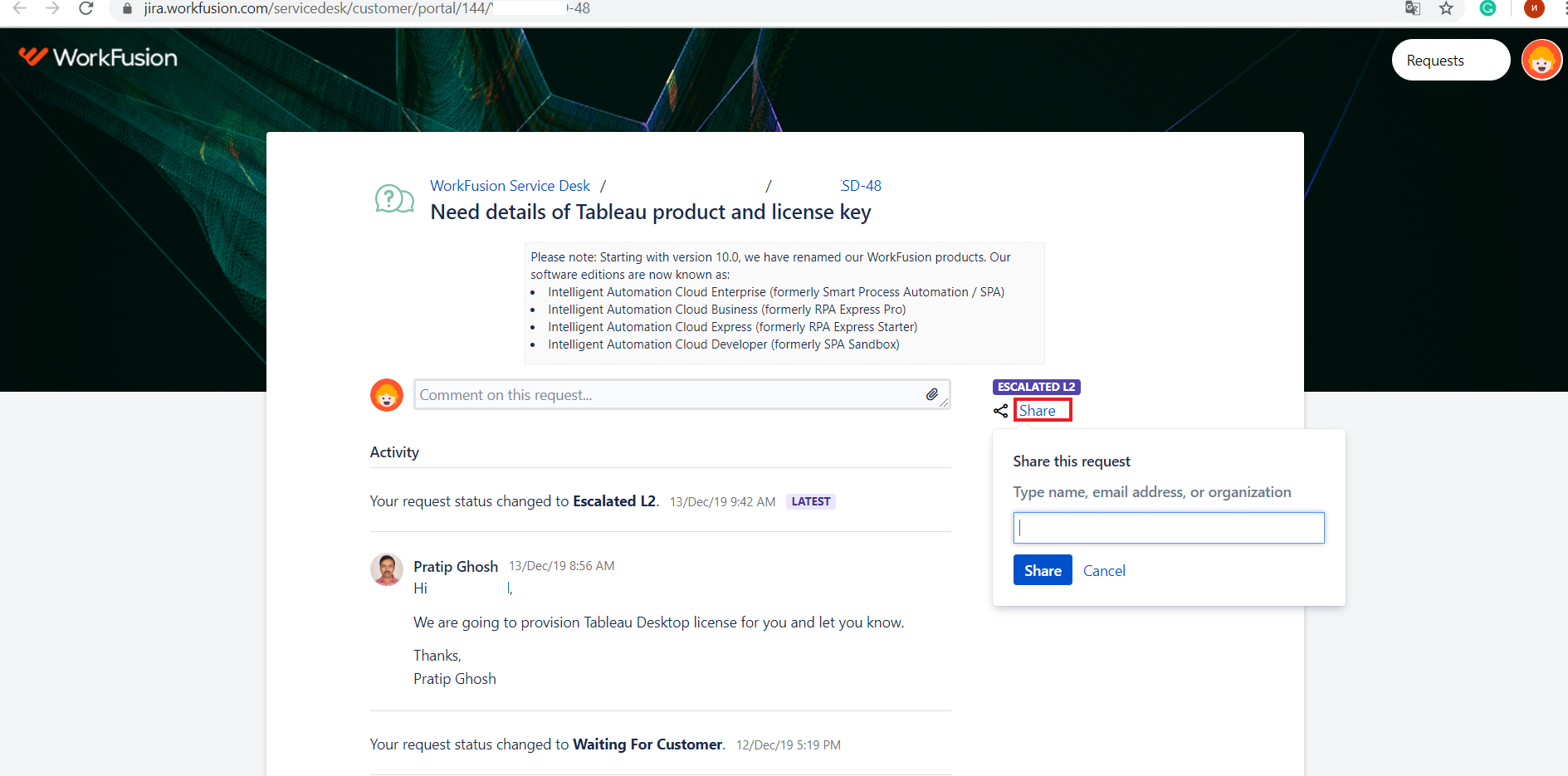
Your colleague didn't share the ticket with you. You can ask them to share the ticket via the Share option on the portal.
How to share a ticket with my colleague?
Expand to learn more
You can do that via the Share option on the portal by typing the name of the person you would like to share a ticket with.
I have several issues. Can I create one ticket for all of them?
Expand to learn more
No. According to our policy, one ticket is reserved for one issue. Create as many tickets as many incidents you have.
Can I update an existing ticket with a new issue?
Expand to learn more
No. According to our policy, one ticket is reserved for one issue. Create as many tickets as many incidents you have.
I do not get email notifications on tickets.
Expand to learn more
Normally, you should get email notifications on ticket updates (status change, comments added, and so on). If you don't get them via email, check the spam folder or reach out to your IT department to check if there are any restrictions on your company correspondence.
I provided updates on submitted tickets via email, but I haven't received any response from the Support team so far.
Expand to learn more
Any ticket updates from the portal (status change, comments added, and so on) are sent to your email as notifications.
However, you cannot communicate with the support team via notifications. The only way to provide updates on tickets is through the Comments tab within a particular ticket on the portal (requires login).
How to onboard the Automation Academy?
Expand to learn more
To get onboarded, follow the steps:
- Download the AA Onboarding Template, unzip it, and fill in the details.
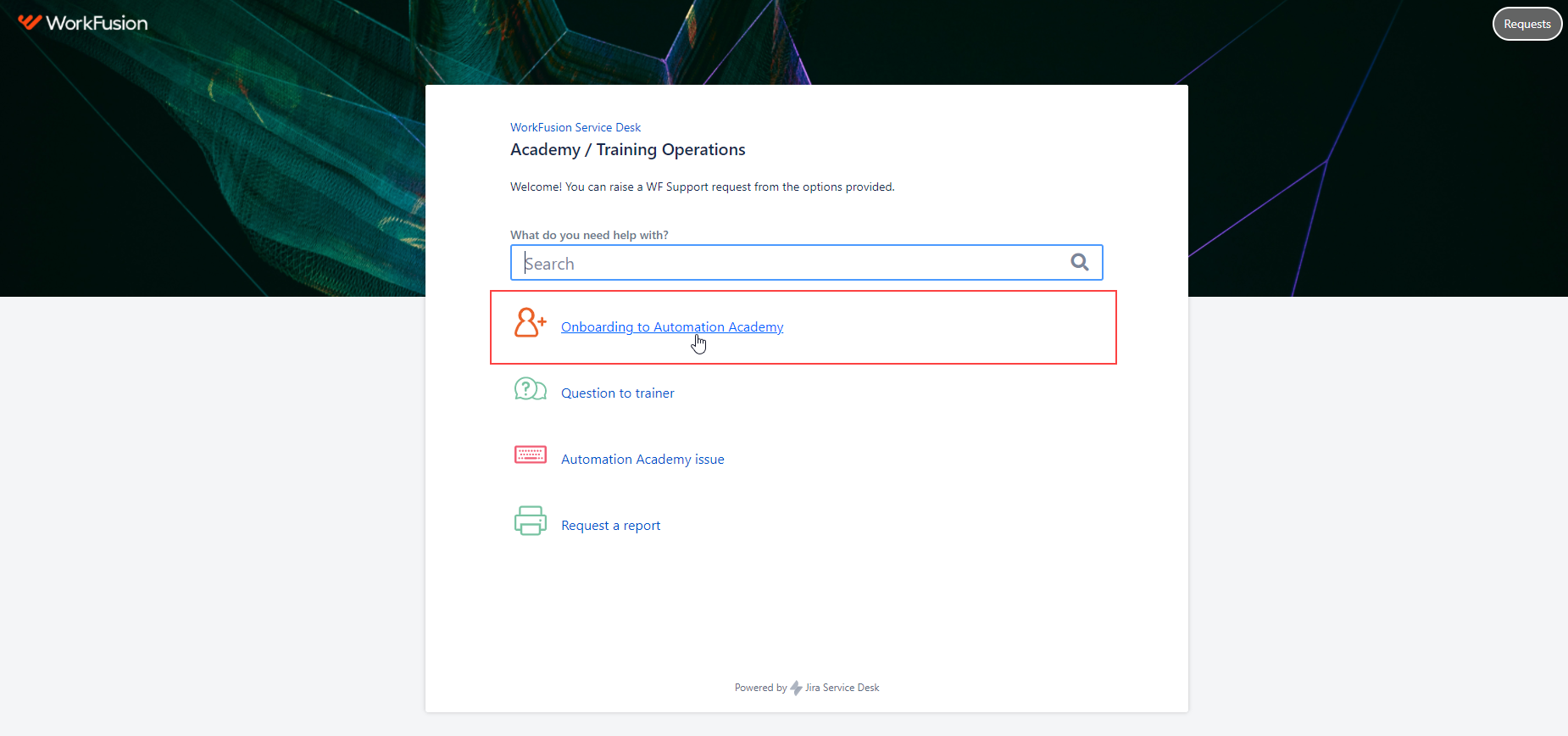
- Go to the Academy / Training Operations portal, select Onboarding to Automation Academy, and attach the template to your ticket.
How to correct the CSAT survey? I put 1/2/3/4/5 star(s) by mistake.
Expand to learn more
To correct a CSAT response, follow the steps below:
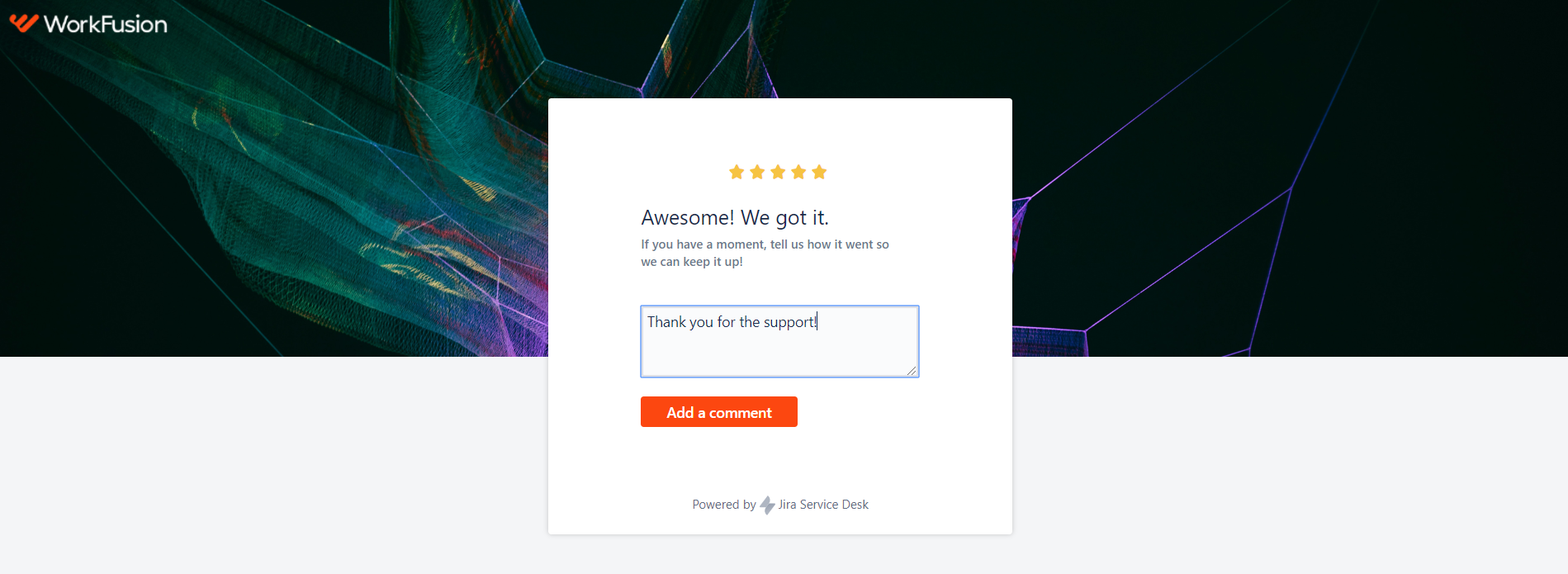
- Find a Jira notification that contains a 5-star CSAT survey on the ticket. To find the ticket, search your inbox by the ticket key.
- Click the desired "star" to get to the Customer portal.
- (Optional) Leave and submit a comment.