Restore previous version
The guide describes the rollback from v10.2.7 to v10.1.6 or v10.1.4 of the WorkFusion platform (previously Intelligent Automation Cloud Enterprise).
Prerequisites
- You have the platform v10.2.7 up and running.
- No Business Processes are running.
- SSH access to Linux hosts is enabled.
- You have the
rootprivileges to assign setcap capabilities to a customer-facing web server (HAProxy) and restoresupervisord.service.
Currently, only the rollback option for the six-server topology has been validated.
Prepare for Product rollback
Clean up Marathon workers
To clean up applications' workers in Marathon, connect to the server with the installation package via SSH and run the following commands as WFUSER:
$ curl -kv -X DELETE -u '<marathon_web_user>:<marathon_web_pass>' https://127.0.0.1:<marathon_port>/v2/groups/ia-cloud?force=true
$ curl -kv -X DELETE -u '<marathon_web_user>:<marathon_web_pass>' https://127.0.0.1:<marathon_port>/v2/groups/worker?force=true
Stop services
Connect to the server with the installation package via SSH and run the following commands as WFUSER:
$ cd INSTALL_DIR/wf_installer_new
$ export ANSIBLE_PRIVATE_KEY_FILE="<path_to_ssh_key>"   # Path to the SSH key for connection to all Linux servers as WFUSER.
$ export ANSIBLE_REMOTE_USER="WFUSER"                   # Application user specified in config.yml.
$ export ANSIBLE_VAULT_PASS="<ansible_vault_password>"  # Password for decrypting config.yml
$ ./install.sh stop_services full -e skip_bi=true
Clean up rabbitmq queues
To clean up rabbitmq queues, connect to the server with the installation package via SSH and run the following commands as WFUSER:
$ cd INSTALL_DIR/wf_installer_new
$ export ANSIBLE_PRIVATE_KEY_FILE="<path_to_ssh_key>"   # Path to the SSH key for connection to all Linux servers as WFUSER.
$ export ANSIBLE_REMOTE_USER="WFUSER"                   # Application user specified in config.yml.
$ export ANSIBLE_VAULT_PASS="<ansible_vault_password>"  # Password for decrypting config.yml
$ ./install.sh cleanup_queues rabbitmq
Rollback
Database
To roll back the database, on the MSSQL server:
Set the workfusion database offline.
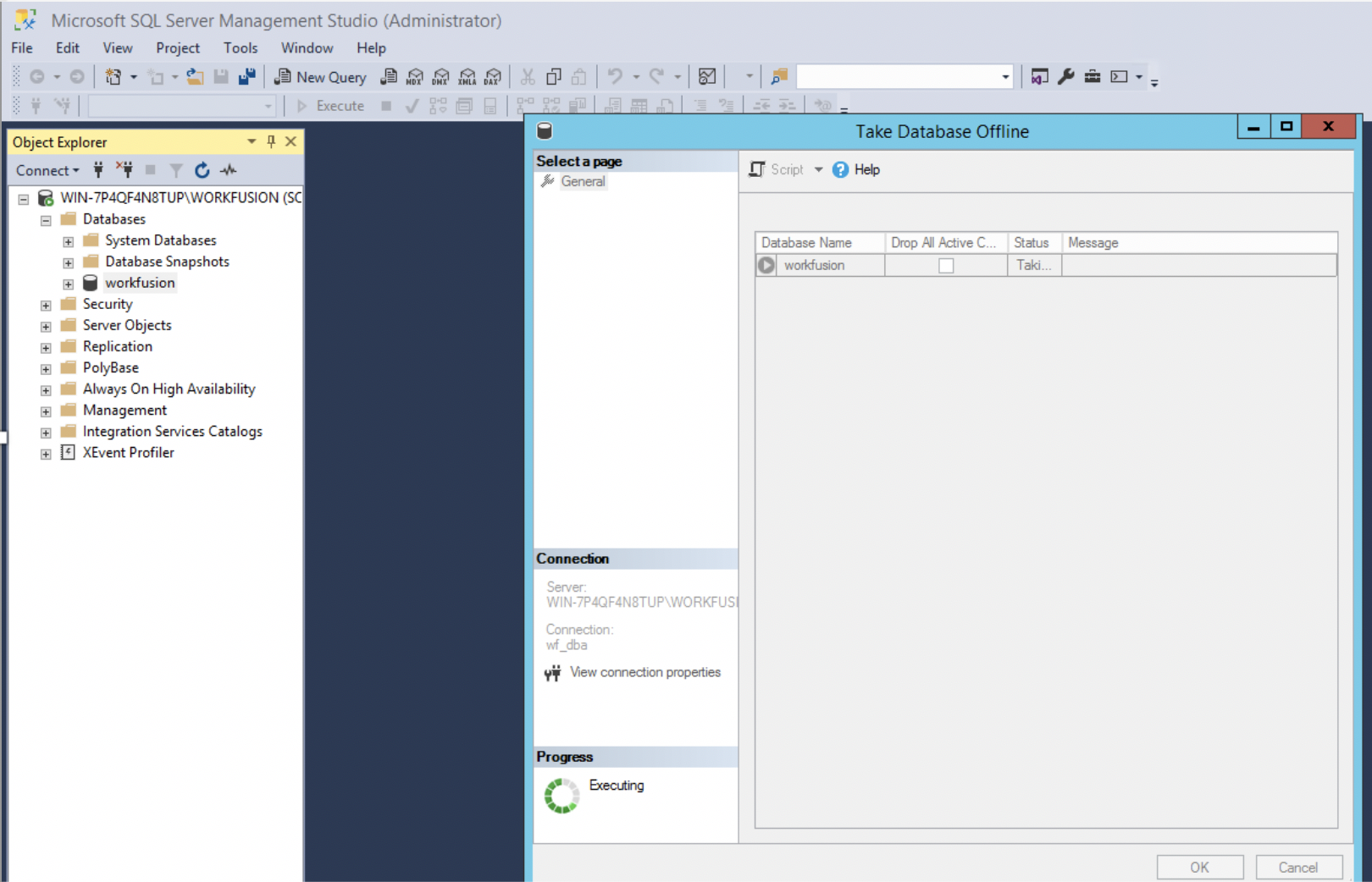
Restore the workfusion database from backup.
Filesystem
Restore content of the shared network directories if you use any existing NAS.
If using NFS deployed on the platform server, the shared network folders' content is restored automatically during the following operations.
WorkFusion platform
To restore supervisord.service, connect to the server with the installation package via SSH and run the following commands as <linux_installation_user> (ANSIBLE_REMOTE_USER should have the root priviledges at this time):
$ cd INSTALL_DIR/wf_installer
$ export ANSIBLE_PRIVATE_KEY_FILE="<path_to_ssh_key>"   # Path to SSH key for connection to all Linux servers as WFUSER.
$ export ANSIBLE_REMOTE_USER="WFUSER"                   # Application user specified in config.yml.
$ export ANSIBLE_VAULT_PASS="<ansible_vault_password>"  # Password for decryption of config.yml.
$ ./install.sh preinstall common
To restore the previous platform version, connect to the server with the installation package via SSH and run the following commands as <linux_installation_user>:
$ cd INSTALL_DIR/wf_installer_new
$ export ANSIBLE_PRIVATE_KEY_FILE="<path_to_ssh_key>"   # Path to SSH key for connection to all Linux servers as WFUSER.
$ export ANSIBLE_REMOTE_USER="WFUSER"                   # Application user specified in config.yml.
$ export ANSIBLE_VAULT_PASS="<ansible_vault_password>"  # Password for decryption of config.yml.
$ ./install.sh restore full -e backup_dir=/path/to/backup_dir
To set up a server with the Workfusion service, as a user with the root privileges, enable HAProxy to run under application user on privileged ports (below 1025):
sudo /usr/sbin/setcap CAP_NET_BIND_SERVICE=+eip /opt/workfusion/haproxy/bin/haproxy
Restart servers
Restart all Linux servers at once and wait for about 10 minutes to stabilize the components' startup and environment.
Rollback RPA
To rollback the RPA server, uninstall current RPA:
$ cd INSTALL_DIR/wf_installer_new
$ ./install.sh uninstall rpa
Perform a clean installation of the RPA v.10.1.4 or v.10.1.6 from the directory with previous installation package:
$ cd INSTALL_DIR/wf_installer
$ ./install.sh preinstall rpa
$ ./install.sh install rpa
$ ./install.sh check rpa
Rollback custom Analytics dashboards
To restore custom Analytics dashboards, see Restore custom dashboards.
Check rollback
Once the rollback is completed, check the WorkFusion Platform with Business Process (BP) and Manual Task.
After the rollback, you can remove the directory with the new installation package INSTALL_DIR/wf_installer_new.