Configure advanced assignment search
In Workspace, you can search for assignments using various business attributes. See the general flow below:
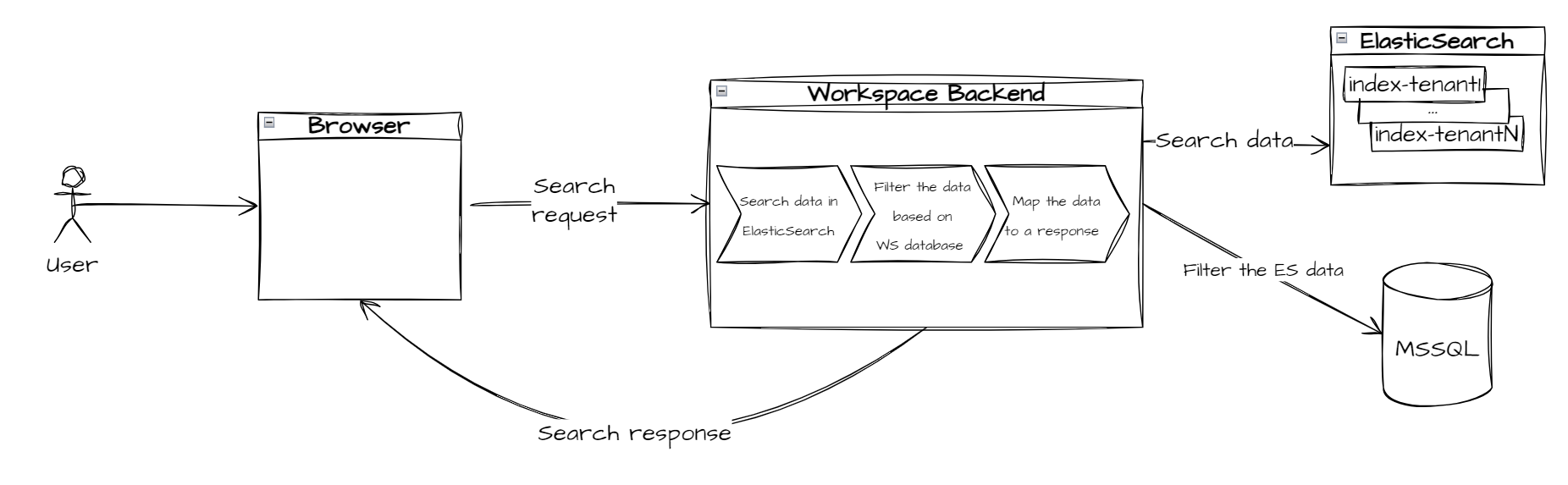
You can search assignments by the following metadata:
Title
Task
Priority
Assignee
Creation date
Expiration date
Custom attributes
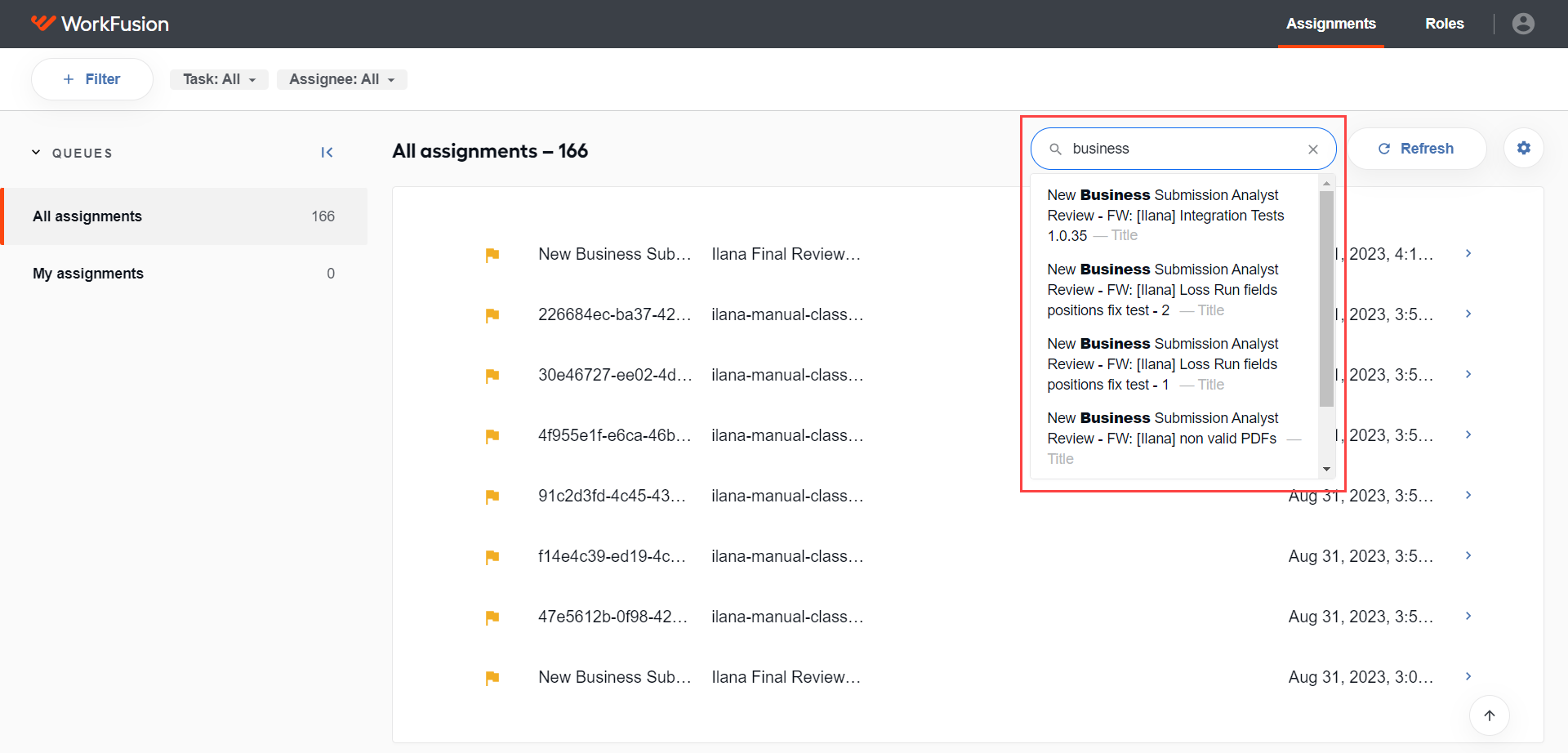
The search process consists of two steps:
- A search string is used to query data in Elasticsearch.
- The search results returned from Elasticsearch are mapped to the Workspace database. The Workspace database serves as the single source of truth and provides the latest assignment statuses.
For details on the advanced search in the Workspace application, see View assignments | Search for assignments.
Multitenancy
Workspace uses separate storage for each tenant. Each tenant has its own database (or database schema) and its own Elasticsearch index.
Once a tenant is configured, Workspace creates an index in Elasticsearch for that tenant using the following format:
workspace-index-TENANT_NAME
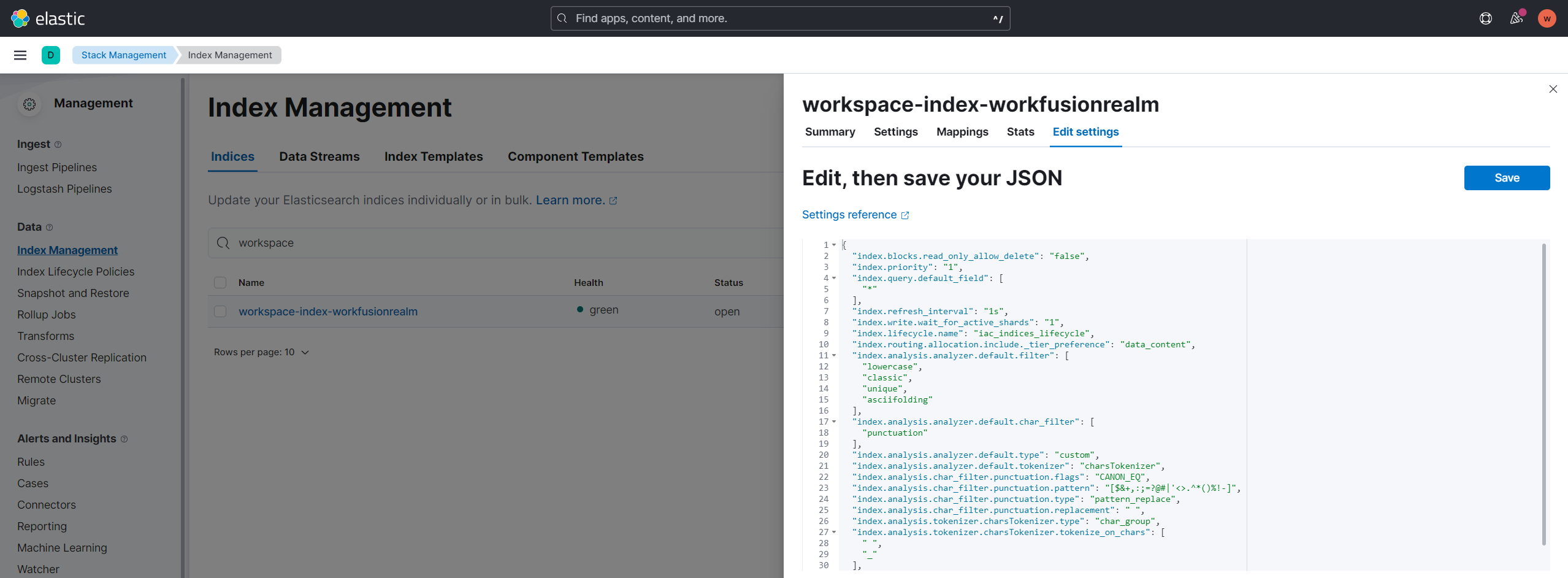
All Workspace indices use default index lifecycle management (ILM) policies. Workspace also contains a mechanism that removes outdated tenant indices when a tenant is deactivated.
Elasticsearch ILM policies manage the lifecycle of indexes.
Index lifecycle management
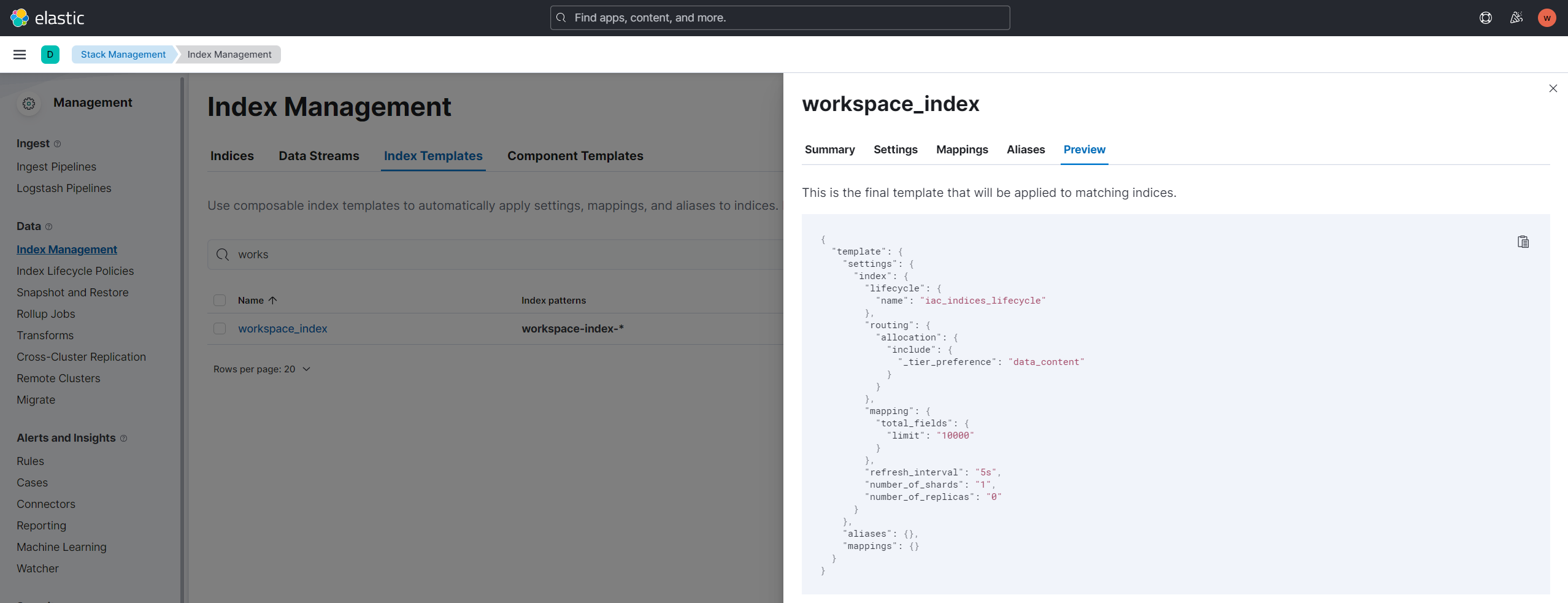
Elasticsearch uses a dedicated index template for Workspace indices:
workspace-index-*
This template is applied automatically when a new index is created. It defines ILM policies, index mappings, settings, and other configuration parameters.
You can view the index template configuration on the Index Management page in Kibana:
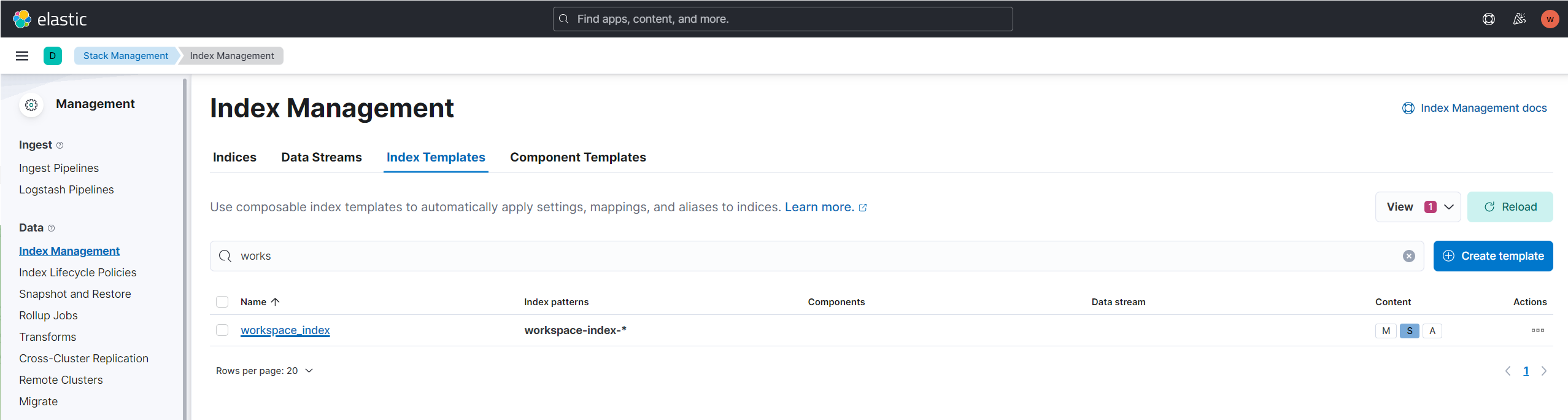
To view the configuration, select workspace-index.
Limitations
Keep the following limitations in mind for advanced search to work properly:
Workspace uses a simple custom tokenization based on the
' 'and'_'tokens. Text is split into terms whenever these characters appear..By default, Elasticsearch uses its standard tokenizer, which splits text based on grammar and punctuation.
An index can contain a maximum of 1,000 unique mapped fields. If you reach this limit, delete the index in Elasticsearch; Workspace will automatically recreate it.
Workspace can return fewer results when an extremely large number of matches exists.
Completed or deleted assignments are not included in search results.
For troubleshooting guides, refer to the following support guides: