Start Business Process by internal event
If you have several Business Processes (BP) where one BP produces data for another, you can apply the event-based communication mechanism and configure the data transfer between them. You can set a sub-process to start from another BP based on a specific event or set transaction processing to be launched from another transaction in a different BP using no-code sub-process steps.
No-code sub-process execution steps
Event-based communication enables sending data from one BP to another synchronously and asynchronously. To configure at which stage of the main BP to send an event and which BP should receive the event, add a no-code asynchronous or synchronous sub-process execution step when designing your BP.

You can insert one of the following no-code sub-process execution steps in any place of the main BP:
Asynchronous Sub-process Execution sends data to a sub-process and proceeds to the following step immediately.
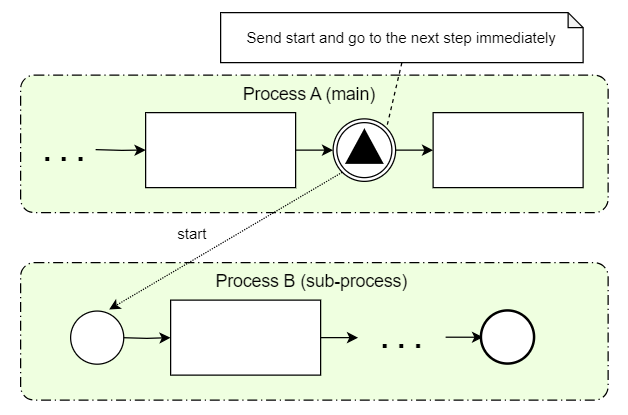
Synchronous Sub-process Execution waits until a sub-process finishes the step that has the export plugin with the
send-to-external-connectorattribute.The output data from the sub-process is written over the input data from the main BP. Mind that system fields with the
_sysprefix are filtered out during merging. Thus, if the sub-process adds some_sysfields to its output data, they are not transferred to the main BP.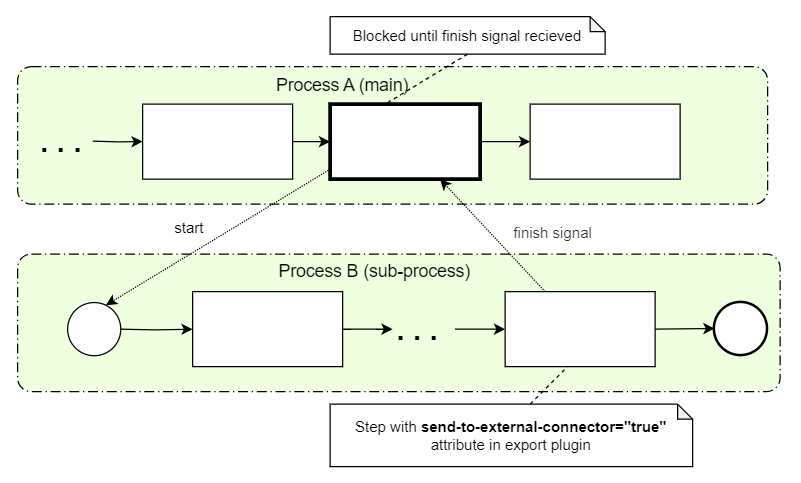
For both synchronous and asynchronous execution types, the output data of the step before a sub-process execution step is the input data for the sub-process.
Configuration
To start a BP by an event, configure the signal ID and override signal ID (optional) parameters for your sub-process. A signal ID is used to find a sub-process BP instance or a BP definition if there are no active instances in the same way as for the REST connector. Perform the following steps:
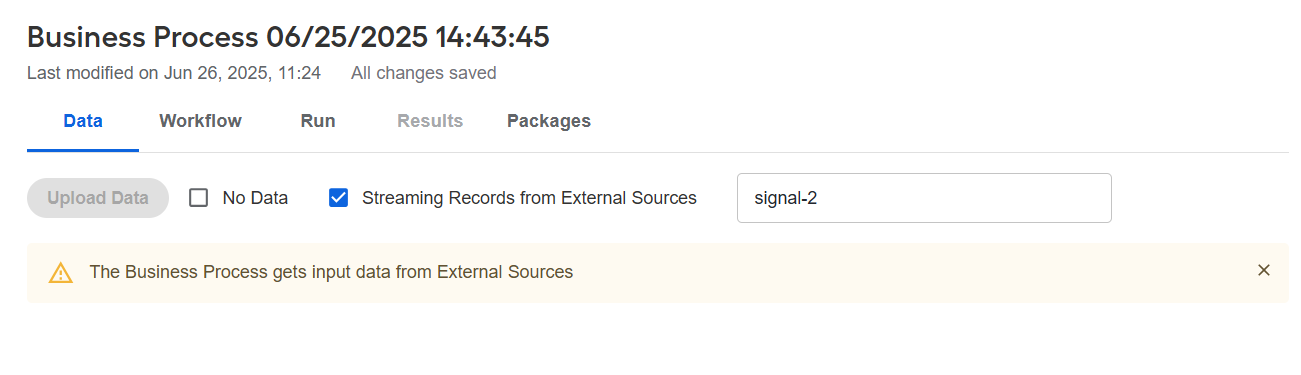
Go to the sub-process's Data tab and select the Streaming Records from External Sources checkbox.
In the field next to the checkbox, enter the signal ID parameter for this sub-process. Use only alphanumeric characters and hyphens. No spaces or special characters are allowed.
For synchronous sub-process execution, add the
send-to-external-connector="true"attribute to the export plugin of the step that returns data to the main BP. Usually, this is the last step of your BP, for example:<?xml version="1.0" encoding="UTF-8"?>
<config charset="UTF-8">
<!--Your business logic ...-->
<export include-original-data="true" send-to-external-connector="true">
</export>
</config>warningIf you do not add the
send-to-external-connectorattribute to the export plugin of any sub-process step, the record in the main BP freezes at the sub-process step even when the sub-process finishes. As a result, the main BP fails to complete.On the Workflow tab of the main BP, add a sub-process execution step:
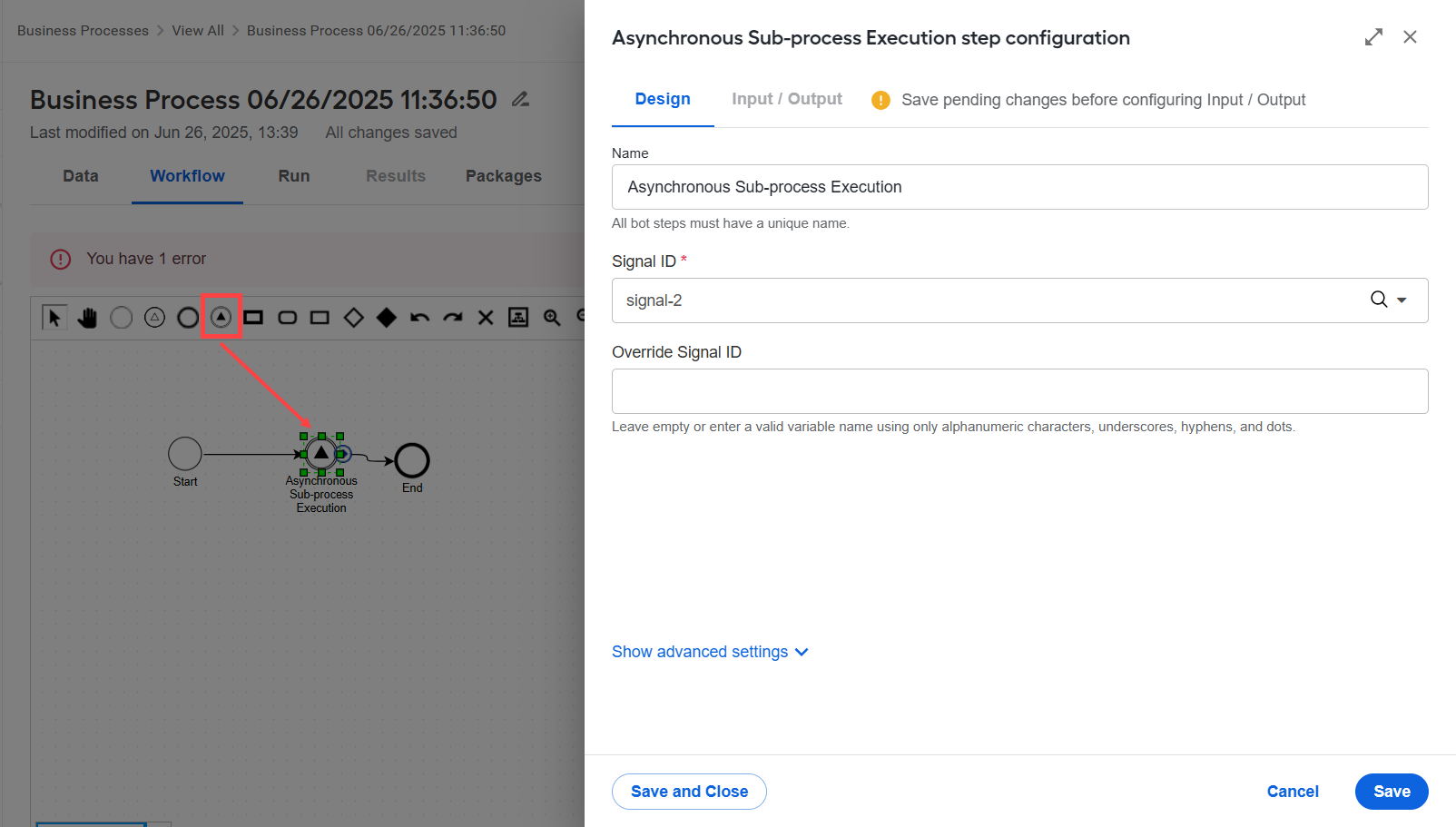
Asynchronous Sub-process Execution
Synchronous Sub-process Execution:
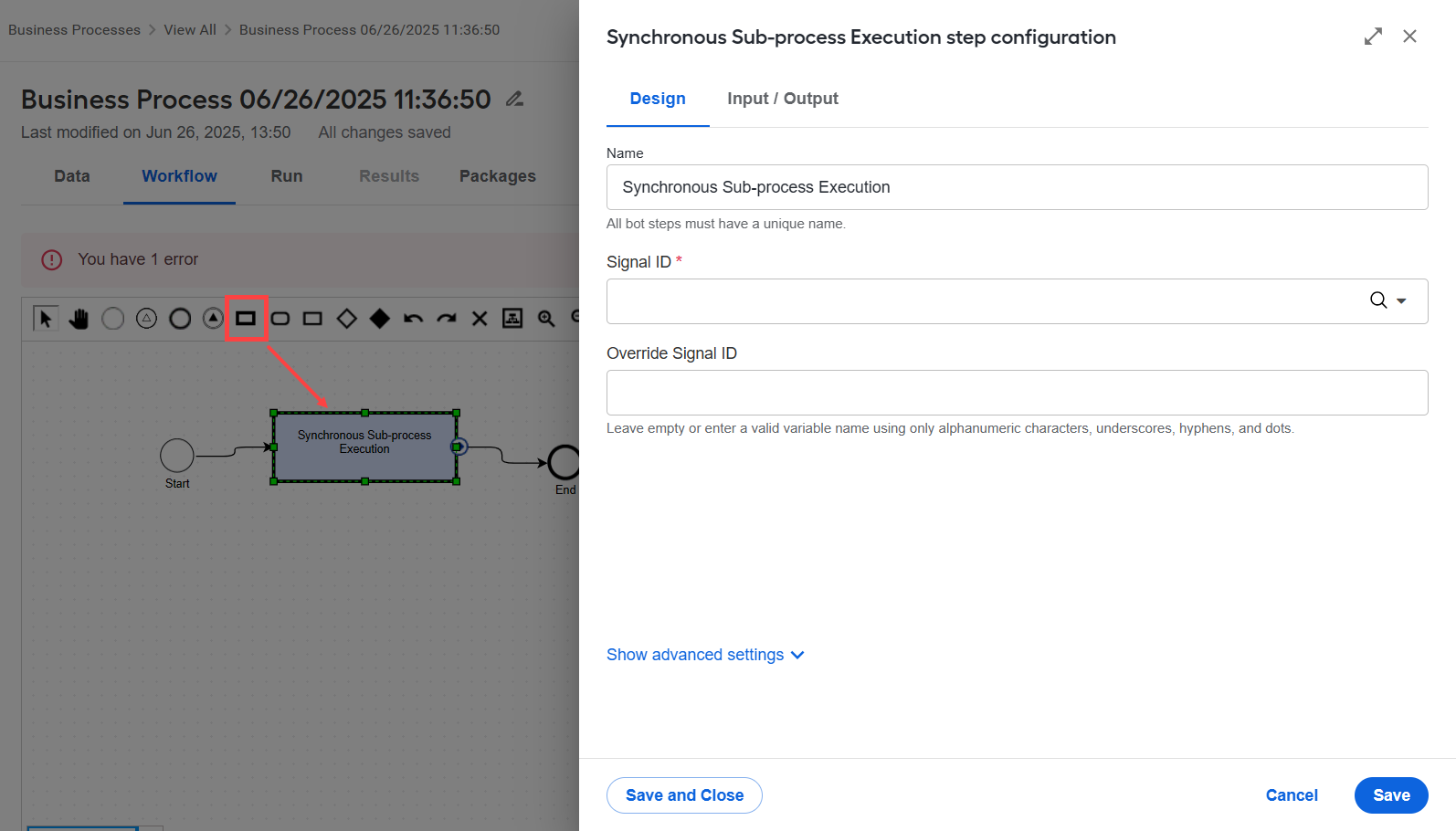
Double-click the sub-process step to open its settings. On the Design tab, configure the following settings:
In the Signal ID field, set the default signal ID used for the sub-process. This value is validated against the BP-level contract.
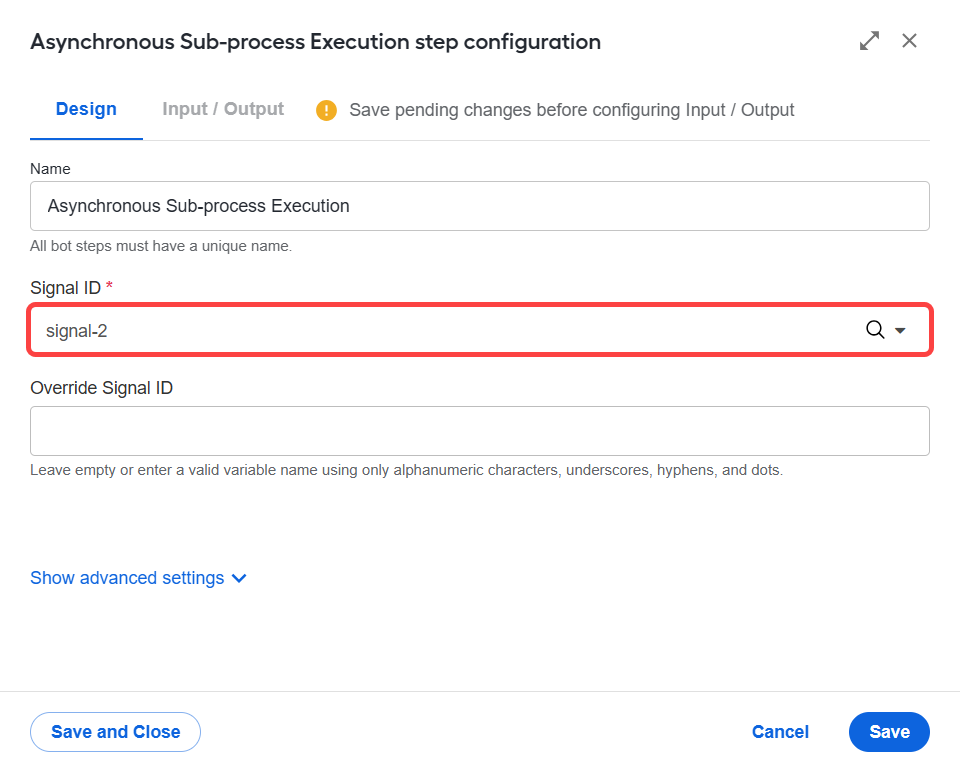
In the Override Signal ID field, specify the name of a variable from which the signal ID will be retrieved dynamically (optional). At runtime, when the main BP reaches the sub-process execution step, it checks whether the specified variable exists in the BP context:
- If the variable exists, its value overrides the default signal ID and is used to locate and start the sub-process.
- If the variable is missing or empty, the Signal ID value is used instead.
Use this option when you want to determine the signal ID dynamically during BP execution. It is especially useful for branching logic, where different branches of the main BP might need to call different sub-processes. Each branch can define its own signal ID value using a variable in the BP context.
The override variable is evaluated at the moment the sub-process is executed within the main BP.
The configuration is saved in a Bot Task content XML:
<?xml version="1.0" encoding="UTF-8"?>
    <config type="bp-call-event">
        <signalId>{{signal_id}}</signalId>
        <overrideSignalId>{{override_signal_id}}</overrideSignalId>
    <synchronous>false</synchronous> </config>
Run the sub-process (optional) and the main BP. If you do not start the sub-process manually, it is started automatically when the record reaches the sub-process execution step in the main BP.
Execution
The main BP acts as a client that utilizes the external connector mechanism to trigger the processing of records for a specified signal ID. A common input connector record queue is used to send events for processing, and a separate queue is used to transfer results.
The execution logic is as follows:
- The main BP cannot send events to itself. You cannot specify a signal ID that points to the same BP where the sub-process execution step is configured. However, you can send events to the main BP from other BPs.
- If no BP exists with the signal ID specified in the step settings, a new BP instance for that signal ID is started. The BP definition is based on the most recent run with the same signal ID.
- If the multi-column export plugin is used in the sub-process result step, only the first result record goes to the main BP. Other records are ignored.
- If you stop or pause the main BP, the sub-process is unaffected.
- If the sub-process fails, the sub-process execution step in the main BP fails as well.
- The sub-process execution step cannot be stateless.