View compatibility matrix
The ODF team releases a new ODF 2 framework version for each Work.AI platform release. See the version compatibility matrix in the table below.
| Work.AI | ODF 2 | Bundle Maven plugin | Bundle version Maven plugin | Local development environment |
|---|---|---|---|---|
| 10.3.3 | 10.3.3.21 | 10.3.3.11 | 1.0.18 | Work.AI Developer 10.3.3 |
ODF 2 artifacts
Mind that the archetype version must be the same as the ODF 2 version.
Sources
Artifacts with the source code are published to the Nexus repository. You can attach them to a project in your IDE.
Attach sources in IDE
If you use Intellij IDEA, navigate to the class you need. In IDEA, a popup at the top of the screen offers to download sources. Click the Download Sources button.

Otherwise, navigate to the Maven tool window and click the Download Sources button.

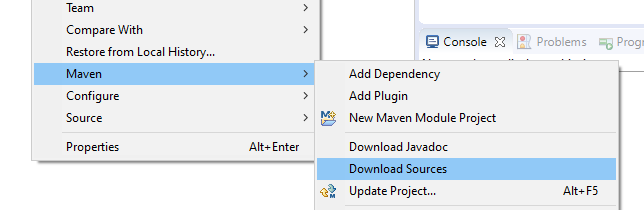
If you use Eclipse IDE, right-click the project > select Maven > Download Sources.