
How to force MySQL table clean
Problem
The article contains an example of how to clean the following MySQL tables if they occupy much free space (C:\IntelligentAutomationCloud\Workfusion\data\mysql\wfdb\):
- AwsHitQuestion
- HitDataItemLog
- HitSubmissionDataItemHistory
- PluginExecutionLog
- HitRecordSource
- AuditData
- HitDataItemLog
- AwsHitAssignmentAnswer
- WorkerFitnessHistoryAssignment
- AwsHitAssignment
- HitSubmissionDataItem
- WorkerActivityLog
- WorkerDayActivity
- Package
- FILE
- CustomQualification
- DATA_STORE
- EndpointTask
caution
Perform the below steps during the maintenance window as it may take time depending on how much data the tables contain (from a few minutes to a few hours). Mind that Data Purge produces high load on the disk.
Solution
- Back up your business processes in Control Tower as described in this guide and make screenshots of your schedules.
- Make sure you don't have any running business processes and they won't start during script execution.
- Start the Server Components. Make sure they're up and running.
- Create an SQL file with the script for data purge to clean tables and save it. It should be like that.
Data purge script
drop procedure if exists purgeData_forceById;

delimiter //

create procedure purgeData_forceById
( i_tableName  varchar(63)
, i_idColumn   varchar(63)
, i_lastId     bigint(20)
, i_batchSize  bigint(20)
)
MAIN_LABEL:begin

    declare v_tabCount  bigint(20);
    declare v_rowCount  bigint(20);
    declare v_rowTotal  bigint(20);

    -- check the table name in DB dictionary (prevent an SQL injection):
    select count(*)
      into v_tabCount
      from information_schema.columns as c
     where c.table_schema = database()
       and c.table_name   = i_tableName
       and c.column_name  = i_idColumn
    ;

    if v_tabCount < 1 then
        select concat( i_tableName, '.', i_idColumn) as ERROR_wrong_column;
        leave MAIN_LABEL;
    end if;

    set v_rowTotal = 0;
    set @batchSize = i_batchSize;
    set @batchDeleteSQL = concat
        ( 'delete from ', i_tableName
        , ' where ', i_idColumn , ' <= ' , i_lastId
        , ' limit ?'
        );

    prepare stmtDel from @batchDeleteSQL;

    set transaction isolation level read committed;

    repeat
        execute stmtDel using @batchSize;
        set v_rowCount = row_count();
        set v_rowTotal = v_rowTotal + v_rowCount;
        commit;

        -- trace progress:
        select i_tableName          as Table_Name
             , v_rowCount           as Rows_deleted
             , v_rowTotal           as rows_total
             , current_timestamp    as curr_time
        ;
    until v_rowCount < 1 end repeat;

    deallocate prepare stmtDel;

    select i_tableName  as Table_Name
         , v_rowTotal   as Deleted_Rows
    ;
end;
//

delimiter ;

set @last_date  = '2020-02-09';   -- YYYY-MM-DD
set @batch_size = 30000;

select @last_run_id := ifnull( max(id), 0) as last_run_id  from Run                    as r  where r.startDate   <  @last_date;
select @last_item_id:= ifnull( max(id), 0) as last_item_id from HitSubmissionDataItem  as i  where i.run_id      <= @last_run_id;
select @last_aud_id := ifnull( max(id), 0) as last_aud_id  from AuditData              as a  where a.createdDate <  @last_date;
select @last_hit_id := ifnull( max(id), 0) as last_hit_id  from AwsHit                 as h  where h.run_id      <= @last_run_id;
select @last_aha_id := ifnull( max(id), 0) as last_aha_id  from AwsHitAssignment       as ha where ha.hit_id     <= @last_hit_id;
select @last_file_id:= ifnull( max(id), 0) as last_file_id from FILE                   as f  where f.runid       <= @last_run_id;
select @last_ds_id  := ifnull( max(ID), 0) as last_ds_id   from DATA_STORE             as ds where ds.ID         <= @last_file_id;
select @last_et_id  := ifnull( max(id), 0) as last_et_id   from EndpointTask           as et where et.run_id     <= @last_run_id;

call purgeData_forceById( 'AwsHitQuestion'                  , 'item_id'      , @last_item_id, @batch_size);
call purgeData_forceById( 'HitDataItemLog'                  , 'item_id'      , @last_item_id, @batch_size);
call purgeData_forceById( 'HitSubmissionDataItemHistory'    , 'item_id'      , @last_item_id, @batch_size);
call purgeData_forceById( 'PluginExecutionLog'              , 'data_item_id' , @last_item_id, @batch_size);
call purgeData_forceById( 'HitRecordSource'                 , 'runId'        , @last_run_id , @batch_size);
call purgeData_forceById( 'AuditData'                       , 'id'           , @last_aud_id , @batch_size);
call purgeData_forceById( 'HitDataItemLog'                  , 'assignment_id', @last_aha_id , @batch_size);
call purgeData_forceById( 'AwsHitAssignmentAnswer'          , 'assignment_id', @last_aha_id , @batch_size);
call purgeData_forceById( 'WorkerFitnessHistoryAssignment'  , 'assignmentId' , @last_aha_id , @batch_size);
call purgeData_forceById( 'AwsHitAssignment'                , 'hit_id'       , @last_hit_id , @batch_size);
call purgeData_forceById( 'HitSubmissionDataItem'           , 'id'           , @last_item_id, @batch_size);
call purgeData_forceById( 'WorkerActivityLog'               , 'run_id'       , @last_run_id , @batch_size);
call purgeData_forceById( 'WorkerDayActivity'               , 'runId'        , @last_run_id , @batch_size);
call purgeData_forceById( 'Package'                         , 'fileId'       , @last_file_id, @batch_size);
call purgeData_forceById( 'FILE'                            , 'id'           , @last_file_id, @batch_size);
call purgeData_forceById( 'CustomQualification'             , 'TEST_STORE_ID', @last_ds_id  , @batch_size);
call purgeData_forceById( 'DATA_STORE'                      , 'ID'           , @last_ds_id  , @batch_size);
call purgeData_forceById( 'EndpointTask'                    , 'id'           , @last_et_id  , @batch_size);

optimize table FILE;
optimize table DATA_STORE;
optimize table HitSubmissionDataItem;
optimize table HitSubmissionDataItemHistory;
optimize table HitDataItemLog;
optimize table AwsHitQuestion;
optimize table AwsHitAssignmentAnswer;
optimize table EVENT_TRACKING;
optimize table EVENT_OBJECT;
optimize table DataItemTrackerLog;
optimize table DataItemTrackerHitLink;
optimize table PluginExecutionLog;
optimize table HitRecordSource;
optimize table AuditData;
optimize table WorkerFitnessHistoryAssignment;
optimize table WorkerActivityLog;
optimize table WorkerDayActivity;
optimize table Package;
optimize table EndpointTask;
optimize table CustomQualification;
- Change the following date in the script to today's date, so that the data in tables will be removed until today's date. End date:
set @last_date = '2020-02-09';
- Create a .bat file to run this SQL-script. The parameters are as follows:
user- default account name for MySQL DBpass- password for MySQL DB. Starting from v2.3.3, it is the same password as a user password set during installation under Administrator credentialsdb- should bewfdbsql_file- the name of your file from step 4.
Since v2.3.3
set user=mysqluser
set db=wfdb
set sql_file=truncate_tables_events

"C:\RPAExpress\Workfusion\mysql\bin\mysql" -u %user% -p%pass% -h localhost -P 15306 -D %db% < %sql_file%.sql
Before v2.3.3
If you want to purge data in a version before v2.3.3, run this script:
set user=mysqluser

set pass=mysqlpass

set db=wfdb set

sql_file=truncate_tables_events

"C:\RPAExpress\Workfusion\mysql\bin\mysql" -u %user% -p%pass% -h localhost -P 15306 -D %db% < %sql_file%.sql
- Open the command prompt and go to the folder where your files are saved.
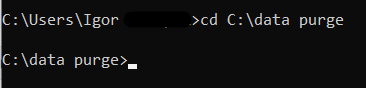
- Run your .bat file via the command prompt.

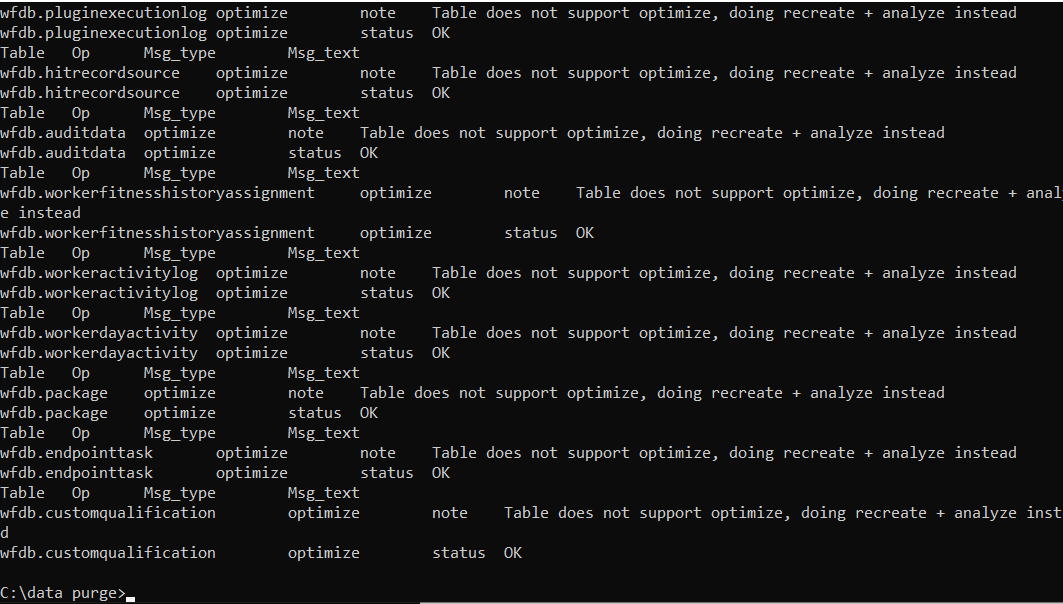
An operation can take some time depending on how much data is in tables. After execution, you should see the following results in a command prompt.
- Check the file size for the following tables. They should become smaller.
- If the exception ERROR 1451 (23000) at line xx: Unknown error 1451 occurs, create an SQL file with the script to optimize tables. The example of the script is as follows.
optimize table FILE;
optimize table DATA_STORE;
optimize table HitSubmissionDataItem;
optimize table HitSubmissionDataItemHistory;
optimize table HitDataItemLog;
optimize table AwsHitQuestion;
optimize table AwsHitAssignmentAnswer;
optimize table EVENT_TRACKING;
optimize table EVENT_OBJECT;
optimize table DataItemTrackerLog;
optimize table DataItemTrackerHitLink;
optimize table PluginExecutionLog;
optimize table HitRecordSource;
optimize table AuditData;
optimize table WorkerFitnessHistoryAssignment;
optimize table WorkerActivityLog;
optimize table WorkerDayActivity;
optimize table Package;
optimize table EndpointTask;
optimize table CustomQualification;
- Create the .bat file as described above or use the same .bat file, and change the
set sql_fileparameter to the name of the optimized .sql file. - Open the command prompt and go to the folder where your files are saved.
- Run your bat-file via the command prompt. After execution, you should see the following results in the command prompt.
- Check the file size for the tables.