
How to reset PostgreSQL transaction logs
Problem
The article contains the example of how to reset PostgreSQL transaction logs from the folder named pg_xlog(%INSTALL_DIR%\Workfusion\data\postgresql\pg_xlog) in case it takes a lot of size on drive.
Solution
- Start your Control Tower.
- Back up your PostgreSQL database, so that if you lose any major data during reset it can be recovered. Go to the command line and enter this command:
- Since v2.3.1:
C:\IntelligentAutomationCloud\Workfusion\postgresql\bin\pg_dumpall.exe -U pgsqluser -p 15423 -c -f \"{backupFilePath}\"
- Before v2.3.1:
C:\IntelligentAutomationCloud\Workfusion\postgresql\bin\pg_dumpall.exe -U postgres -p 15423 -c -f \"{backupFilePath}\"
- The first path can be different depending on the path of the pg_dumpall.exe file on your machine (by default, C:\IntelligentAutomationCloud\Workfusion\postgresql\bin\pg_dumpall.exe)
- {backupFilePath}\ - instead of it, choose the path and the name of the backup file with the .sql extension. The file will be created by this command.
Depending on your version, proceed as follows.
Since v2.3.1
Starting from v2.3.1, after entering the command, you need to enter the Administrator password which you've entered during installation for 6 times.

Before v2.3.1

note
The backup file will take some space depending on your PostgreSQL database size.
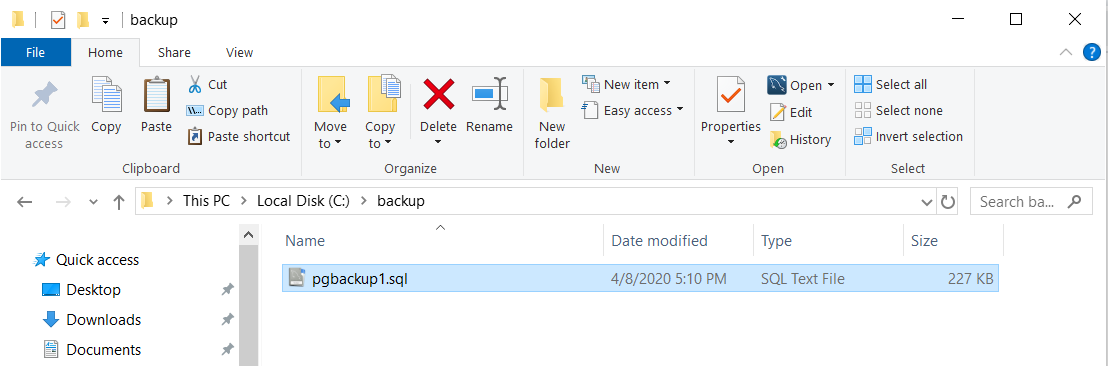
By this command, a backup of PostgreSQL database in the backup folder named pgbackup1.sql has been created.
- Stop your Control Tower.
- To reset transaction logs, enter this command in the command line:
C:\IntelligentAutomationCloud\Workfusion\postgresql\bin\pg_resetxlog -f C:\IntelligentAutomationCloud\Workfusion\data\postgresql
- The first path can be different depending on the path of the pg_resetxlog file on your machine (by default, C:\IntelligentAutomationCloud\Workfusion\postgresql\bin\pg_resetxlog)
- C:\IntelligentAutomationCloud\Workfusion\data\postgresql - the path should lead to the folder in which the pg_xlog folder is located
See the example below.

The "Transaction log reset" message means that the reset is complete.