Run periodic review
Once the Kayla AI Agent is installed and the configuration is complete, you can initiate the Periodic Review Business Process (BP) in one of the following ways:
Add file to MinIO
Using the method to run screening is only possible if you set the following during the AI Agent configuration:
Chose Shared File Location as the input method
Specified the S3 bucket and file location
When the above conditions are met, follow the steps below to initiate screening:
Drop a CSV file in the correct format into the configured location.
In the Digital Workers list, click the installed AI Agent (variation).
On the AI Agent variation's details page, open its process definition and click a BP instance name.
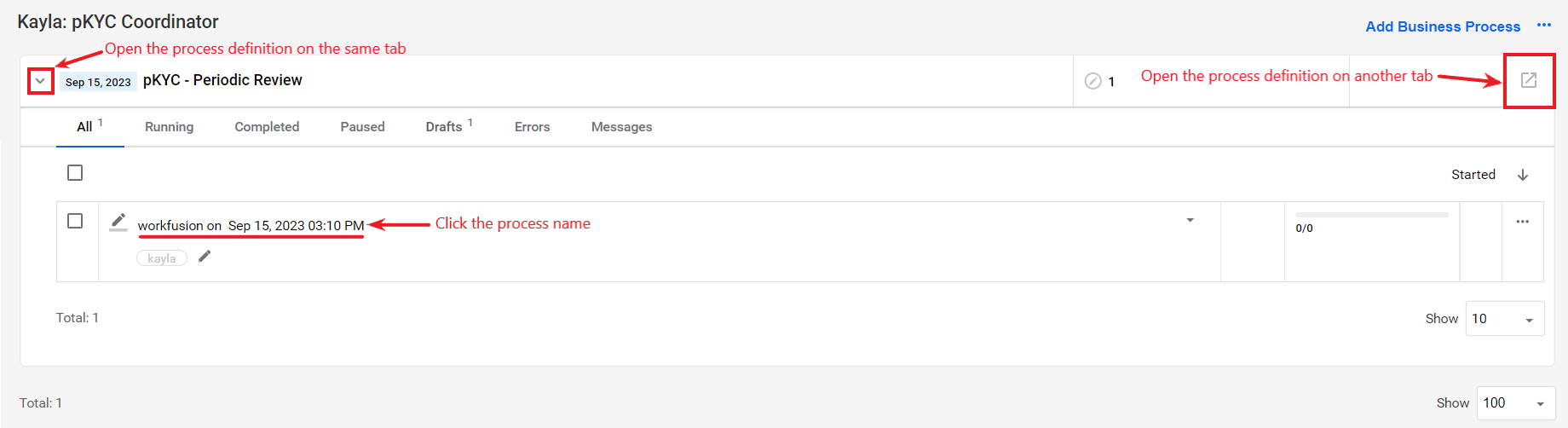
Navigate to the Run tab and start the BP by clicking the Run This Process button.
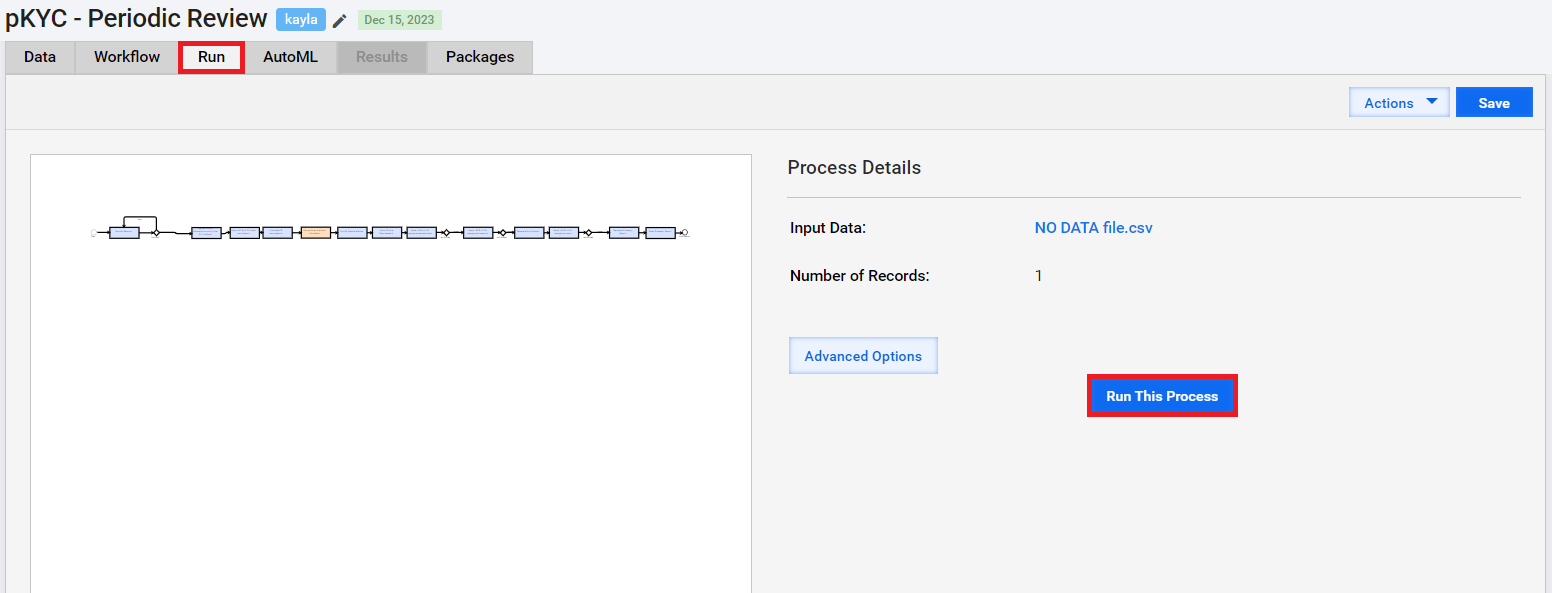
The input file is automatically picked up and processed.
Email Kayla
Using the method to run screening is only possible if you set the following during the AI Agent configuration:
Chose Email as the input method
Provided a valid email address and SMTP settings
When the above conditions are met, follow the steps below to initiate screening:
Email an input file copy with columns conforming to the header names you set up during configuration in the Input step. For details, read Install and configure.
In the Digital Workers list, click the installed AI Agent (variation).
On the AI Agent variation's details page, open its process definition and click a BP instance name.
Navigate to the Run tab and start the BP by clicking the Run This Process button.
Kayla monitors the specified email box according to the configured monitoring settings in the Input step. The file prepared in Step 1 is processed as soon as it is picked up.