Analyze results
Kayla includes three dashboards available out of the box:
- KYC Periodic Review Overview
- KYC Periodic Review Entity Details
- KYC Periodic Review Requirement Details
You can filter each dashboard by time, AI Agent version, and variation. Additional filters might be available as well, depending on the dashboard. You can also adjust the column headers and export the needed details if required.
KYC Periodic Review Overview
The overview dashboard provides an overview of the AI Agent's performance.
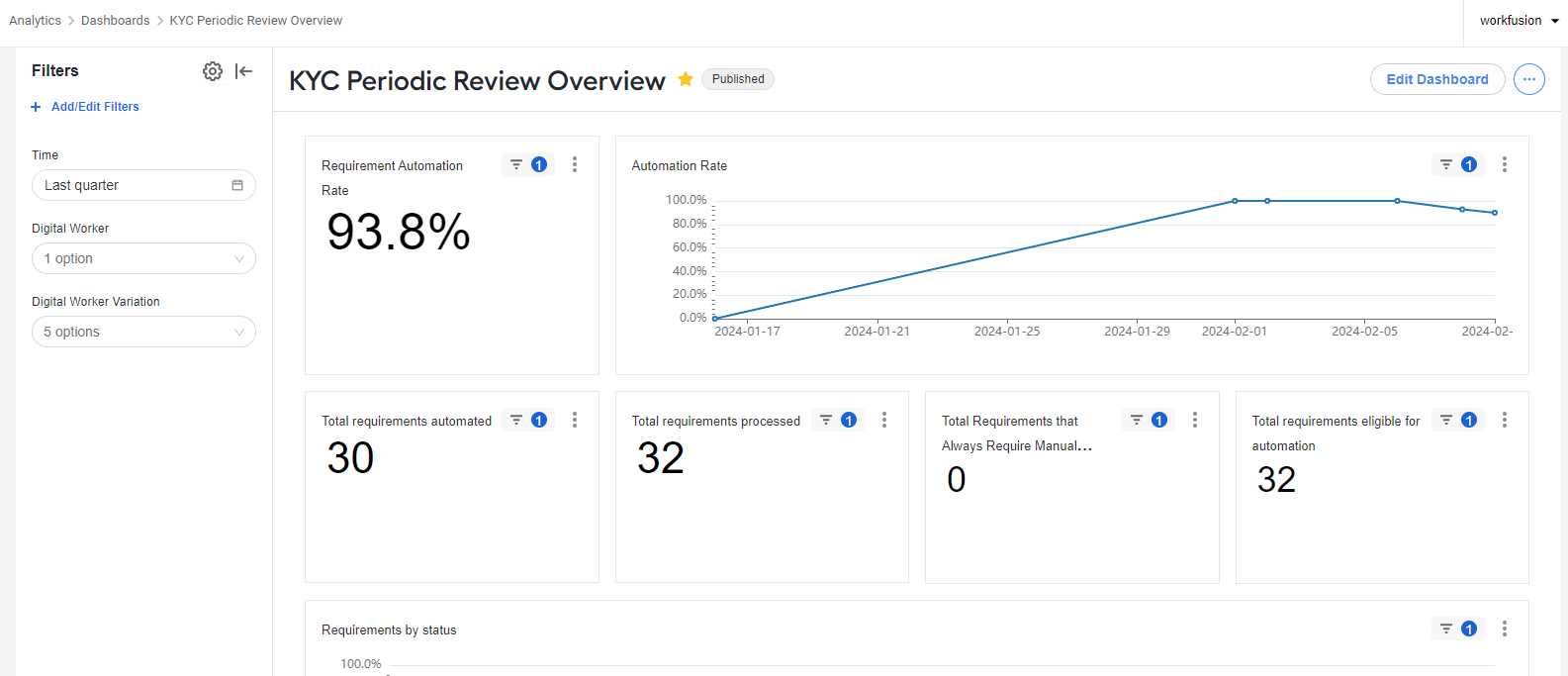
The following metrics are available:
Requirement automation rate: the number of requirements completed automatically by the AI Agent, excluding requirements that the AI Agent cannot close automatically when Review Method was set to Manual review.
Total requirements automated: the number of requirements automatically completed by the AI Agent.
Total requirements processed: the total number of processed requirements, including requirements that the AI Agent does not close automatically when Review Method was set to Manual review.
Total requirements that always require manual review: the number of requirements that the AI Agent is not allowed to close automatically.
Total requirements eligible for automation: the number of requirements eligible to be automated; the count of requirements that do not have Review Method set to Manual review.
Requirements by status: the chart that shows the breakdown of requirements by the following statuses over time:
Always require manual review: the requirements that always require manual review and that the AI Agent never closes automatically.
Completed: the requirements closed successfully by the AI Agent.
Manual review: the requirements that could have been closed automatically, but the AI Agent failed to do so due to incomplete evidence, low confidence thresholds, or other data discrepancies.
Average requirements per entity: the average number of requirements processed per entity.
Entity STP: the straight-through-processing (STP) rate for entities; the number and percentage of entities with zero requirements for manual review. It does not include entities having at least one requirement with Review Method set to Manual review.
Entities eligible for STP: the STP rate for entities; the number and percentage of entities having zero requirements for manual review. It does not include entities having at least one requirement with Review Method set to Manual review.
Number entities: the count of reviewed entities.
KYC Periodic Review Entity Details
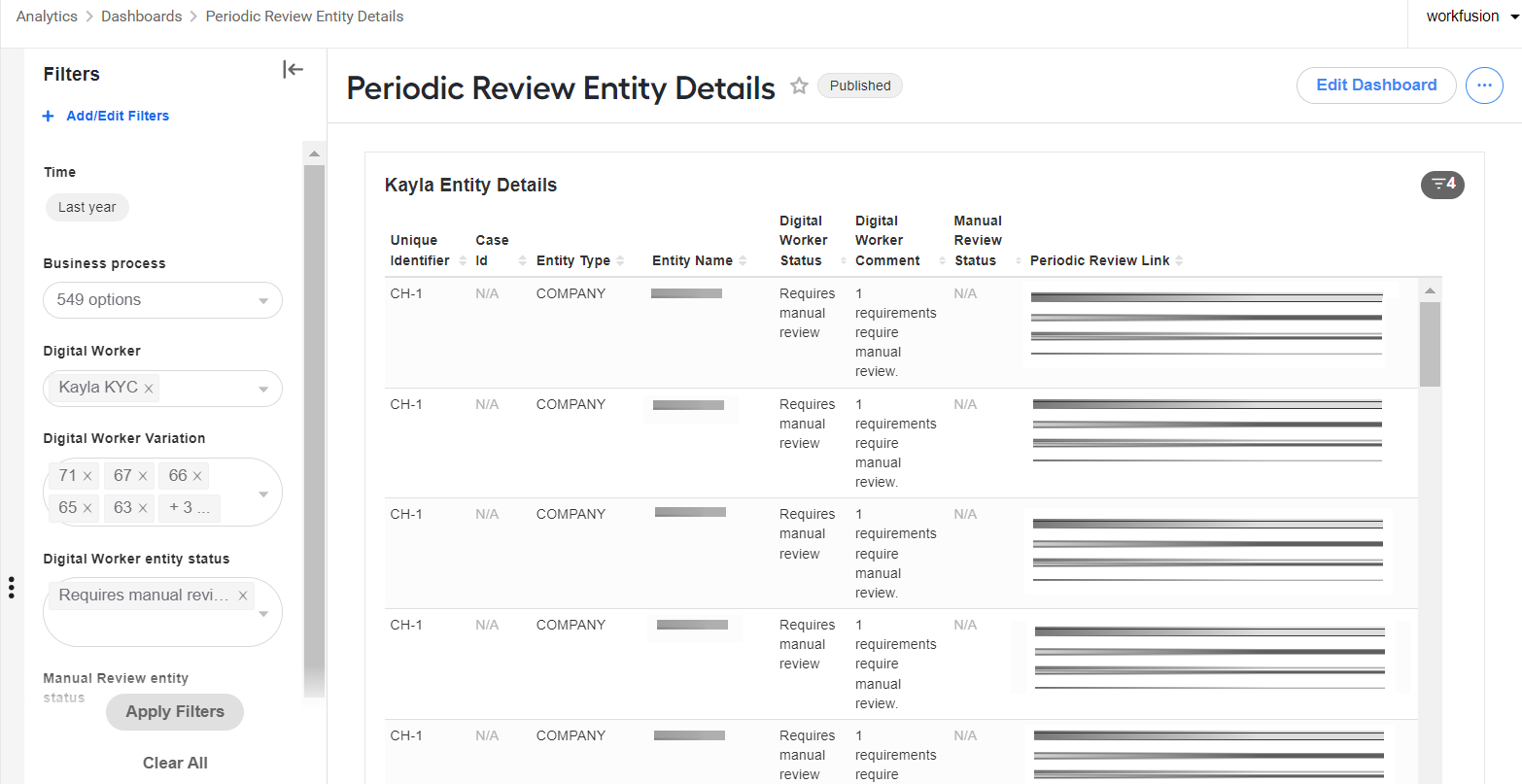
The KYC Periodic Review Entity Details dashboard contains the following data points in a table view:
Unique identifier
Case ID
Entity type
Entity name
Digital Worker status
Digital Worker comment
Manual review status
Periodic review report link
KYC Periodic Review Requirement Details
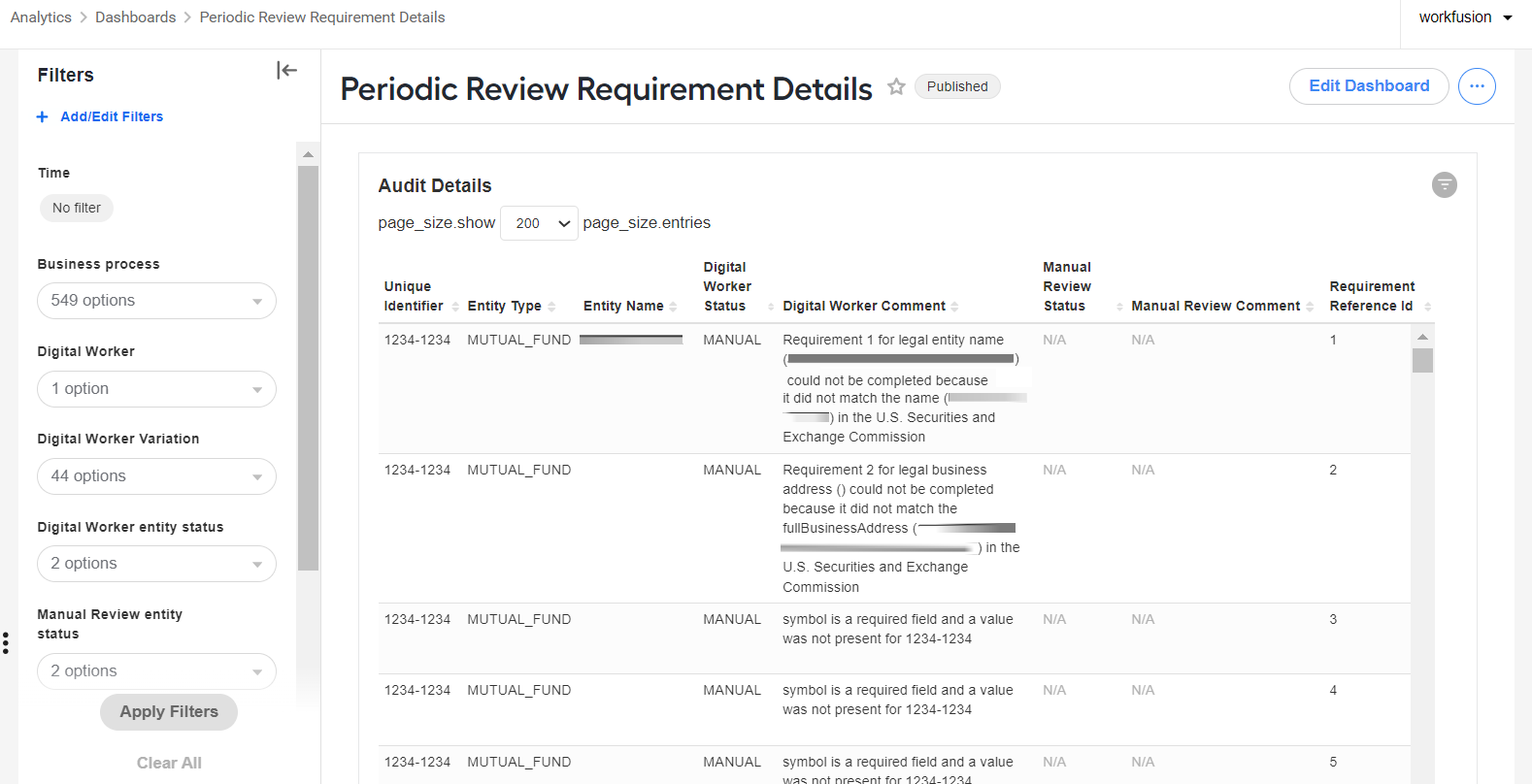
The KYC Periodic Review Requirement Details dashboard contains the following data points in a table view:
Unique identifier
Case ID
Entity type
Entity name
Digital Worker status
Digital Worker comment
Manual review status
Manual review comment
Requirement reference ID
Configured field name
Configured field value
Configured review method
Configured source
Configured source field name
Result document
Evidence is not sufficient
Evidence is not sufficient reason
Periodic review link