
OCR performance and scale testing
note
Tests were performed on Enterprise Edition version 10.0.
OCR configuration
The out-of-the-box configuration is as follows:
- Database: MS SQL
- Message queue service: RabbitMQ
- Object storage: MinIO
- Two or more 2 BEP Workers
Run configurations
The following run configurations are possible:
Option 1
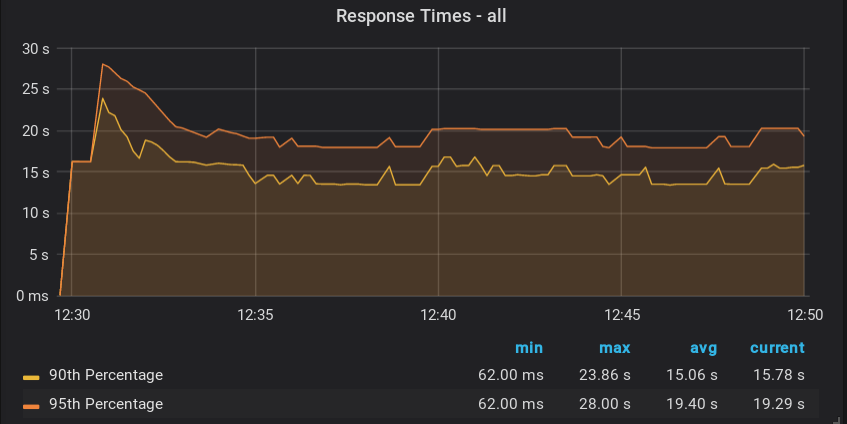
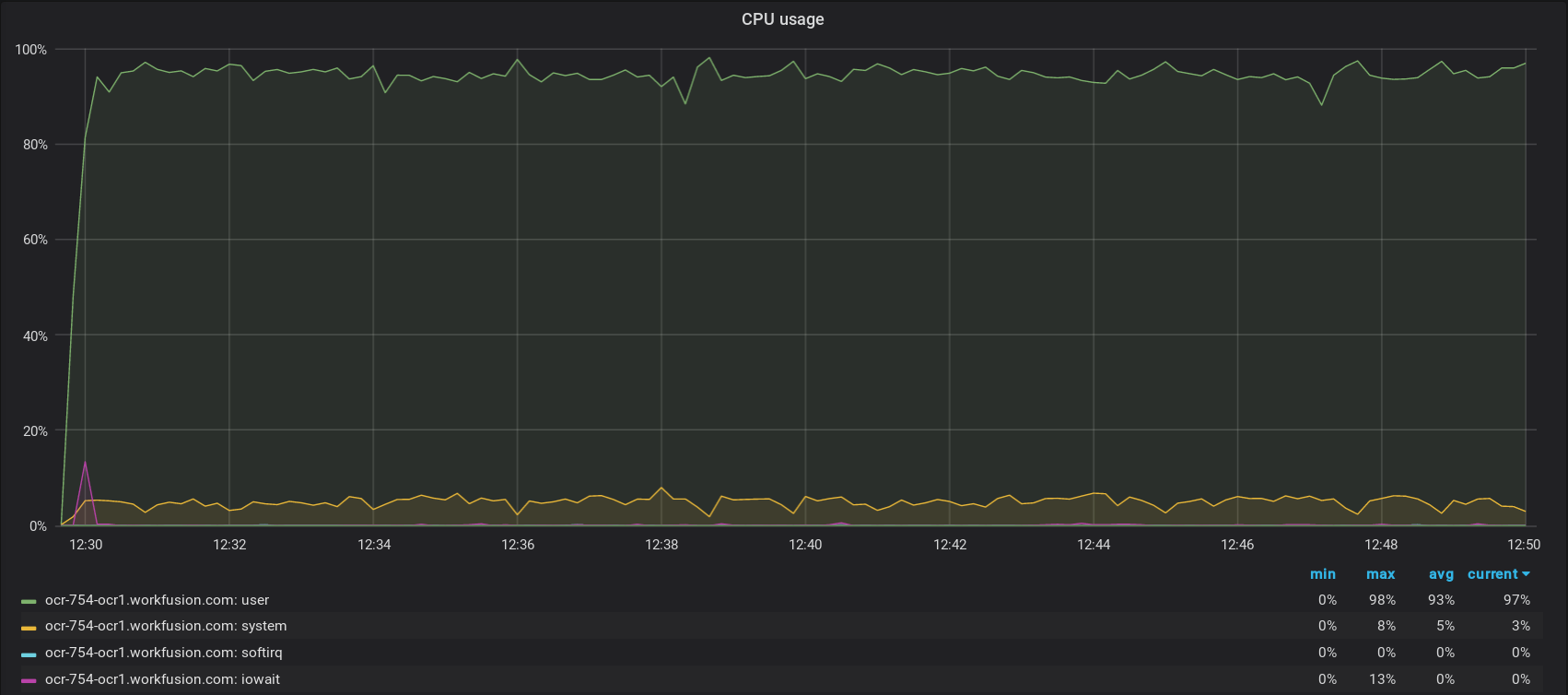
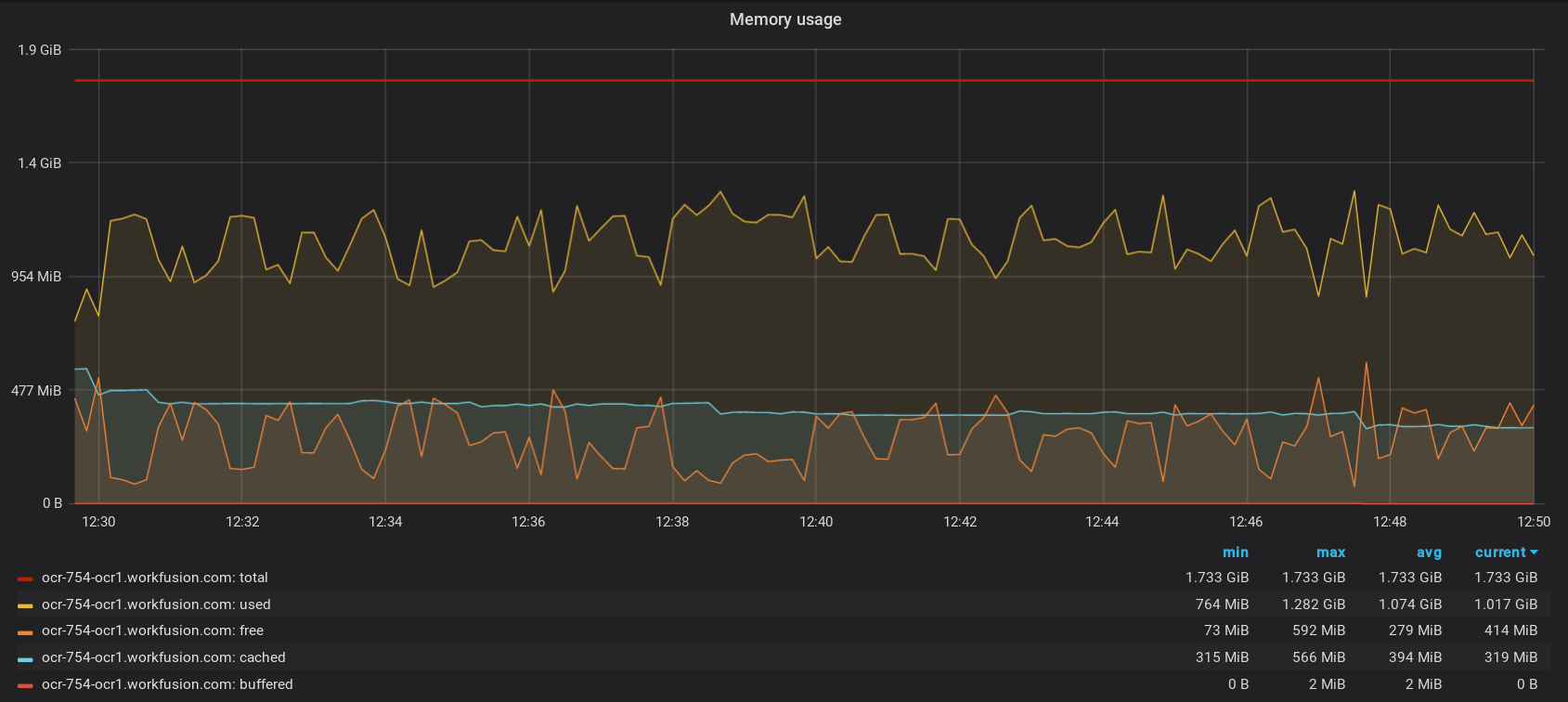
Hardware: Intel(R) Xeon(R) Platinum 8175M CPU @ 2.50GHz, 1 Core(s), 2 GB RAM
Load: mixed, 200 images (one page), no special parameters
Processing time: 20 min
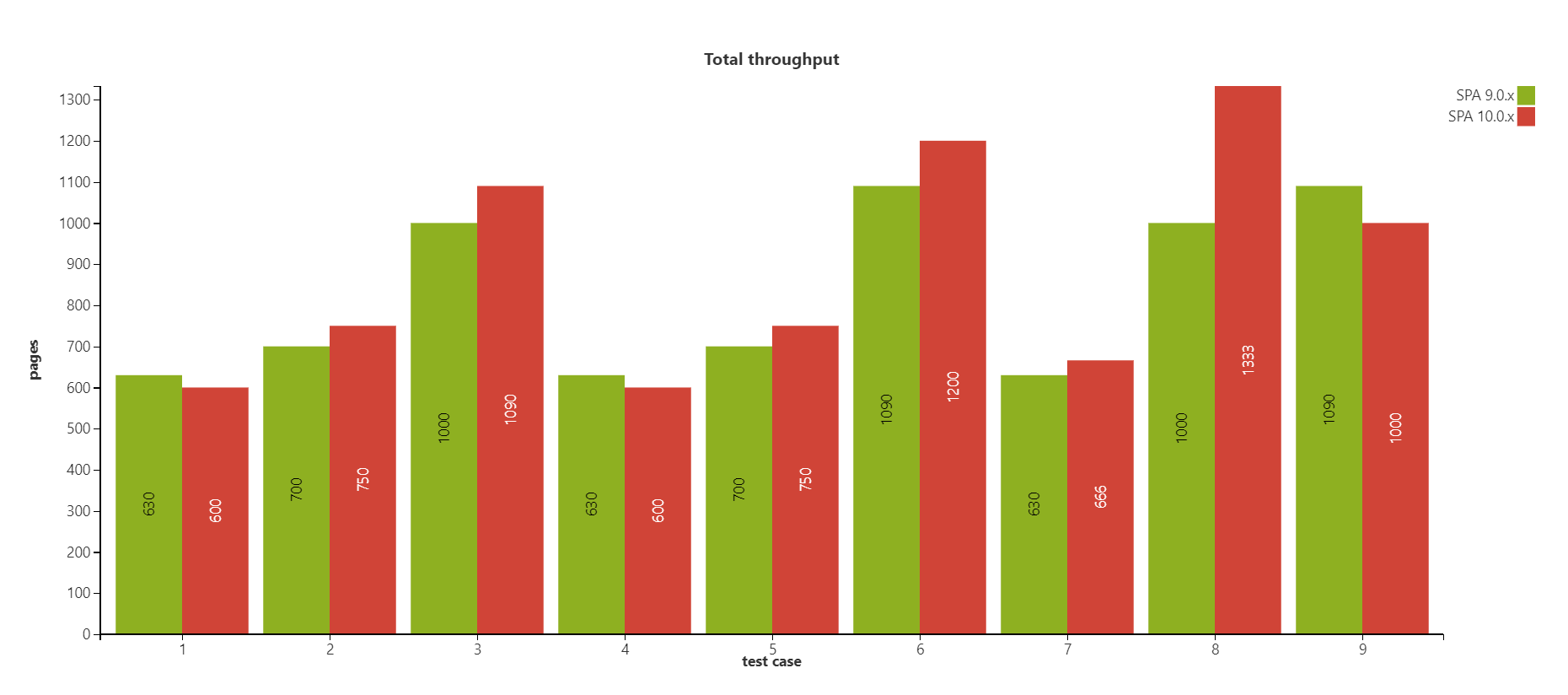
Throughput: ~ 600 pages/hour
Option 2
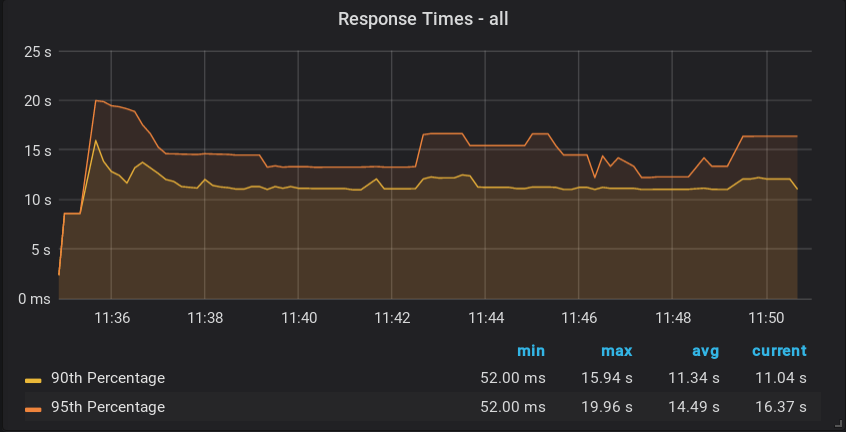
Hardware: Intel(R) Xeon(R) Platinum 8175M CPU @ 2.50GHz, 2 Core(s), 2 GB RAM
Load: mixed, 200 images (one page), no special parameters
Processing time: 16 min
Throughput: ~ 750 pages/hour
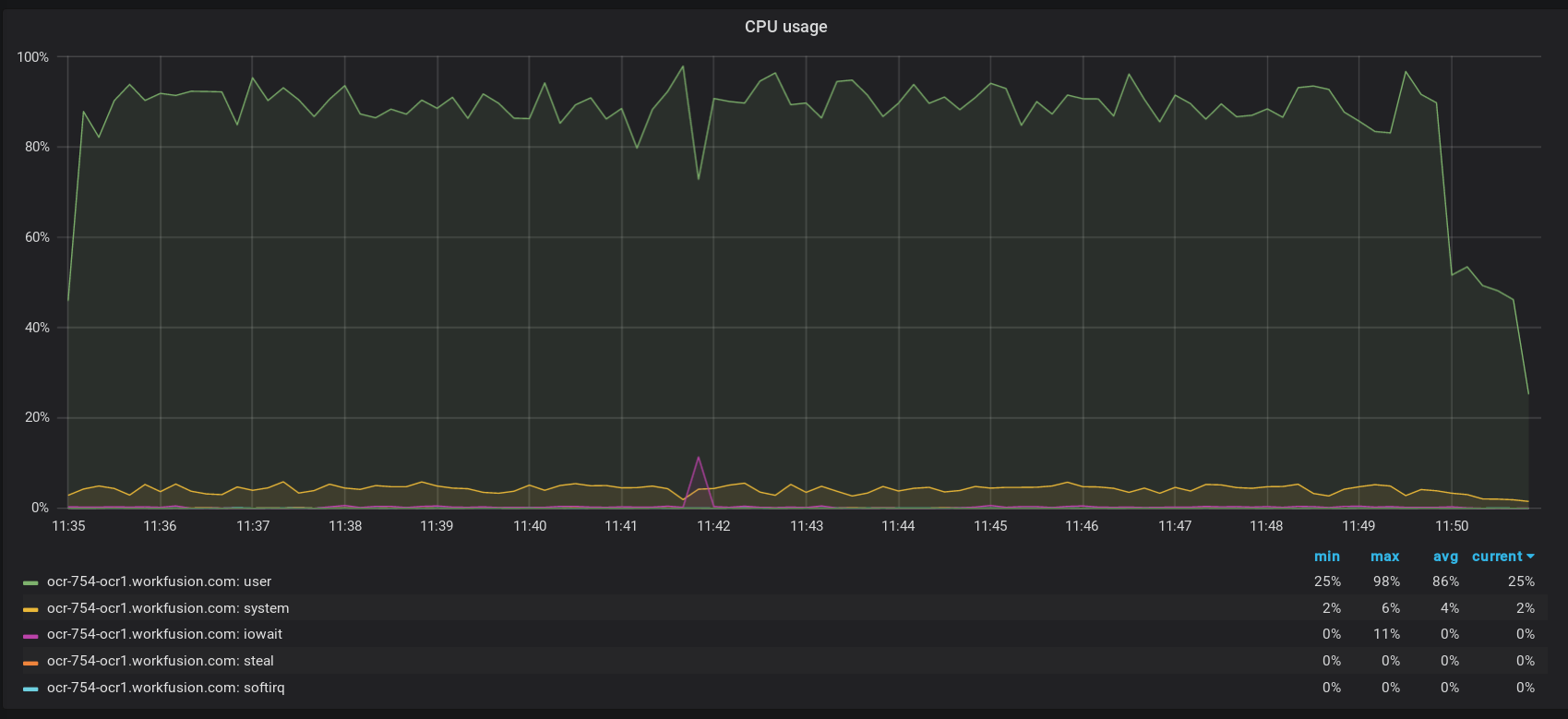
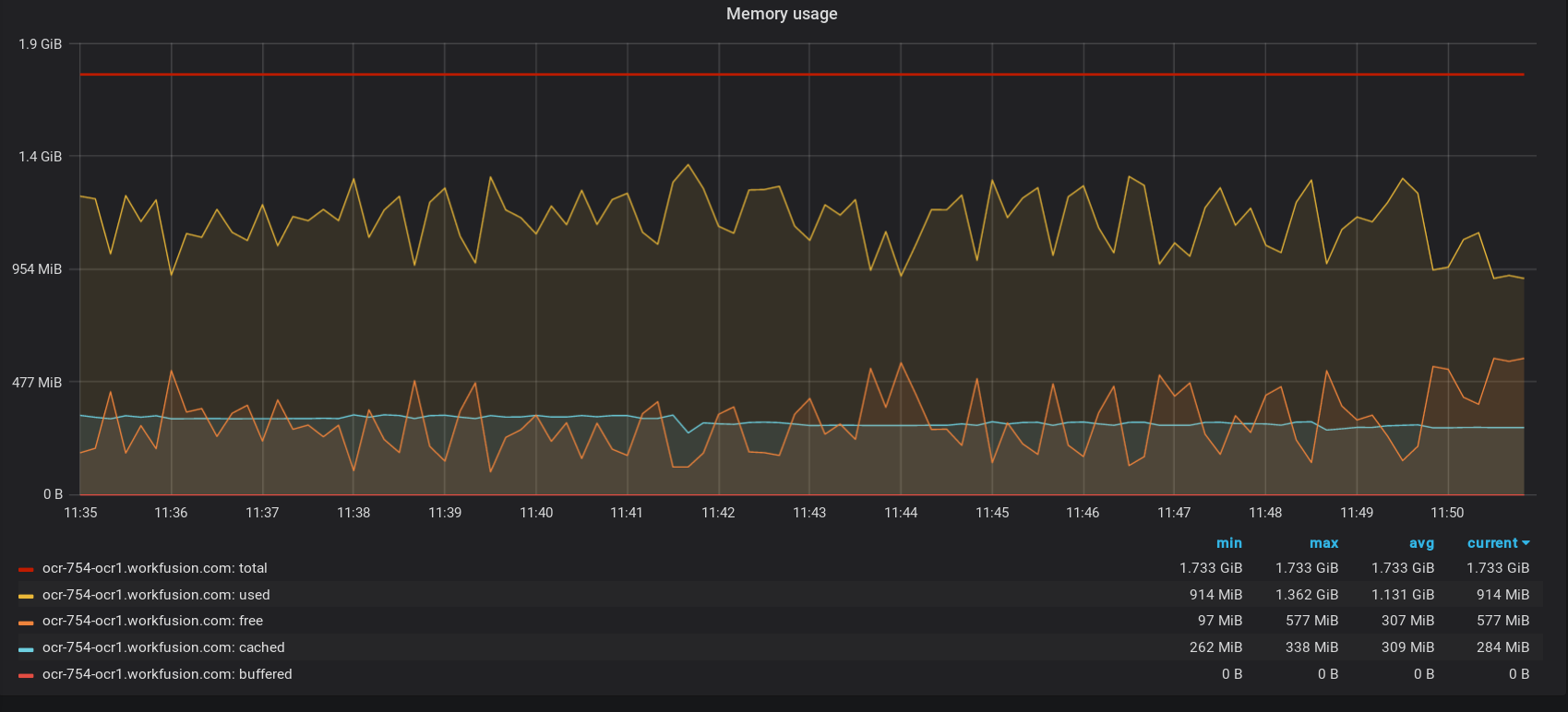
Option 3
Hardware: Intel(R) Xeon(R) Platinum 8175M CPU @ 2.50GHz, 4 Core(s), 2 GB RAM
Load: mixed, 200 images (one page), no special parameters
Processing time: 11 min
Throughput: ~ 1,090 pages/hour
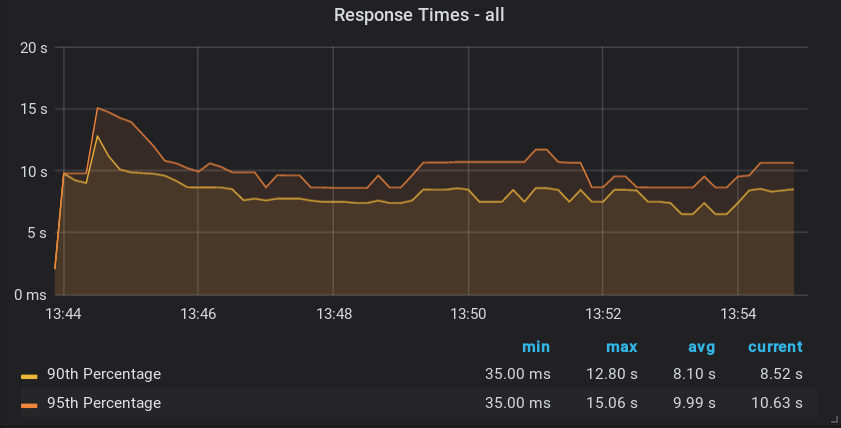
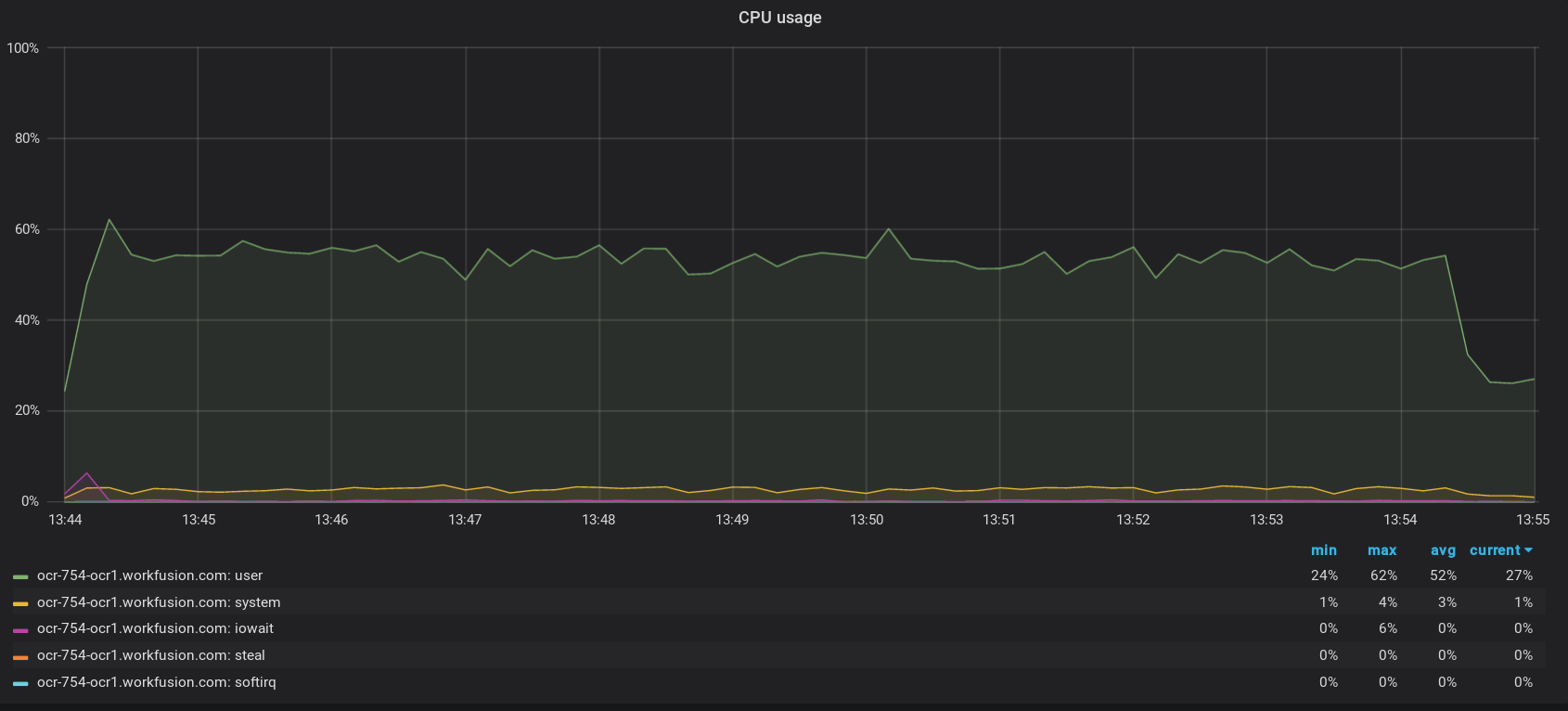
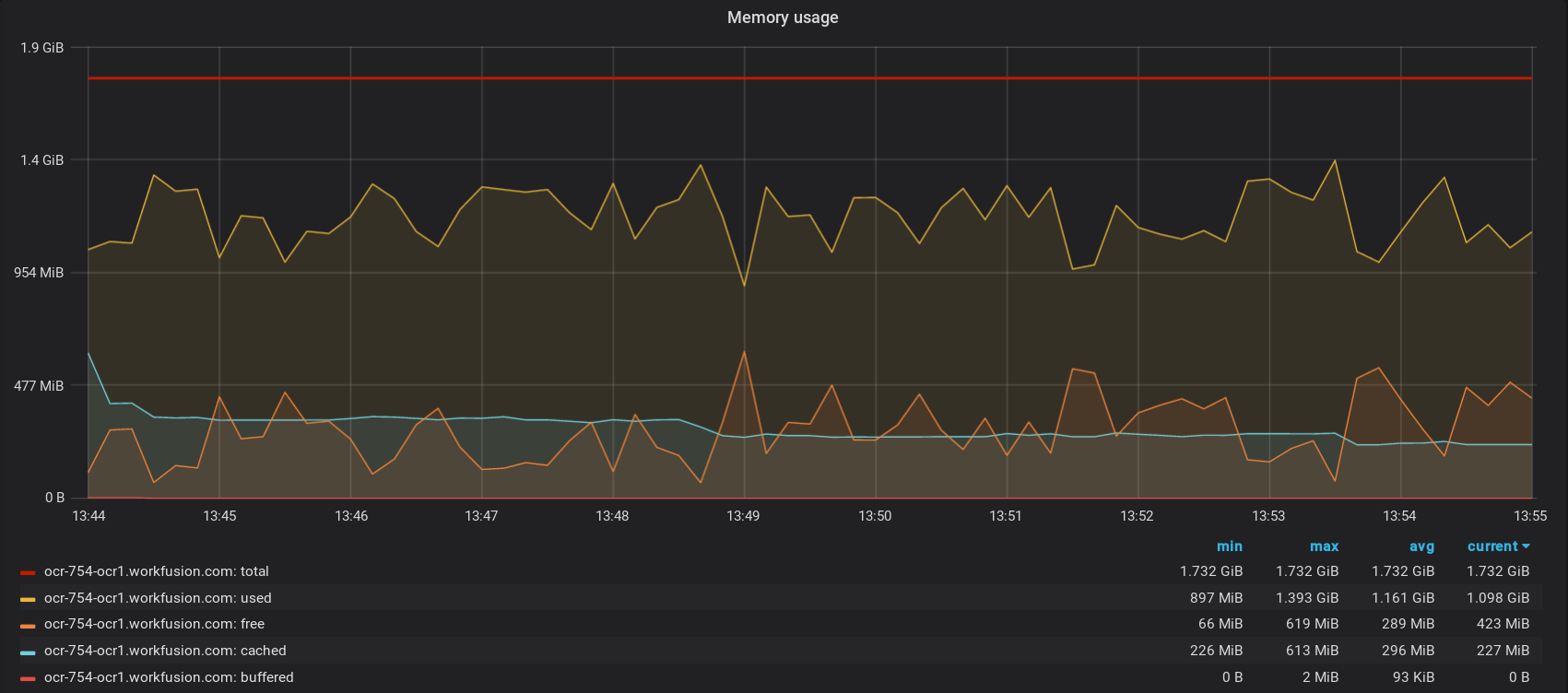
Option 4
Hardware: Intel(R) Xeon(R) Platinum 8175M CPU @ 2.50GHz, 1 Core(s), 8 GB RAM
Load: mixed, 200 images (one page), no special parameters
Processing time: 20 min
Throughput: ~600 pages/hour
Option 5
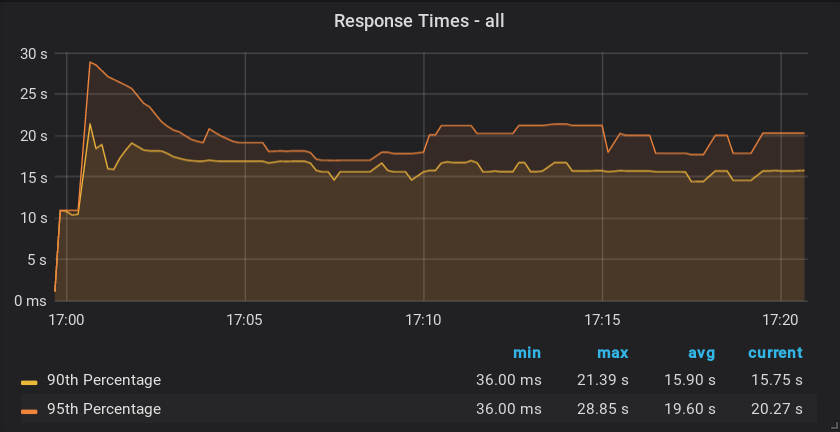
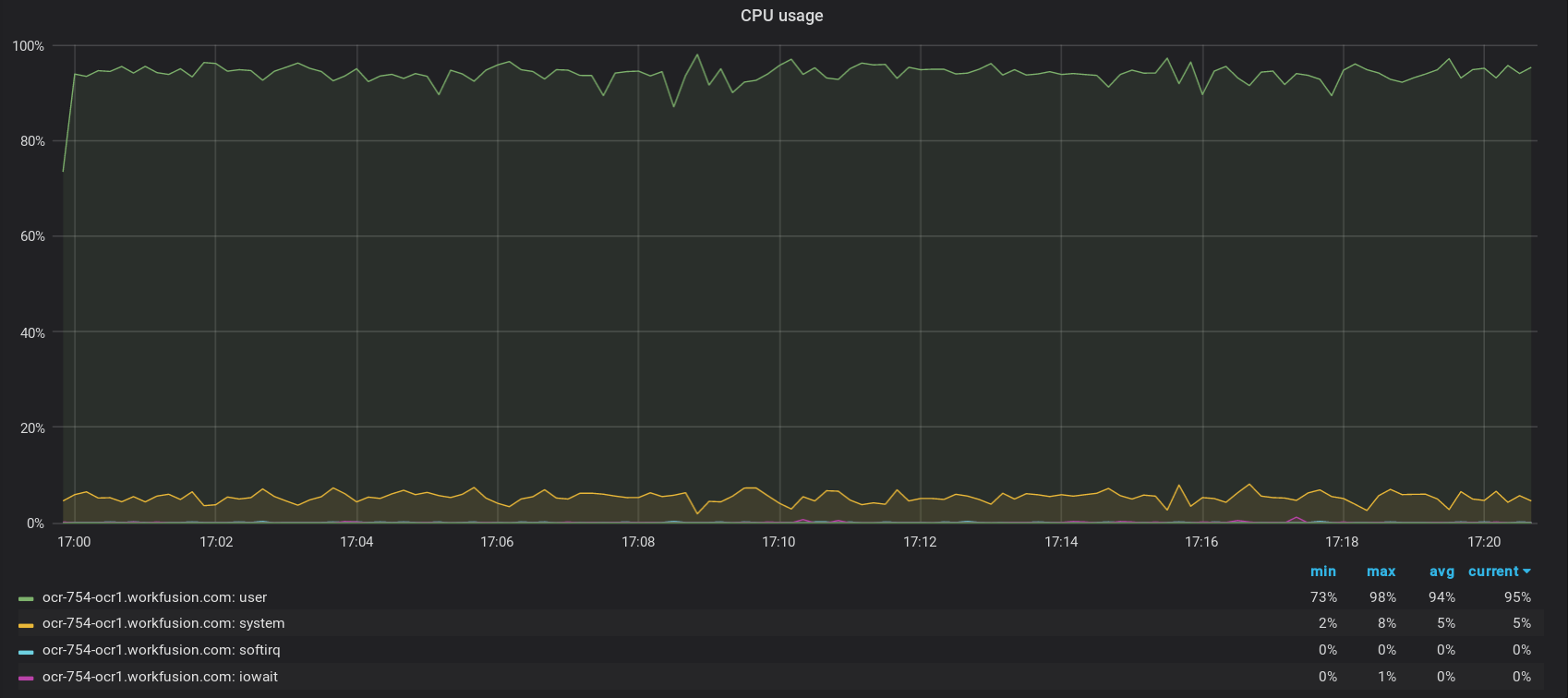
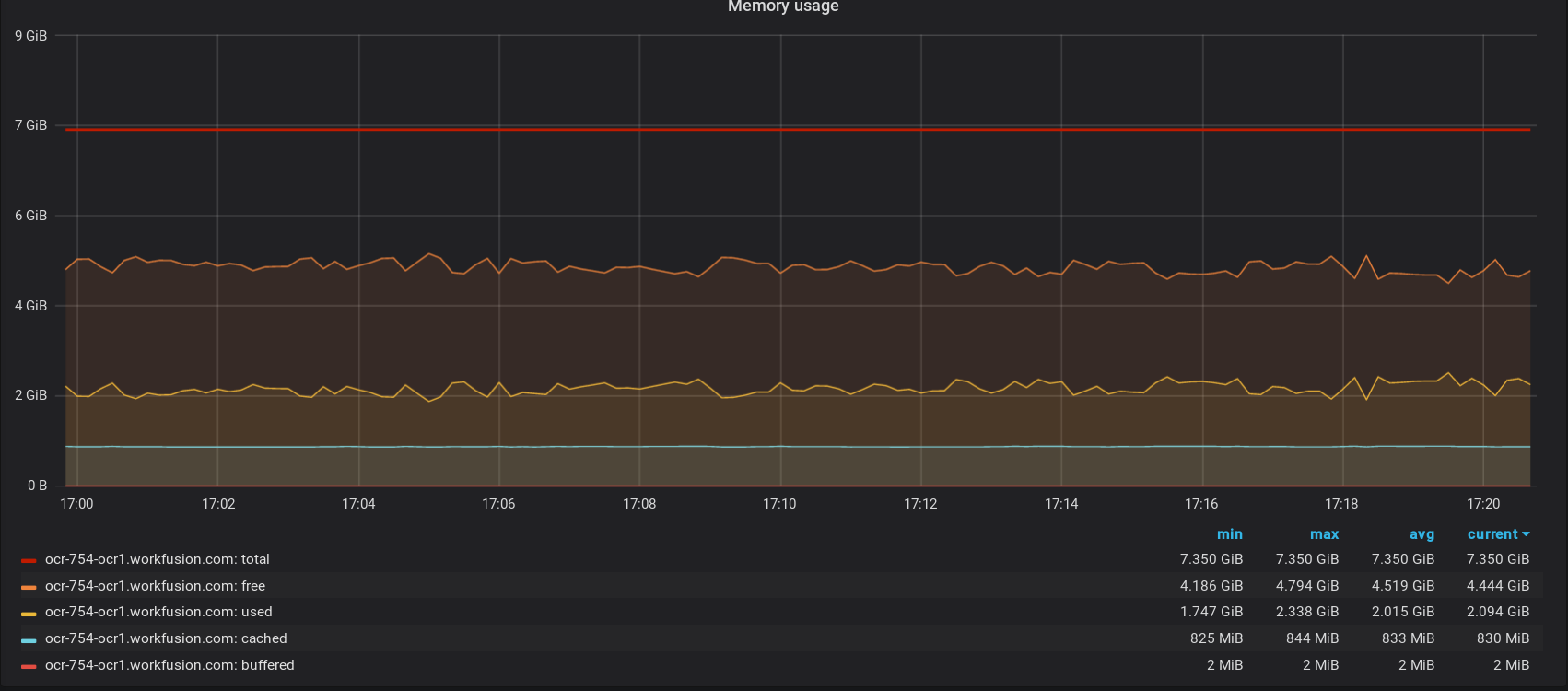
Hardware: Intel(R) Xeon(R) Platinum 8175M CPU @ 2.50GHz, 2 Core(s), 8 GB RAM
Load: mixed, 200 images (one page), no special parameters
Processing time: 16 min
Throughput: ~ 750 pages/hour
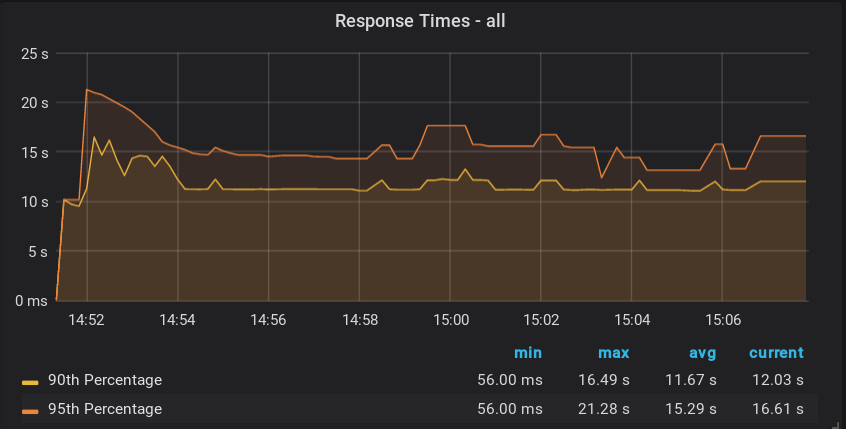
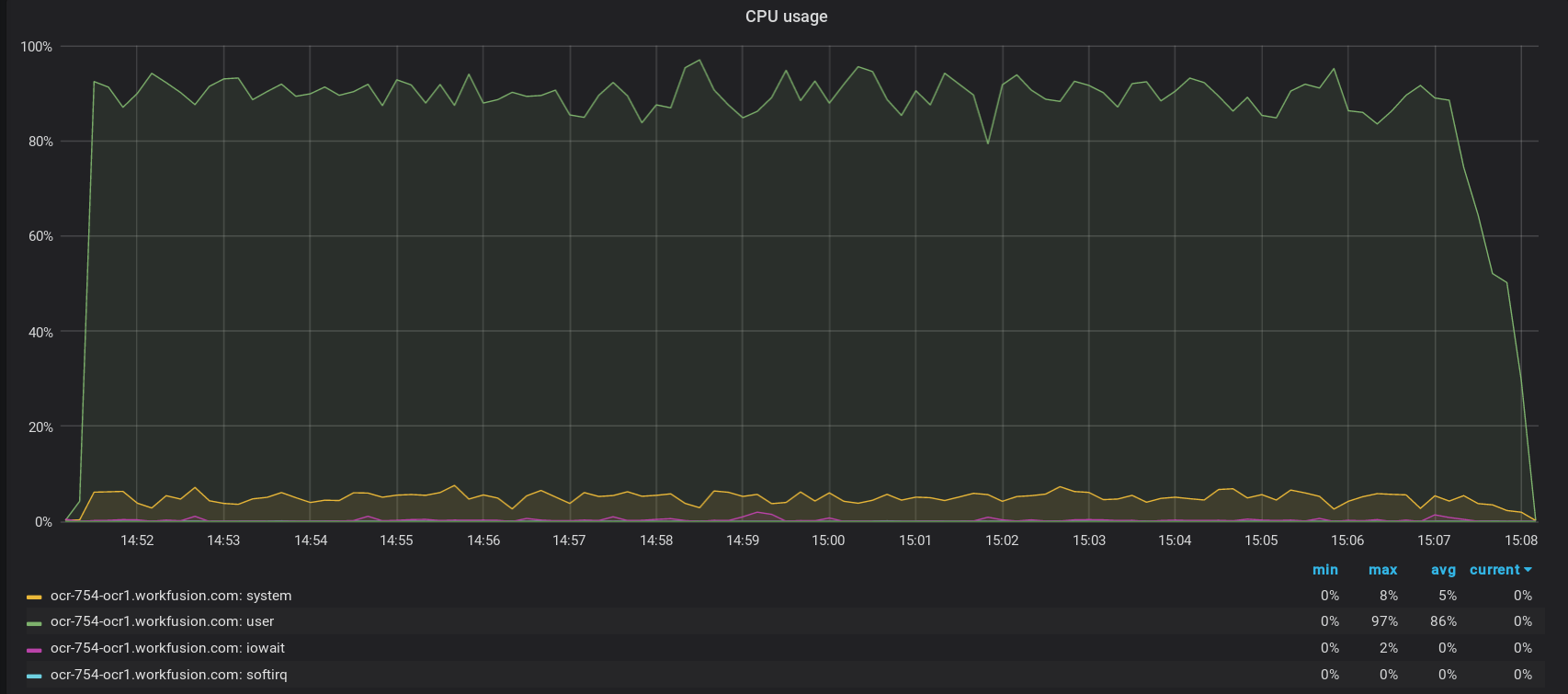
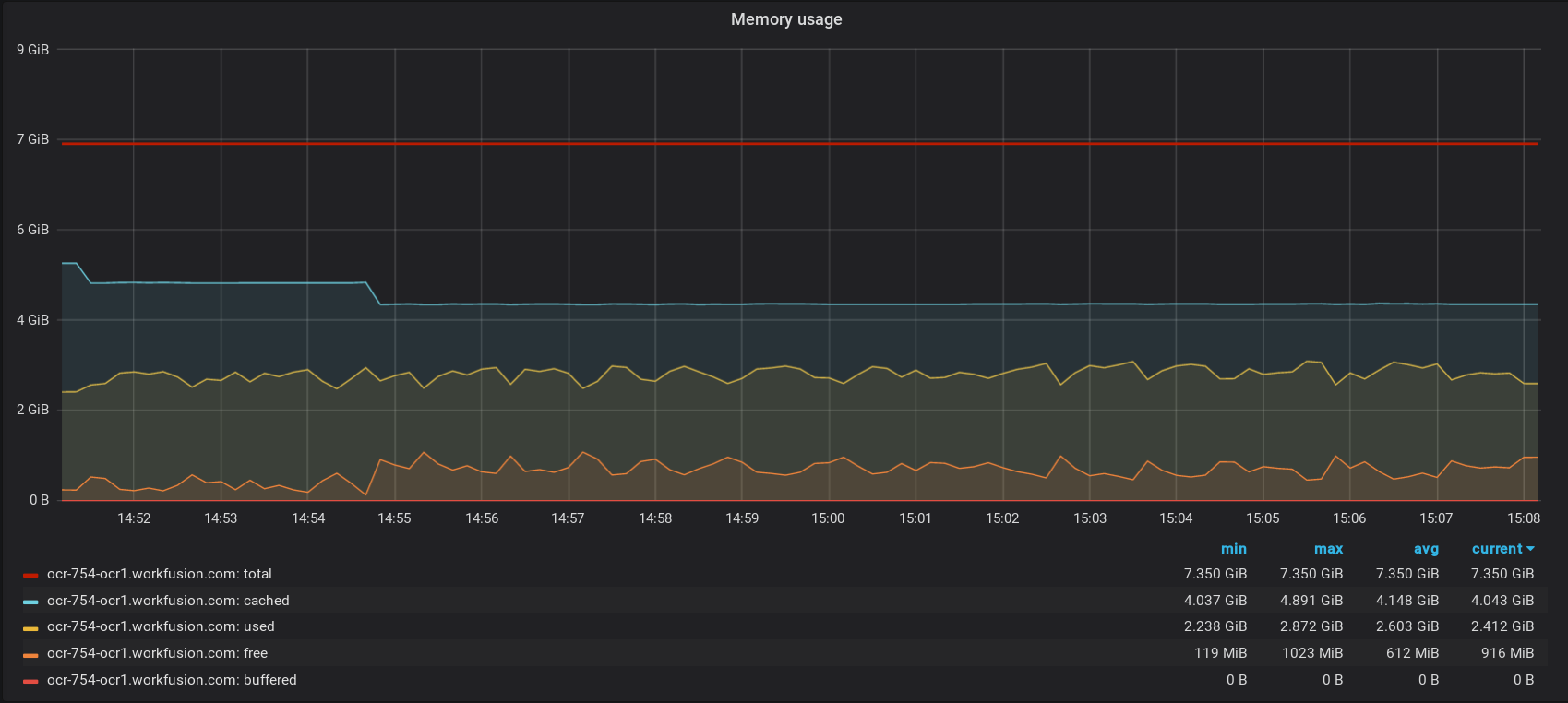
Option 6
Hardware: Intel(R) Xeon(R) Platinum 8175M CPU @ 2.50GHz, 4 Core(s), 8 GB RAM
Load: mixed, 200 images (one page), no special parameters
Processing time: 10 min
Throughput: ~ 1,200 pages/hour
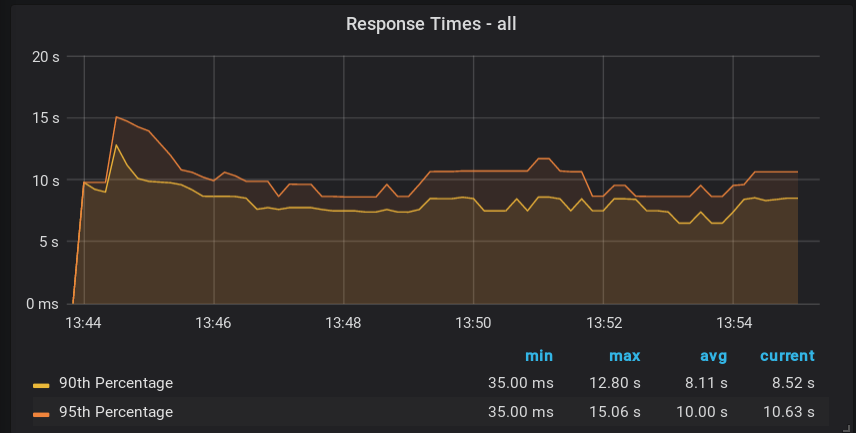
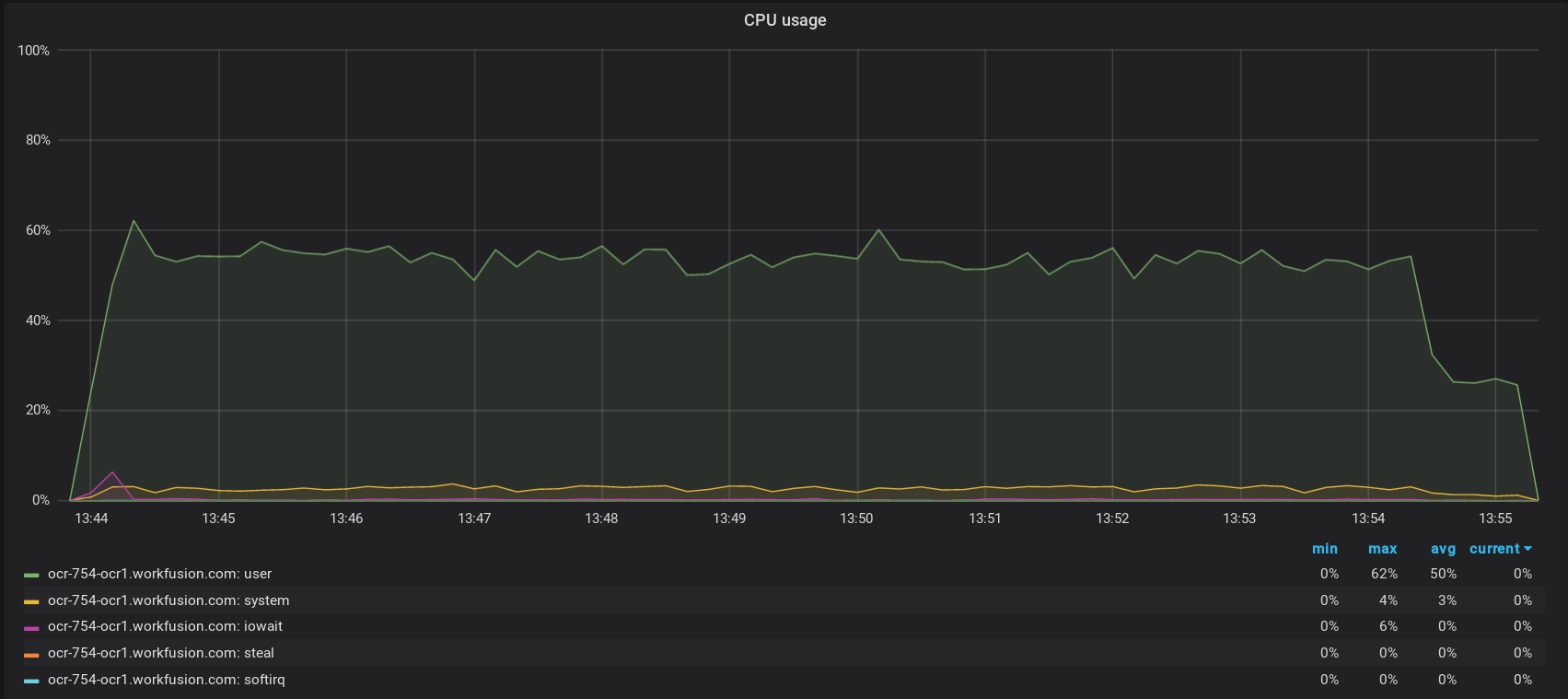
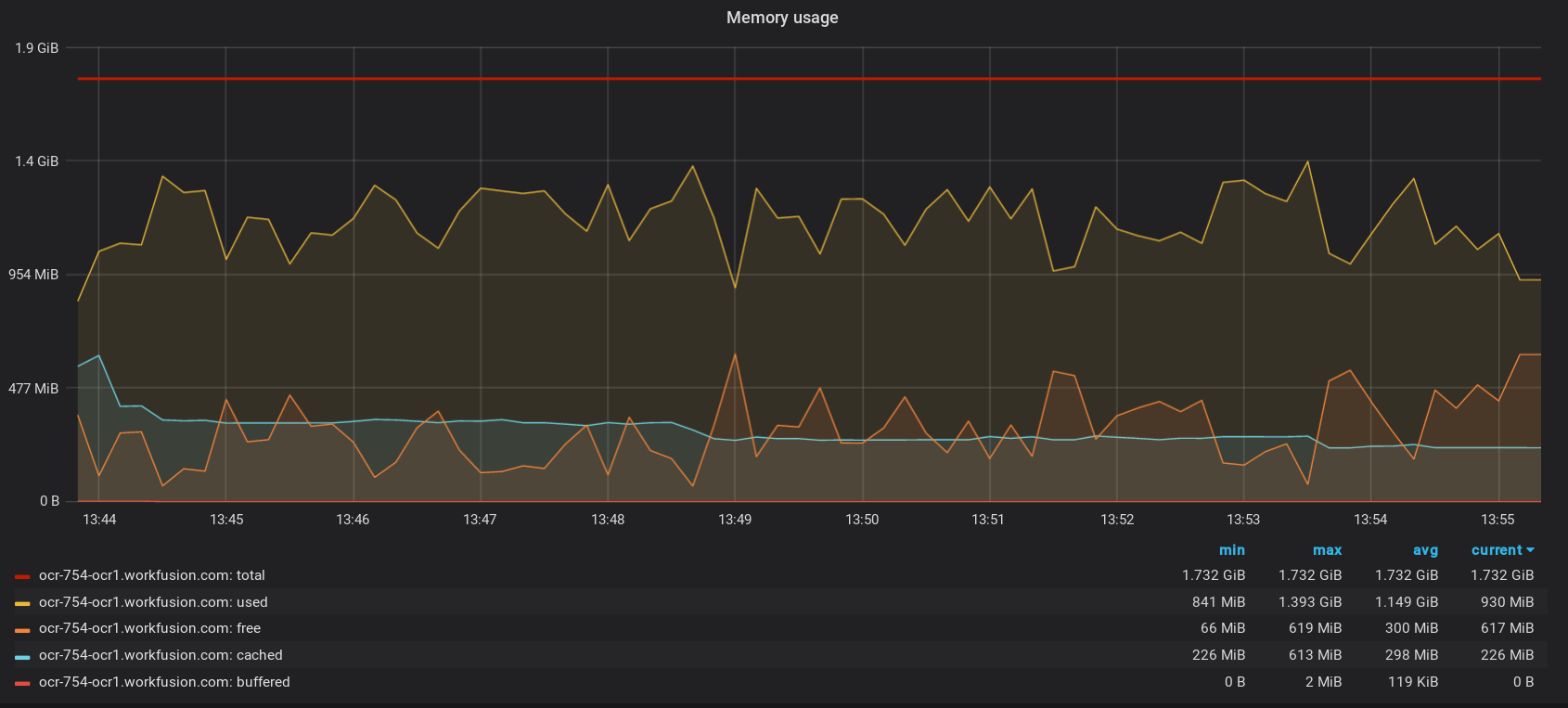
Option 7
Hardware: Intel(R) Xeon(R) Platinum 8175M CPU @ 2.50GHz, 1 Core(s), 16 GB RAM
Load: mixed, 200 images (one page), no special parameters
Processing time: 18 min
Throughput: ~ 666 pages/hour
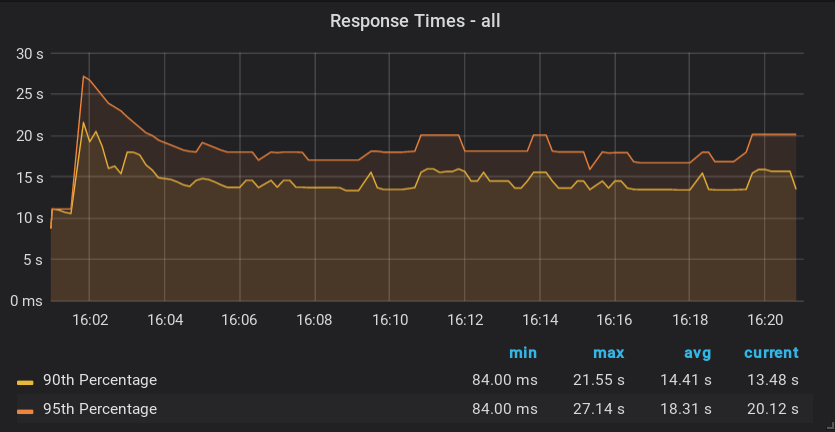
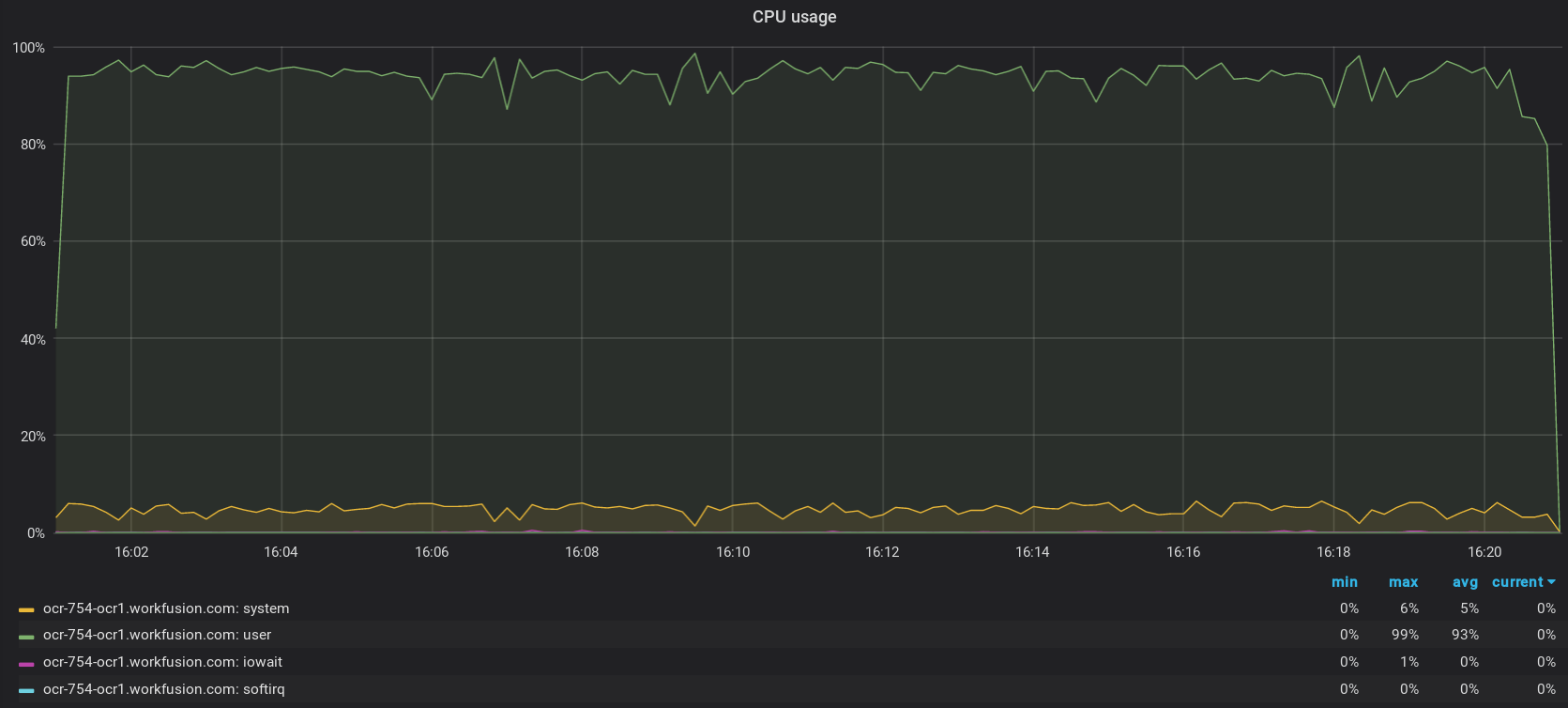
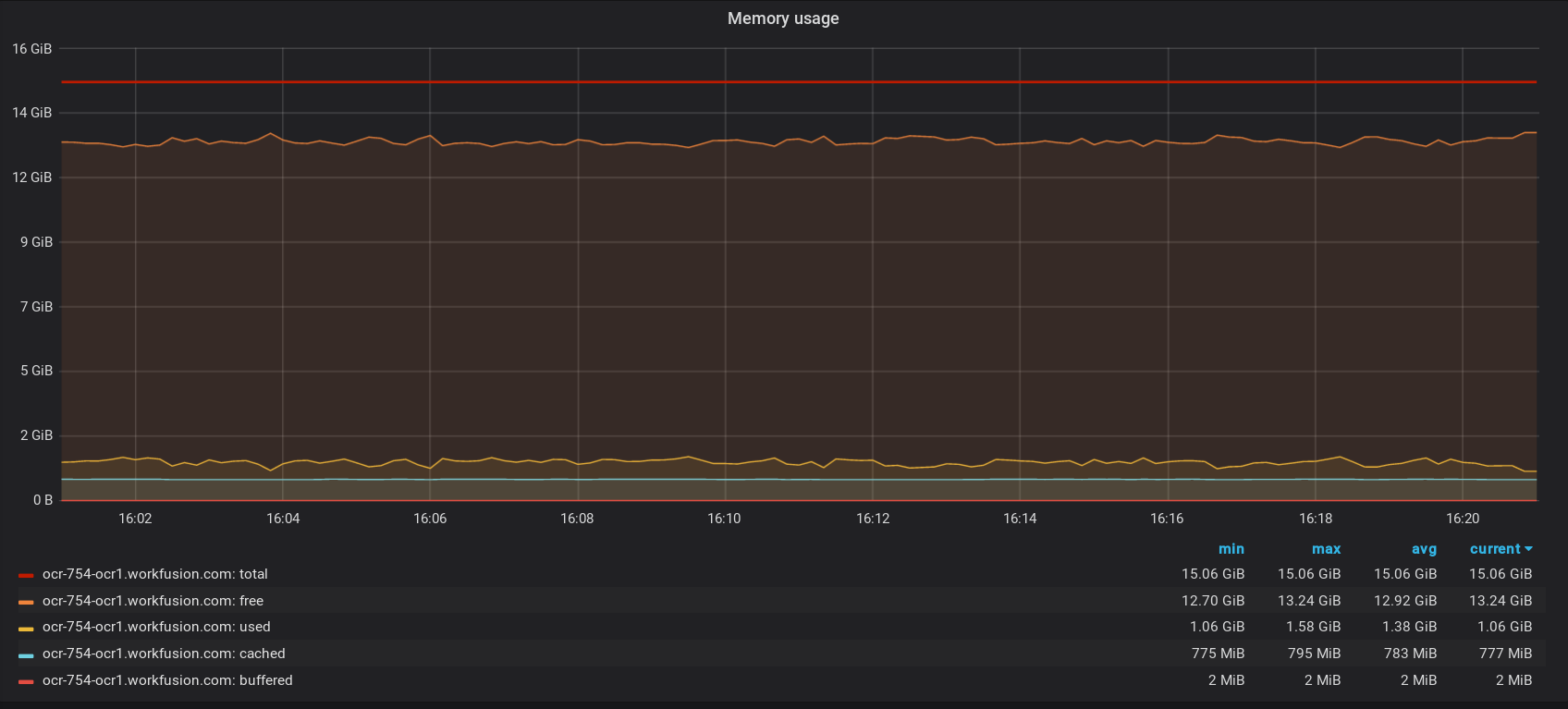
Option 8
Hardware: Intel(R) Xeon(R) Platinum 8175M CPU @ 2.50GHz, 2 Core(s), 16 GB RAM
Load: mixed, 200 images (one page), no special parameters
Processing time: 9 min
Throughput: ~ 1,333 pages/hour
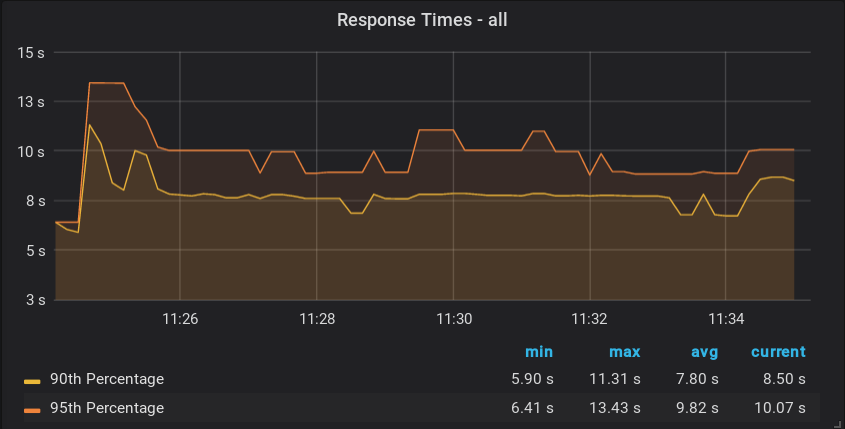
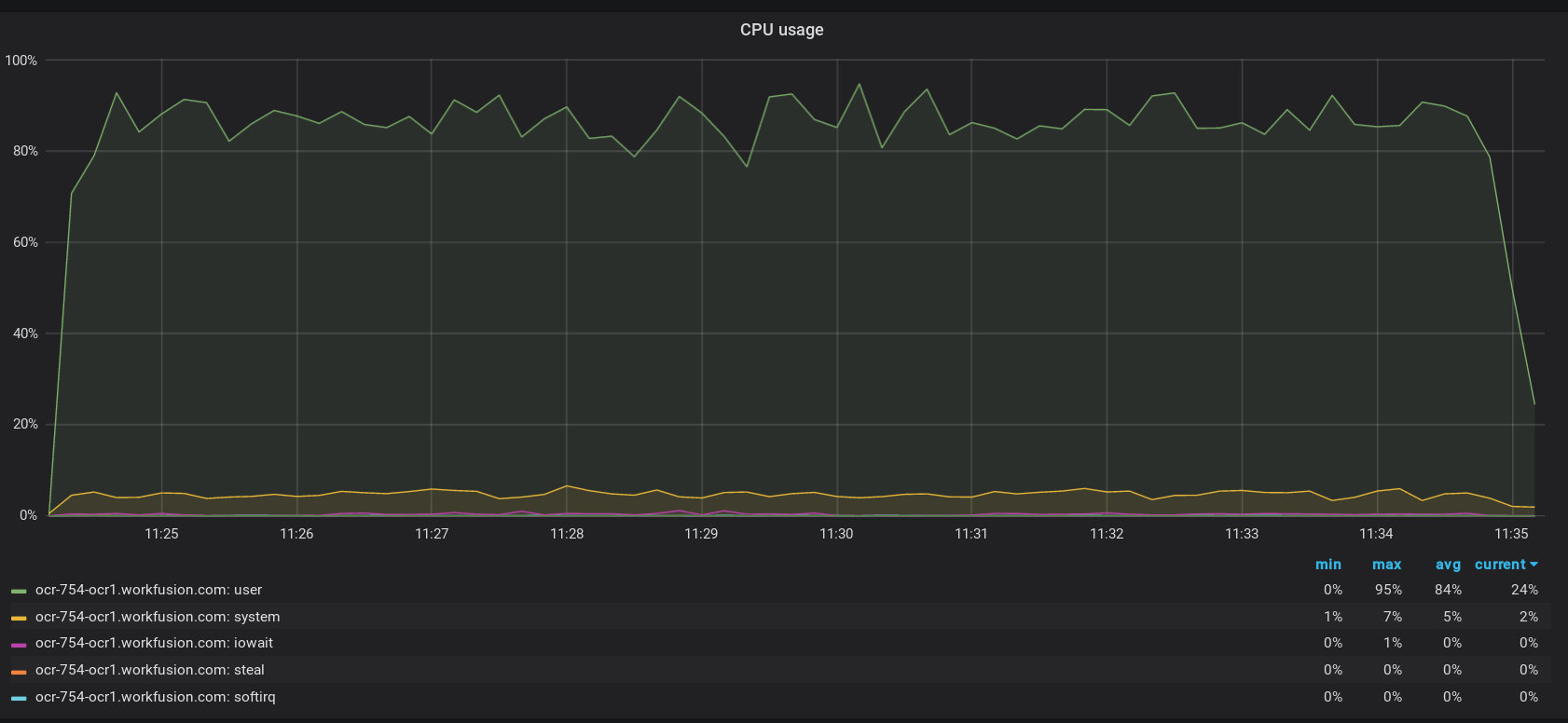
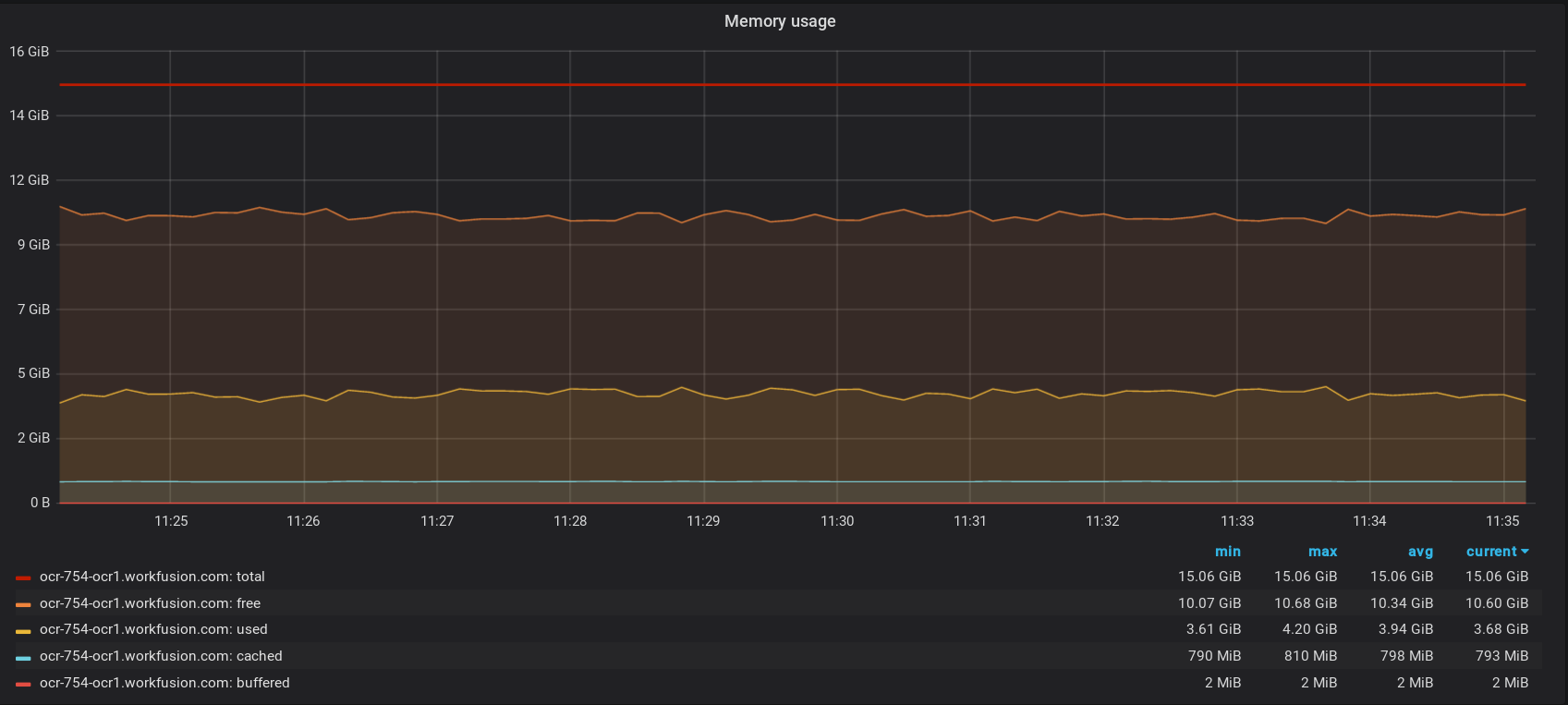
Option 9
Hardware: Intel(R) Xeon(R) Platinum 8175M CPU @ 2.50GHz, 4 Core(s), 16 GB RAM
Load: mixed, 200 images (one page), no special parameters
Processing time: 12 min
Throughput: ~ 1,000 pages/hour
Comparison with SPA 9.X
Conclusion
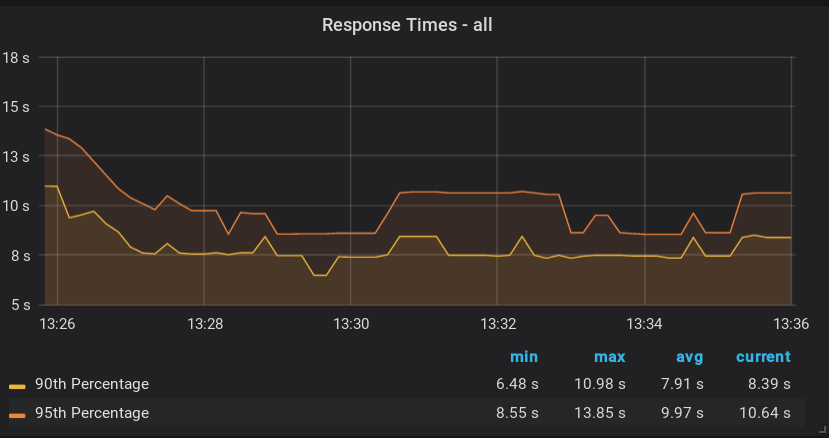
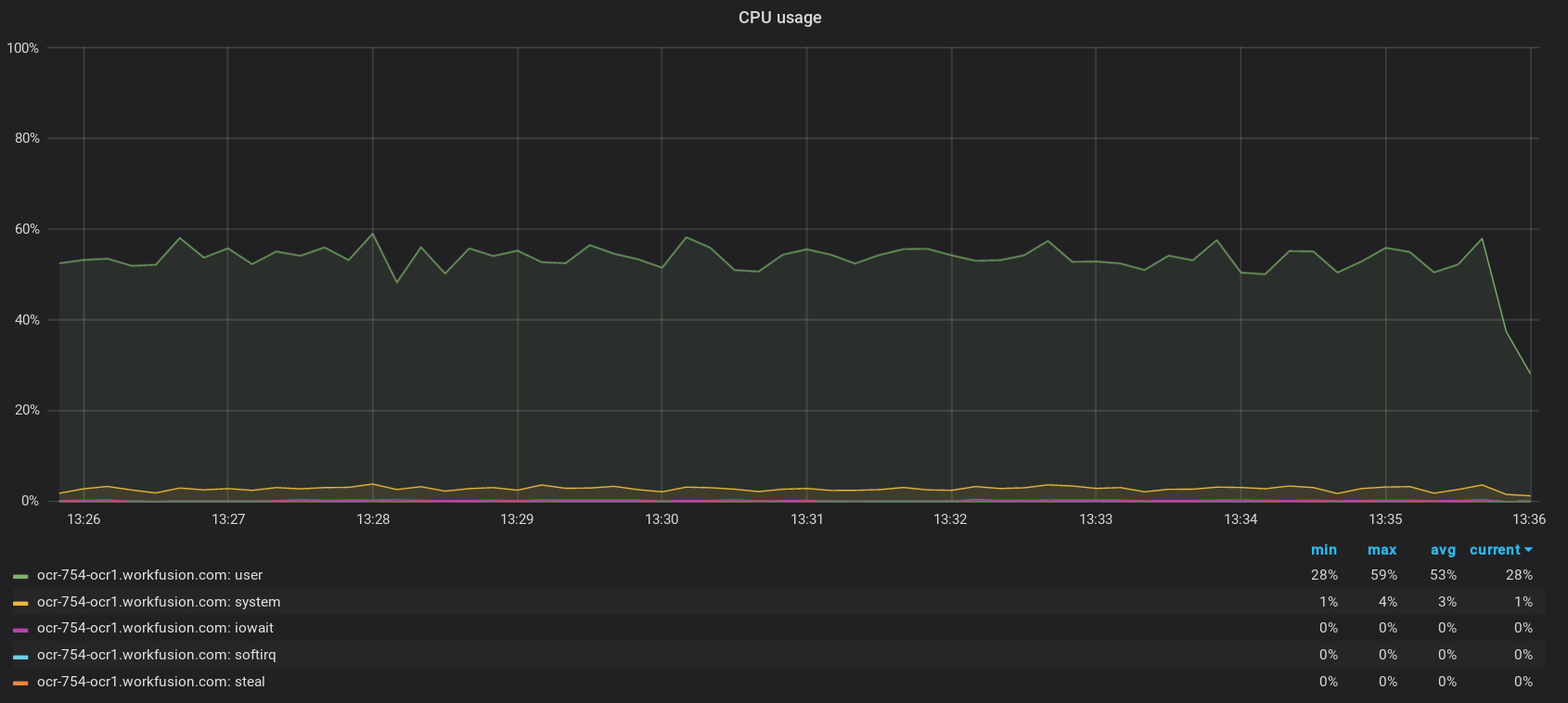
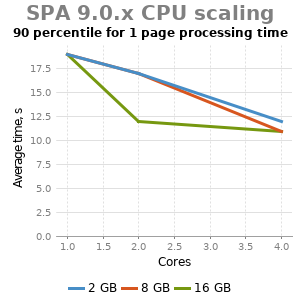
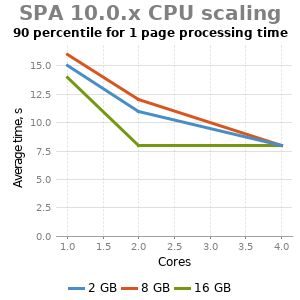
- As part of Intelligent Automation Cloud, OCR on Linux has almost linear scaling capabilities.
- Each processing thread (Worker) can fully utilize CPU.
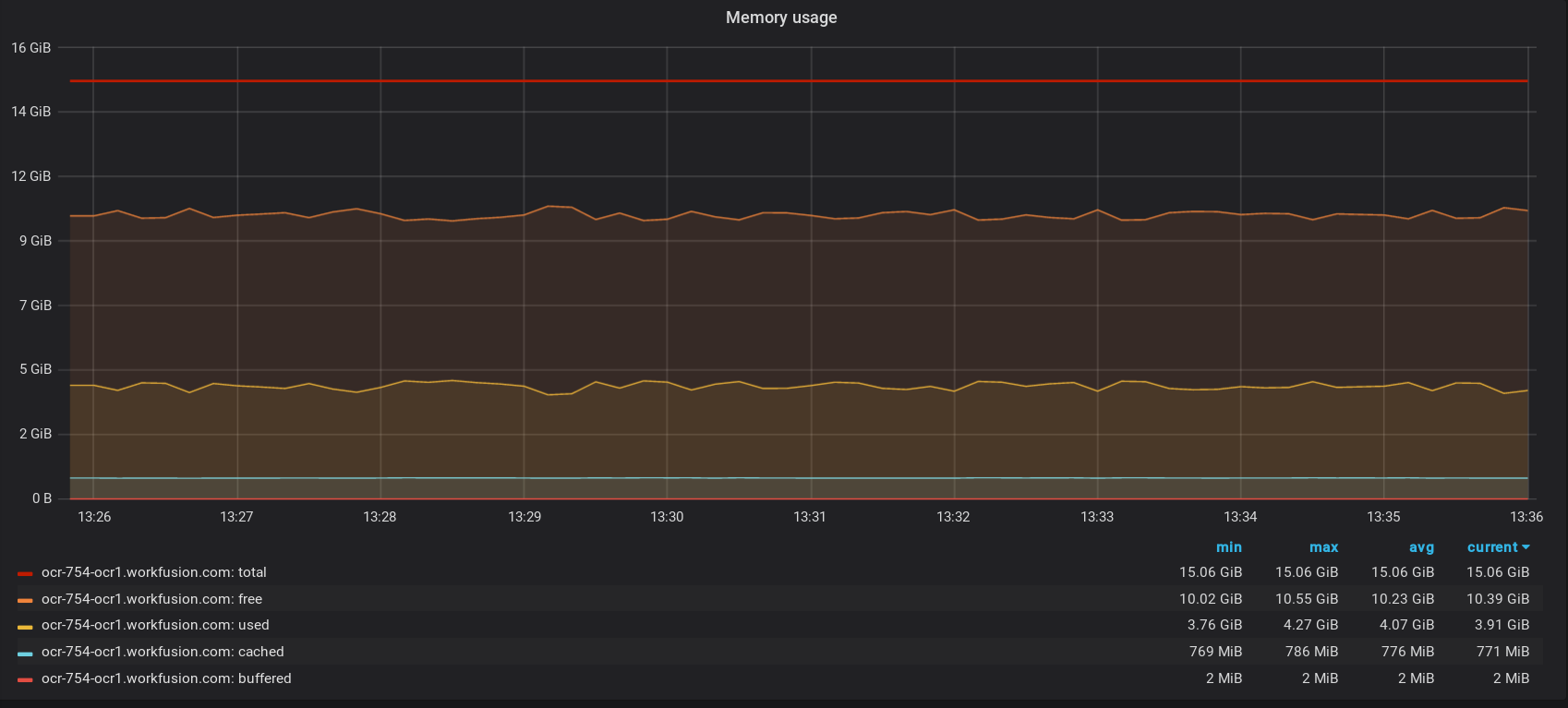
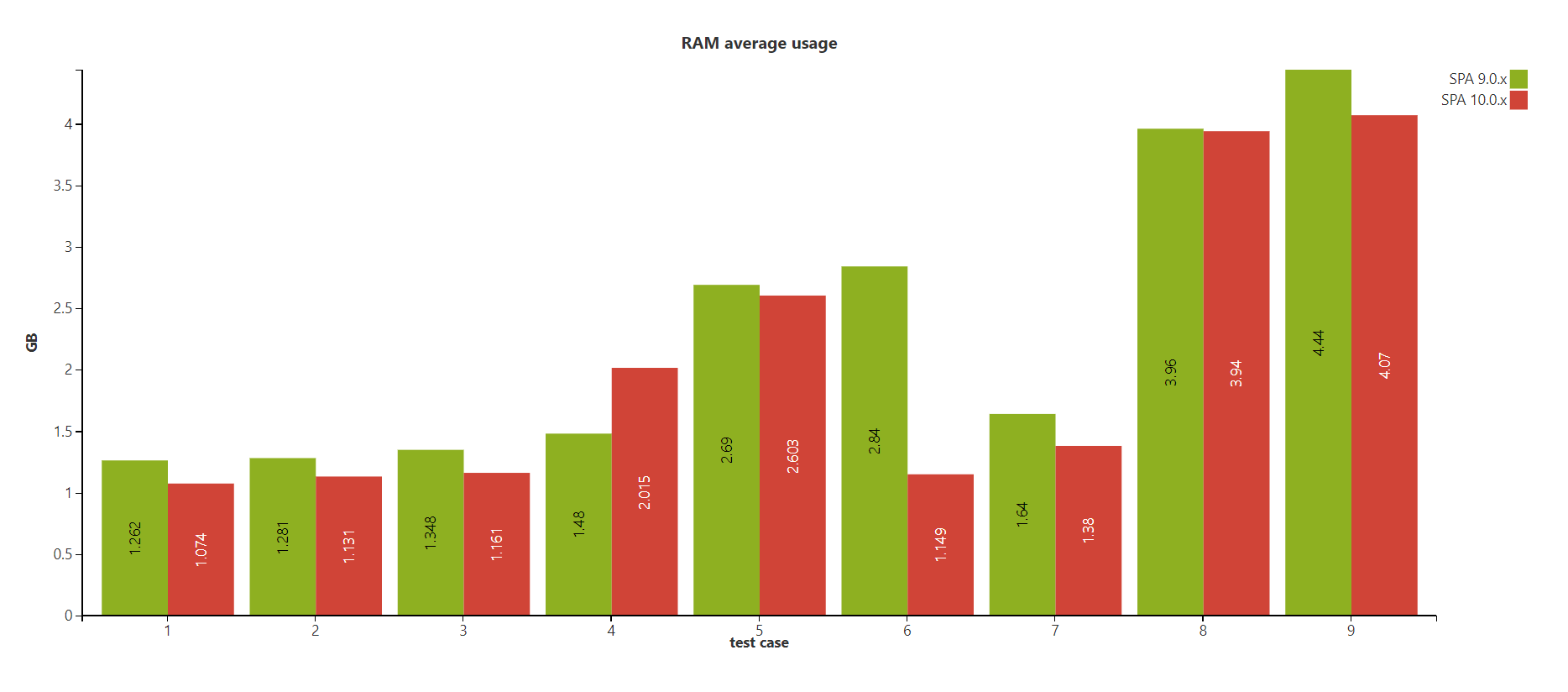
- Each OCR Worker requires 2 GB of memory for one-page documents.
- OCR with two Workers consumes less than 5 GB of memory for one-page documents (4.07 max).
- It is better to have 1 OCR worker + 1 Core for OCR API and system processes.
- The optimal hardware requirements are as follows: 4 Cores, 8 GB.
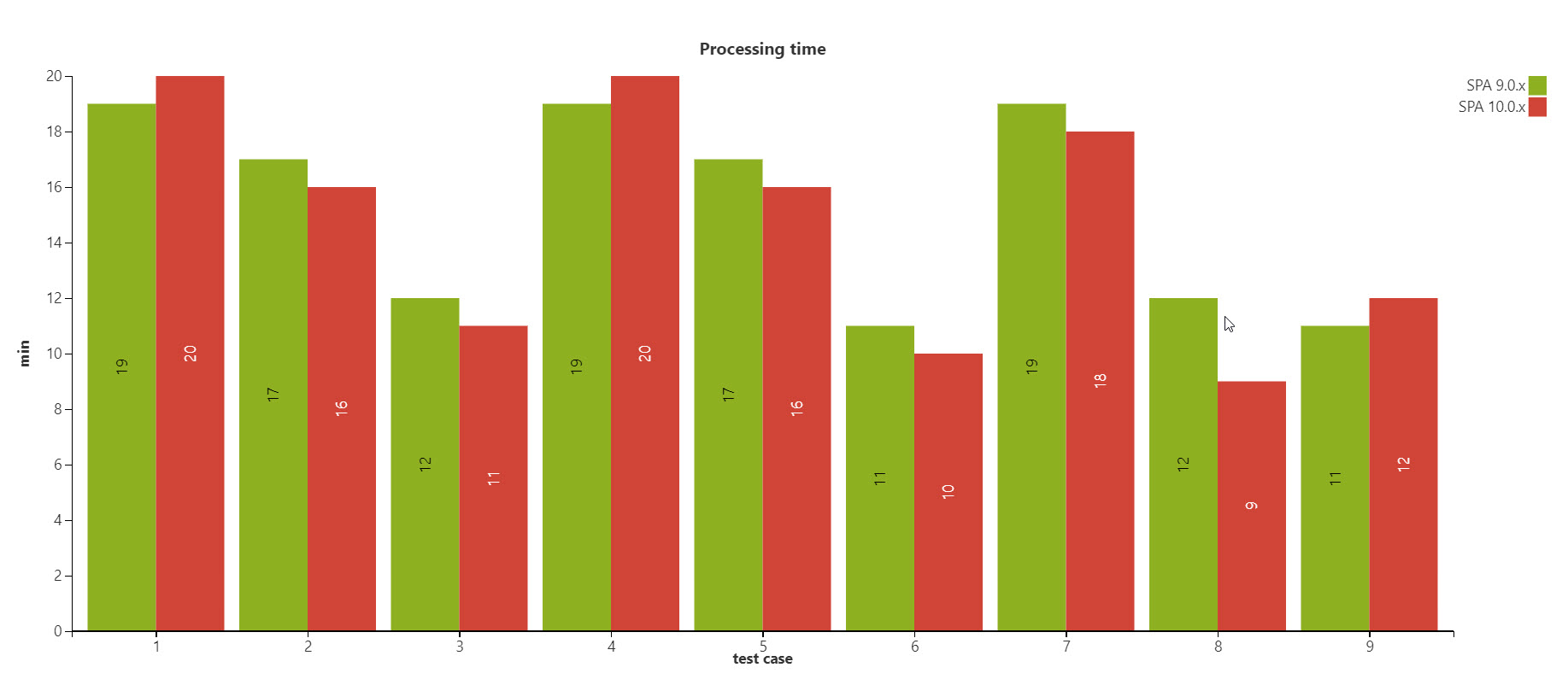
- With specific configurations, Enterprise Edition 10.0.x has better processing time than SPA 9.0.x.