
Increase extract timeout
To increase the extract timeout, change the Nginx configuration files listed below.
CT server
Open the
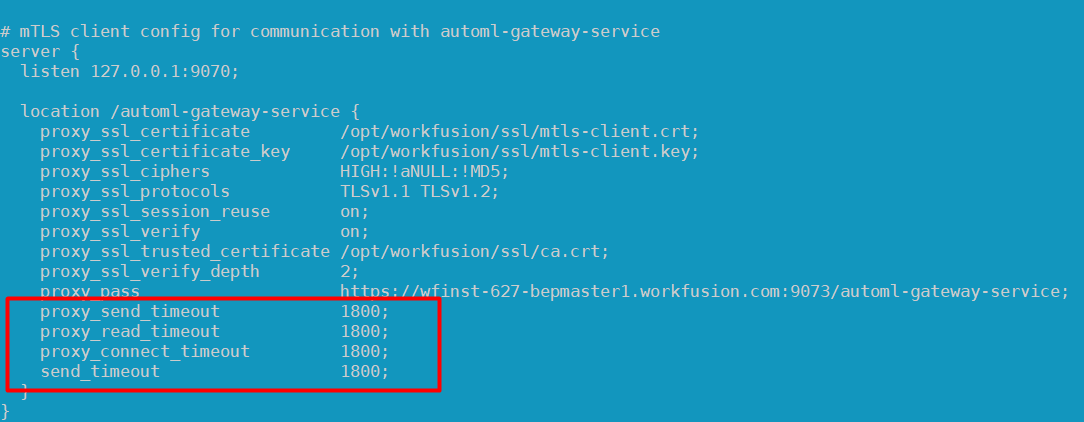
INSTALL_DIR/nginx/sites/workfusion-mtls.conffile. In the/automl-gateway-servicesection, add or modify the following parameters:proxy_send_timeout 1800proxy_read_timeout 1800proxy_connect_timeout 1800send_timeout 1800
The screenshot below illustrates the changes:
On each APP server, restart the Nginx service:
wfmanager restart nginx
BEP Master server
Open the
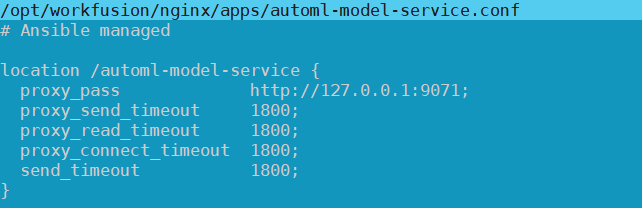
INSTALL_DIR/workfusion/nginx/apps/automl-model-service.conffile. It can also be located in theINSTALL_DIR/workfusion/nginx/sitesdirectory. In the file, change or add the same parameters:proxy_send_timeout 1800proxy_read_timeout 1800proxy_connect_timeout 1800send_timeout 1800
The screenshot below illustrates the changes:
Edit the
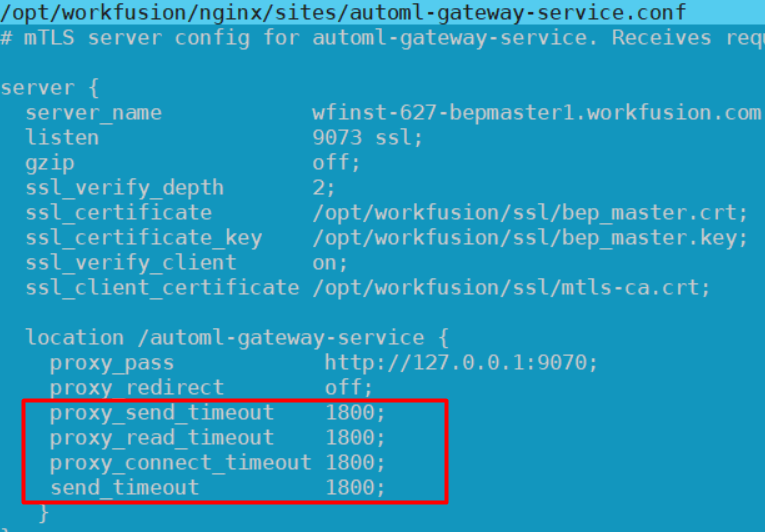
INSTALL_DIR/workfusion/nginx/sites/automl-gateway-service.conffile by changing or adding the following parameters:proxy_send_timeout 1800proxy_read_timeout 1800proxy_connect_timeout 1800send_timeout 1800
The screenshot below illustrates the changes:
On the BEP Master, restart the Nginx service:
wfmanager restart nginx
BEP Agent servers
Open the
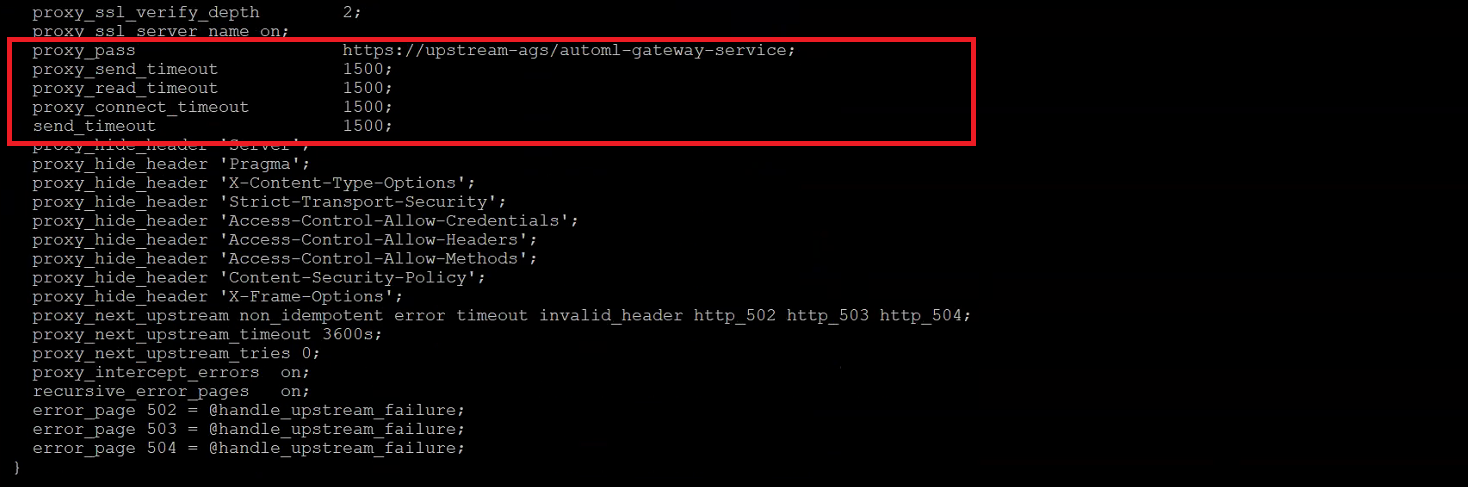
INSTALL_DIR/workfusion/nginx/sites/worker-mtls.conffile. It can also be located in theINSTALL_DIR/workfusion/nginx/sitesdirectory. In the file, change or add the following parameters:proxy_send_timeout 1800proxy_read_timeout 1800proxy_connect_timeout 1800send_timeout 1800
The screenshot below illustrates the changes:
On the BEP Agent server, restart the Nginx service:
wfmanager restart nginx