Investigate performance hot spot in environment
To find performance hot spots:
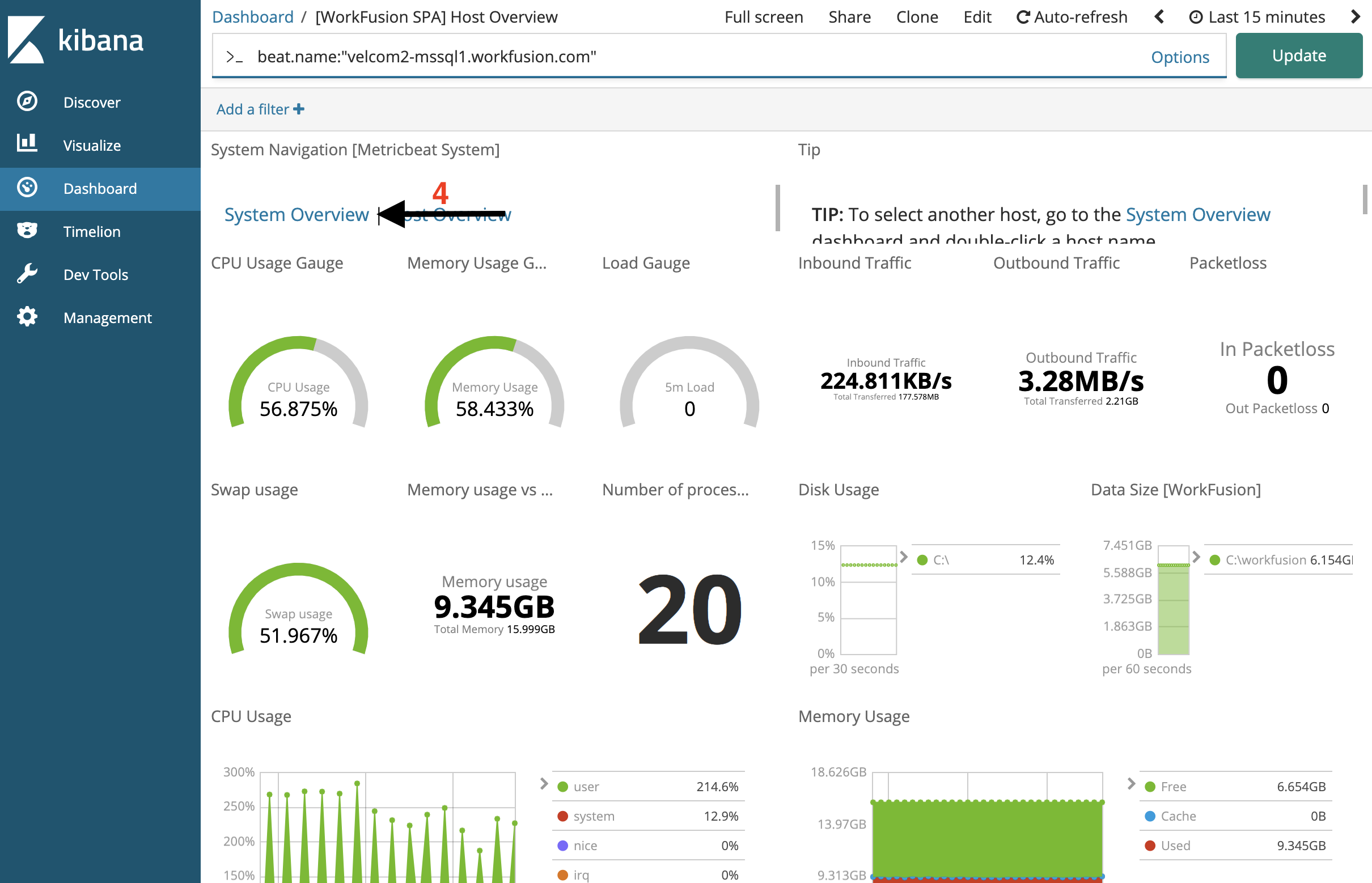
In Kibana, click Dashboard > System Overview.
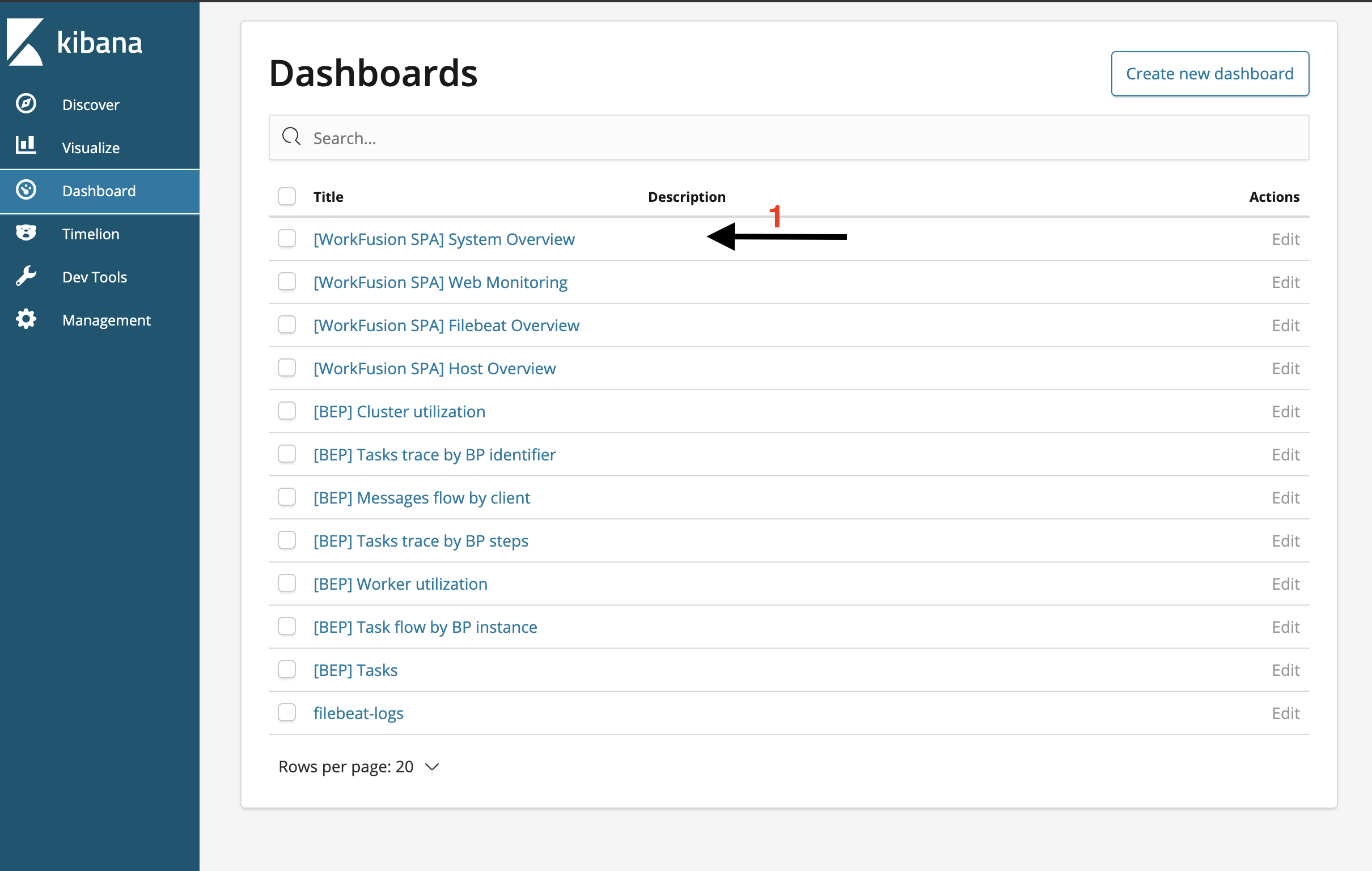
In the Top hosts by CPU group, click a host with the highest CPU load.
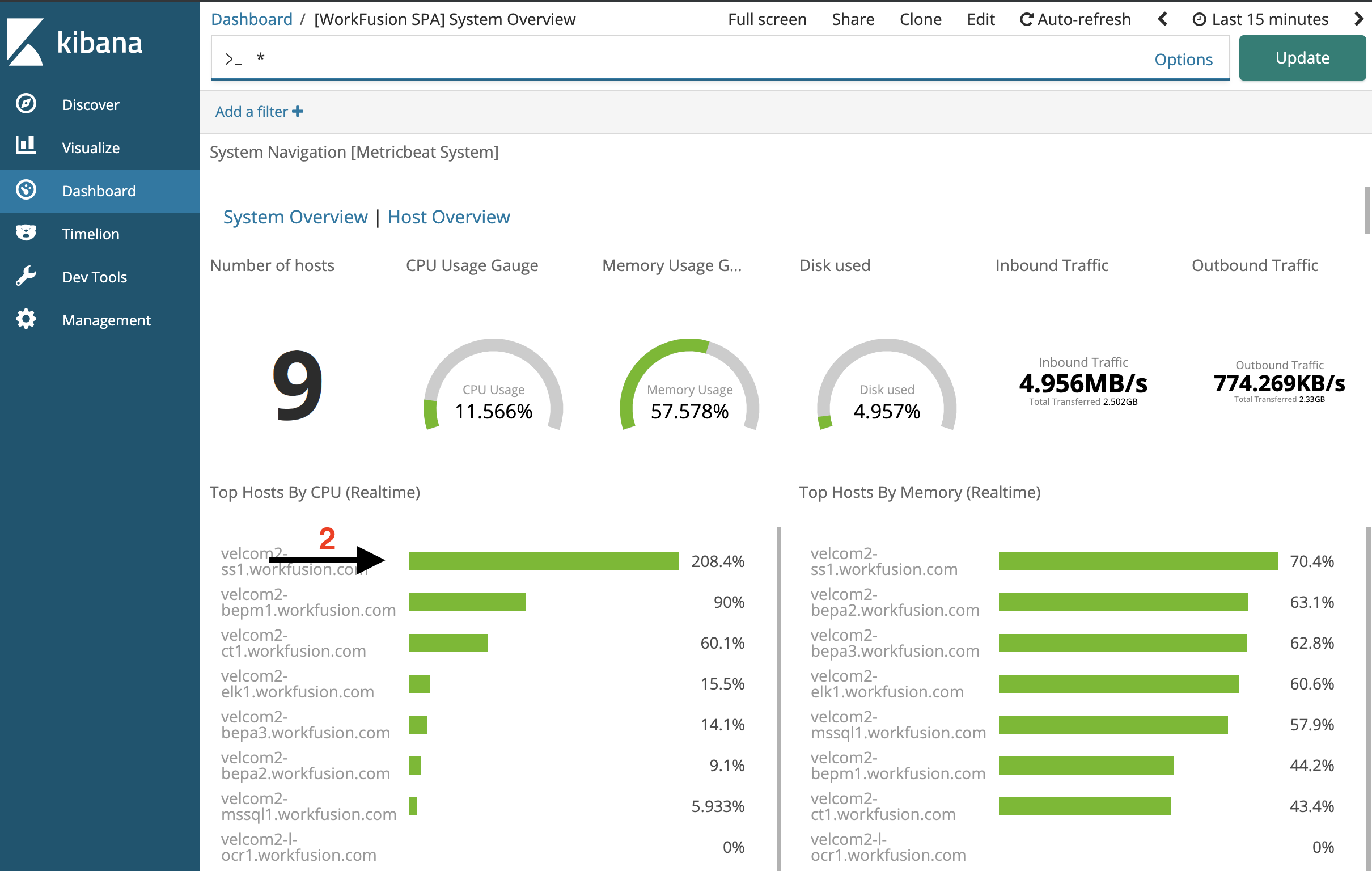
Find a process with the highest CPU load.
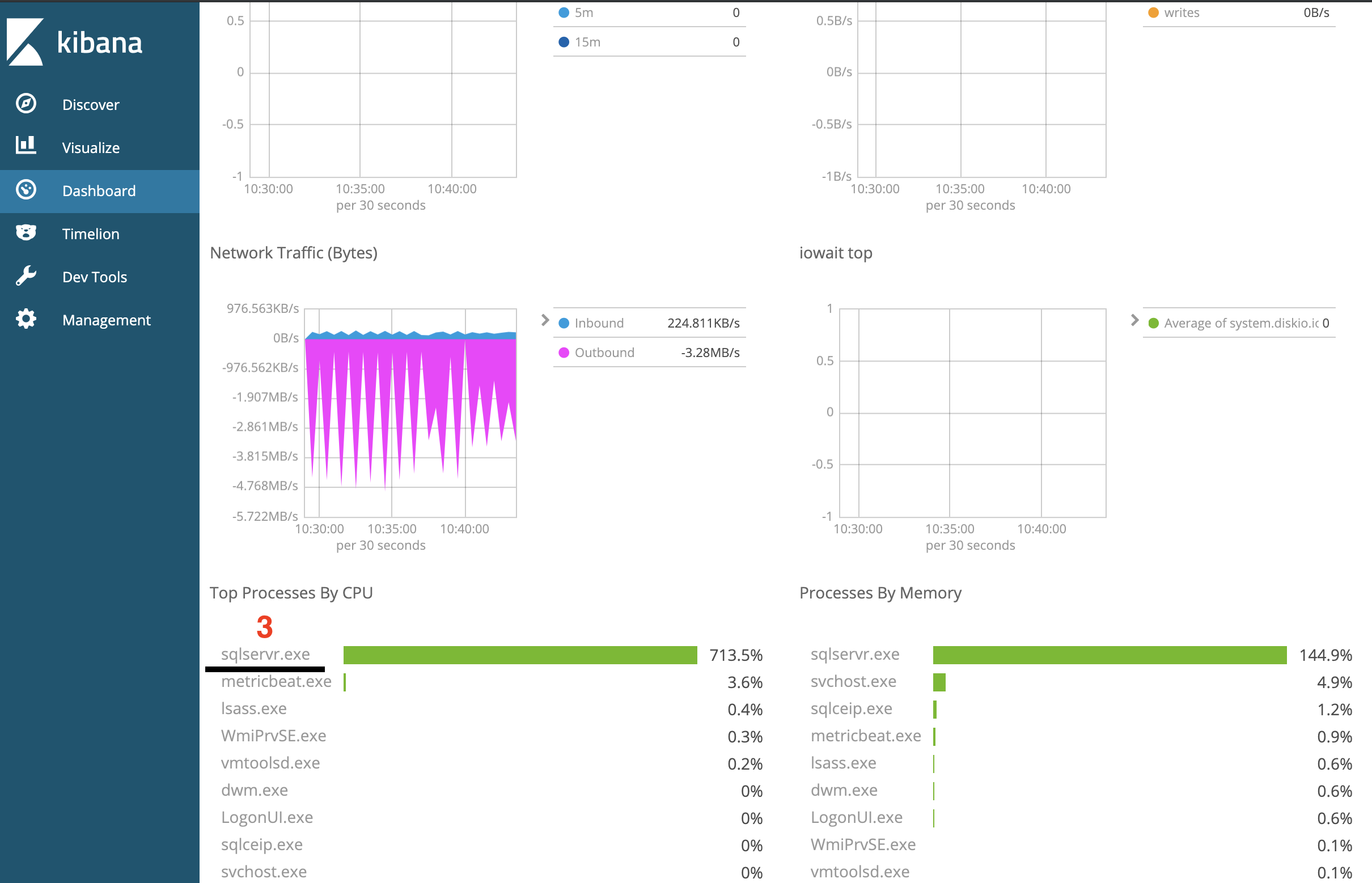
To return to the first dashboard, click System Overview.