
Automatic updates of browser drivers
Overview
The driver automatic update feature allows automatic updates of specific browser driver software on an RPA Server without stopping the environment.
Currently, the driver automatic update is applicable for the Chrome and Microsoft Edge browsers.
Prerequisites
For correct work of the driver automatic update feature, RPA servers need to have access to the following Internet resources:
- https://chromedriver.storage.googleapis.com/ for the Chrome driver update
- https://msedgedriver.azureedge.net/ for the Edge driver update
Location
You can find the auto-updated drivers using the following paths:
- Chrome:
[RPA_install_dir]/rpa-grid/drivers/windows/chromedriver/win32/[version]/chromedriver.exe - Edge:
[RPA_install_dir]/rpa-grid/drivers/windows/msedgedriver/win64/[version]/msedgedriver.exe
Usage
To enable the feature, do as follows:
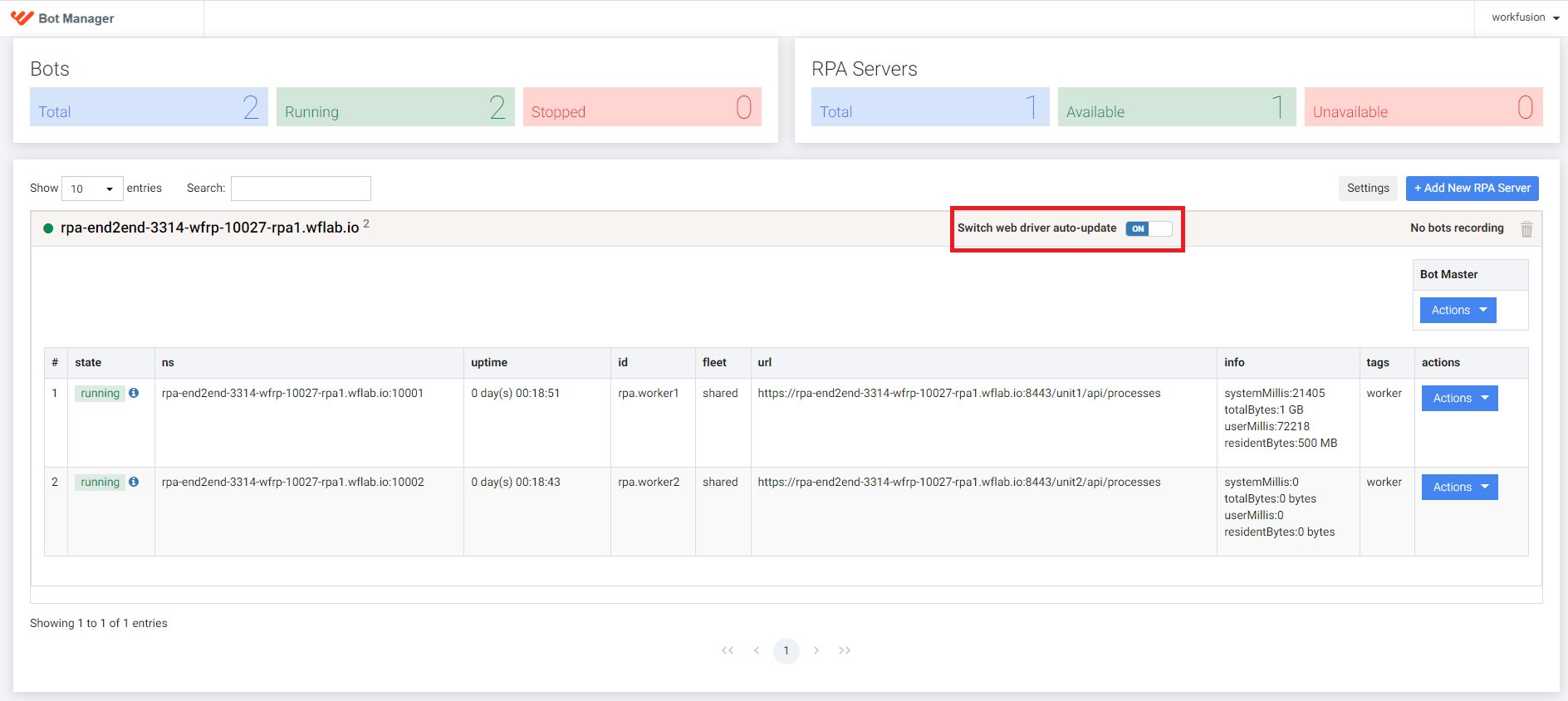
Go to Control Tower > Bot Manager and select the RPA Server where you want to enable the driver automatic update.
Switch the ON toggle:
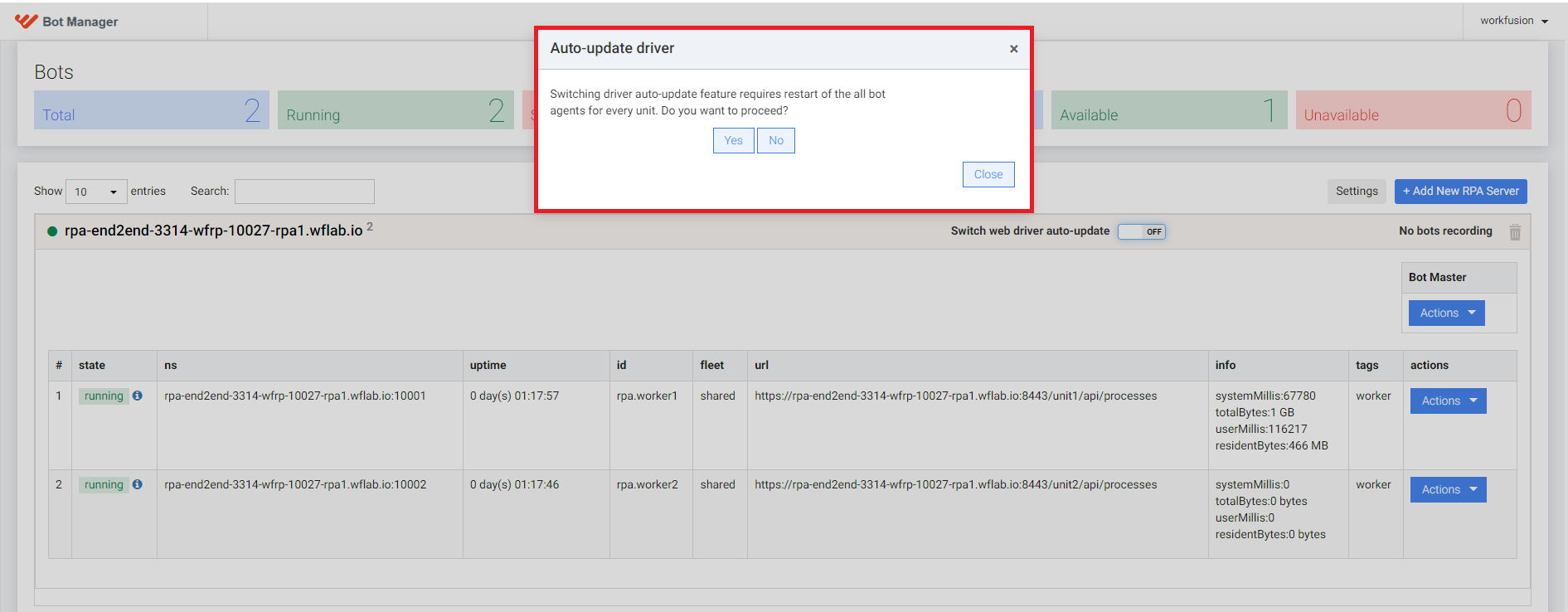
Restart the RPA infrastructure on the affected server. In the Auto-update driver window that follows, click Yes to proceed with the restart of Bot Agents.
You can configure automatic updates for each server separately: turn it ON for the servers where you need it and OFF for the rest. By default, the automatic update feature is disabled for all servers.
Logs
The following logs appear in the Worker log file when the driver is updating:
com.workfusion.universal.factory.UniversalDriverFactory.createDriverSession[:124] - Current browser version is not compatible with WebDriver! Trying to automatically update.
io.github.bonigarcia.wdm.online.Downloader.downloadAndExtract[:127] - Downloading https://chromedriver.storage.googleapis.com/104.0.5112.79/chromedriver_win32.zip
Or:
io.github.bonigarcia.wdm.WebDriverManager.manage[:1184] - Driver chromedriver 104.0.5112.79 found in cache
To check if the driver automatic update feature is turned on or off, search for the following logs:
The feature is turned on:
rpa.driver.auto-update=trueThe feature is turned off:
rpa.driver.auto-update=false
Exemplary use case
When the automatic update feature is turned on, you can run a Business Process in Control Tower. Even if the driver is outdated, no error should occur in Control Tower, since the driver is automatically updated. The information about the outdated driver is visible in the Worker log file:
2022-08-30 14:17:21,449 INFO [pool-19-thread-1] org.openqa.selenium.grid.session.remote.ServicedSession$Factory.apply[:205] - session not created: This version of ChromeDriver only supports Chrome version 99