
Manual Task submitted from WS but no progress displayed on CT side
To investigate the cases when a Manual Task is submitted in WorkSpace (WS), but no progress is displayed in Control Tower (CT), act as follows:
Check the current status of hits:
In the CT task link, replace the task/edit part with run, for instance: HOST_NAME/workfusion/secure/run/UUID_OF_THE_MANUAL_TASK.
Check the status of the hits. For feasible statuses and their explanations, refer to the Manual Task lifecycle article.
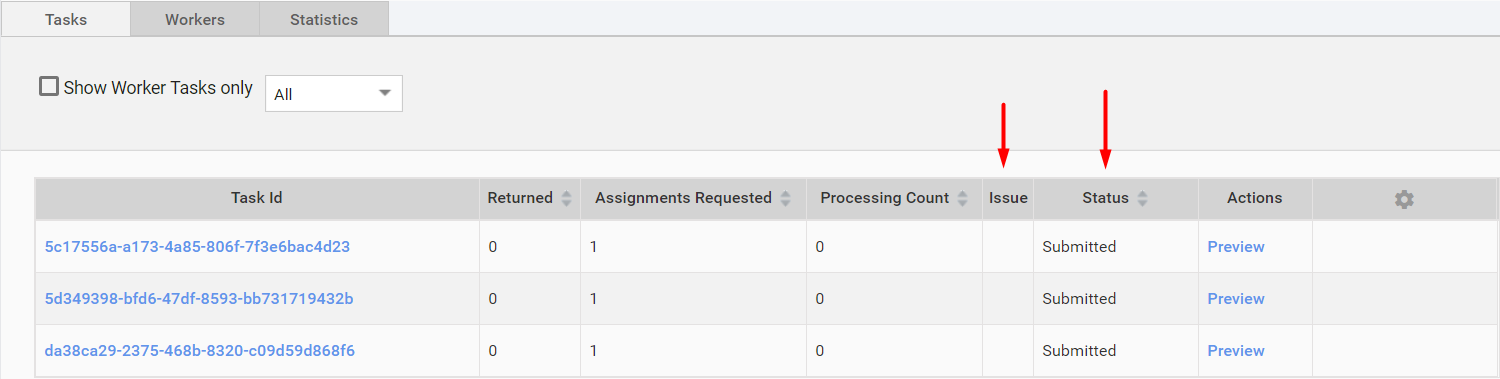
In case there are issues, check them: maybe, the reason for the failure would be obvious. If not, escalate to the Support team.
When the status is SUBMITTED, that means the Manual Task is submitted to WorkSpace, but no MT submission has reached CT.
CT might not be able to connect to WS to get updates. Check WorkSpace API.
Check the log for suspicious errors:
/opt/workfusion/workfusion/logs/crowdcontrol.log.This log contains any API calls (REST and SOAP) executed by Control Tower and all occurred exceptions. The interaction between CT and WS is happening via SOAP requests. So, these requests (and any exceptions) can be found in this log.