Get started with IDEA IDE
IntelliJ IDEA IDE allows to execute WorkFusion Bot Task unit tests. Execution of unit tests does exactly the same as Bot Task execution. Additionally, the unit test approach allows accumulating unit tests for continuous integration practice.
IDE choice is typically based on personal preferences and, in some cases, on your company's IDE policy. Thus, you can install and use the existing IDEA IDE if you prefer it over Eclipse IDE as part of Work.AI Developer.
To use IDEA IDE as a development environment, perform the following steps:
- Install IDEA IDE.
- If you plan to code RPA and/or test Business Processes on a local machine, install Work.AI Developer.
To code and test WorkFusion Bot Tasks, you can use either Community or Ultimate IDEA versions. If you don't have IDEA but would like to try or use it, download free Community Edition from the IntelliJ website.
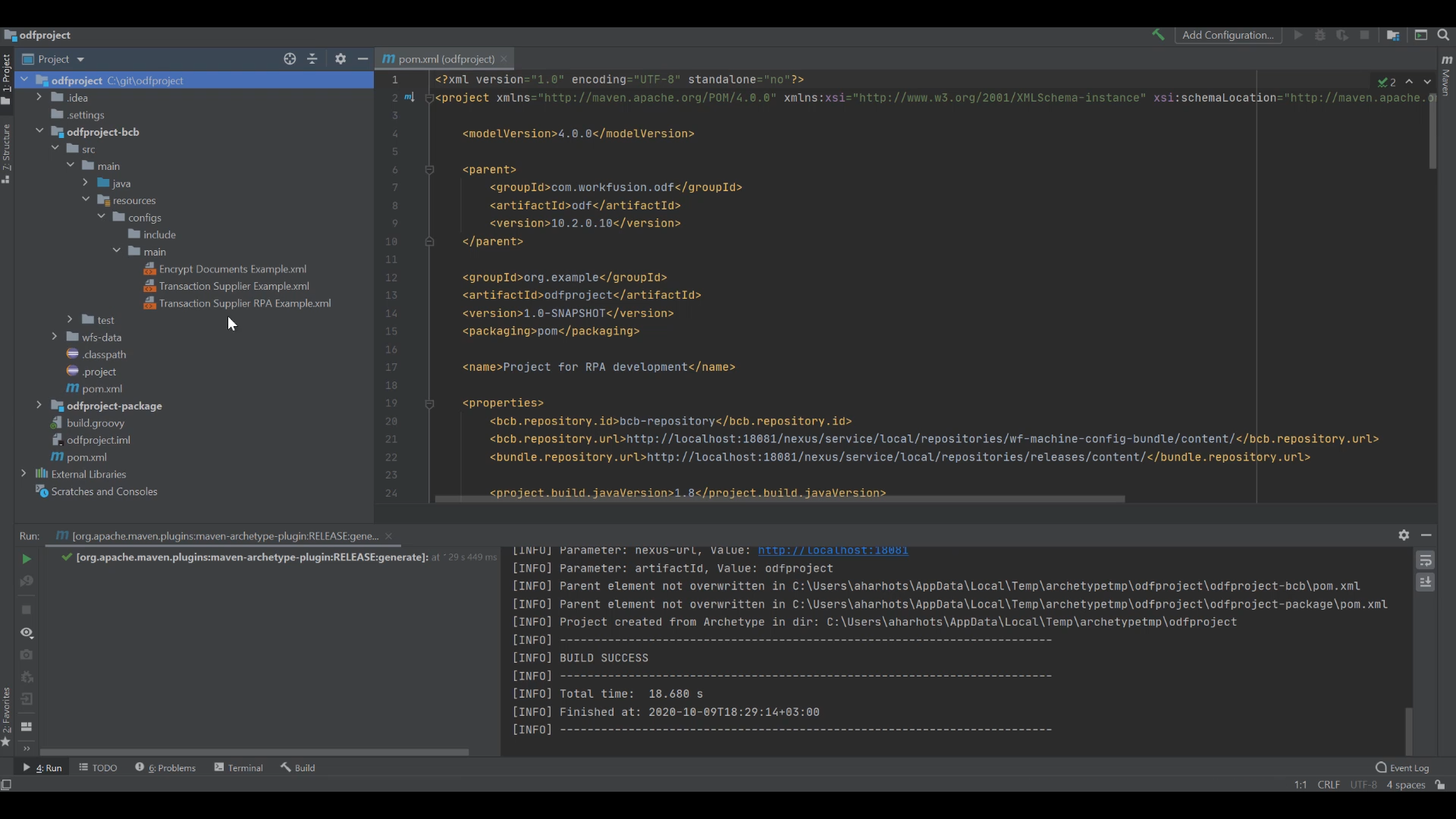
The main difference between Eclipse IDE and IDEA IDE in terms of Bot Task launch is in the user experience nuances.
- In Eclipse IDE, there is a context menu item for each Bot Task XML: Run As > Bot Task (or create Run Configuration of the WorkFusion Bot Task type). But notem that this way of execution works only for older XML-based Bot Tasks. Java classes annotated with @BotTask you will not be able to execute via context menu.
- For IDEA IDE, there is no context menu and Run Configuration. Instead, you must create a unit test for each Bot Task you would like to launch.
The advantage of the IDEA's approach to Bot Task execution is its natural accumulation of unit tests you can leverage in CI, making project changes much safer.
Your next steps are as follows: