Apply FreeMarker
The article focuses on applying the FreeMarker Template Language to deliver a legacy Manual Task design via Code Editor.
WorkFusion template variables
Review Template variables.
Use FreeMarker test tool
Apply the online FreeMarker Template Tester.
Complex Manual Task example
- Upload files.
- Validate (AJAX calls with jQuery, show results).
- Specify external instructions in an iframe.
Assignments
Using FreeMarker built-ins
Explore the online FreeMarker user guide.
Prepare a CSV file with five columns and fill in one row with data.
- In Control Tower, create a Manual Task and use the CSV file as input data.
- Using FreeMarker build-ins, output all five fields as an HTML table. Do not use Task Designer, work in the Code Editor mode.
For example, put data into the HTML table. Make the table headers out of UPPER CASE variable names. WorkFusion injects a question.data variable with all input data into FreeMarker. Use the #list build-in to iterate through question.data.

Advanced task design and media content embedding
Input: scanned invoices (PDF), HTML invoices, invoice ID.
Step 1: Detect the invoice language and if it is platform-related or not. Input = PDF invoices.
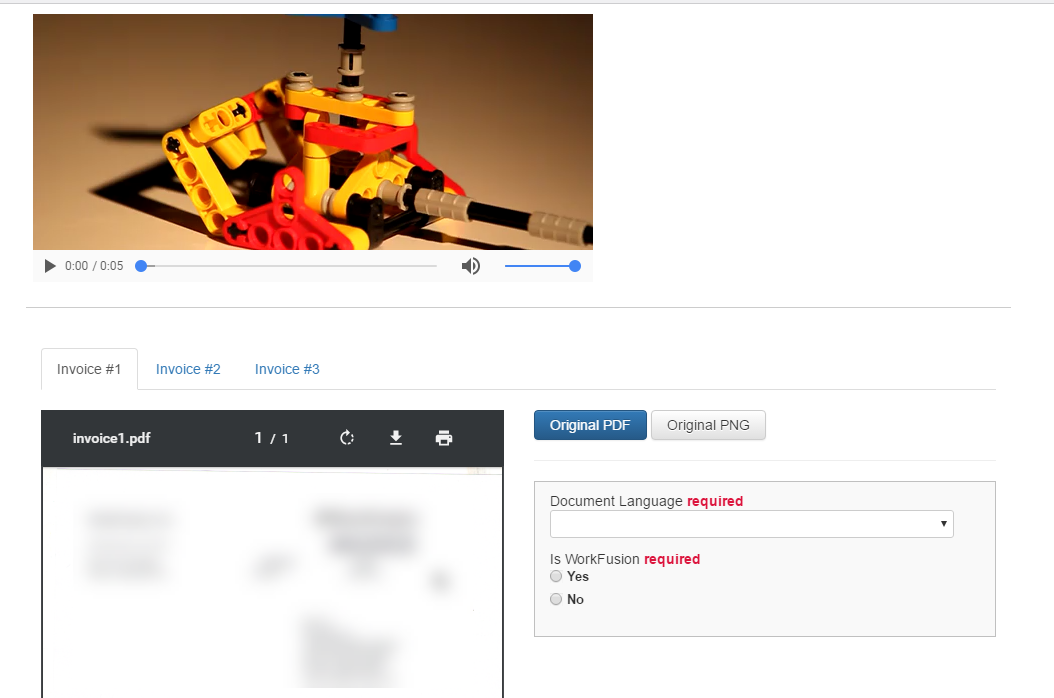
- Use Bootstrap styles and controls.
- Create a custom layout; show records as tabs (block size > 1).
- Show a PDF invoice on the left.
- Show Answers on the right.
- Optional:
- Show a video player in the Instructions section (any video file).
- Make an AJAX request to some open API (weather, Wikipedia, news) and display a response.
Rule: if the invoice is not platform-related, go to the end. Otherwise, go to Step 2.
Step 2: Extract information from the invoice (use groups for the products table). Input = HTML invoices.
- Display instructions in an iframe.
- Display Answers from the previous step.