Work with Transactions
To illustrate how user Transactions are created and processed, let's simulate a simple scenario for a Business Process (BP) consisting of two Bot Tasks:
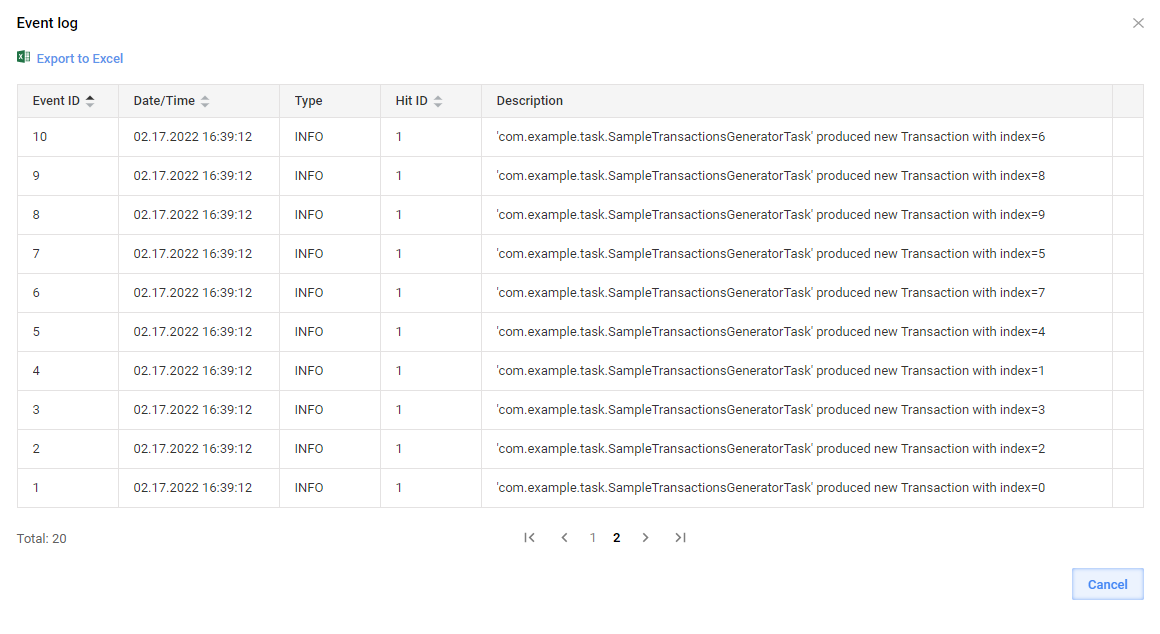
The first one generates ten dummy Transactions in a loop and splits data so that subsequent Bot Tasks are executed in parallel with the thread limits set in the Bot Source configuration. The trace of the Bot Task is visible via Events in Control Tower.
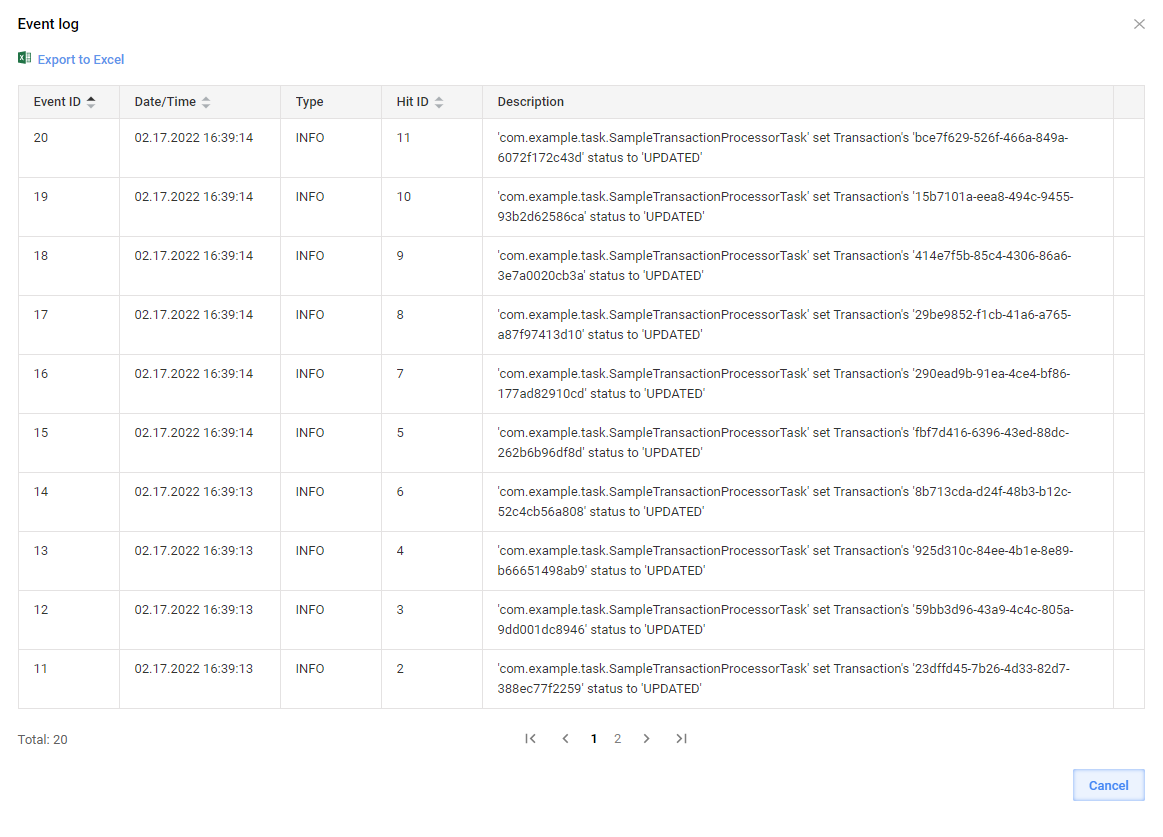
The second one contains the single Transaction code. For visibility, the Transaction status is set to a custom value. The trace of the Bot Task is visible via Events in Control Tower.
Design sample transaction generator
To design a custom runner for the sample transaction generator, follow the steps below:
Define an interface for the Bot Task to generate multiple arrays of output data.
OdfTaskis extended as each ODF 2 task should have a compatible runner class implementingOdfTaskRunner.public interface SampleTransactionGenerator extends OdfTask {
@Override
default Class<? extends OdfTaskRunner<?>> getRunnerClass() {
return SampleTransactionsGeneratorRunner.class; // here we are linking our new task type to the runner we are just about to write
}
Collection<Transaction> run();
}Create a runner:
public class SampleTransactionsGeneratorRunner implements OdfTaskRunner<SampleTransactionGenerator> {

    private final TaskInput taskInput;

    @Inject
    public SampleTransactionsGeneratorRunner(TaskInput taskInput) {
        this.taskInput = taskInput;
    }

    @Override
    public TaskRunnerOutput run(SampleTransactionGenerator task) {
         return task.run() // runner will call the task code
                .stream()
                .map(transaction -> new TransactionResult(taskInput, transaction)) // then create an output record for each transaction
                .collect(MultipleResults.toMultipleResults()); // and aggregate it
    }

}
In the Bot Task, implement
SampleTransactionGenerator. Later, you can use it in Control Tower as the first step in a custom BP.@BotTask
@Requires(TransactionModule.class)
public class SampleTransactionsGeneratorTask implements SampleTransactionGenerator {
private final TransactionRepository transactionRepository;
private final Logger logger;
@Inject
public SampleTransactionsGeneratorTask(TransactionRepository transactionRepository, Logger logger) {
this.transactionRepository = transactionRepository;
this.logger = logger;
}
@Override
public Collection<Transaction> run() {
// Here we are generating our transactions as we like.
// In production code we will probably attach some real data to these transactions.
// This is just a sample.
final List<Transaction> transactions = new ArrayList<>();
for (int index = 0; index < 10; index++) {
final Transaction newTransaction = transactionRepository.startNewTransaction("STARTED");
logger.info("'{}' produced new Transaction with index={}", getClass().getName(), index);
transactions.add(newTransaction);
}
return transactions;
}
}
Implement sample transaction processor
To enable working with an existing Transaction, implement the TransactionProcessorTask interface designed specifically for this scenario:
@BotTask
public class SampleTransactionProcessorTask implements TransactionalTask {
    // TransactionalTask is provided by ODF 2 and is already linked to a runner that handles numerous background operations.

    private final Logger logger;

    @Inject
    public SampleTransactionProcessorTask(Logger logger) {
        this.logger = logger;
    }

    @Override
    public boolean shouldRun(CurrentTransaction currentTransaction) {
        return currentTransaction.getStatus()
                .filter("STARTED"::equals)
                .isPresent(); // this task will run only if transaction status is "STARTED"
    }

    @Override
    public void run(CurrentTransaction transaction, TransactionResult result) {
        transaction.setStatus("UPDATED"); // changes will be saved to datastore by the runner
        logger.info("'{}' set Transaction's '{}' status to '{}'", getClass().getName(), transaction.getUuid(), "UPDATED");
    }

}
Build, deploy, and verify sample results
For simplicity, you can add the classes described above to a project generated from ODF 2 Simple Archetype using the BCB module. After building and deploying the project to Control Tower, proceed as follows:
Produce a simple two-step BP with two Bot Tasks generated from the classes annotated as
@BotTask: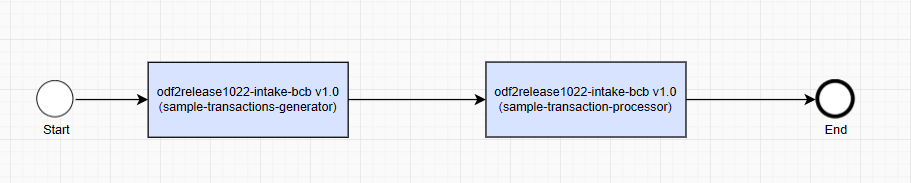
Execute the BP:

After successful completion, review the Event log popup and the uc_uc_code_transaction_v1_0 Data Store for the test AI Agent:
Operations with Transactions
Start new Transaction
To create a new Transaction object inside a Bot Task, inject TransactionRepository and call the startNewTransaction method. The method initializes a new Transaction entity with the provided status and persists it into the AI Agent Data Store. To make the next steps in a Business Process aware of the newly created Transaction, pass it to the output data by creating a new TransactionResult object. TransactionResult is a special case of SingleResult that ensures that Transaction-specific columns are correctly populated and returned.
Transaction transaction = transactionRepository.startNewTransaction("transaction_status");
return new TransactionResult(taskInput, transaction);
TransactionModule is required to get access to Transaction-related helpers, services, and repositories. Make sure to specify the module in the @Requires annotation.
Operate current Transaction
After a Transaction is created, you can access it in the next Bot Tasks of a Business Process by injecting the com.workfusion.odf2.transaction.CurrentTransaction object. It is also usually passed to methods of out-of-the-box transactional task types. CurrentTransaction provides convenient access to the Transaction attributes contained in the input record. The class also loads the whole Transaction entity from the Data Store if and when needed. Also, CurrentTransaction provides the toTaskOutput method to create TransactionResult from the Transaction.
@BotTask
@Requires(TransactionModule.class)
public class TransactionProcessorTask implements AdHocTask {

    private final CurrentTransaction currentTransaction;

    @Inject
    public TransactionProcessorTask(CurrentTransaction currentTransaction) {
        this.currentTransaction = currentTransaction;
    }

    @Override
    public TaskRunnerOutput run(TaskInput taskInput) {
        if (currentTransaction.isPresent()) {

            currentTransaction.get().setStatus("SOME NEW STATUS");
            currentTransaction.updateIfLoaded(); // will save changed status to data store
        }

        return currentTransaction.toTaskOutput();
    }

}
We recommend using TransactionalTask in the production code instead of AdHocTask.
The runner for TransactionalTask contains all boilerplate code for checking if the Transaction exists, saving it to the Data Store, result conversion, and much more.
You will need to write only the business logic, like, in this case, currentTransaction.get().setStatus("SOME NEW STATUS");.
CurrentTransaction provides the following practical methods:
Optional<UUID> getId()returns a Transaction ID if the task input contains a_sys_transaction_idrecord.Optional<UUID> getParentId()returns a parent Transaction ID if the task input contains a__sys_parent_transaction_uuidrecord.Optional<String> getStatus()returns a Transaction status if the Transaction is present and the task input contains a_sys_transaction_statusrecord.boolean hasStatus(String status)checks whether the current Transaction is present and has a specific status.Optional<String> getErrorStatus()returns a Transaction error status if the Transaction is present and the task input contains a__sys_error_statusrecord.boolean hasErrorStatus(String status)checks whether the current Transaction is present and has a specific error status.boolean isPresent()specifies that the Transaction is considered present when the task input contains both_sys_transaction_idand_sys_transaction_statusrecords.Transaction get()loads a Transaction object from the Data Store.TransactionResult toTaskOutput()creates aTransactionResultobject from the loaded Transaction.void updateIfLoaded()updates the Transaction state inside the Data Store if the Transaction was loaded previously.
You can perform an operation with a Transaction in a lazy manner—without reading and writing back actual Transaction data from a Data Store and initializing an object. In some scenarios, it's enough to know _sys_transaction_id and _sys_tansaction_status received by the Bot Task with input data.
Transaction skipping
For better understanding of the section, we recommend reading the documentation on the task lifecycle methods.
ODF 2 presumes that not each input received by the task should be processed. Some kinds of input must be returned as output without invoking the task logic.
If the task is written to be executed on a Transaction, it must not run on input that does not contain Transaction attributes. For example, monitor tasks produce an empty record on their last iteration (due to the platform limitation, a task cannot run without producing output). Such inputs contain no business data, and there is no sense in trying to process them.
If a Transaction is marked as erroneous (with a non-empty error status), it must be processed only by those tasks that are explicitly marked as such.
Any task can contain a code to decide whether to process given input.
There is a functionality called skipping to specific Bot Task that is used by Split and Join tasks.
All conventions are implemented in the BaseTransactionalTaskRunner class. Tasks built upon this runner (including those based on the TransactionalTask interface that we recommend for everyone to use) automatically take advantage of this logic. Thus, you can assume that CurrentTransaction that the task's run() method receives is present and has no error status.
BaseTransactionalTaskRunner.shouldRun() details
The Odf class calls the shouldRun() method of a runner. If the method returns true, Odf calls run(). Otherwise, it calls insteadOfRunning().
BaseTransactionalTaskRunner.shouldRun() is a method that implements all conventions on Transaction skipping:
@Override
public boolean shouldRun(T task) {
/* 1 */    shouldSkipExecution = shouldSkipExecutionByBotTaskName(task);
/* 2 */    return currentTransaction.isPresent()
/* 3 */            && (currentTransaction.hasNoErrorStatus() || shouldProcessErrors(task))
/* 4 */            && OdfTaskRunner.super.shouldRun(task)
/* 5 */            && task.shouldRun(currentTransaction)
/* 6 */            && !shouldSkipExecution;
}
The workflow is as follows:
- Lines 2 and 3 state that the Transaction will not be processed if it is absent or has some error status. The task can implement the
shouldProcessErrors()method and returntrueto be called on erroneous Transactions. - Line 4 eventually calls the task's
shouldRun()method, so it can decide whether it must run. - Line 5 does essentially the same but calls the
shouldRun(CurrentTransaction)method introduced in theBaseTransactionalTaskinterface. The method receives a (non-absent)CurrentTransactionobject, so you do not need to inject it in the constructor, thus avoiding unneeded boilerplate code. - Lines 1 and 6 refer to skipping to the specific Bot Task functionality.
Skipping to specific Bot Task
The primary goal of skipping to the specific Bot Task is to allow retrying of failed Transactions and to fix some issues with error handling in Split and Join tasks.
Essentially, the Transaction entity has a new field called skip_until. It can be empty or contain a name of some task's Java class. Any transactional task must skip a Transaction with this (non-empty) field until it reaches the task it is intended for. Once it reaches the task, the skip_until field is cleared, and the Transaction is processed as usual.

To use the feature, set the field:
transaction.get().setSkipUntil("SomeTask");
If the Transaction is skipped based on the feature, the insteadOfRunning() lifecycle method is not called. The processSkippedBotTaskResult() method is called instead.
For the feature to work correctly, all tasks in a Business Process must be based on BaseTransactionalTask or one of its descendants. It can also be manually implemented in any task or runner with the help of SkipBotTaskExecutionService, like it is done in BaseTransactionalTaskRunner. Out-of-the-box ODF 2 tasks based on AbstractTransactionConsumingTaskRunner support the feature.
Limitations and corner cases
Bridge tasks, for example, OCR Bridge and ML Bridge, currently do not support the skipping logic. To route a Transaction with skip_until to those tasks, apply a rule.
If a Transaction with skip_until must pass through some existing rule to reach the desired task, you can modify the rule to check for skip_until with a correct value. In case it is cumbersome, you can add the logic to processSkippedBotTaskResult() of the task preceding the rule. The logic can make the decision to route the Transaction and add some custom field by which the rule chooses the correct outcome.