Manual Task
The guide explains how to add a Manual Task to a Business Process based on ODF 2. When working with Manual Tasks, consider the following aspects:
- How to pass data to a Manual Task from a prior Java-based Bot Task.
- How to refer to variables from a prior Bot Task in a Manual Task.
- How to refer to a variable from a prior Manual Task in a Java-based Bot Task.
For a quick illustration, let's create a sample Business Process:

Design a sample Manual Task to output
custom_from_before_var = ${question.data.custom_from_before_var}and create a new variable (Answer) in thesome_var_from_mt(Unique Code) format: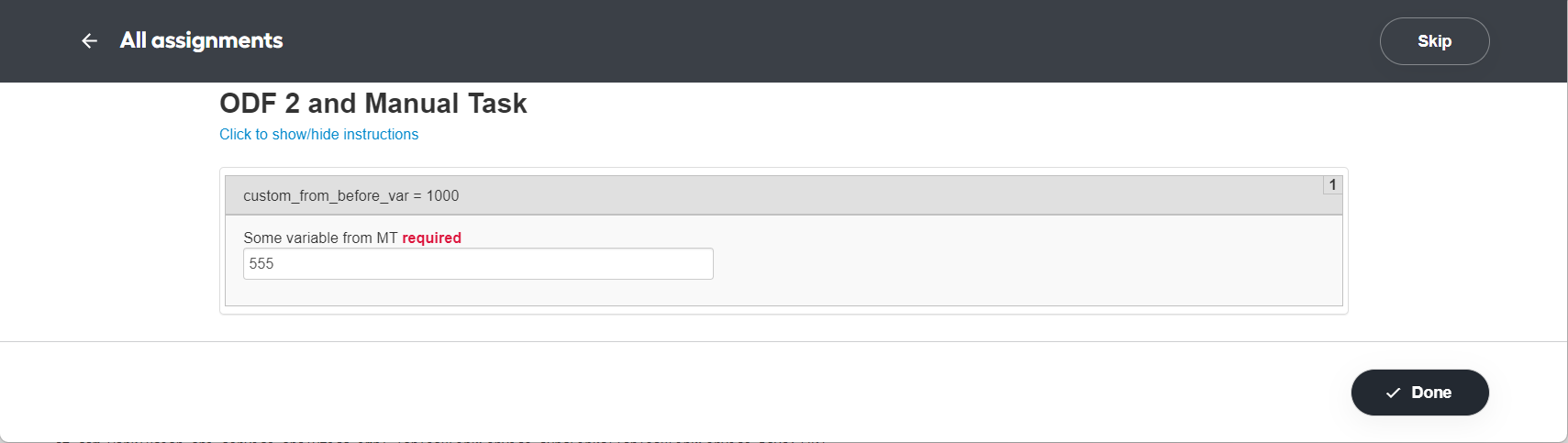
Put the code of the first Bot Task before the Manual Task:
package com.example.intake.task;

import com.workfusion.odf2.compiler.BotTask;
import com.workfusion.odf2.core.task.generic.GenericTask;
import com.workfusion.odf2.core.webharvest.TaskOutput;
import javax.inject.Inject;

@BotTask
public class BotBeforeManualTask implements GenericTask {

    private final TaskOutput taskOutput;

    @Inject
    public BotBeforeManualTask(TaskOutput taskOutput) {
        this.taskOutput = taskOutput;
    }

    @Override
    public void run() {
        taskOutput.setColumn("custom_from_before_var", "1000");
    }

}
Put the code of the second Bot Task after the Manual Task:
package com.example.intake.task;

import com.workfusion.odf2.compiler.BotTask;
import com.workfusion.odf2.core.task.generic.GenericTask;
import com.workfusion.odf2.core.webharvest.TaskInput;
import com.workfusion.odf2.core.webharvest.TaskOutput;
import org.slf4j.Logger;
import javax.inject.Inject;
import java.util.Optional;

@BotTask
public class BotAfterManualTask implements GenericTask {

    private final TaskInput taskInput;
    private final TaskOutput taskOutput;
    private final Logger logger;

    @Inject
    public BotAfterManualTask(TaskInput taskInput, TaskOutput taskOutput, Logger logger) {
        this.taskInput = taskInput;
        this.taskOutput = taskOutput;
        this.logger = logger;
    }

    @Override
    public void run() {
        Optional<String> customFromBeforeVar = taskInput.getVariable("custom_from_before_var");
        String manualTaskVar = taskInput.getRequiredVariable("some_var_from_mt");

        logger.error("BOT AFTER MT custom_from_before_var = " + customFromBeforeVar.get());
        logger.error("BOT AFTER MT some_var_from_mt = " + manualTaskVar);

        taskOutput.setColumn("custom_from_before_var", customFromBeforeVar.get());
        taskOutput.setColumn("some_var_from_mt", manualTaskVar);
    }

}
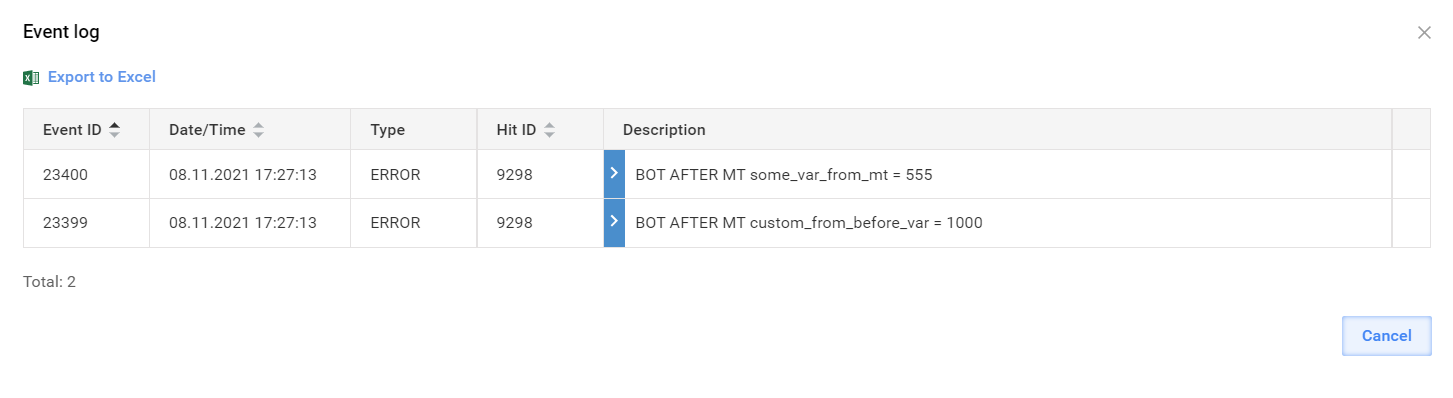
After you execute the Business Process with empty input data, the resulting data shows both variables accumulated. As you logged both variables, they appear in the Control Tower's Event log popup.