
RPA Express 2.1.4
note
Available from November 22, 2018.
Installation
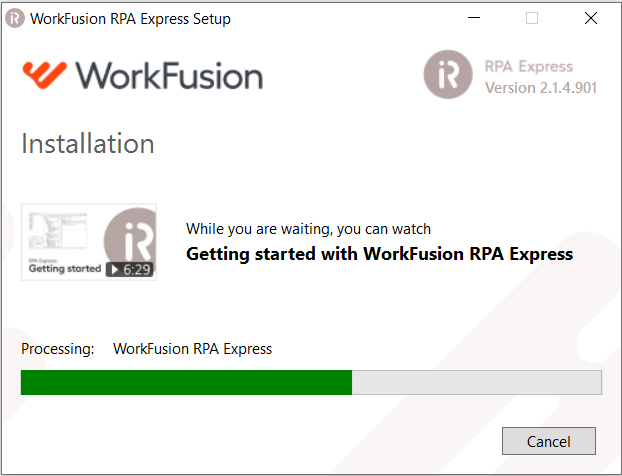
- Now, user can watch getting started video to get familiar with the product while it is being installed. There is a video thumbnail on the installer screen along with the progress bar. Upon clicking the video thumbnail, it opens in browser.
- Firewall block rules (
BlockPortHubandBlockPortNodes) are not created during installation. - To reduce the probability of antivirus false positive detections on custom action execution, all compiled artifacts (dll, exe, msi) are signed by passing
SingOutput=trueparameter.sign.propertiesfiles withSignToolPathandSignToolParamsproperties are placed into the root repository folder.
RPA
- After installation of RPA Express under Admin user, non-admin users can use IE in their automation. To implement this, RPA register patches are applied for all Windows users. A corresponding checkbox is added to installer dialogs and enabled by default.
Other improvements
- RDP files for bots use their own printers.
Bug fixes
- Approve for install should be displayed after pushing on Install.
- Remove UAC approve with timeout after cancelling/fail update for recovery.