
Tips and tricks
The present section is aimed to share knowledge and experience with the Intelligent Automation Cloud Business users and provides some useful hints to use in their automation tasks.
General
Checking your product version
Expand to learn more
You can check your Intelligent Automation Cloud version via Control Panel > Programs > Programs and Features. See the example below.
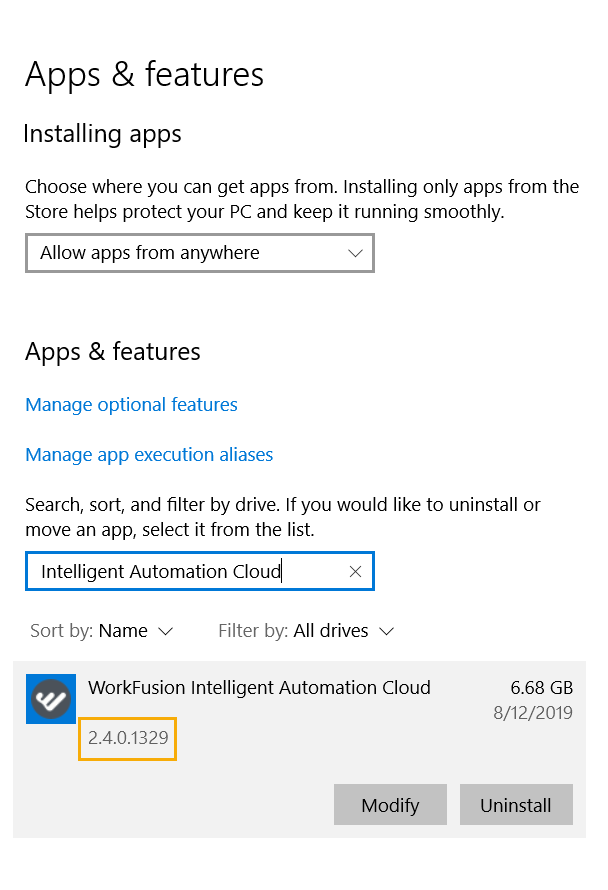
WorkFusion Studio
Using Windows Shortcuts for desktop automation
Expand to learn more
Basic shortcuts used for Windows and Windows applications can be used for automating the same actions in Studio. For basic keyboard shortcuts, refer to Using Keyboard Shortcuts for Automation.
Using XPaths for web automation
Opening downloaded recording
Expand to learn more
To view a recording you downloaded from the forum or here in the documentation, add it to your project folder. To do that, refer to
RPA Recorder section.
Getting values from lists and tables
Expand to learn more
Lists and tables are needed to do the same set of actions for all their items (rows or columns) that can be set up as Recorder variables. A value of each list or table element can be retrieved using the element's index. See more in Recorder Variables.
Getting object value from Windows application
Expand to learn more
To perform actions in any desktop application, Bot has to find particular elements to interact with. These are identified by selectors retrieved with the help of Inspector.
Finding Excel cell coordinates based on cell text
Expand to learn more
To get the coordinates of a particular cell, use Script as a custom action.
The coordinates of an Excel cell are kept in the Name attribute.
Code sample:
@CustomScriptAction(
input = ['text'],
output = 'name'
)

def customScript() {

name = RString.of($("[CLASS:DataItem; TEXT:${text}]").getAttribute('Name'))

}
Control Tower
Splitting Business Process in Bot Tasks
Expand to learn more
It can be hard to maintain and update a complex business workflow in a single Bot Task. As a solution, we recommend splitting complicated Business Processes in several smaller Bot Tasks, i.e. automate each Bot Task separately, and then combine in a single Business Process. Refer to How to Split Business Process in Tasks.
Splitting data in the middle of Business Process
Expand to learn more
There are cases when data records for some of Business Process steps cannot be available before the Business Process starts. In this case, it is recommended to split data in the middle of the Business Process. To do that, you can use a special Bot Form (ETL task). See more in Split Data Between Bot Tasks.