Explore decision reapplication
Decision reapplication is a mechanism in Evan: Adverse Media Monitoring (AMM) that allows reusing previously made article review decisions across multiple investigations of the same entity. The benefits are as follows:
Decision-making consistency
Less time spent by analysts on processing data
Fewer redundant manual review
Reapplication only works when the Entity ID is provided in the input data. In this case, if a subsequent investigation for the same entity finds articles that were previously reviewed, Evan reuses the decision from the previous investigation, provided configured conditions are met.
Key features
Below are the major features of the decision reapplication mechanism:
Entity-based logic: requires an Entity ID to link investigations.
Automatic reapplication: if an article reappears, the decision from the previous investigation on the article is reapplied.
Configurable thresholds: you can set the number of required matching decisions and distinct reviewers.
Tracking of input discrepancies: if investigation parameters differ (for example, date of birth, residence country), the generated decision comment reflects the differences.
Investigation-level reapplication: decisions for the whole investigation can be reapplied if all articles are either already reviewed or marked as False Positive (depending on the configuration).
Analytics tracking: all article review histories are stored for auditability.
Configuration options
You can fine-tune the decision reapplication mechanism using the following configuration screen options on the Human in the Loop step:
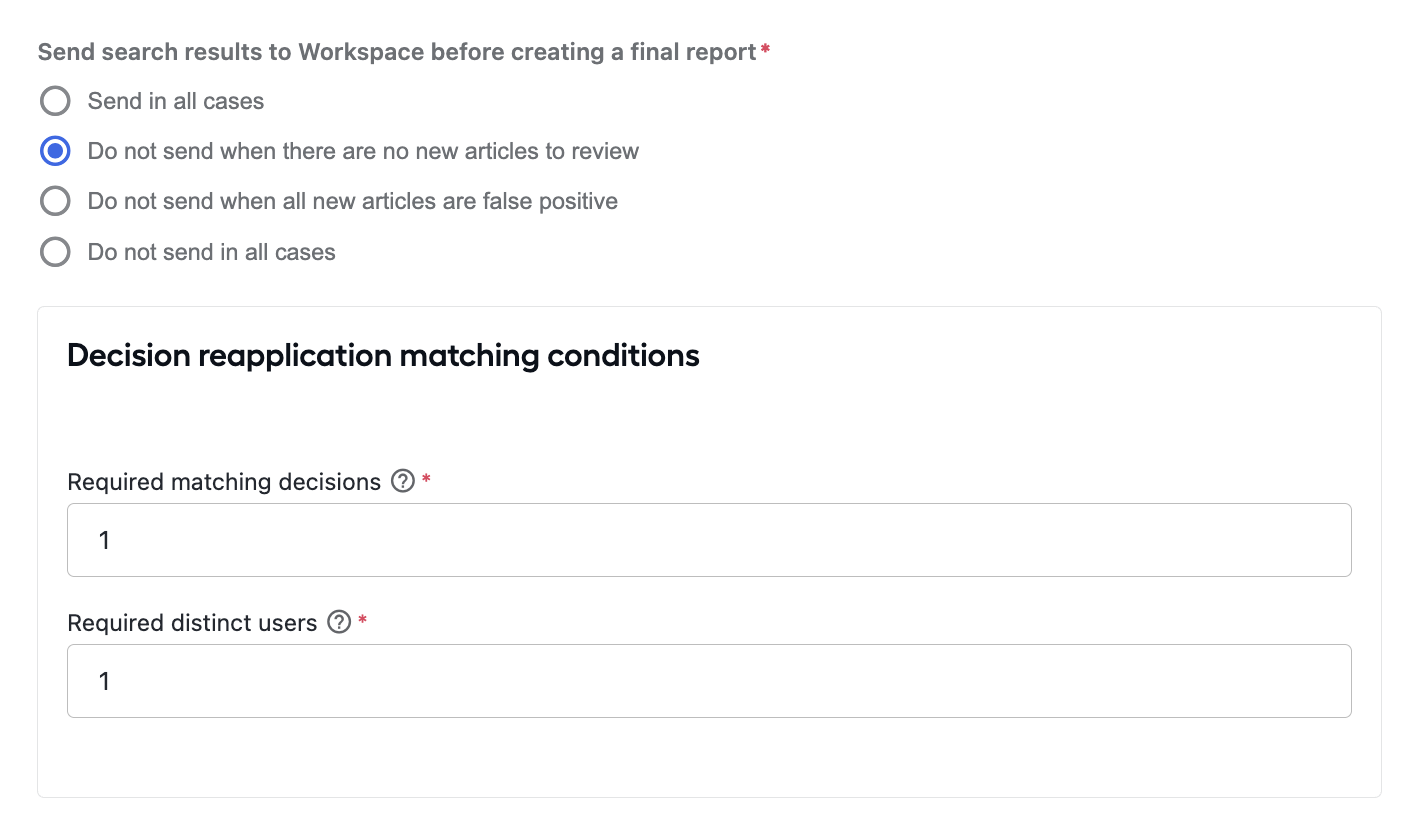
Send search results before final report: controls straight-through processing, depending on whether new or False Positive articles are found.
Required matching decisions: the number of consistent decisions to be reached before a decision is eligible for reapplication.
Required distinct users: the minimum number of different reviewers required to approve the same decision before it can be reapplied.
For more details on the Human in the Loop step, see Install and configure | Human in the Loop.
How it works
This is how the decision reapplication mechanics looks like:
First investigation: articles are found and manually reviewed. The results are saved to the
amm_article_review_historyData Store.Subsequent investigation (same Entity ID): articles are matched against their history. If they have been reviewed previously, the following happens:
Decisions are reapplied if conditions are met.
If investigation parameters changed (for example, search request, birth year, residence country), a comment is generated explaining the differences.
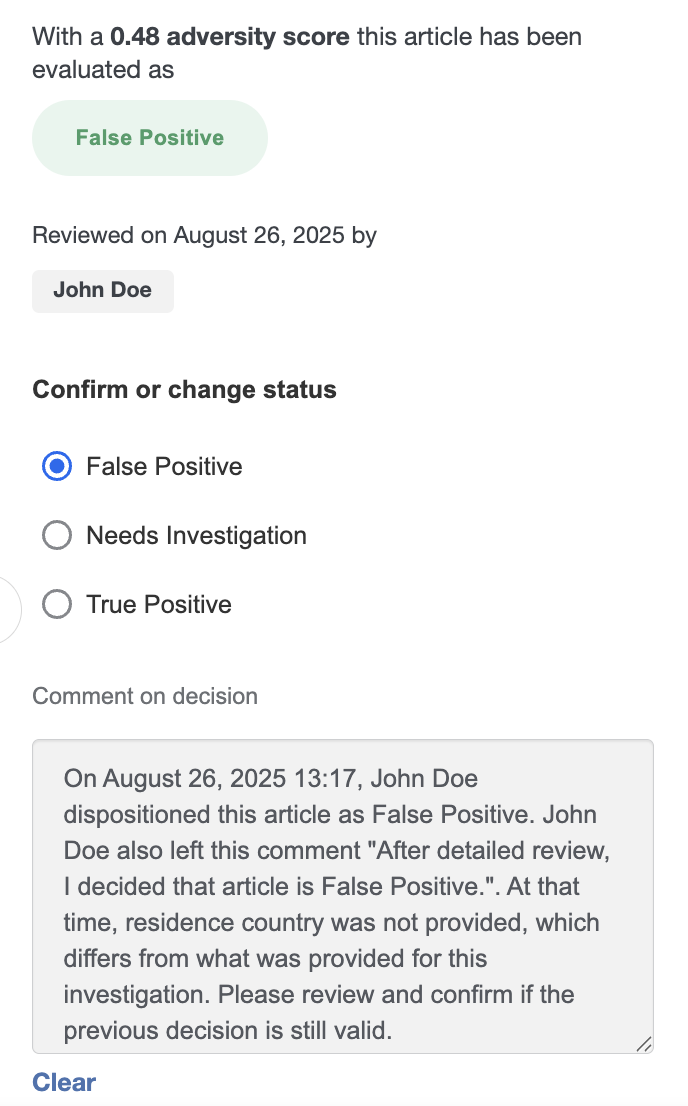
Reapplication conditions: previous reviews must exist for the same entity.
All required matching decisions must be present.
All required distinct reviewers must be met.
Investigation-level decision reapplication:
If all articles are previously reviewed, the last investigation decision is reapplied.
If all articles are False Positive (or reviewed as False Positive), the investigation decision can also be reapplied.
Sample workflow
Below are the steps of a sample workflow with decision reapplication:
Investigation INV-001 for the entity with Entity ID 123 finds five articles. An analyst reviews them.
Investigation INV-002 is triggered for the same Entity ID 123.
Out of the five new articles:
Three match the previously reviewed ones, so the decisions are reapplied.
Two are new, in which case manual review is required.
Since not all articles are reapplied, the investigation requires partial manual work.
If the configuration is set to skip Manual Tasks if all articles are previously reviewed and all the five articles have been reviewed before, no Manual Task is shown.